
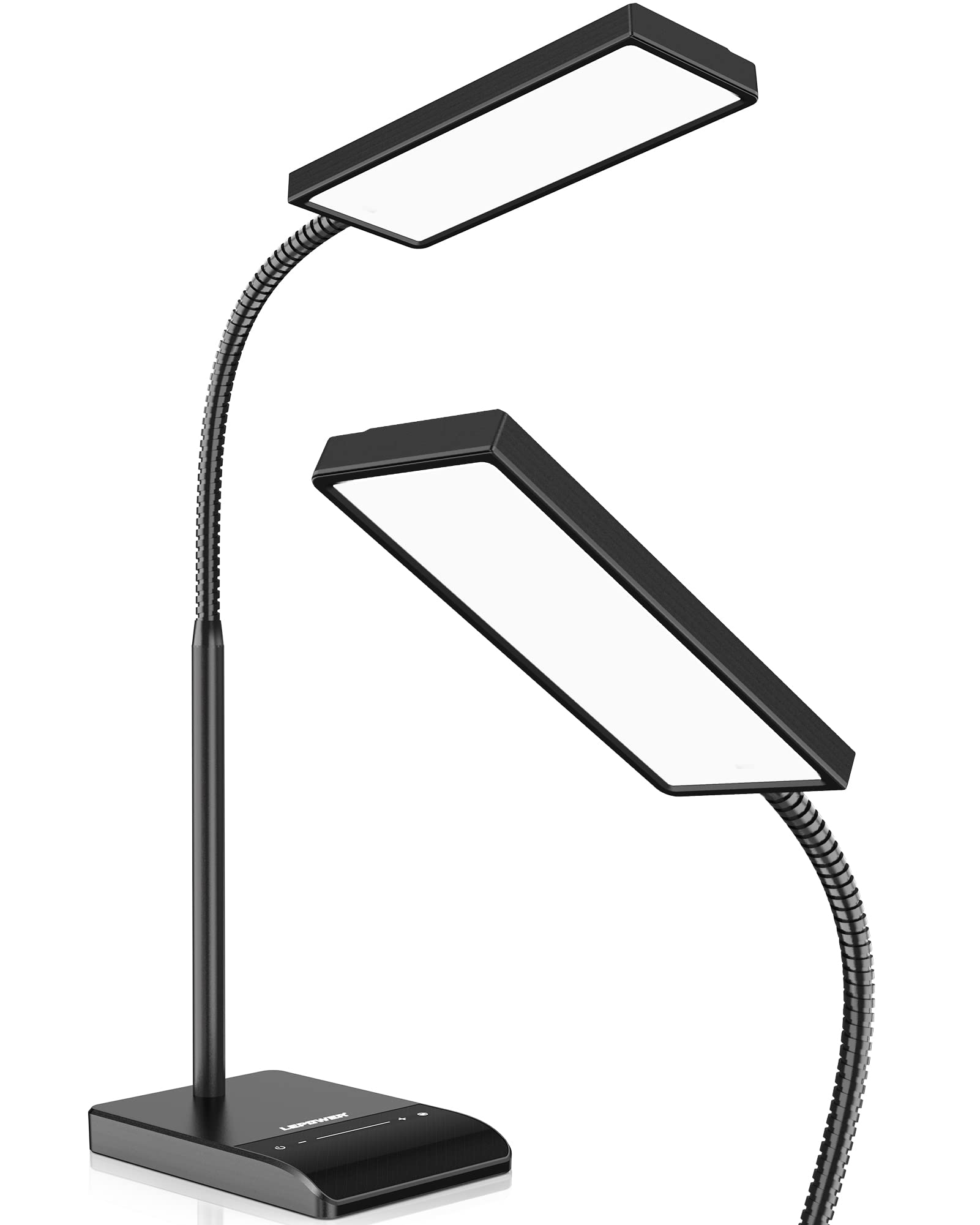
LEPOWER LED Desk Lamp with Clamp
Task lighting for your desk area, especially for evening or video calls.
$20 - $30
LEPOWER LED Desk Lamp with Clamp This lamp uses a clamp base to save precious desk space while providing bright, adjustable lighting.
Get the App
Better experience on mobile
Discover a step-by-step approach to creating an ergonomic, efficient home office without overspending—perfect for beginners.
Working from home can be a dream or a drag—often depending on your workspace. A cluttered, uncomfortable setup not only kills your productivity but can also cause back pain and eye strain. The good news? You don’t need a designer makeover or thousands of dollars to build a home office that works for you.
In this guide, you’ll learn how to set up a productive home office on a budget, step by step. From choosing the right corner to picking budget-friendly furniture and tech, we’ll show you practical ways to create a space that helps you focus. Expect to spend a few hours planning and shopping, and you’ll be ready to work comfortably without breaking the bank.
Whether you’re setting up a dedicated room or a small nook, these straightforward strategies will help you make smart choices. Let’s get started.
Estimated Time: 3-5 hours over a weekend (including shopping time) Difficulty: beginner
Start by measuring your available area and noting the dimensions on paper. Consider the kind of work you do: if you're on video calls all day, you'll want a quiet corner with good lighting; if you do a lot of writing, you'll prioritize desk space. Check that you have a power outlet nearby and a strong Wi-Fi signal. Make a list of activities you'll do—using a computer, taking notes, filing papers—so you know exactly what your office must support. This prevents you from buying unnecessary items.
💡 Tips:
⚠️ Warnings:
Decide how much you can spend before you browse anything. A full beginner setup—desk, chair, lighting, and small accessories—can cost as little as $200 if you're resourceful. Break this into categories: furniture (40% of your budget), lighting (10%), organizational tools (20%), and tech accessories (30%). Write the list down and stick to it. If you already have some furniture, adjust the percentages to spend more on what you're missing.
💡 Tips:
⚠️ Warnings:
The desk and chair are the heart of your home office. For the desk, look for a sturdy, flat surface that suits your needs. You can often find second-hand desks for under $100. Alternatively, use a door placed on two filing cabinets or an old table that's the right height (about 28-30 inches). For the chair, prioritize comfort and adjustability. If you can't afford a great chair right away, buy a lumbar cushion and a footrest to improve a basic chair. Sit in the chair and make sure your feet rest flat on the ground and your knees are at a 90-degree angle.
💡 Tips:
⚠️ Warnings:
Good lighting reduces eye strain and makes you more alert. Position your desk so natural light comes from the side, not behind your screen, to avoid glare. Add a task light like an LED desk lamp for meetings or evening work. If you're using multiple monitors, a monitor light bar can provide even illumination without taking up space on your desk. Choose bulbs with a temperature between 2,700K and 3,000K for a warm, comfortable glow that mimics the sun.
💡 Tips:
⚠️ Warnings:
Once your furniture is in place, set up your devices to avoid pain. Position your monitor so the top of the screen is at or slightly below eye level; you should look slightly down at the center of the screen. The screen should be about an arm's length away. If you're using a laptop, raise it with a stand or a stack of books and use an external keyboard and mouse. Place the keyboard so your elbows are at a 90-degree angle. This setup protects your neck, shoulders, and wrists.
💡 Tips:
⚠️ Warnings:
A cluttered desk leads to a cluttered mind. Keep only what you need on the surface: your computer, a notepad, and a pen. Use shelves, drawers, or stackable trays to organize papers and supplies. For small items like pens and USB drives, use jars or small containers. Manage cable clutter with clips, ties, or a cable sleeve. A small whiteboard can serve as a visual to-do list and reduce paper scraps. Even simple solutions like a shoe box covered with fabric can become stylish storage.
💡 Tips:
⚠️ Warnings:
Your home office should feel like yours, but you don't need a big budget for that. A small potted plant, a family photo, or a favorite poster can boost your mood without distracting you. Consider a cheap rug to define your workspace and reduce noise. Use a colorful desk mat or a mousepad to add a splash of color. Keep the walls neutral or add one focal point, like a vision board or a print in a simple frame.
💡 Tips:
⚠️ Warnings:
The final step is about using your space effectively. Set a morning routine: enter your office, adjust your chair, clear the desk, and write down your top three goals. Use time-blocking (e.g., 25 minutes of focused work, 5-minute break) using a timer or app. At the end of the day, shut down your computer, clear your desk, and close your notepad. This signals your brain that work is over and reduces stress.
💡 Tips:
⚠️ Warnings:
Problem: My space is too small for a full-size desk.
Solution: Use a wall-mounted drop-leaf table, a laptop stand with a small keyboard, or a compact desk (e.g., 40 inches). Store files vertically or in rolling containers.
Problem: My office chair is uncomfortable after an hour.
Solution: Add a lumbar cushion and a seat cushion if needed. Make sure your knees are at hip height and your feet flat on the floor. If the chair breaks, consider buying a replacement or a cushion from an office supply store.
Problem: There is a glare on my monitor.
Solution: Reposition your desk perpendicular to the window, turn your monitor, or use an anti-glare screen filter. You can also tilt your monitor slightly downward.
Problem: I keep getting interrupted by household traffic.
Solution: Use a room divider, a curtain, or a simple screen to visually block the area. If possible, set a schedule for family members to indicate when you're unavailable.
Problem: My neck and shoulders feel stiff at the end of the day.
Solution: Review your monitor height and chair position. Make sure your shoulders are relaxed and your wrists straight. Check your posture every hour and do simple stretches. If pain persists, consult a doctor or physiotherapist.
This lamp uses a clamp base to save precious desk space while providing bright, adjustable lighting.
Best for: Task lighting for your desk area, especially for evening or video calls.
Price Range: $20 - $30
Adds essential ergonomic support to any chair, reducing back pain without replacing it.
Best for: Attach to your existing office chair to improve posture and comfort.
Price Range: $20 - $35
Have a compact base that raises your monitor to eye level, freeing up space and preventing neck strain.
Best for: For a single monitor or laptop (with adapter) to create an ergonomic screen height.
Price Range: $30 - $50
An affordable way to connect multiple peripherals to your laptop or desktop.
Best for: Ideal for plugging in a keyboard, mouse, webcam, and external drive all at once.
Price Range: $30 - $45
Keeps cords and cables organized both on and under the desk, reducing clutter and safety hazards.
Best for: Run the sleeve along your desk leg or under the surface to hide power cords and USB cables.
Price Range: $10 - $20
Task lighting for your desk area, especially for evening or video calls.
LEPOWER LED Desk Lamp with Clamp This lamp uses a clamp base to save precious desk space while providing bright, adjustable lighting.
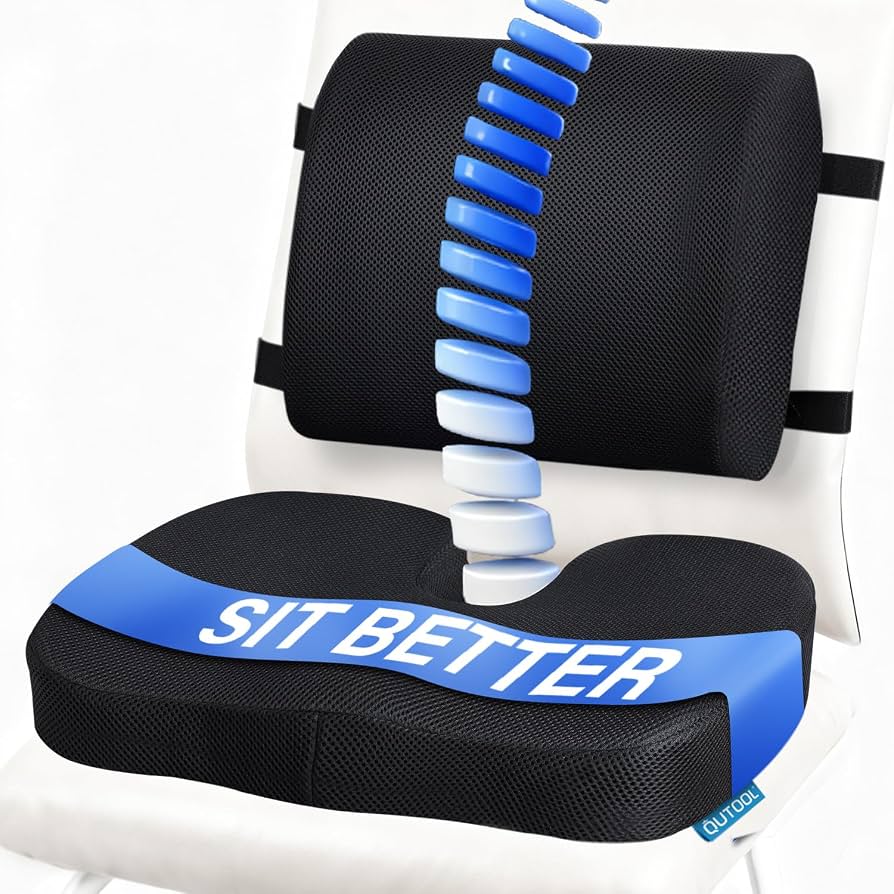
Attach to your existing office chair to improve posture and comfort.
SALENCE Lumbar Support Cushion for Office Chair Adds essential ergonomic support to any chair, reducing back pain without replacing it.
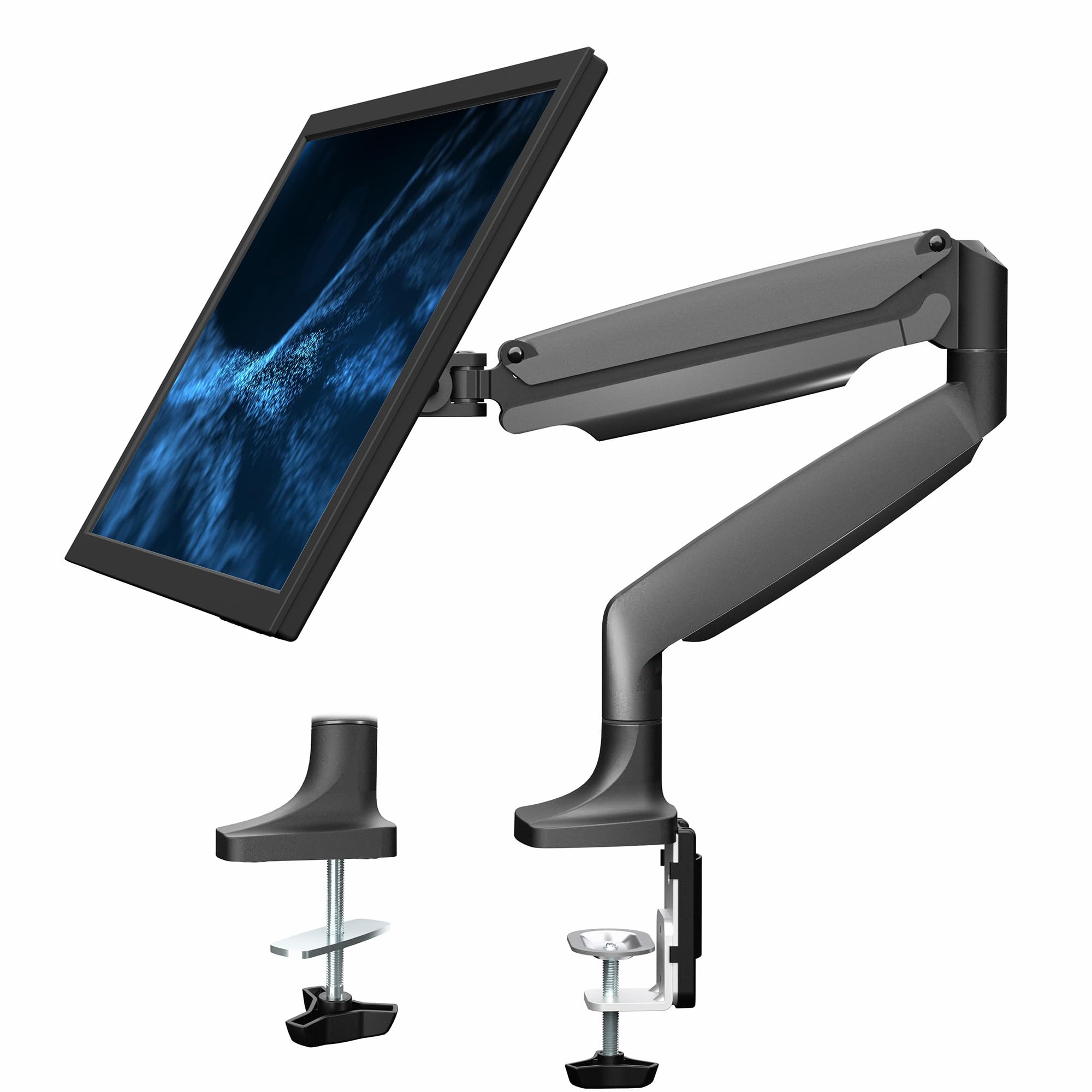
For a single monitor or laptop (with adapter) to create an ergonomic screen height.
VIVO Adjustable Single Monitor Stand Have a compact base that raises your monitor to eye level, freeing up space and preventing neck strain.
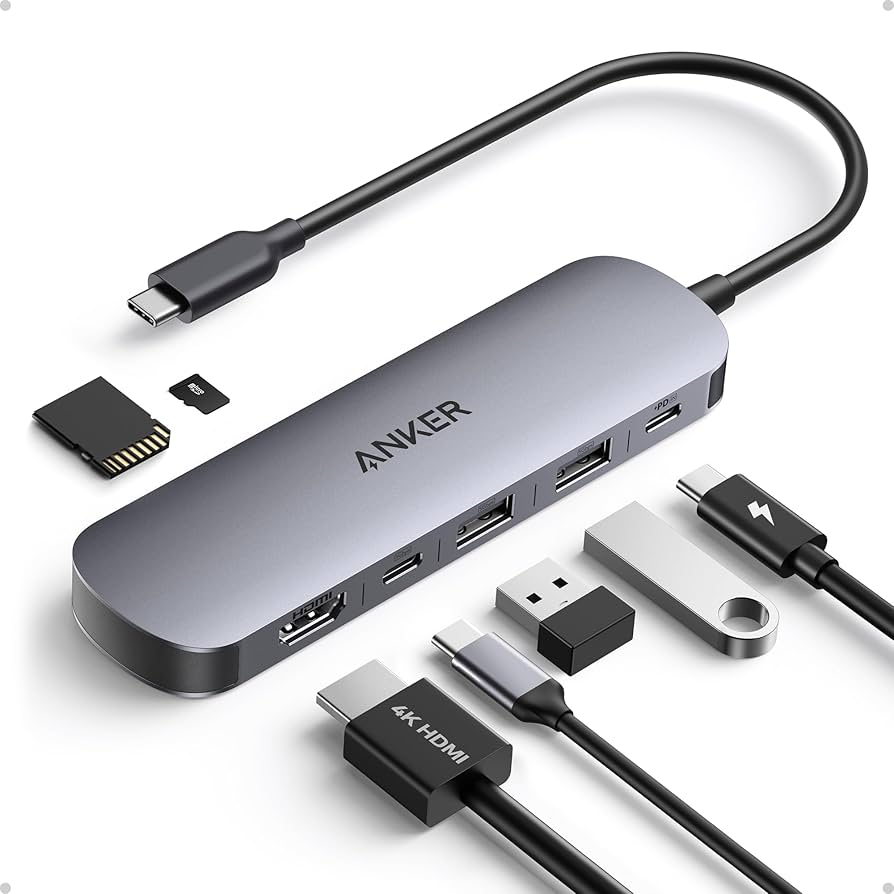
Ideal for plugging in a keyboard, mouse, webcam, and external drive all at once.
Anker 7-Port USB 3.0 Data Hub An affordable way to connect multiple peripherals to your laptop or desktop.
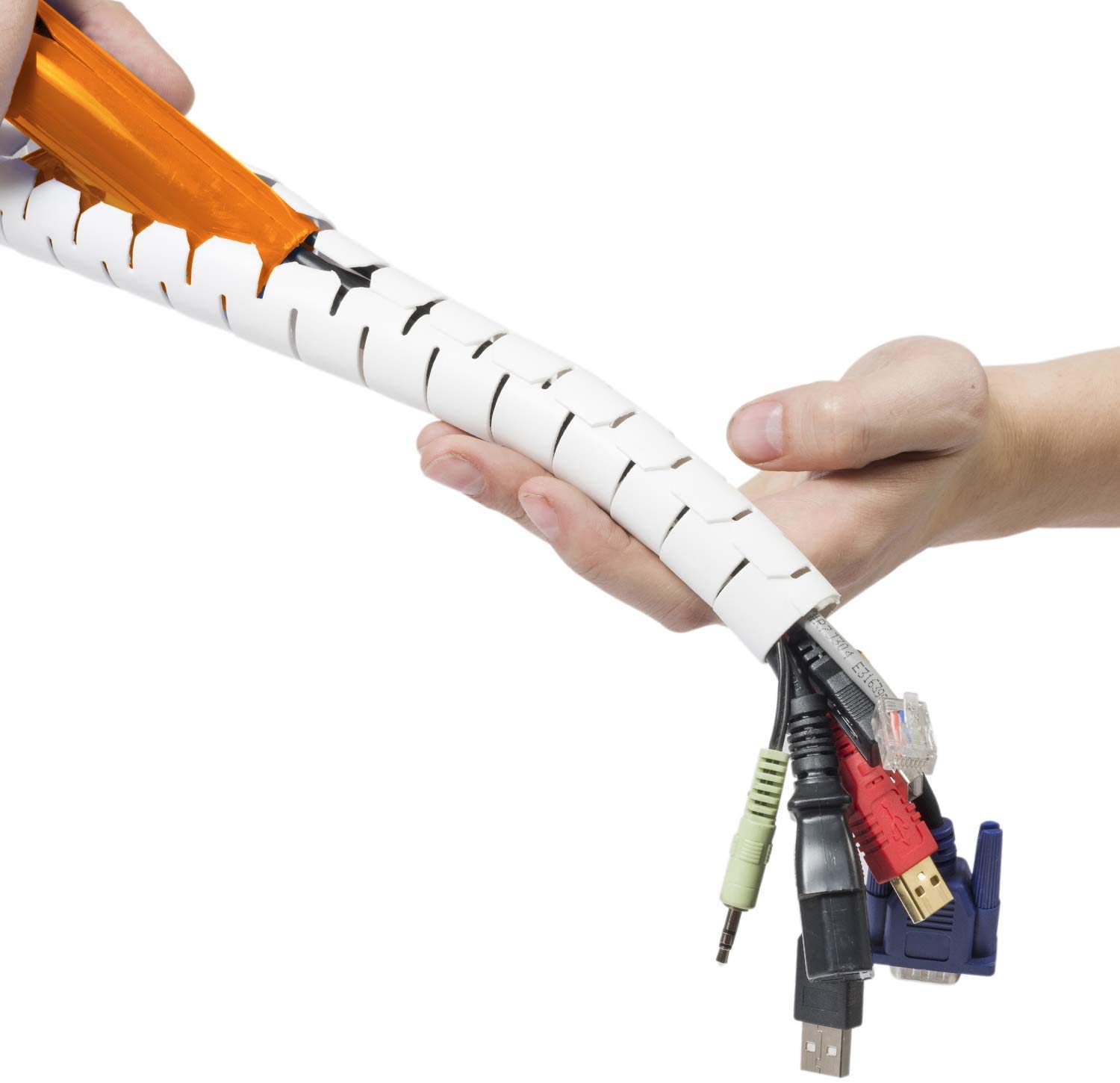
Run the sleeve along your desk leg or under the surface to hide power cords and USB cables.
D-Line Cable Management Sleeve Keeps cords and cables organized both on and under the desk, reducing clutter and safety hazards.