

Echo Show 8 (3rd Gen)
Daily visual welfare checks and med reminders from your phone.
$149.99
Echo Show 8 (3rd Gen) Enables easy video check-ins and voice reminders for non-tech-savvy seniors.
Get the App
Better experience on mobile
Learn step-by-step to assess needs, set up monitoring, and coordinate support from afar, reducing stress and ensuring safety.
Caring for aging parents from a distance can feel overwhelming—missed health signs, scattered documents, or emergency delays are common fears. But with a structured plan, you can provide proactive support, peace of mind, and quality care without being there daily.
In this guide, you'll learn how to systematically organize every aspect of their care, from assessments to emergency protocols. Expect an initial setup of 4-6 hours, plus 30 minutes weekly for maintenance. It's intermediate difficulty, assuming basic tech familiarity.
We'll cover assessment, tech setup, legal prep, monitoring, coordination, and more, so you can confidently manage from anywhere.
Estimated Time: 4-6 hours initial setup + 30 min/week ongoing Difficulty: intermediate
Start by creating a comprehensive needs inventory. Schedule a video call or visit to discuss their daily routines, health issues, mobility, finances, and living environment.
Use a checklist: physical health (meds, doctor visits), mental (memory, mood), home safety (stairs, lighting), social (isolation), and finances (bills, insurance). Document everything in a shared Google Doc. This baseline helps prioritize and track changes.
Success looks like: A 2-3 page document outlining strengths, risks, and immediate actions.
💡 Tips:
⚠️ Warnings:
Establish daily or weekly check-ins using easy tech. Install a smart display like Echo Show for hands-free video calls.
Share contacts, set recurring Zoom/FaceTime, and use apps like CaringBridge for updates. Test setups together. Why? Consistent touchpoints catch issues early.
Success: Seamless 5-minute daily video chats where you see their environment and mood.
💡 Tips:
Gather powers of attorney, wills, insurance policies, bank details, and Medicare cards. Scan everything into a secure digital folder (Google Drive with 2FA) and physical fireproof copies.
Consult an elder law attorney if needed. Share access selectively. This prevents crises during emergencies.
Success: A 'care binder' (digital + physical) with all docs indexed and accessible.
💡 Tips:
⚠️ Warnings:
Set up remote monitoring: medical alert button, smart pill dispensers, motion cameras. Link to your phone app for alerts.
Schedule doctor syncs via patient portals (e.g., MyChart). Track vitals with wearables if accepted.
Success: Real-time alerts for falls or missed meds, visible via app dashboard.
💡 Tips:
Build a shared calendar for meds, meals, cleaning, groceries. Hire local help via apps like Care.com.
Use meal delivery (e.g., Meals on Wheels) or grocery services. Assign tasks if siblings involved.
Success: A color-coded calendar everyone accesses, with reminders auto-sent.
💡 Tips:
⚠️ Warnings:
List key contacts (doctors, neighbors, you), hospital prefs, and protocols (e.g., 'Call 911 then me'). Share via wallet card and fridge list.
Test with a mock drill. Include DNR if applicable.
Success: Everyone knows steps; you've rehearsed response time under 5 min.
💡 Tips:
Identify local helpers: neighbors, friends, church, senior centers. Join online groups like AARP forums.
Hold quarterly meetups (virtual). Delegate tasks.
Success: 5+ reliable contacts, with at least one checking in-person weekly.
💡 Tips:
Monthly reviews: check calendar adherence, update docs, survey parents. Adjust based on changes.
Track metrics like med compliance.
Success: System evolves; issues resolved before escalation.
💡 Tips:
⚠️ Warnings:
Problem: Parent resists tech or monitoring
Solution: Frame as 'peace of mind' tool; demo benefits; involve trusted friend.
Problem: Tech glitches or forgotten passwords
Solution: Keep a 'tech cheat sheet' printed; use biometric logins; test weekly.
Problem: Family disagreements on plan
Solution: Hold mediated family call; assign roles based on strengths.
Problem: Overwhelmed by alerts
Solution: Customize notifications; set quiet hours; review daily.
Problem: Legal access denied
Solution: Consult attorney ASAP; get POA while capable.
Enables easy video check-ins and voice reminders for non-tech-savvy seniors.
Best for: Daily visual welfare checks and med reminders from your phone.
Price Range: $149.99
Provides discreet home monitoring with motion alerts to your app.
Best for: Check if parents are active or detect falls/unusual activity remotely.
Price Range: $99.99
Alerts for missed doses and locks until taken, improving compliance.
Best for: Automated med management for forgetful parents.
Price Range: $89.99
Securely organizes and protects legal/financial docs from disasters.
Best for: Physical backup for scanned documents at parents' home.
Price Range: $24.99
Affordable, visual aid for med schedules with alarms.
Best for: Budget option for basic adherence tracking.
Price Range: $19.99
Daily visual welfare checks and med reminders from your phone.
Echo Show 8 (3rd Gen) Enables easy video check-ins and voice reminders for non-tech-savvy seniors.

Check if parents are active or detect falls/unusual activity remotely.
Ring Stick Up Cam Battery Provides discreet home monitoring with motion alerts to your app.
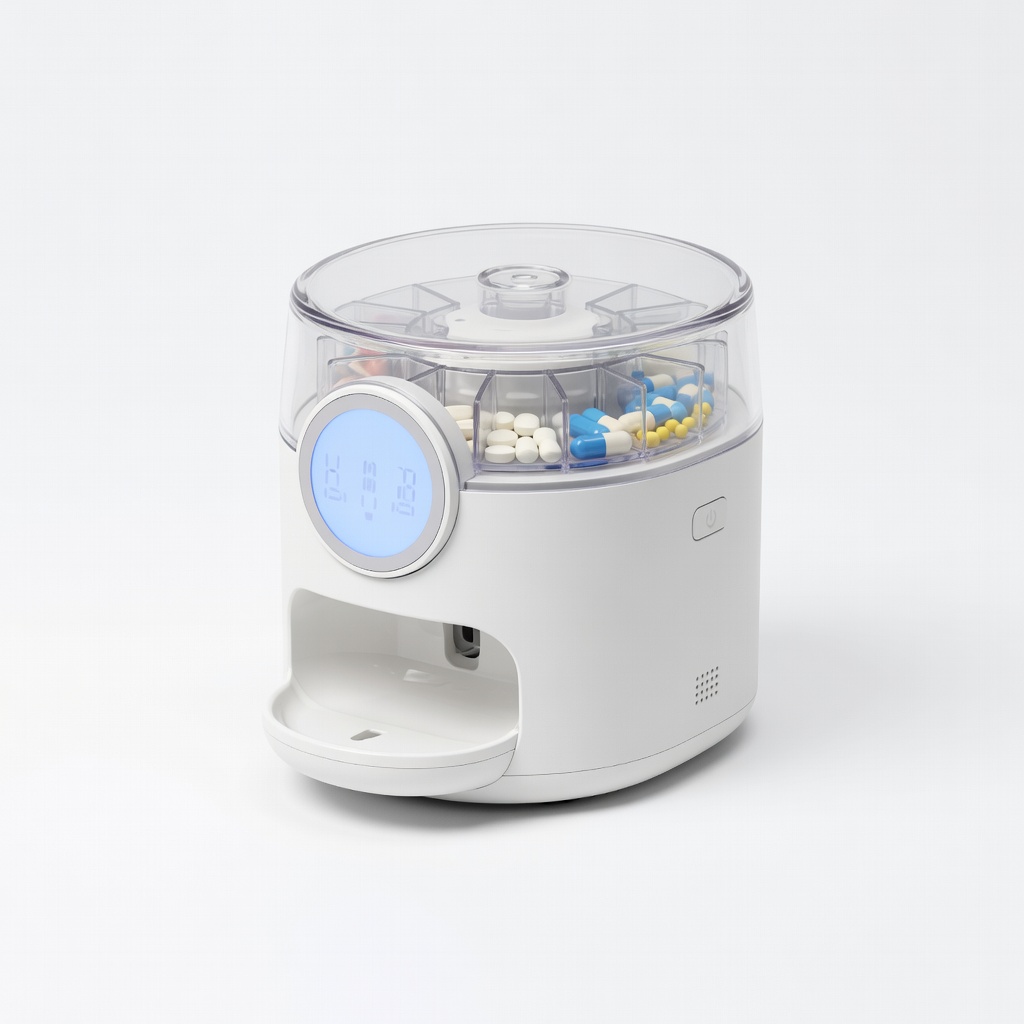
Automated med management for forgetful parents.
LiveFine Automatic Pill Dispenser Alerts for missed doses and locks until taken, improving compliance.

Physical backup for scanned documents at parents' home.
Fireproof Document Storage Bag Securely organizes and protects legal/financial docs from disasters.

Budget option for basic adherence tracking.
Weekly Pill Organizer with Timer Affordable, visual aid for med schedules with alarms.