

Screen Mom Screen Cleaner Kit
Daily/weekly wipes for all wearables.
$14.99
Screen Mom Screen Cleaner Kit Safe, streak-free formula perfect for screens and sensors without damaging oleophobic coatings.
Get the App
Better experience on mobile
Master simple maintenance steps to keep your fitness tracker or smartwatch delivering precise heart rate, steps, and sleep data every day.
Ever wondered why your activity monitor suddenly reports wildly inaccurate steps or heart rate? Inconsistent maintenance is the culprit for most users, leading to misguided workouts, flawed health insights, and frustration with your health goals. Proper upkeep ensures reliable data that powers better decisions, from optimizing training to tracking progress accurately.
In this guide, you'll learn a complete, step-by-step routine for cleaning, calibrating, and updating popular devices like Fitbit, Garmin, Apple Watch, and Whoop. Expect to spend 20-30 minutes monthly—no advanced skills required, just intermediate know-how like basic app navigation. By the end, your monitor will read like new, boosting your confidence in every metric.
We'll cover everything from daily wipes to firmware checks, with tips to avoid pitfalls and extend device life.
Estimated Time: 20-30 minutes per maintenance session (recommended monthly) Difficulty: intermediate
Start by powering off your activity monitor and removing it from your wrist or body. Examine the exterior, sensors (usually on the underside), screen, and band for dirt buildup, scratches, corrosion, or wear.
Why it matters: Visible damage like cracked sensors skews readings—e.g., a dirty optical heart rate sensor can misread by 10-20 bpm. This step identifies issues early, preventing data errors.
Expect to spot common grime from sweat or lotions. Note any problems for later troubleshooting.
💡 Tips:
⚠️ Warnings:
Dampen a microfiber cloth with distilled water or isopropyl alcohol (diluted 50/50 with water). Gently wipe the screen, bezel, and buttons in circular motions. For stubborn smudges, let the solution sit for 30 seconds before wiping.
Why it matters: Sweat and oils block touch sensitivity and visibility, indirectly affecting input accuracy. Clean exteriors last longer and read better.
Dry immediately with a dry cloth section. Your device should gleam without streaks—what success looks like.
💡 Tips:
⚠️ Warnings:
Focus on the underside sensors (green LED for heart rate). Use a soft brush to loosen debris, then wipe with an alcohol-dampened swab or cloth. Blow out particles with compressed air if available.
Why it matters: Sensors are precision tech—dirt causes up to 30% GPS or HR inaccuracies. Clean sensors ensure optical tech works flawlessly.
Sensors should be spotless and reflective; test by shining a light to see clear LEDs.
💡 Tips:
⚠️ Warnings:
Remove the band if possible. Soak removable silicone bands in warm soapy water for 5 minutes, scrub with a brush, rinse, and air dry. For fabric/leather, spot-clean only.
Why it matters: Grimy bands cause skin irritation and slippage, leading to poor contact and bad readings.
Band should be fresh-smelling and flexible post-clean.
💡 Tips:
⚠️ Warnings:
Reattach band, power on, and connect to your phone's app (e.g., Fitbit, Garmin Connect). Check for updates under settings > device > firmware.
Why it matters: Updates fix bugs improving accuracy by 5-15% via algorithm tweaks.
Success: 'Update complete' notification; restart device.
💡 Tips:
⚠️ Warnings:
Follow app-guided calibration: For GPS watches, walk/run outdoors in open areas. For step counters, use known distances.
Why it matters: Drift accumulates; calibration resets baselines for <5% error.
App confirms 'Calibrated'—readings match real activity.
💡 Tips:
⚠️ Warnings:
Wear device for 10-15 minutes: Check steps against manual count, HR against a finger pulse ox if available.
Why it matters: Verifies maintenance worked—data should align within 5%.
Log results in app notes for trends.
💡 Tips:
⚠️ Warnings:
Keep in a cool, dry case away from direct sun. Charge to 50-80% for storage.
Why it matters: Prevents battery degradation and dust buildup.
Device ready for next wear.
💡 Tips:
Problem: Inaccurate heart rate
Solution: Re-clean sensors, ensure snug fit 1 finger above wrist bone. Calibrate in app. If persists, reset device.
Problem: Steps over/under counting
Solution: Test on known distance, update firmware, check arm swing. Avoid loose bands.
Problem: Won't sync or update
Solution: Restart phone/device, ensure Bluetooth/Wi-Fi on, clear app cache. Seek support if >24h.
Problem: Battery drains fast post-maintenance
Solution: Full charge cycle, disable unused features. Replace if >2 years old.
Safe, streak-free formula perfect for screens and sensors without damaging oleophobic coatings.
Best for: Daily/weekly wipes for all wearables.
Price Range: $14.99
Ultra-soft, lint-free cloths prevent scratches on delicate sensors and screens.
Best for: Essential for every cleaning step.
Price Range: $9.99
Specialized kit with polish and cloths tailored for fitness trackers.
Best for: Deep cleans on Apple Watch, Fitbit.
Price Range: $19.99
Precision brushes for crevices and bands without abrasion.
Best for: Sensor and band scrubbing.
Price Range: $9.99
OEM bands ensure perfect fit and sensor contact for accuracy.
Best for: When originals wear out.
Price Range: $19.99-$29.99
Daily/weekly wipes for all wearables.
Screen Mom Screen Cleaner Kit Safe, streak-free formula perfect for screens and sensors without damaging oleophobic coatings.
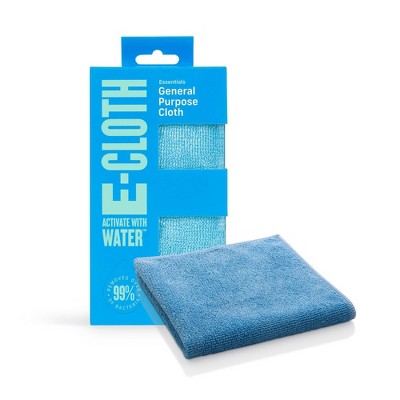
Essential for every cleaning step.
EWG Organics Microfiber Cleaning Cloths Ultra-soft, lint-free cloths prevent scratches on delicate sensors and screens.
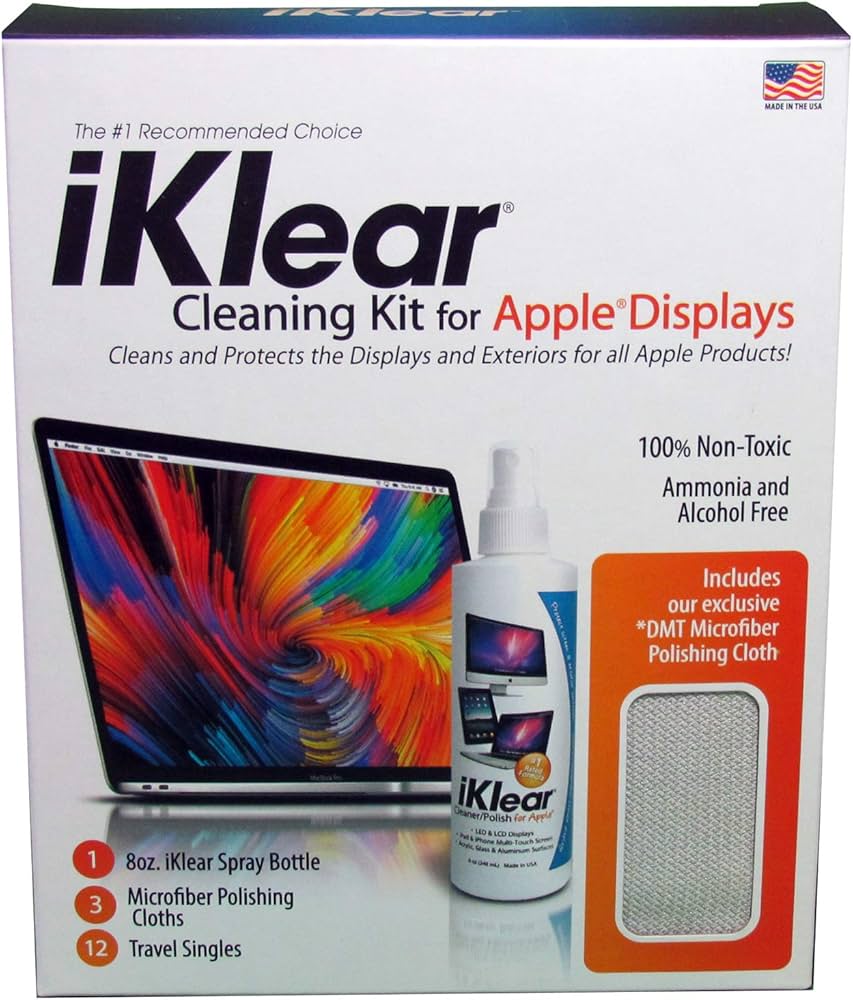
Deep cleans on Apple Watch, Fitbit.
iKlear Cleaning Kit for Apple Watch & Wearables Specialized kit with polish and cloths tailored for fitness trackers.
Sensor and band scrubbing.
OXO Good Grips Deep Clean Brush Set Precision brushes for crevices and bands without abrasion.

When originals wear out.
Fitbit Genuine Replacement Bands (for Charge 5) OEM bands ensure perfect fit and sensor contact for accuracy.