

Amazon Basics 12-Outlet Surge Protector
Budget setups with multiple chargers/monitors.
$25-$30
Amazon Basics 12-Outlet Surge Protector Affordable, high joule rating (2500), 12 AC outlets + 4 USB for basic offices.
Get the App
Better experience on mobile
Learn to pick the perfect power strips and adapters to power your home office setup safely and efficiently without overloads or clutter.
Setting up a home office often means juggling laptops, monitors, chargers, lamps, and more—all fighting for limited wall outlets. The wrong adapter or multi-outlet can lead to tripped breakers, damaged devices, or fire hazards, turning your productive space into a frustration zone.
In this guide, you'll learn how to assess your needs, decode specs, and select reliable products that match your setup. Whether you're a beginner with basic gadgets or expanding to multiple screens, we'll break it down step-by-step. Expect to spend 20-30 minutes reviewing your setup and shopping—easy for anyone with no prior electrical knowledge.
By the end, you'll confidently choose adapters and multi-outlets that keep everything powered, protected, and organized.
Estimated Time: 20-30 minutes Difficulty: beginner
Start by inventorying all devices in your home office: laptop, monitor, desk lamp, phone charger, external drives, etc. Note each one's wattage (W) or amperage (A) from the label or manual—multiply volts (usually 110-120V in the US) by amps for watts if needed.
Add up total watts to estimate demand. A typical setup might need 1000-2000W. This prevents overloads (standard outlets handle ~1800W max).
Why it matters: Overloading causes fires or damage. Expect a simple list like 'Laptop: 90W, Monitor: 50W'.
💡 Tips:
⚠️ Warnings:
Adapters convert plugs (e.g., USB-C to USB-A) or extend reach. Multi-outlets (power strips/surge protectors) multiply outlets and often add surge protection.
For home offices, prioritize surge-protected multi-outlets with USB ports. Analogy: Think of it as a power hub like a airport charging station.
💡 Tips:
Look for strips rated 15A/1875W minimum. Ensure total draw stays under 80% (e.g., 1500W safe on 1875W).
Adapters should match device output (e.g., 65W USB-C PD charger). Why? Mismatch causes heat/damage. Expect labels like '15A/1800W joules 2000'.
⚠️ Warnings:
Choose 1000+ joules rating (higher = better). Surge protectors absorb spikes from storms/lightning.
Home offices with computers need this—data loss from surges is common. Analogy: Like a shock absorber for your power.
💡 Tips:
Opt for USB-A/C ports (18W+ each) for fast charging. Some have PD (Power Delivery) for laptops.
Count outlets: 6-12 for offices. Why? Reduces cable clutter. Expect models with 6 AC + 4 USB.
Measure desk-to-outlet distance; get 6-10ft cords. Slim, mountable designs save space.
Mount under desk for tidiness. Why? Tripping hazards suck.
💡 Tips:
Seek UL/ETL listed. Features like auto-shutoff, overload protection.
Avoid cheap no-name brands. Why? Certified = tested safe.
⚠️ Warnings:
Scan Amazon reviews for 'heat', 'durability'. Budget: $20 basic, $50 premium.
Test in-store if possible. Final pick based on needs match.
💡 Tips:
Problem: Breaker trips frequently
Solution: Reduce load under 80% rating; unplug high-draw items or upgrade to 20A circuit.
Problem: Surge light off
Solution: Protection expired—replace immediately; don't use.
Problem: Doesn't fit outlet
Solution: Use right-angle adapter or polarized plug version; check polarity.
Problem: USB slow charging
Solution: Ensure PD/QC compatible; avoid hubs for high-power laptops.
Affordable, high joule rating (2500), 12 AC outlets + 4 USB for basic offices.
Best for: Budget setups with multiple chargers/monitors.
Price Range: $25-$30
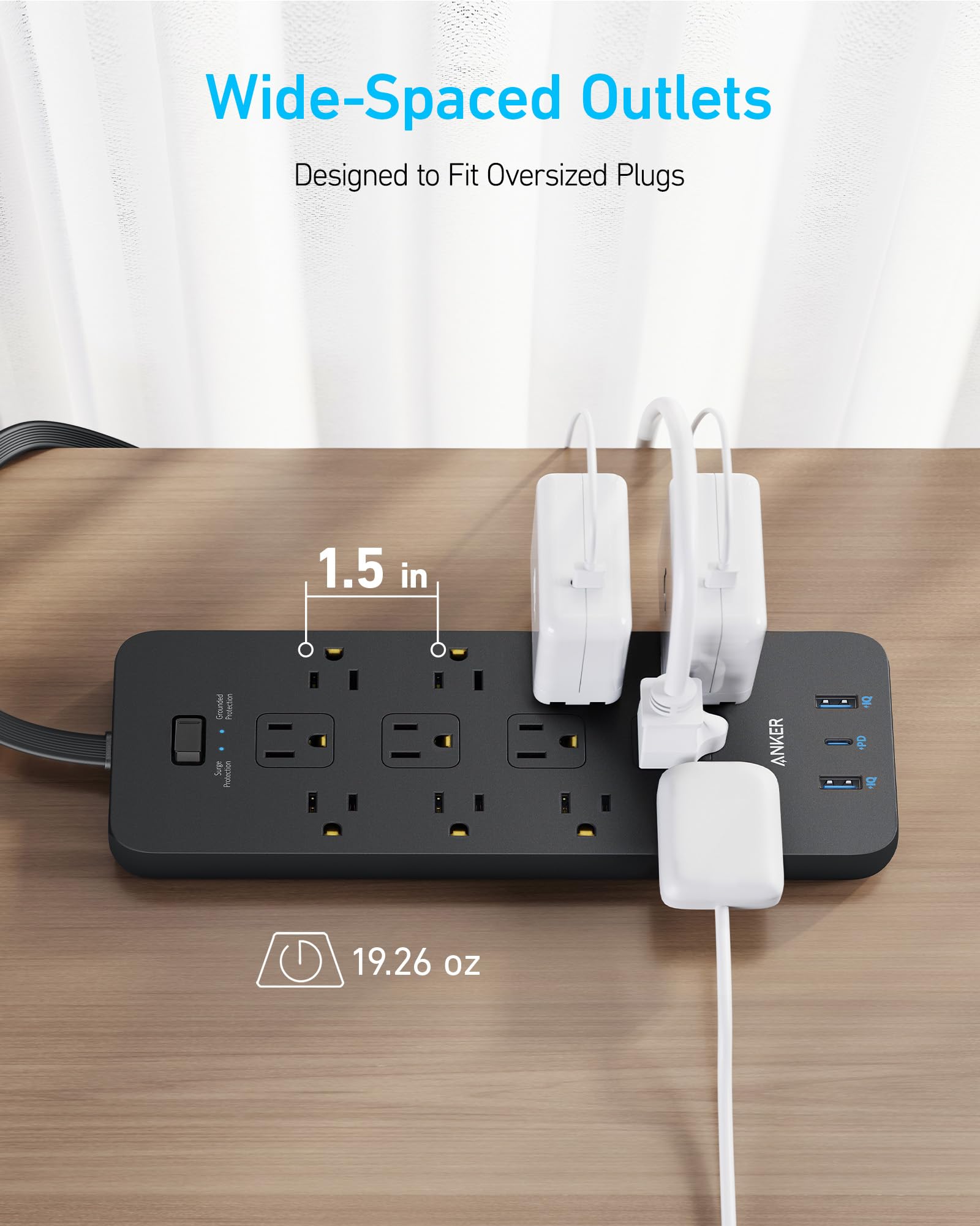
Compact, 2100 joules, 6 USB ports with fast charging—great for desk clutter.
Best for: Laptops/phones heavy setups needing USB.
Price Range: $35-$45
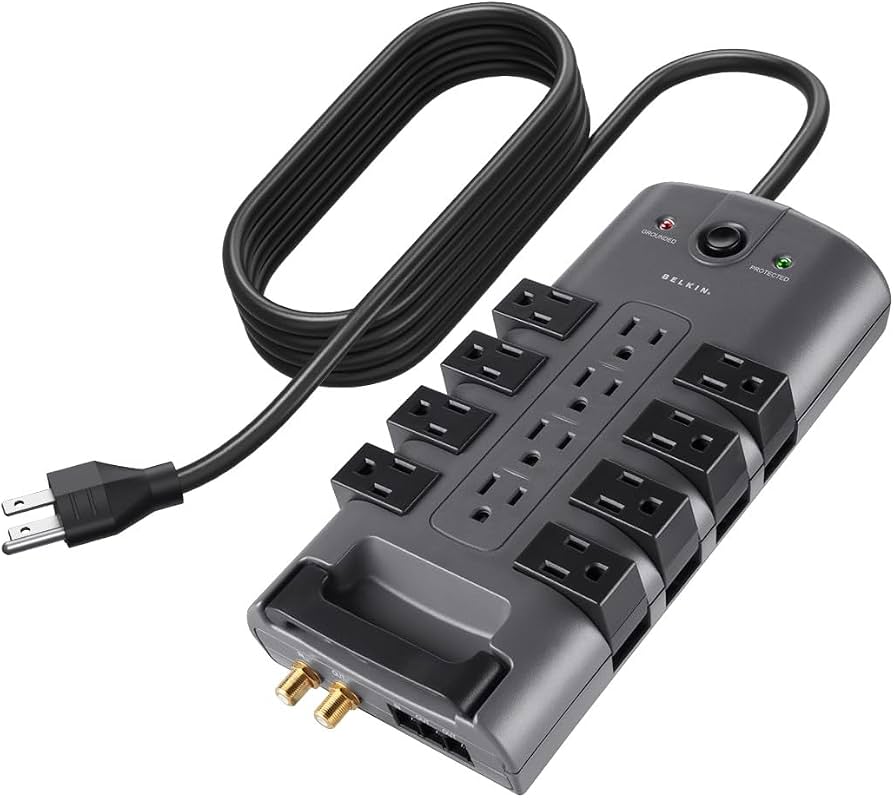
Reliable brand, 3940 joules, long 8ft cord, mountable—pro office protection.
Best for: Large desks far from outlets.
Price Range: $25-$35
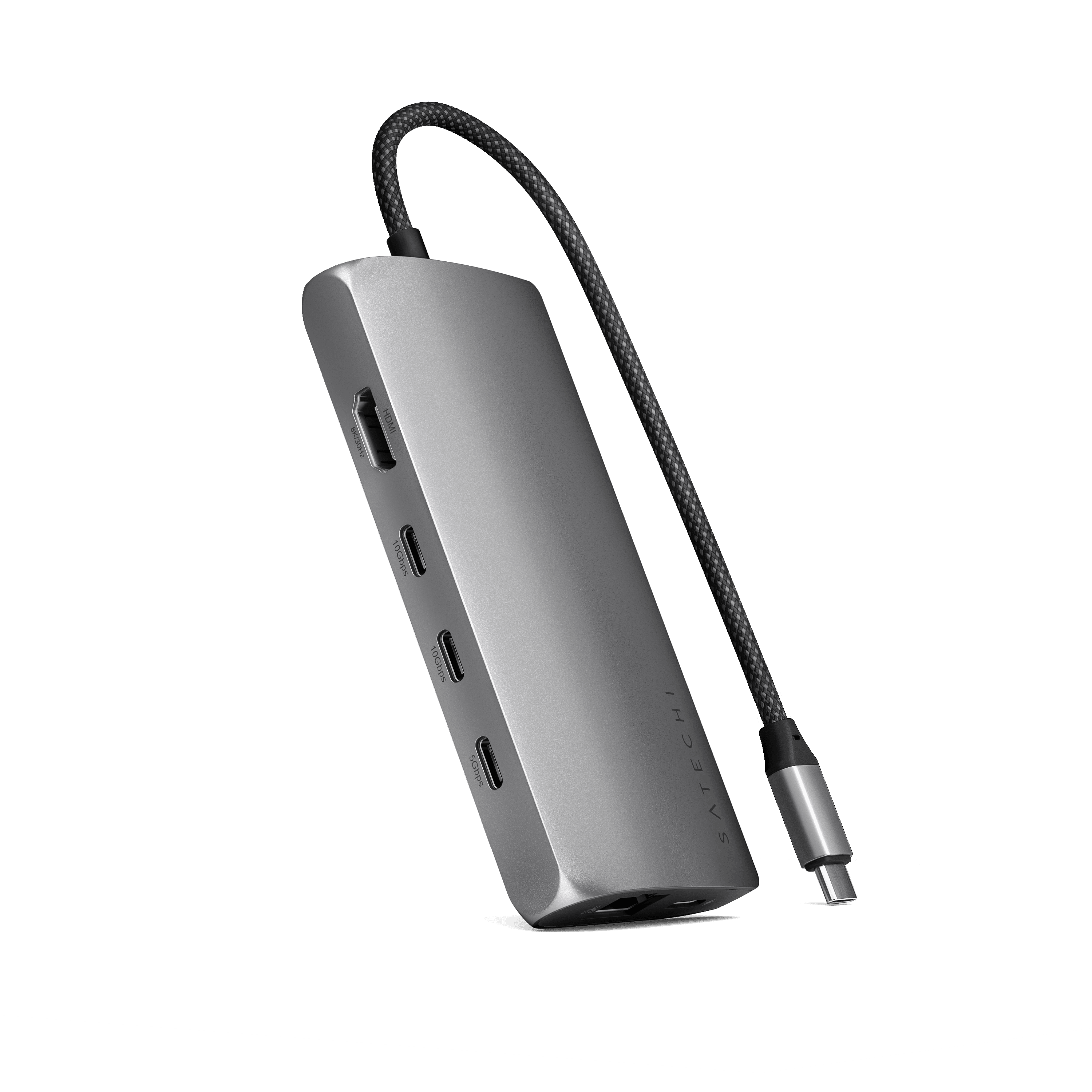
Versatile hub with HDMI/USB/SD for MacBooks, powers via pass-through.
Best for: Single-cable laptop docking.
Price Range: $70-$90
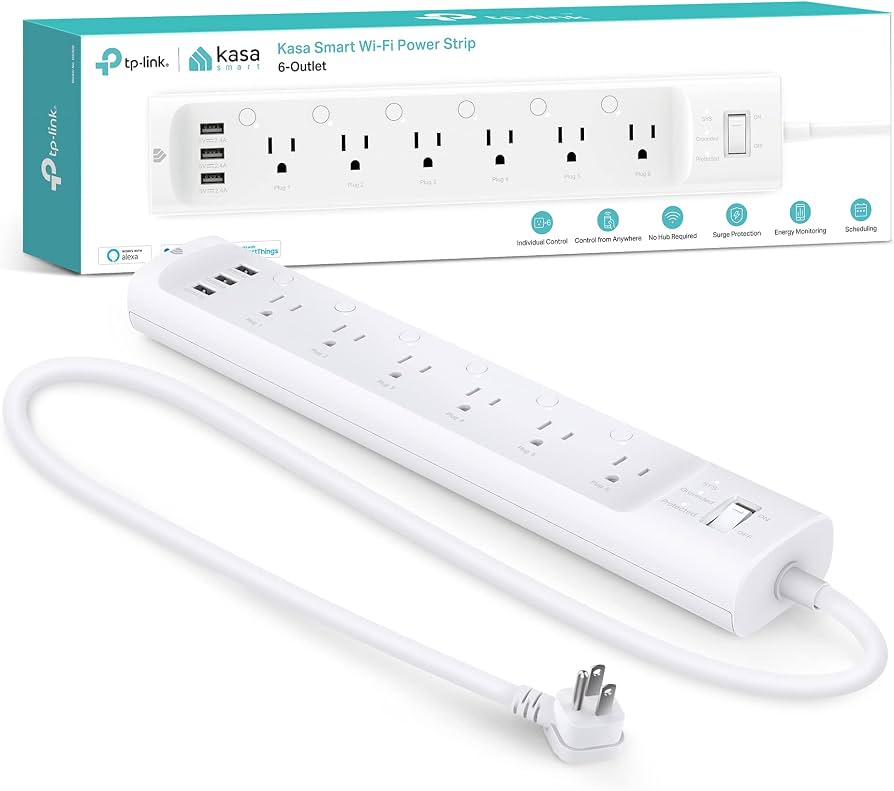
App/remote control, energy monitoring, 6 outlets—modern smart office.
Best for: Remote scheduling/power tracking.
Price Range: $70-$85
Budget setups with multiple chargers/monitors.
Amazon Basics 12-Outlet Surge Protector Affordable, high joule rating (2500), 12 AC outlets + 4 USB for basic offices.
Laptops/phones heavy setups needing USB.
Anker 511 Power Strip (12 Outlets) Compact, 2100 joules, 6 USB ports with fast charging—great for desk clutter.
Large desks far from outlets.
Belkin 12-Outlet Surge Protector Reliable brand, 3940 joules, long 8ft cord, mountable—pro office protection.
Single-cable laptop docking.
Satechi USB-C Multiport Adapter Versatile hub with HDMI/USB/SD for MacBooks, powers via pass-through.
Remote scheduling/power tracking.
TP-Link Kasa Smart Power Strip HS300 App/remote control, energy monitoring, 6 outlets—modern smart office.