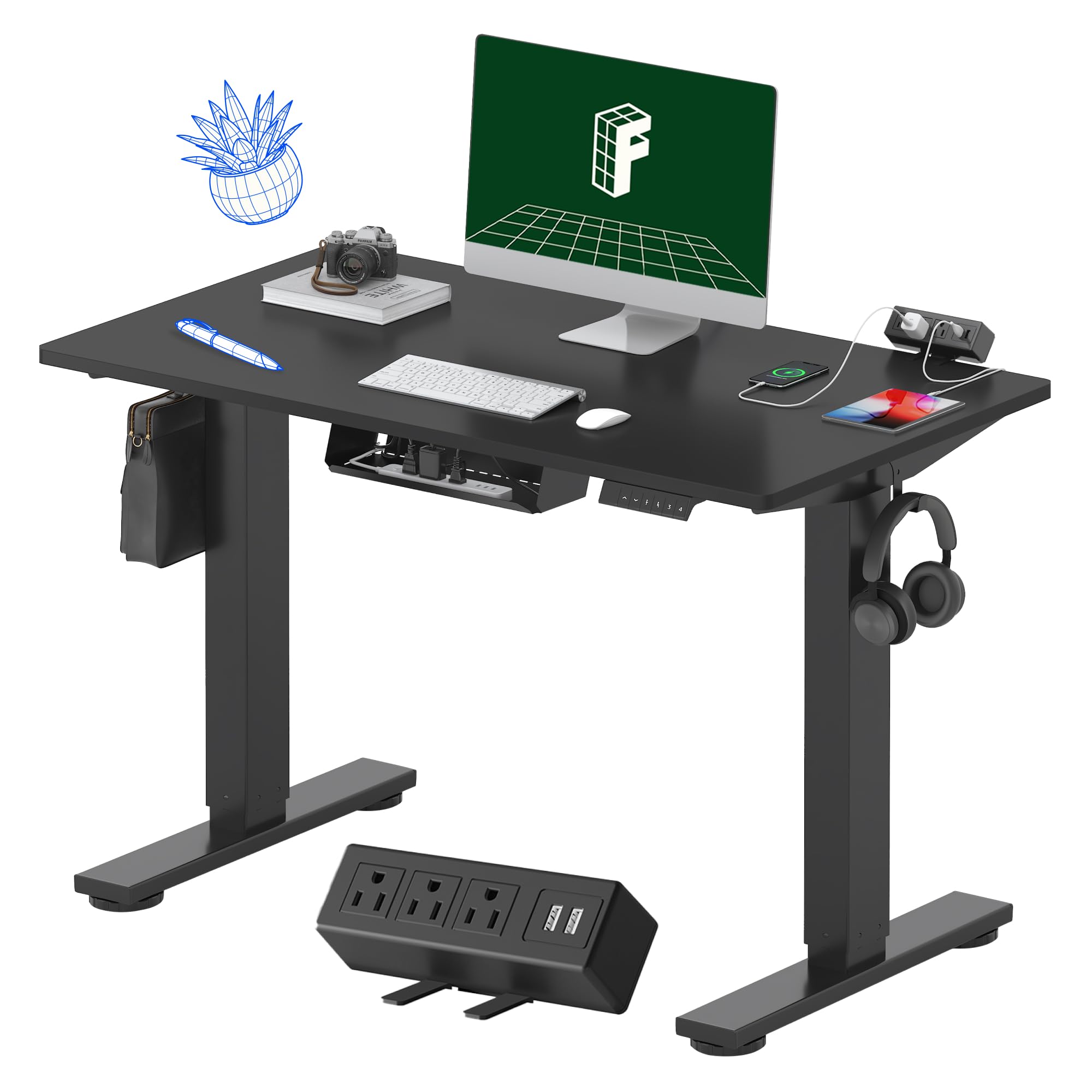
Standing desks have exploded in popularity as more people seek to reduce sedentary time and improve posture. But with so many options—motorized vs manual, different sizes, and varying weight limits—choosing the right one can feel daunting. This guide breaks down each factor, helping you make an informed decision that fits your workspace, budget, and ergonomic needs. Whether you're a remote worker or a gamer, you'll learn how to evaluate your requirements and select a desk that will serve you well for years.
▸What You'll Need
- •Your current desk dimensions and available floor space
- •A list of equipment you plan to place on the desk (monitors, laptop, accessories)
- •An idea of your budget range
- •Knowledge of your preferred standing vs sitting ratio
Estimated Time: 30 minutes to read and assess your needs (plus 1-2 weeks for delivery and assembly)
Difficulty: intermediate
▸Step-by-Step Instructions
Step 1: Evaluate Your Workspace and Needs
Before shopping, measure your available floor space—length, width, and height. Consider the room layout: do you need a corner desk, a straight desk, or an L-shaped? Also, think about cable management, monitor arms, and any future additions. This step prevents buying a desk that's too big or too small. A typical home office desk is 60 inches wide and 30 inches deep, but if you have multiple monitors, you may need 72 inches or more.
💡 Tips:
- •Leave at least 2 feet of clearance behind the desk for comfortable movement.
- •Measure doorways and hallways to ensure the desk can be delivered.
⚠️ Warnings:
- •Don't forget to account for the thickness of the desktop when measuring height ranges.
Step 2: Choose Between Motorized and Manual Standing Desks
The core decision: motorized (electric) vs manual (crank or pneumatic). Motorized desks offer smooth height adjustment at the push of a button, often with programmable presets. They are ideal if you switch positions frequently or have multiple users. Manual desks use a hand crank or gas spring—cheaper but less convenient. Crank mechanisms require physical effort and take longer to adjust. If you have a tight budget or only adjust occasionally, a manual desk can work. However, most users find that the convenience of motorized justifies the extra cost.
💡 Tips:
- •Test a motorized desk in store if possible to feel the adjustment speed and noise.
- •Look for dual-motor systems for heavier loads and smoother movement.
⚠️ Warnings:
- •Some cheap motorized desks may be noisy or wobble at standing height.
Step 3: Select the Right Desk Size (Width and Depth)
Desk sizes typically range from 48 inches (compact) to 72 inches (spacious). The standard depth is 30 inches, but 36-inch deep desks are available for more monitor elbow room. Your equipment dictates the size: a single laptop on a 48-inch desk is fine, but with two monitors and a desktop PC, you'll want at least 60 inches wide. Standing desk frames often come in two or three size ranges—make sure the frame width matches your chosen desktop or buy a full desk with a pre-cut top.
💡 Tips:
- •For dual monitors, aim for at least 60 inches wide to avoid clutter.
- •If space is tight, consider a standing desk converter that sits on an existing desk.
⚠️ Warnings:
- •Avoid a desktop that's too deep (e.g., 36 inches) if you have short arms—reaching the back may strain your shoulders.
Step 4: Determine Required Weight Capacity
Weight capacity is critical for safe operation. Most standing desks can handle 150-300 lbs. Calculate the total weight of all items: monitors (10-20 lbs each), laptop (3-5 lbs), keyboard/mouse (light), plus any books, speakers, or decor. If you use a heavy desktop (e.g., solid wood butcher block), add that too. A desk with a lower capacity may struggle to lift or wobble. If you have a heavy setup, look for dual-motor desks rated for 250+ lbs.
💡 Tips:
- •Always use the manufacturer's specified weight limit, not a maximum just for lifting.
- •A desk that lifts more weight than needed will operate more reliably.
⚠️ Warnings:
- •Overloading can cause motor burnout or instability at standing height.
Step 5: Consider Height Range and Ergonomics
The height range should accommodate your sitting and standing preferences. Typical ranges are from 28-29 inches (sitting) to 44-48 inches (standing). Taller users need a higher maximum, shorter users a lower minimum. Most desks have a range of about 20-25 inches. If you are very tall (6'4"+), look for a desk that reaches 50 inches. If you are 5'2" or shorter, a minimum of 25 inches is ideal. Also, factor in desk thickness—the surface sits above the frame's lowest point.
💡 Tips:
- •Use your elbow height as a guide: when standing, your elbows should be at 90 degrees.
- •Some desks have extendable feet for extra height range.
⚠️ Warnings:
- •Don't rely solely on the frame's advertised range; check assembly instructions for the actual range with desktop thickness.
Step 6: Assess Build Quality and Stability
A stable desk prevents wobble, especially at standing height. Look for desks with a steel frame, crossbars, and a sturdy base. Motorized desks with dual motors and telescoping legs are more stable than single-motor or single-leg designs. Read reviews mentioning wobble at full height—some cheaper desks shake even with normal typing. A good warranty (5-15 years) often correlates with better build quality.
💡 Tips:
- •Check the desk's weight itself: heavier desks tend to be sturdier.
- •Consider a solid wood desktop over particle board for stability and longevity.
⚠️ Warnings:
- •Four-leg frames (C-leg or T-leg) are generally more stable than two-leg designs for wide desks.
Step 7: Look for Extra Features (Cable Management, Presets, Memory)
Modern standing desks offer extras that improve usability. Programmable memory presets let you switch between sitting and standing heights with one touch—a huge convenience. Cable management trays keep wires tidy. Some desks have USB ports, anti-collision sensors, or even smartphone apps. Evaluate which features matter to you. For most, memory presets and a cable tray are worth paying extra for.
💡 Tips:
- •Cable management can be added later with aftermarket products if not included.
- •Anti-collision sensors prevent the desk from crushing objects (or pets) when lowering.
⚠️ Warnings:
- •Avoid desks that require a smartphone app for basic adjustment—they can be buggy.
Step 8: Set Your Budget and Compare Brands
Standing desk prices vary widely: manual desks start around $200-$400; motorized desks range from $350 for entry-level to $1,500+ for premium. Budget desks may use cheaper motors or particle board tops. Mid-range (Uplift, Fully, Flexispot) offer good value with solid warranty. High-end (Jarvis, Herman Miller) provide superior stability and materials. Set a realistic budget that aligns with your needs and plan to invest in a quality frame since the top can be swapped later.
💡 Tips:
- •Look for sales on major holidays (Black Friday, Amazon Prime Day) for the best deals.
- •Consider buying just the frame and building your own desktop for a customized look.
⚠️ Warnings:
- •Don't overspend on a massive desk if you only have a small laptop—size and capacity matter more than brand.
▸Pro Tips
- •If you share a desk, get a motorized desk with multiple memory presets to save each user's heights.
- •Measure your monitor height so that the top of the screen is at or slightly below eye level when standing.
- •Use a standing mat to reduce fatigue during long standing periods—look for anti-fatigue mats.
- •A desk with a 15-year warranty is a sign of confidence in build quality.
- •Consider the desk's color and finish to match your room aesthetics—many offer bamboo, walnut, or white tops.
- •If you have pets or small children, look for desks with an anti-collision feature to prevent injury.
▸Common Mistakes to Avoid
- •Buying a desk that's too narrow—your arms need room to rest on the surface while typing.
- •Choosing a manual desk when you switch positions often—you'll avoid using it due to the effort.
- •Ignoring weight capacity and overloading the desk, causing motor strain or wobble.
- •Not accounting for the height of your chair—make sure the desk's lowest height is compatible.
- •Buying a desk without considering delivery—some come in two boxes (frame and top) and require curbside pickup.
▸Troubleshooting
Problem: Desk wobbles at standing height.
Solution: Check that all screws are tightened. If the desk is on carpet, use hard floor glides. Some inexpensive desks wobble inherently; consider adding a stabilizing crossbar or returning the unit.
Problem: Motor stops working or makes grinding noise.
Solution: First, unplug and let it reset for 30 seconds. If the noise persists, check for obstructions in the legs. Contact manufacturer warranty—most have a 2-5 year motor warranty.
Problem: Desk doesn't go low enough for sitting.
Solution: Ensure the controller is not set to a low limit. If still too high, you may need a desk with a lower minimum height or adjust your chair height with a footrest.
Problem: Desk drifts down slowly over time.
Solution: This is usually a motor issue. Some desks have a reset procedure (hold down button). If drifting continues, replace the motor or frame under warranty.
Uplift V2 Standing Desk
Highly adjustable, stable, and offers a wide range of sizes and finishes. Dual motor with up to 355 lbs capacity.
Best for: Best for most users want a reliable motorized desk with programmable presets.
Price Range: $549 - $799
Flexispot E7
Excellent value—affordable dual-motor desk with sturdy frame and minimal wobble.
Best for: Perfect for budget-conscious buyers who don't want to sacrifice build quality.
Price Range: $329 - $449
Fully Jarvis Bamboo Standing Desk
Sustainably sourced bamboo top with a smooth motorized lift. Widely praised for stability and customer service.
Best for: Ideal for eco-conscious users looking for a mid-range premium desk.
Price Range: $499 - $749
Varidesk ProDesk 60 Electric
Popular among beginners; simple assembly and reliable, but heavier than some competitors.
Best for: Good for first-time standing desk users who want a name brand with easy setup.
Price Range: $499 - $599
Standing Desk Converters (e.g., VIVO Electric)
Converts existing desk into a standing workspace without replacing furniture. Great for renters or temporary setups.
Best for: Best for those who are not ready to commit to a full standing desk or have limited floor space.
Price Range: $139 - $249