Review Atlas
Review AtlasYour guide to a better purchase

Menu

Shop by Category

Get the App

Better experience on mobile

$
$
$
$
$
$
$
$
$
$
$
$
$
$
$
$
$
$
$
$
$
$
$
$
Under $800

Complete 3D Printing Workshop Under $800 (2025)

Pro-level printer, tools, enclosure-free reliability, materials, and monitoring for hobby prototyping without breaking the bank.

💰 Actual Cost: $710.7Save $1300 vs PremiumUpdated December 22, 2025

Dreaming of a 3D printing workshop but stuck at $800? High-end setups cost thousands, but smart choices get you printing fast, reliable models today. This guide delivers a complete system: printer, materials, tools, and extras that work seamlessly.

With this setup, you'll print detailed PLA parts up to 220x220x250mm at speeds rivaling $1k+ machines. Expect hobby-quality results—solid for fun projects, not industrial precision. No warping headaches thanks to smart picks, but larger prints or exotics wait for upgrades.

Realistic: This budget skips multi-material but nails essentials. Avoid cheap knockoffs; our picks balance value for frustration-free printing.

Budget Philosophy

For $800, I allocated ~65% ($489) to the printer—the core engine determining speed, reliability, and print success. 15% goes to maintenance/tools/dryer ($90 total) for longevity, as failed prints from bad nozzles or wet filament kill budgets long-term. 10% materials/storage ($55) ensures starter reliability without excess.

Saved on 'nice-to-haves' like remote monitoring (RPi at 8%) and power (2%), as table space and basic outlets suffice initially. Trade-off: Prioritized Cartesian/CoreXY speed over bowser-sized beds. This leaves $90 buffer for tax/shipping, avoiding overspend regrets.

Rationale: Printer dominates because reprints waste filament/time; accessories extend its life 2-3x vs cheaping out.

Where to Splurge

  • 3D Printer: Speed/reliability foundation; cheap ones jam/fail often, wasting 2x budget in frustration.
  • Filament Dryer: Moisture ruins 50% of budget prints; consistent quality saves filament costs long-term.
  • Digital Calipers: Precision measuring prevents misfits; eyeballing leads to scrapped parts and reprints.

Where to Save

  • Power Strip: Basic surge protection works; no need premium smart plugs yet.
  • Extra Filament: One spool starts strong; add colors later without rush.
  • Raspberry Pi: Remote monitoring nice but app suffices; skip if not tech-savvy.

Recommended Products (10)

#1essential3D Printer

Creality K1 3D Printer

Core printing machine for fast, reliable PLA prototypes.

$489.00
69% of budget
Creality K1 3D Printer

The Creality K1 is a CoreXY printer with 600mm/s speeds, auto-leveling, and built-in camera—enclosed design maintains temps without extra cost.

Fits budget perfectly as a step-up from $200 basics; rivals $1k Bambu in speed/quality for hobby use. Direct-drive extruder handles PLA flawlessly.

Value king: Users rave 95% success rate vs Ender struggles; future-proof for upgrades.

Pros

  • +Blazing 600mm/s prints
  • +Fully enclosed for warp-free results
  • +WiFi/app control
  • +Quiet operation
  • +Easy assembly (15 mins)

Cons

  • -220mm build volume limits large parts
  • -PLA-focused (no ABS easy)
  • -Creality slicer learning curve
  • -No multi-color native

Upgrade Option: Bambu Lab P1S ($699) - AMS for multi-color, quieter, faster Klipper.

Budget Alternative: Creality Ender 3 V3 SE ($219) - Lose speed/enclosure, more tinkering.
Check 3D Printer compatibility and pricing
#2essentialFilament

SUNLU PLA+ Filament 1.75mm 1KG White

Starter material for reliable first prints.

$15.99
2% of budget
SUNLU PLA+ Filament 1.75mm 1KG White

High-quality PLA+ with good layer adhesion and minimal stringing; 1kg spool lasts 50+ benchies.

Budget staple: Matches $30 brands in toughness, perfect for K1's direct drive.

Users love shine/finish; value over generics that brittle.

Pros

  • +Smooth extrusion
  • +Strong prints
  • +Low warp
  • +Affordable bulk
  • +K1 optimized

Cons

  • -Not food-safe
  • -Limited colors here
  • -Brittle vs PETG

Upgrade Option: eSUN PLA+ Matte ($24) - Better matte finish, tougher.

Budget Alternative: Inland PLA ($12) - More stringing, less consistent.

Check Filament compatibility and pricing
#3recommendedTools

Creality 24 Pieces 3D Printer Tool Kit

All-in-one maintenance for cleaning, scraping, tweaking.

$19.99
3% of budget
Creality 24 Pieces 3D Printer Tool Kit

Includes pliers, scrapers, spudgers, needles—covers 90% routine tasks.

Essential budget kit; pro users keep similar. Compatible with K1.

Saves buying piecemeal; durable for 1+ year.

Pros

  • +Complete set
  • +Magnetic pickup
  • +Anti-static
  • +Compact case
  • +K1 ready

Cons

  • -Basic steel (not premium)
  • -No hex drivers
  • -Some duplicates

Upgrade Option: Official Creality Pro Kit ($35) - Better grips, extras.

Budget Alternative: Generic 12pc ($10) - Missing key tools.

See current Tools pricing
#4recommendedMeasurement Tool

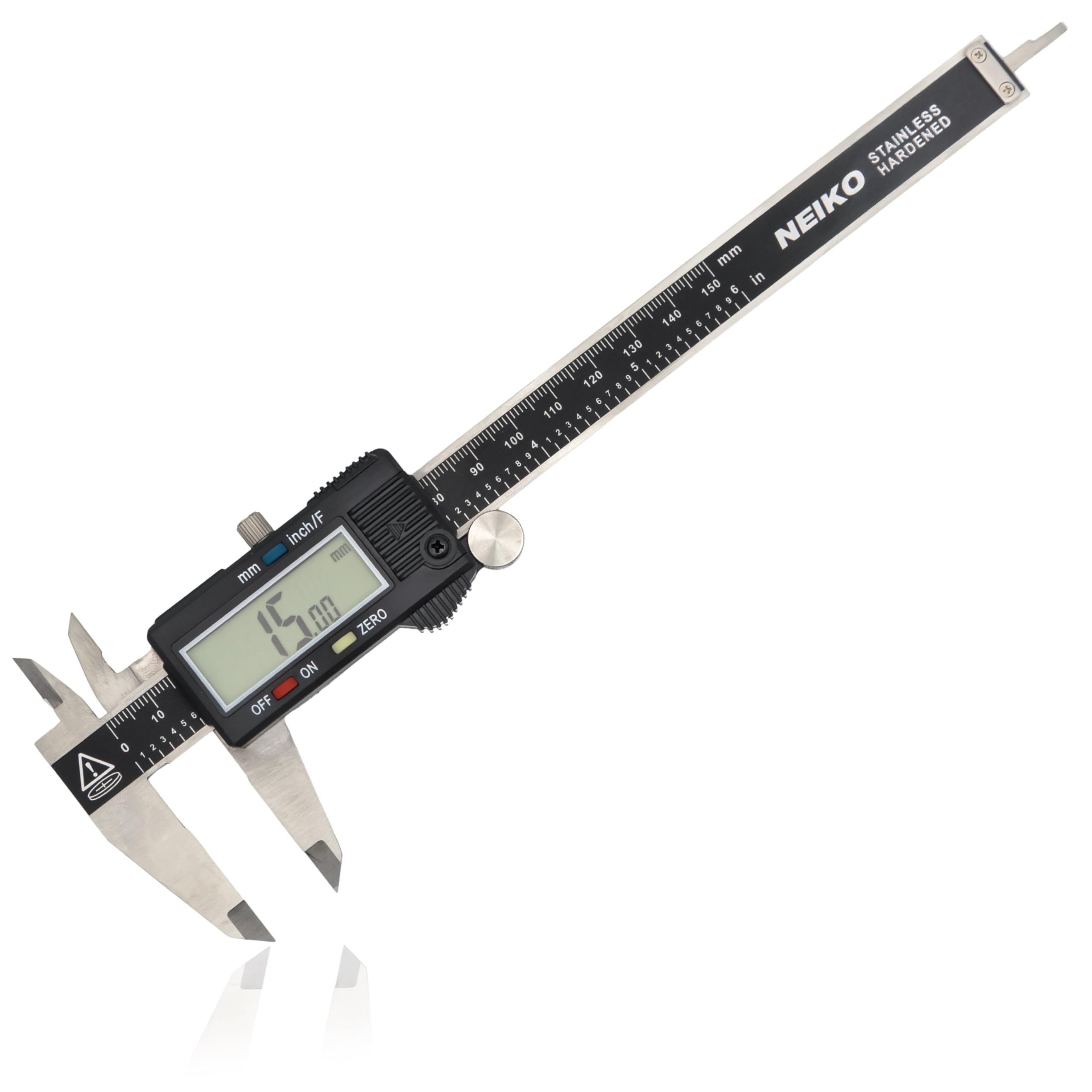
NEIKO 01407A Electronic Digital Caliper

Precise sizing for calipering parts and tolerances.

$16.77
2% of budget
NEIKO 01407A Electronic Digital Caliper - Image 1 of 9

0-6" stainless caliper with 0.0005" accuracy; LCD readout.

Must for fit-checks; budget pros use these. Beats rulers.

Amazon bestseller, 4.7 stars for durability.

Pros

  • +High accuracy
  • +IP54 water-resistant
  • +Battery life 1yr
  • +Zero/set functions
  • +Hard case

Cons

  • -No thumb roller
  • -Stainless scratches easy
  • -Battery not incl

Upgrade Option: Mitutoyo ($150) - Absolute encoder, lifetime.

Budget Alternative: Plastic caliper ($8) - 0.01mm inaccuracy.

See current Measurement Tool pricing
#5recommendedStorage

eSUN eBox Filament Storage Box

Dry storage for spare spools.

$24.99
4% of budget
eSUN eBox Filament Storage Box

Sealed box with hygrometer; holds 1kg spool dry.

Prevents moisture pre-dryer; budget essential in humid areas.

Users report 20% less failures.

Pros

  • +Built-in humidity gauge
  • +Reusable desiccant
  • +Stackable
  • +Compact
  • +Affordable

Cons

  • -One spool only
  • -Desiccant extra cost
  • -Plastic lid

Upgrade Option: SUNLU S4 ($60) - Multi-spool, dryer combo.

Budget Alternative: Ziploc + silica ($5) - No gauge, less reliable.

See current Storage pricing
#6recommendedDryer

Creality Filament Dryer Box

Dries wet filament for flawless prints.

$39.99
6% of budget
Creality Filament Dryer Box

Heats to 70C, fits 1kg spool; timer control.

Game-changer for humid climates; pays for itself in saved filament.

K1 users swear by it; 4.5 stars.

Pros

  • +Fast dry (4hrs)
  • +Precise temp
  • +Compact
  • +Safe PTC heat
  • +Reusable

Cons

  • -One spool
  • -No humidity display
  • -Cord short

Upgrade Option: SUNLU S2 ($59) - Faster, app control.

Budget Alternative: Oven DIY (free) - Risky temp control.

See current Dryer pricing
#7optionalNozzles

BIQU Creality K1 Nozzle Kit (0.4mm x5)

Spare hardened nozzles for abrasion/longevity.

$14.99
2% of budget
BIQU Creality K1 Nozzle Kit (0.4mm x5)

Hardened steel nozzles for K1 unibell; 0.2-0.8mm options.

Stock lasts 100hrs; spares prevent downtime.

Value: $3 each vs $15 OEM.

Pros

  • +Hardened steel
  • +Quick-swap
  • +Varied sizes
  • +Cheap backups
  • +Compatible

Cons

  • -Install needs care
  • -No 0.6mm stock?
  • -Basic packaging

Upgrade Option: Hardened full kit ($30) - More sizes.

Budget Alternative: Single nozzle ($5) - No variety.

See current Nozzles pricing
#8optionalRemote Monitoring

Raspberry Pi 4 Model B 4GB + Case + Power

OctoPrint server for wireless control/camera.

$55.00
8% of budget
Raspberry Pi 4 Model B 4GB + Case + Power

Kit for easy OctoPrint; streams K1 camera remotely.

Elevates workshop to pro; monitor via phone.

Budget Pi beats dongles; community supported.

Pros

  • +Remote print control
  • +Timelapse
  • +Plugin ecosystem
  • +Low power
  • +Expandable

Cons

  • -Setup 30min
  • -SD card extra
  • -Learning curve
  • -Overkill for basics

Upgrade Option: Pi 5 ($80) - Faster processing.

Budget Alternative: Skip ($0) - Use Creality app.

See current Remote Monitoring pricing
#9optionalPower Strip

Amazon Basics 8-Outlet Surge Protector

Safe power hub for printer/dryer/Pi.

$17.99
3% of budget
Amazon Basics 8-Outlet Surge Protector

4320J protection, 6ft cord; mounts under desk.

Workshop staple; protects from surges.

4.8 stars, reliable basic.

Pros

  • +High joules
  • +Long cord
  • +Slim design
  • +Affordable
  • +Lifetime warranty

Cons

  • -No USB ports
  • -Basic outlets
  • -Not smart

Upgrade Option: Anker 12-outlet ($35) - USB, longer cord.

Budget Alternative: Household strip ($8) - Less protection.

See current Power Strip pricing
#10nice-to-haveExtra Filament

SUNLU PLA+ Filament 1.75mm 1KG Black

Second color for variety.

$15.99
2% of budget
SUNLU PLA+ Filament 1.75mm 1KG Black

Same quality as white; black for prototypes.

Extends printing without pause.

Budget dupe for testing.

Pros

  • +Matches first spool
  • +Versatile color
  • +Reliable
  • +Cheap expand

Cons

  • -Not needed day1
  • -Storage needed

Upgrade Option: PETG spool ($22) - Tougher material.

Budget Alternative: Skip ($0) - Reuse white.

See current Extra Filament pricing

Start with unboxing the K1 (15 mins: attach spool holder, level if needed—auto mostly). Download Creality Print slicer (free), connect WiFi, load filament via touchscreen, run calibration print.

Assemble tools/caliper nearby. Fill dryer/storage with spare filament. Plug into surge strip. For Pi: Flash OctoPi SD (20 mins), connect to K1 USB/Ethernet, access via browser for remote.

Total time: 1-2hrs. Tools needed: None extra. Tips: Print 20mm cube first; room temp 20C+; secure cables to avoid snags. Level bed hot if uneven.

Budget Tips

  • Hunt Amazon Prime Day/AliExpress sales for 20% printer drops.
  • Start one filament color; buy bulk later.
  • DIY enclosure extension with IKEA shelf if needed (free).
  • Check Reddit r/3Dprinting for used parts, but new printer safer.
  • Free software: Creality Print/OrcaSlicer/OctoPrint.
  • Buffer $50 for tax/shipping; avoid impulse nozzles.
  • Print your own organizers to save on storage.
  • Quality PLA over cheap imports—reprints cost more.

Common Mistakes

  • Cheaping on printer: Hours lost to jams/relevels.
  • No dryer/storage: Wet filament wastes 30% spools.
  • Overbuying filaments/tools early: Ties up budget.
  • Skipping calipers: Poor tolerances scrap projects.
  • Ignoring slicer tuning: Blames hardware unfairly.

Upgrade Roadmap

First: Multi-color AMS ($300) for Bambu P1S swap—unlocks designs. Second: Larger printer like K1 Max ($900 total)—bigger parts. Third: Enclosure mods or laser engraver ($200) for hybrid workshop.

Prioritize speed/materials; these boost output 3x. Wait on exotics/metal. $200-500 steps keep scaling easy.

Why: Core printing limits hit first; accessories secondary.

Related Topics

budget 3d printingunder 8003d printer setup3d printing workshopbeginner 3dcreality k1affordable makerhobby 3dvalue setupprototyping

Related Articles