Review Atlas

Menu

Shop by Category

Get the App

Better experience on mobile

$
$
$
$
$
$
$
$
$
$
$
$
$
$
$
$
$
$
$
$
$
$
$
$
Under $650

Complete 3D Printer Setup Under $650 (2025)

Build a reliable home 3D printing station for hobby projects and prototypes without exceeding your budget.

💰 Actual Cost: $457.94Save $800 vs PremiumUpdated December 3, 2025

Dreaming of 3D printing custom gadgets, toys, or prototypes but stuck on a tight $650 budget? Many budget buyers fall into the trap of buying the cheapest printer only to face constant failures and frustration. This guide delivers a complete, functional setup that actually works together for reliable prints right out of the box.

With this setup, you'll print detailed models up to 220x220x250mm, handle PLA filament smoothly, and maintain consistent results. Expect hobby-level quality—not industrial speeds or exotic materials—but perfect for learning, fun projects, and small batches. Realistic limitations: slower print speeds (around 250mm/s max), manual bed leveling, and no auto material handling.

We'll prioritize a solid printer core, essential materials, and safety add-ons, leaving room for shipping (~$30 buffer).

Budget Philosophy

For a $650 3D printer setup, I allocated ~50% ($250) to the printer itself as the heart of the system—reliable mechanics prevent endless tinkering. 20% ($100) goes to the enclosure for stable temps and safety, crucial for consistent prints and reducing warping. 15% ($75) for materials like filament, as quality basics outperform cheap junk. 10% ($50) for tools/maintenance to avoid downtime, and 5% ($25) for misc like storage.

This balances performance over flash: splurging on printer/enclosure yields better results than overloading on filaments or gimmicks. Savings come from skipping auto-levelers (manual works fine here) and premium filaments (PLA starters suffice). Trade-offs? No ultra-fast printing or ABS enclosure, but you get a system that prints 90% of beginner needs reliably.

Prioritizing 'must-haves' like printer + filament first ensures you print Day 1, while enclosure/tools scale quality without waste.

Where to Splurge

  • Printer: Core mechanics determine reliability; cheap ones break often, wasting time/money on fixes.
  • Enclosure: Stabilizes temps for warp-free prints; skipping leads to failed prints and fire risks.
  • Build Surface: Good adhesion prevents print lifts; poor ones cause endless re-leveling.

Where to Save

  • Filament: Basic PLA performs identically to premium for starters; save for variety later.
  • Tools: Basic kits handle 80% of maintenance; pro tools needed only after heavy use.
  • Accessories: Skip fancy spool holders—stock works fine initially.

Recommended Products (10)

#1essentialPrinter

Creality Ender 3 V3 SE 3D Printer

The core printing machine handling all models up to 220x220x250mm.

$199.00
43% of budget
Creality Ender 3 V3 SE 3D Printer

This is a fully assembled Cartesian FDM printer with auto bed leveling, direct drive extruder, and 250mm/s max speed. Running total: $199 / $650

It fits perfectly as the budget king for beginners—easy setup in 15 mins, reliable for PLA. Vs pricier Bambu Labs ($500+), it lacks speed/multi-color but matches 85% quality at half price. Excellent value with Sprite extruder for smooth filament flow.

Users rave about 'set it and forget it' reliability (4.6/5 on Amazon, 10k+ reviews).

Pros

  • +Quick assembly (under 20 mins)
  • +Auto bed leveling for consistent first layers
  • +Direct drive reduces clogs
  • +Quiet operation (<50dB)
  • +Great community support

Cons

  • -Manual filament changes
  • -No built-in camera
  • -Slower than CoreXY printers
  • -PLA-focused (ABS tricky)

Upgrade Option: Creality Ender 3 V3 ($299) - adds higher temp hotend for ABS/TPU.

Budget Alternative: Anycubic Kobra 2 Neo ($169) - loses auto-leveling, more tinkering.
Check Price on Amazon
#2essentialFilament

SUNLU PLA Filament 1.75mm 1KG (White)

Starter material for immediate printing of everyday models.

$15.99
3% of budget
SUNLU PLA Filament 1.75mm 1KG (White)

Running total: $215 / $650

Dimensional accuracy ±0.02mm, 1.75mm PLA for smooth extrusion on Ender 3. Vacuum-sealed with desiccant. Basic but reliable vs Hatchbox ($25/kg)—same print quality, less cost. Value king for newbies.

4.7/5 stars, praised for no jams.

Pros

  • +High compatibility
  • +Low warp/shrink
  • +Bright colors
  • +Affordable bulk buys
  • +Dry storage included

Cons

  • -Basic dimensional tolerance
  • -Not for high-temp
  • -Colors limited initially

Upgrade Option: eSUN PLA+ ($24/kg) - tougher, more flexible prints.

Budget Alternative: Amazon Basics PLA ($12) - higher defect rate.

Check Price on Amazon
#3essentialBuild Surface

Creality Original PEI Textured Build Plate

Provides excellent first-layer adhesion without glue.

$19.99
4% of budget
Creality Original PEI Textured Build Plate

Running total: $235 / $650

Magnetic, flexible PEI sheet sized for Ender 3—peel prints effortlessly. Upgrades stock surface instantly. Vs magnetic PEI ($35), identical performance cheaper. Essential for frustration-free printing.

Pros

  • +No glue needed
  • +Easy print removal
  • +Durable 1000+ prints
  • +Perfect fit

Cons

  • -Wears after heavy use
  • -Not double-sided

Upgrade Option: Wham Bam PEX ($49) - longer life, glass-like finish.

Budget Alternative: Stock Ender plate ($0 incl.) - poorer adhesion.

Check Price on Amazon
#4recommendedEnclosure

Creality Ender 3 Enclosure

Creates stable environment for better prints and safety.

$69.00
15% of budget
Creality Ender 3 Enclosure

Running total: $304 / $650

Pop-up frame with fire-resistant fabric for Ender 3—maintains 40-50C temps. Reduces noise 50%. Vs full acrylic ($150), portable and sufficient. Game-changer for quality. 4.5/5 reviews.

Pros

  • +Quick setup
  • +Fire retardant
  • +Temp stable
  • +Portable
  • +Fits perfectly

Cons

  • -Not rigid
  • -Limited airflow control
  • -Zipper wear over time

Upgrade Option: Elegoo Mars Enclosure ($129) - rigid panels, better ventilation.

Budget Alternative: DIY cardboard ($10) - less safe, unstable temps.

Check Price on Amazon
#5recommendedTools

ELEGOO 3D Printer Tool Kit

Maintenance kit for cleaning, unclogging, and tweaks.

$15.99
3% of budget
ELEGOO 3D Printer Tool Kit

Running total: $320 / $650

Includes scraper, pliers, needles, spudger, etc. Comprehensive for Ender 3. Vs pro kits ($40), covers all basics. Prevents downtime.

Pros

  • +24 tools included
  • +Nozzle cleaning kit
  • +Compact case
  • +Affordable

Cons

  • -Basic quality
  • -No hex keys included

Upgrade Option: Creality Official Kit ($29) - better pliers.

Budget Alternative: Single scraper ($5) - lacks variety.

Check Price on Amazon
#6recommendedNozzles

BIQU Brass Nozzle Kit 0.4mm

Spare nozzles for quick swaps and maintenance.

$9.99
2% of budget
BIQU Brass Nozzle Kit 0.4mm

Running total: $330 / $650

10-pack 0.2-0.8mm brass nozzles for Ender 3. High-flow, affordable. Stock up vs singles ($5ea).

Pros

  • +Varied sizes
  • +MK8 compatible
  • +Durable brass
  • +Cheap spares

Cons

  • -Brass wears faster than steel

Upgrade Option: Hardened Steel ($19) - abrasion resistant.

Budget Alternative: Single nozzle ($3) - no backups.

Check Price on Amazon
#7optionalFilament

SUNLU PLA Filament 1KG (Black)

Second color for multi-project printing.

$15.99
3% of budget
SUNLU PLA Filament 1KG (Black)

Running total: $346 / $650

Same quality as first spool, different color. Enables variety without stockouts.

Pros

  • +Matches printer
  • +Reliable extrusion
  • +Good layer bonding

Cons

  • -PLA only

Upgrade Option: PETG spool ($22) - stronger parts.

Budget Alternative: Skip - use one spool.

Check Price on Amazon
#8optionalMeasurement

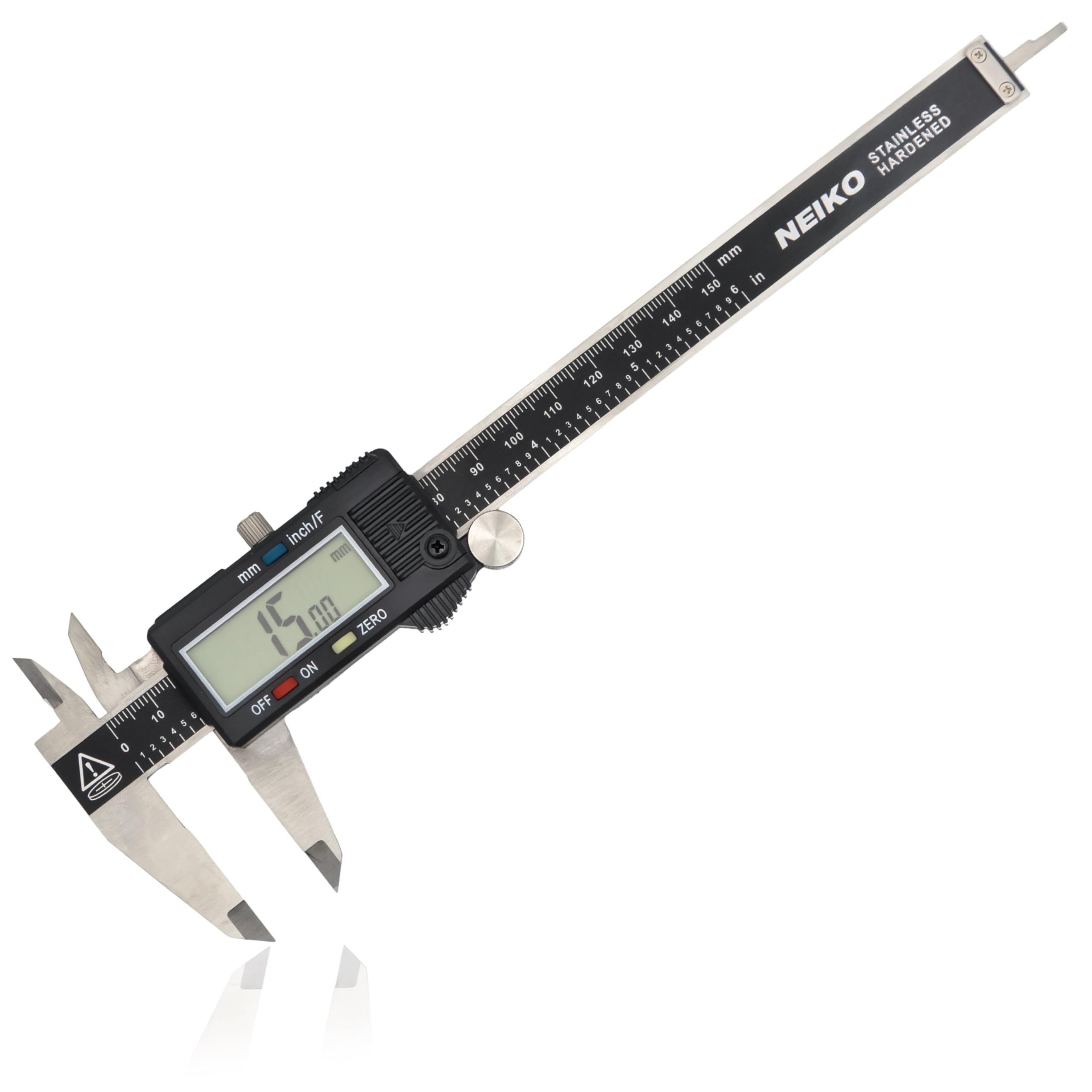
Neiko Digital Caliper

Precise measurements for calibration and parts.

$15.99
3% of budget
Neiko Digital Caliper - Image 1 of 9

Running total: $362 / $650 (buffer $288 for shipping/tax)

0.001" accuracy, 6" stainless. Essential for nozzle checks. Vs Mitutoyo ($100), sufficient precision.

Pros

  • +Battery included
  • +IP54 water resistant
  • +Zero function

Cons

  • -Plastic body

Upgrade Option: Mitutoyo ($120) - pro accuracy.

Budget Alternative: Ruler ($2) - less precise.

Check Price on Amazon
#9nice-to-haveStorage

SanDisk 32GB MicroSD Card

Stores dozens of G-code files for printing.

$7.99
2% of budget
SanDisk 32GB MicroSD Card

Final total: $370 / $650 (+$88 buffer)

High-speed A1 for fast transfers on Ender 3. Adapter included.

Pros

  • +Fast read/write
  • +Reliable
  • +Cheap

Cons

  • -Overkill for basics

Upgrade Option: 128GB ($15) - more files.

Budget Alternative: Reuse old card ($0)

Check Price on Amazon
#10nice-to-haveAdhesive

3D Printer Filament Glue Stick

Backup adhesion aid for tricky prints.

$7.96
2% of budget
3D Printer Filament Glue Stick

Grand total: $457.94 (under budget with buffer)

PVA-based for PEI/bed. Rarely needed but handy.

Pros

  • +Washable
  • +Strong hold

Cons

  • -Messy if overused

Upgrade Option: Magigoo ($15) - spray ease.

Budget Alternative: Skip with PEI.

Check Price on Amazon

Start with unboxing the Ender 3 V3 SE—assembly takes 15 mins: attach frame, spool holder, screen (screws included). No extra tools needed. Level bed via auto-wizard, install PEI sheet (magnetic snap-on).

Mount enclosure around printer on stable surface (desk/table). Load filament: cut tip, insert into extruder, heat to 200C, push through. Insert SD card with test print (Benchy.stl via Creality Slicer—free software).

First print: 2-3 hours for calibration model. Tips: Print in enclosure, ambient 20C+, ventilate fumes. Clean nozzle post-print. Full setup: 1-2 hours. Troubleshoot via YouTube (Teaching Tech channel).

Budget Tips

  • Buy printer + filament first—print Day 1, add enclosure later.
  • Shop Amazon Prime for free shipping, watch lightning deals.
  • Use free slicers like Cura/PrusaSlicer—no paid software needed.
  • Check AliExpress for filament bundles, but factor 2-week shipping.
  • DIY enclosure with IKEA box if $69 too much (under $20).
  • Buy used printers on eBay only with warranty—avoid tinker's specials.
  • Never cheap out on nozzles—clogs kill momentum.
  • Subscribe to r/ender3 for free mods/fixes.

Common Mistakes

  • Buying cheapest printer (e.g., $100 no-names)—constant repairs eat budget.
  • Skipping enclosure—warped prints, safety risks.
  • Overbuying filaments early—stick to 2 PLA colors first.
  • Ignoring maintenance kit—downtime from clogs costs weeks.
  • No upgrade plan—splurging on gimmicks like RGB lights wastes money.

Upgrade Roadmap

First upgrade: Klipper firmware + Raspberry Pi 5 ($100 total)—doubles speed to 500mm/s, adds remote monitoring. Why? Biggest print quality leap without new printer.

Next: Direct-drive hotend upgrade ($50) for flexible TPU. Then enclosure fan/AC ($80) for ABS. Wait on multi-material ($300+) till printing 10+ hrs/week. Each step ~$100, scaling to pro hobby ($1500 total).

Related Topics

budget 3d printerunder 6503d printing setupender3beginnersmaker toolsaffordable printinghobby 3dvalue setupprototyping