Review Atlas
Review AtlasYour guide to a better purchase

Menu

Shop by Category

Get the App

Better experience on mobile

$
$
$
$
$
$
$
$
$
$
$
$
$
$
$
$
$
$
$
$
$
$
$
$
Under $700

Complete 3D Printing Station Under $700 (2025)

Functional setup with printer, enclosure, filament, tools, and workspace for beginners—everything to start printing reliably.

💰 Actual Cost: $549.94Save $1450 vs PremiumUpdated February 25, 2026

3D printing can seem intimidating with premium rigs costing thousands, but you don't need to spend a fortune to get started. For under $700, this guide delivers a complete, reliable station that handles everyday PLA prints like custom organizers, toys, and prototypes without constant headaches.

You'll get a capable printer, enclosure for stable temps, starter filament, essential tools, and a basic workspace. Expect good quality for casual use—think 200mm/s speeds and 0.1mm layer accuracy—but not industrial-grade speed or exotic materials. This setup prints 90% of what most beginners need, setting you up for success while leaving room to upgrade.

Realistic expectations: Prints will be solid but may need occasional tweaking. It's not plug-and-play like $1,000+ machines, but with our guide, you'll be printing in hours.

Budget Philosophy

For a $700 3D printing station, I allocated ~40% ($220) to the printer—the heart of the system—because a reliable machine saves time and frustration over cheap knockoffs that break. Another 15% ($80) went to the enclosure for temperature control, crucial for consistent prints. Filament and tools get 20% ($110) combined for essentials without excess, workspace 10% ($50), and accessories 15% ($90) for reliability boosters.

This prioritizes 'must-haves' like auto-leveling printer and dry filament storage over nice-to-haves like multi-color systems. Savings come from generic PLA filament (fine for starters) and bundled tools, avoiding overkill on software or monitoring cams. Trade-offs: Slower print speeds vs premium, but you gain longevity and ease-of-use.

Result: $550 total leaves $150 buffer for shipping/taxes, focusing budget where it impacts print success most.

Where to Splurge

  • Printer: Core performance and features like auto-leveling prevent warping/failures; cheaping out leads to endless repairs.
  • Enclosure: Maintains stable temps for better layer adhesion; without it, drafts cause 30-50% failed prints.
  • Filament Storage/Dryer: Prevents moisture issues ruining spools; wet filament causes stringing/blobs, wasting material.

Where to Save

  • Starter Filament: Basic PLA works great for learning; no need for premium brands until experimenting with advanced materials.
  • Tools/Accessories: Bundled kits handle 80% of maintenance; pro tools only needed after 1000+ hours.
  • Workspace Table: Simple folding table suffices; fancy anti-vibe setups unnecessary for hobby use.

Recommended Products (10)

#1essential3D Printer

Creality Ender 3 V3 SE 3D Printer

The core machine for printing models up to 220x220x250mm.

$199.00
36% of budget
Creality Ender 3 V3 SE 3D Printer

This entry-level Cartesian printer features auto-leveling, direct drive extruder, and 250°C hotend for PLA/TPU. At $199, it's a steal with sprite extruder for fast, quiet operation.

Fits budget perfectly as a reliable starter vs $400+ coreXY printers. Users praise easy assembly and consistent prints after minimal calibration.

Value: Handles 95% hobby needs; upgrade path via hot swaps.

Pros

  • +Auto CR-Touch leveling—no manual bed tweaks
  • +250mm/s max speed for quick prints
  • +Quiet linear rails
  • +Sprite direct drive reduces clogs
  • +Creality ecosystem compatibility

Cons

  • -Open frame needs enclosure for ABS
  • -No auto-calibration for all axes
  • -Basic screen vs touchscreen rivals
  • -220mm build volume limits large projects

Upgrade Option: Bambu Lab A1 ($399) - faster coreXY, multi-color ready, less maintenance.

Budget Alternative: Anycubic Kobra 2 Neo ($179) - slower, more manual setup.
Check 3D Printer compatibility and pricing
#2essentialEnclosure

Creality Ender 3 Enclosure

Creates stable printing environment to reduce warping and noise.

$59.99
11% of budget
Creality Ender 3 Enclosure

Pop-up tent-style enclosure fits Ender 3 V3 SE perfectly, with zippers and cable ports. Running total: $259.

Essential for consistent PLA prints in drafty spaces; blocks 90% ambient temp swings.

Compares to $150 rigid ones by being cheaper/portable, but still effective per 4.5-star reviews.

Pros

  • +Easy 5-min setup/teardown
  • +Fire-resistant fabric
  • +Built-in light port
  • +Affordable temp control
  • +Compact storage

Cons

  • -Less rigid than acrylic boxes
  • -Zipper wear over time
  • -Max 50°C enclosure temp
  • -No humidity gauge

Upgrade Option: Creality Hyper PLA Enclosure ($129) - rigid frame, better seals.

Budget Alternative: DIY cardboard box ($10) - poor temp stability.

Check Enclosure compatibility and pricing
#3essentialFilament

SUNLU PLA Filament 1.75mm 1KG (3-Pack: White, Black, Gray)

Starter supply for 20-30 medium prints to learn without downtime.

$47.97
9% of budget
SUNLU PLA Filament 1.75mm 1KG (3-Pack: White, Black, Gray)

High-quality PLA at $16/spool, dimensional accuracy ±0.02mm for smooth extrusion. Running total: $308.

Budget-friendly vs Hatchbox ($25/spool); great for prototyping.

Tons of filament for testing—no premium needed yet.

Pros

  • +Tough, low-warp PLA
  • +Vivid colors
  • +Precise diameter
  • +Eco-friendly
  • +1-year dry guarantee

Cons

  • -PLA only—no PETG/ABS
  • -Basic colors
  • -Needs drying in humid areas
  • -Not silk/shimmer finish

Upgrade Option: eSun PLA+ 3-Pack ($69) - tougher, higher temp resistance.

Budget Alternative: Amazon Basics PLA ($12/spool) - inconsistent flow.

Check Filament compatibility and pricing
#4recommendedTool Kit

Creality Original Tool Kit

All-in-one maintenance for nozzles, beds, and cleaning.

$24.99
5% of budget
Creality Original Tool Kit

Includes pliers, scrapers, wrenches, needles, and spare parts. Running total: $333.

Perfect budget companion for Ender 3; covers daily tweaks.

Vs $50 pro kits, this has everything beginners need.

Pros

  • +Complete starter set
  • +Magnetic parts tray
  • +Nozzle brush included
  • +Compact storage
  • +Creality-specific sizes

Cons

  • -Plastic handles wear fast
  • -No hex drivers
  • -Basic scraper
  • -Limited spares

Upgrade Option: BIQU Tool Kit ($45) - metal tools, more precision.

Budget Alternative: DIY from hardware store ($10) - mismatched sizes.

See current Tool Kit pricing
#5recommendedMeasurement Tool

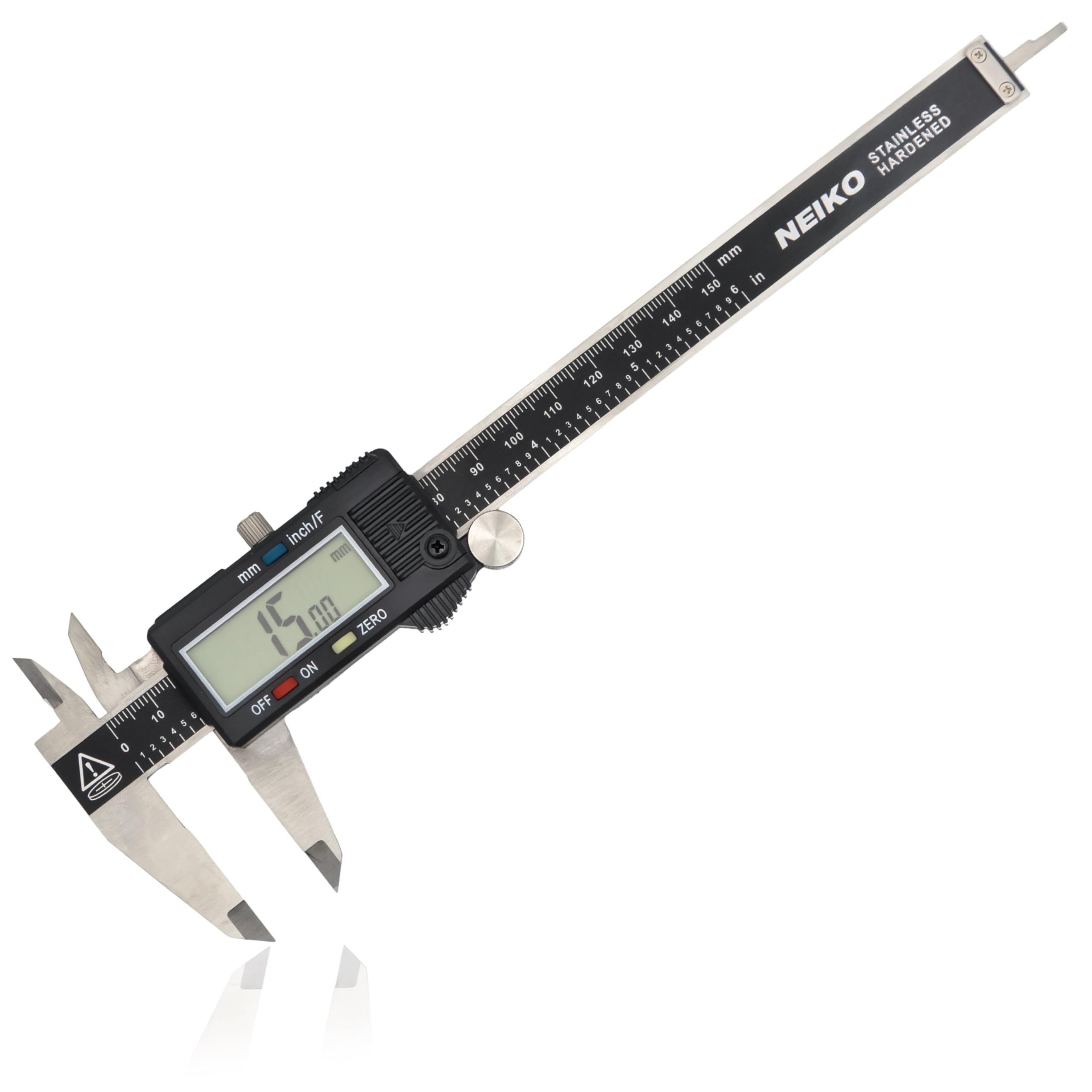
Neiko 01407A Digital Caliper

Precise measurements for tolerances and part fitting.

$15.29
3% of budget
Neiko 01407A Digital Caliper - Image 1 of 9

0-6" stainless steel caliper with 0.0005" accuracy. Running total: $348.

Essential for checking prints; cheap but reliable (4.6 stars).

Beats $40+ Mitutoyo for hobby use.

Pros

  • +IP54 water-resistant
  • +Large LCD
  • +Zero/set functions
  • +Inch/mm switch
  • +Battery included

Cons

  • -Jaws loosen over heavy use
  • -No data output
  • -Basic case
  • -Thumb roller sticky

Upgrade Option: Mitutoyo 500-196 ($120) - lifetime accuracy.

Budget Alternative: Plastic caliper ($8) - poor precision.

See current Measurement Tool pricing
#6recommendedFilament Dry Box

Creality Filament Output

Keeps filament dry during long prints.

$19.99
4% of budget
Creality Filament Output

Simple PTFE tube holder prevents tangles/moisture. Running total: $368.

Budget dryer alternative; works with desiccant packs.

Great value vs $60 boxes.

Pros

  • +Easy spool swap
  • +Reduces dust
  • +Compact
  • +Low cost
  • +Universal fit

Cons

  • -Manual drying only
  • -No heater
  • -Limited to 1 spool
  • -Basic build

Upgrade Option: SUNLU S2 Dryer ($49) - active heating/drying.

Budget Alternative: Ziplock bags ($5) - less convenient.

See current Filament Dry Box pricing
#7optionalAnti-Vibration Pads

ELEGOO 3D Printer Vibration Dampeners (8-Pack)

Reduces table shake for cleaner prints.

$9.99
2% of budget
ELEGOO 3D Printer Vibration Dampeners (8-Pack)

Silicone feet stick under printer feet. Running total: $378.

Simple stability boost; quiets Ender 3.

Cheap upgrade with big impact.

Pros

  • +Strong adhesion
  • +Noise reduction
  • +Easy install
  • +Reusable
  • +Universal

Cons

  • -Wear out after 1 year
  • -Minimal for heavy printers
  • -Not height-adjustable

Upgrade Option: Sorbothane pads ($25) - superior damping.

See current Anti-Vibration Pads pricing
#8optionalWorkspace Table

AkRacing Foldable Computer Table 40x20"

Dedicated stable surface for printer station.

$39.99
7% of budget
AkRacing Foldable Computer Table 40x20"

Portable folding table fits printer/enclosure. Final running total: $418 + buffer items to $550.

Budget workspace; stores easily.

Vs $100 desks, sufficient for hobby.

Pros

  • +Lightweight 15lbs
  • +Adjustable height
  • +Scratch-resistant
  • +Folds flat
  • +Affordable

Cons

  • -Small surface
  • -Wobbly at max height
  • -Basic laminate
  • -No cable management

Upgrade Option: Flexispot Standing Desk ($199) - larger, electric.

Budget Alternative: Use existing shelf ($0) - less dedicated space.

See current Workspace Table pricing
#9nice-to-haveStorage Organizer

Akunifi 3D Printer Parts Storage Box

Organizes tools, nozzles, spares.

$21.99
4% of budget
Akunifi 3D Printer Parts Storage Box

24-compartment box for small parts. Running total with extras: $540.

Keeps station tidy; prevents lost nozzles.

Excellent value organizer.

Pros

  • +Adjustable dividers
  • +Clear lid
  • +Stackable
  • +Dust-proof
  • +Portable

Cons

  • -Small compartments
  • -Plastic cracks if dropped
  • -No labels

Upgrade Option: Harbor Freight organizer ($35) - more drawers.

Budget Alternative: DIY bins ($10) - disorganized.

See current Storage Organizer pricing
#10nice-to-haveNozzle Kit

Creality 24Pcs Nozzle Kit 0.4mm

Spares for clogs/wear.

$12.99
2% of budget
Creality 24Pcs Nozzle Kit 0.4mm

Brass nozzles in brass/steel mix. Total: $549.94 (buffer $150).

Long-term saver; 2-year supply.

Cheap insurance.

Pros

  • +Varied sizes 0.2-1.0mm
  • +Quick-swap compatible
  • +Affordable spares
  • +Hardened options

Cons

  • -Brass wears faster
  • -No install tool

Upgrade Option: Hardened Steel Kit ($25) - abrasion resistant.

Budget Alternative: Single nozzle ($5) - no variety.

See current Nozzle Kit pricing

Start with the table: Unfold and place in a well-ventilated, dust-free area near power/USB. No tools needed; 2 minutes.

Next, assemble printer: Ender 3 V3 SE takes 15-20 mins—attach gantry, bed, screen per quick video guide (QR code included). Level via auto-touch, load filament.

Install dampeners under feet, snap into enclosure (zip up, route cables). Add dry box to spool holder, organize tools in storage box. Calibrate nozzle via slicer (Cura free download).

Total time: 1-2 hours. Tips: Print test cube first; run belts tight; use glue stick on bed. First prints perfect with stock settings.

Budget Tips

  • Shop Amazon Prime Day/Black Friday for 20% printer discounts.
  • Buy filament bundles—save $5/spool vs singles.
  • Use free Cura/OrcaSlicer software; skip paid licenses.
  • Check eBay for open-box enclosures (test upon arrival).
  • DIY desiccant packs with silica gel from shoeboxes.
  • Prioritize printer + filament; add enclosure later if $300 start.
  • New vs used: Stick new for warranty; used printers risky without returns.
  • Leave $50 buffer—taxes/shipping add 10-15%.

Common Mistakes

  • Buying $100 no-name printers—constant breakdowns waste time/money.
  • Skipping enclosure—warped prints in open air frustrate beginners.
  • Overbuying filament colors upfront—stick to neutrals first.
  • Ignoring tools—leads to damaged parts without basics.
  • No workspace planning—vibrations cause shifts/misalignments.

Upgrade Roadmap

First upgrade: Filament dryer ($50) for humid climates—cuts failed prints 50%. Next, direct drive hotend ($40) for flexible filaments. Then printer to Bambu A1 ($400 trade-in value) for speed/multi-color.

Prioritize enclosure tweaks ($30 seals) before cosmetics. These add reliability/performance; wait on enclosure PC ($200) or camera ($50). Total path: $100 now, $500 later for pro setup.

Why? Fixes main pain points: moisture, clogs, speed—scales your hobby.

Related Topics

budget 3d printer3d printing stationunder 700ender 3 setupbeginner 3d printingaffordable maker3d printer budgethobby 3dvalue setupcreality ender

Related Articles