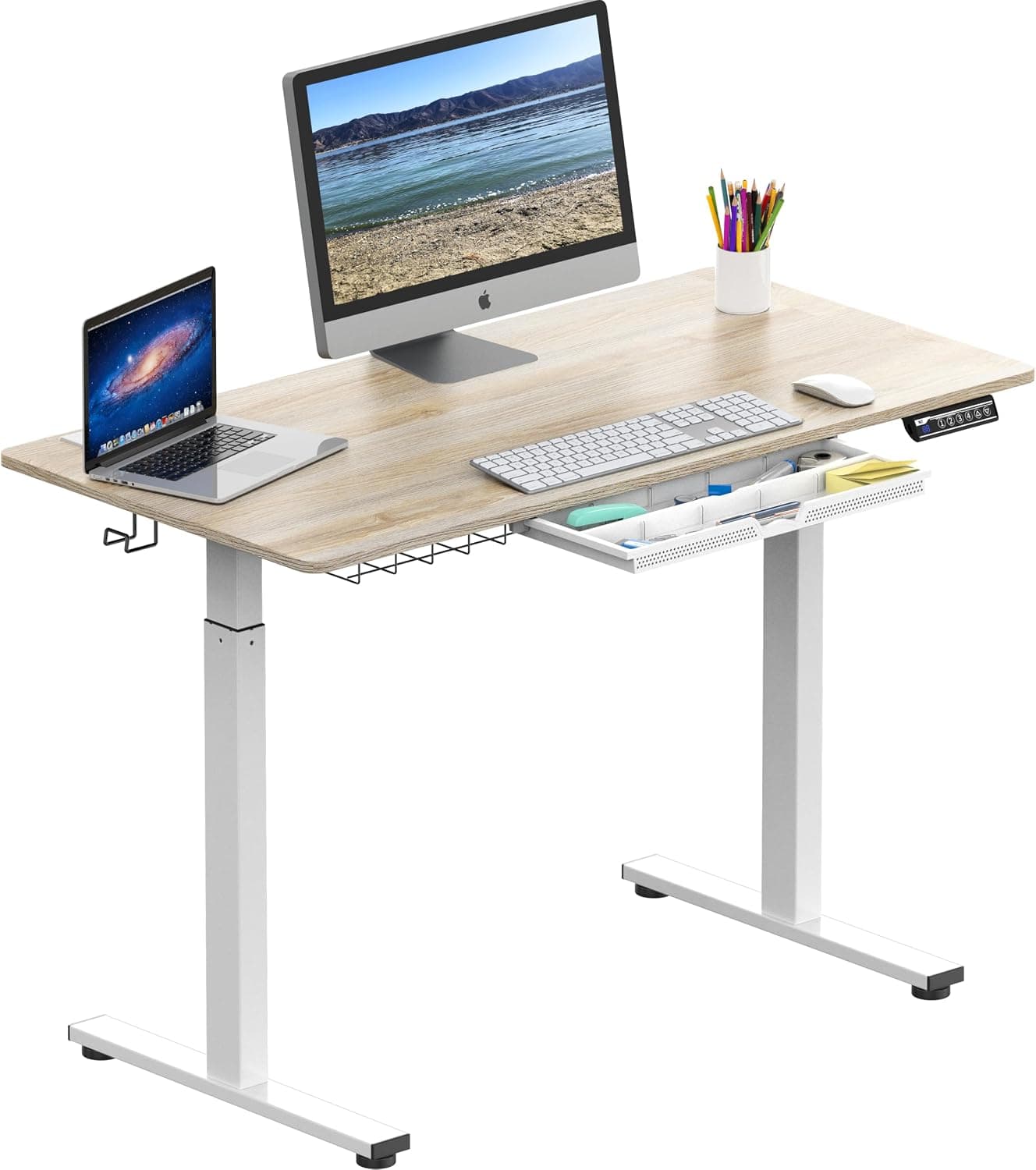
Prioritize motor stability, height range (armpit height when standing), and weight capacity. Dual motors are quieter and more stable than single motors.
The Short Answer
Prioritize motor stability, height range (your standing desk should reach armpit height when standing), and weight capacity. Dual motors are quieter and more stable than single motors.
The Full Picture
Standing desks promise better posture, more energy, and reduced sedentary risk—but only if you choose the right one. The problem? A poorly built desk can wobble, fail to lift your gear, or simply not fit your body. The solution is understanding the three critical specs that separate a productive investment from a frustrating paperweight. This guide breaks down exactly what to look for, so you avoid expensive mistakes.
Why It Matters
A standing desk is a long-term purchase for your health. A wobbly desk distracts you and can damage equipment. An inadequate height range forces poor ergonomics, negating the benefits. Weight capacity matters if you plan to use multiple monitors or a heavy laptop. According to ergonomics studies, a desk that doesn't match your armpit height can lead to shoulder and neck strain. Getting it right from the start saves money and discomfort—see how timing your purchase helps in our Best Time to Buy Desks guide and Best Time to Buy Office Chairs guide for complementary savings.
The Key Factors
1. Motor Type: Single vs. Dual
The motor is the heart of an electric standing desk. Single motor desks are cheaper but often slower and noisier, with a maximum weight capacity around 150–200 lbs. Dual motor desks distribute the load evenly, lift faster (1–2 inches per second vs. 0.5–1), operate quieter, and handle 250–350 lbs. They also reduce wobble at maximum height.
| Feature | Single Motor | Dual Motor |
|---|---|---|
| Price | $200–$400 | $400–$800 |
| Weight capacity | 150–200 lbs | 250–350 lbs |
| Speed | 0.5–1 in/sec | 1–2 in/sec |
| Noise level | 50–60 dB | 40–50 dB |
| Stability at height | Moderate | Excellent |
| Lifespan | 3–5 years | 5–10 years |
For most people with a standard monitor setup, dual motors are worth the extra $200. If you plan to add multiple monitors, a PC tower, or heavy accessories, dual motors are non-negotiable.
2. Height Range: Your Armpit is the Target
Your standing desk should allow you to type with elbows at 90 degrees and forearms parallel to the floor—this means the desktop height should be at or slightly below your standing armpit height. For an average adult (5'8"–5'10"), armpit height is about 42–46 inches. A good desk range is 25–51 inches to accommodate both sitting and standing for most body types. Shorter ranges (like 28–47 inches) may not work for tall users. Check the lowest and highest heights: if you plan to use a chair, the lowest should allow your thighs to fit under the desk with the keyboard tray at elbow height.
3. Weight Capacity & Desk Size
Capacity isn't just about lifting—it affects stability. A 150-lb capacity desk carrying 140 lbs near its limit will wobble more than a 300-lb desk carrying 150 lbs. For a standard 60" x 30" desk with one monitor and laptop, 200 lbs is sufficient. For a 72" desk with dual monitors, aim for 250+ lbs. Desk depth also matters: deeper desks (30"+) accommodate monitor arms and allow proper viewing distance.
4. Build Quality & Warranty
Look for a steel frame (thicker than 1.5 mm for stability), a solid tabletop (particle board with laminate vs. solid wood affects weight and durability), and a warranty of at least 5 years on the frame and motor. Some brands like Uplift and Jarvis offer 10–15 year warranties. Avoid desks with thin frames that flex when lifted.
5. Additional Features
- Memory presets: 2–4 programmable heights for easy switching between sit and stand positions.
- Cable management: Trays, clips, or grommets to keep wires organized.
- Noise level: Dual motors are quieter—important for open offices or shared spaces.
- Anti-collision: A sensor that stops the desk if it hits an obstacle.
Common Mistakes
- Buying a single motor desk for heavy gear: Many users regret this when the desk struggles to lift a third monitor. Invest in dual motors if your load exceeds 150 lbs.
- Ignoring height range for tall users: If you're over 6'2", many budget desks won't go high enough. Always check the maximum height against your armpit height.
- Choosing based on looks over stability: A sleek wood top on a flimsy frame wobbles. Don't sacrifice build for aesthetics.
- Forgetting cable management: Dangling cables look messy and can get caught in motor mechanisms. Plan for them upfront.
- Not testing the seated height: If you plan to sit, ensure the lowest desk position allows your knees and thighs to fit comfortably. For more ergonomic tips, see our Best Time to Buy Ergonomic Office Chairs guide.
Our Recommendation
For most people, a dual-motor standing desk with a 25–51 inch height range, 250+ lbs capacity, and steel frame is the sweet spot. Pair it with a good ergonomic chair for seated work (check our Best Time to Buy Office Chairs guide for deals). If you're on a tight budget, a single motor desk can work for light setups, but expect to replace it within 3–5 years. For a lifetime investment, spend $500–800 on a quality dual-motor desk from brands like Uplift, Jarvis, or Fully.
Verdict
The right standing desk isn't about flashy features—it's about stable, quiet, and customizable movement that fits your body and gear. Prioritize motor stability, height range to armpit, and weight capacity. Dual motors are the gold standard for a reason. Invest now to save on chiropractor bills later.
Frequently Asked Questions
What is the correct standing desk height for my body?
Set the desk so that when standing, your elbows are at 90 degrees and forearms parallel to the floor. The desktop should be at or slightly below your standing armpit height—typically 42–46 inches for average adults. Adjust from there based on your height.
How much weight can a standing desk hold?
Single motor desks typically support 150–200 lbs, while dual motor desks handle 250–350 lbs. For stability, choose a capacity well above your actual load. A standard setup with one monitor may need only 200 lbs, but dual monitors or heavy gear require 250+ lbs.
Why does my standing desk wobble?
Wobbling is common with single motor desks at high heights, thin frames, or when near the weight limit. Dual motor desks and thicker steel frames (1.5mm+) reduce wobble. Always ensure your desk has adequate capacity and build quality for its intended use.
Who should buy a standing desk?
Anyone looking to reduce sedentary time, improve posture, and boost energy—especially those with back pain or who work long hours at a desk. Standing desks are ideal for home offices or ergonomic workplaces. However, they may not suit people who cannot stand for extended periods.
Products Mentioned