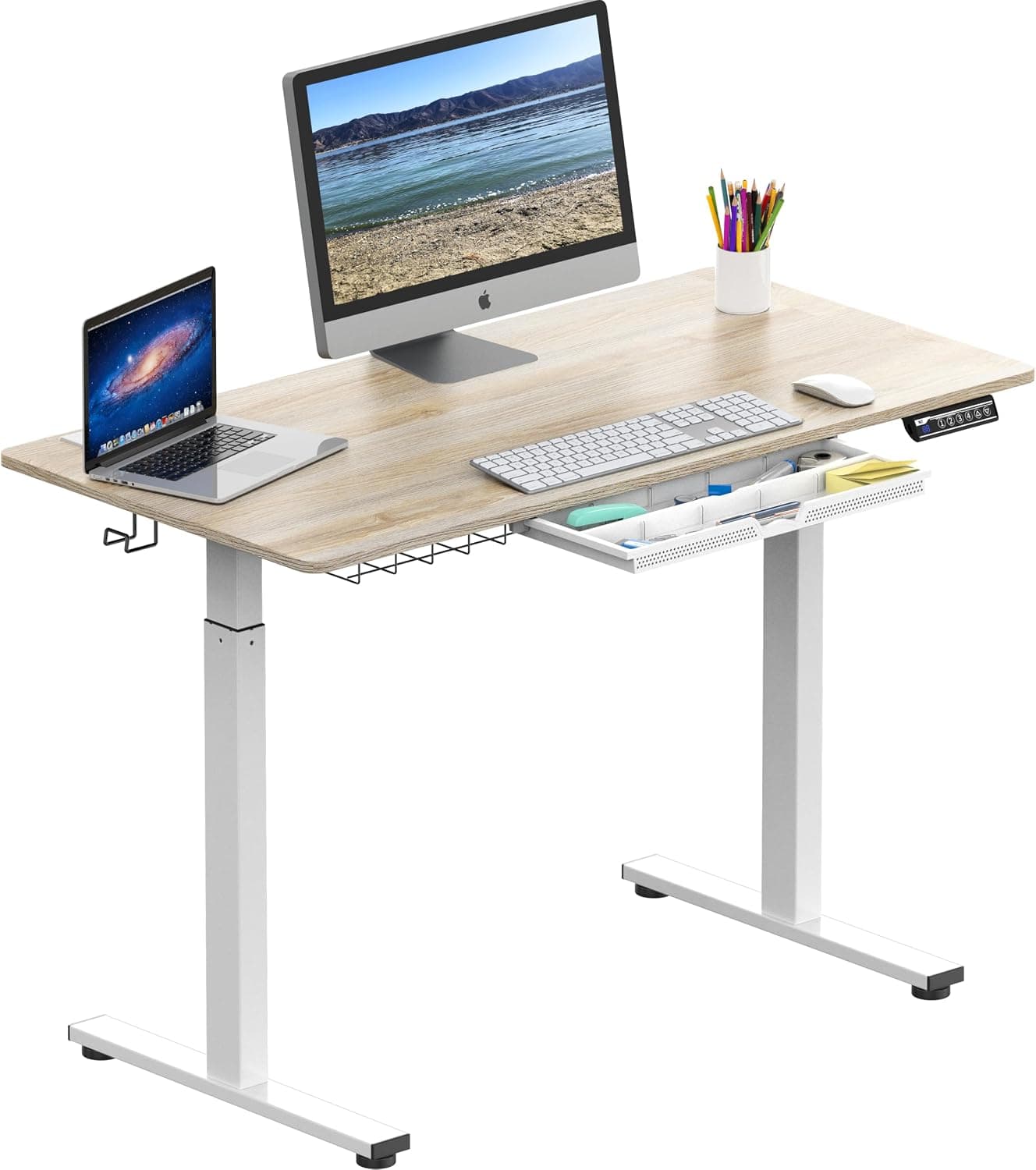
Prioritize motor stability, height range (armpit height when standing), and weight capacity. Dual motors are quieter and more stable than single motors.
The Short Answer
Prioritize motor stability, height range (your standing desk should reach armpit height when standing), and weight capacity. Dual motors are quieter and more stable than single motors. A solid frame with at least 3-stage telescoping legs ensures smooth adjustment and durability.
The Full Picture
Standing desks have exploded in popularity, but not all are created equal. Knowing what to look for can save you from back pain, motor failure, and buyer’s remorse. Let me break down the critical factors so you can choose the best value for your home office or workplace.
Why It Matters
Sitting all day is linked to obesity, cardiovascular disease, and early mortality. A quality standing desk lets you alternate between sitting and standing, but a poorly designed one can wobble, break, or be too short/tall for your body. Investing in the right features now prevents costly upgrades later.
The Key Factors
Motor Stability and Type
Single motor desks are cheaper but often struggle with heavy loads and can be noisy. Dual motor desks operate faster, lift heavier loads (250–350 lbs vs. 150–250 lbs), and stay stable even at max height. For most people, a dual motor is the better long-term value.
Height Range
Your desk should adjust to your armpit height when standing—typically 38–42 inches for the average person. Check the range: A good adjustable desk goes from 25″ to 50″. If you’re taller or shorter, look for extended range models (e.g., 22″–52″).
Weight Capacity
Don’t just consider your monitor and laptop. Add the weight of a monitor arm, multiple screens, books, and a PC tower. A 300+ lb capacity gives you headroom. For dual monitor setups with accessories, go for 350 lbs.
Stability at Standing Height
Wobble is the #1 complaint. Look for:
- A steel crossbar or structural reinforcement
- 3-stage telescoping legs (more stages = less wobble when extended)
- Anti-collision technology: prevents leg pinching and frame damage
Material and Build Quality
- Frame: Cold-rolled steel is strongest. Avoid aluminum frames for heavy loads.
- Desktop: Bamboo is durable and sustainable; laminate wood is cheaper but scratches easily. Particleboard is low-cost but prone to sagging.
- Finish: Scratch-resistant surface saves headaches.
Controls and Memory Settings
Programmable keypads store your favorite heights. This is a huge time-saver if you switch between sitting and standing multiple times daily. Some even have USB ports (handy but not essential).
Price vs. Value
| Price Range | Typical Features | Best For |
|---|---|---|
| Under $300 | Single motor, limited height range, lower weight capacity, basic desktop | Occasional use, budget-conscious minimalists |
| $300–$600 | Dual motor, solid build, 2–3 presets, 28″–47″ range, 300+ lbs capacity | Regular use, home office, dual monitors |
| $600–$1000+ | Premium dual motor, wider range (25″–50″+), advanced controllers, higher weight (350 lbs+), better warranty | Daily use, multiple monitors, heavy equipment, commercial settings |
Warranty and Customer Support
A good warranty covers the frame (often 5–10 years), motor (3–5 years), and electronics (2–3 years). Read the fine print—some companies charge return shipping or restocking fees. Check reviews for support responsiveness.
Common Mistakes
- Choosing height only based on calculator averages – Your actual armpit height matters more than generic “standing height.” Measure from floor to your elbow while typing comfortably.
- Ignoring cable management – A beautiful desk with dangling cables looks messy and can be a tripping hazard. Look for built-in trays or grommets, or buy a separate cable organizer. (See our guide on Problematic Cable Organizers to Avoid for options.)
- Buying a desk too small – A 60″ x 30″ is the standard minimum. 72″ if you have dual monitors or need room for writing.
- Neglecting ergonomic accessories – The desk alone won’t fix your posture. Pair it with an ergonomic office chair and monitor arms.
- Not considering your floor type – Some desks come with glides or casters; others sit flat. On carpet, casters can damage fibers.
When to Buy to Save Money
The best time to buy a standing desk is during Black Friday, Cyber Monday, and Amazon Prime Day. Prices drop 20–40% on top brands. If you can wait, check our Best Time to Buy Desks (2026 Guide) for exact timing.
For complementary purchases like chairs, see our guides:
Our Recommendation
For most people, a dual-motor desk in the $400–$700 range hits the sweet spot. Look for:
- Dual motor
- 3-stage legs
- Height range 25″–50″
- Weight capacity 300+ lbs
- A desktop size of at least 60″ x 30″
- 5-year warranty or longer
If you’re taller (6’2″+) or shorter (5’2″-), confirm the desk reaches at least 48″ or 23″ respectively. Avoid cheapest models—they may cost you more in the long run through repairs or replacement.
Verdict
A standing desk is an investment in your health and productivity. Focus on stability, range, and motor quality rather than flashy extras. Measure your body, not the average, and pair it with ergonomic accessories for the full benefit. When you get it right, you’ll wonder how you ever worked sitting down all day.
Final advice: Buy from a reputable brand with a track record of customer service. Read recent reviews, especially about motor noise and wobble at standing height. And always check the return policy—some companies charge a 15% restocking fee.
If you’re still hesitating, ask yourself: How much is your spine worth? Probably more than the difference between a $300 and $500 desk.
Frequently Asked Questions
What is anti-collision technology on a standing desk?
Anti-collision technology uses sensors to detect obstacles during height adjustment. When the desk encounters an object, it automatically stops and reverses direction to prevent damage or injury. This is a valuable safety feature, especially in homes with children or pets, and helps protect both the desk and surrounding items.
How do I manage cables on a standing desk?
Effective cable management keeps your workspace tidy and prevents tripping. Many desks include built-in trays or grommets to route cables. Alternatively, use adhesive cable clips, spiral wraps, or a separate under-desk cable management basket. Ensure cables have enough slack to move with the desk when adjusting height.
Should I get a standing desk with casters or glides?
Casters make the desk easy to move, which is useful for cleaning or rearranging your workspace. However, on carpet, casters can damage fibers and cause instability. Glides provide a stable, fixed base and are better for hard floors. Consider your floor type and mobility needs before choosing.
How many memory presets should a standing desk have?
For most users, 2-4 memory presets are sufficient—one for sitting, one for standing, and optionally one for a preferred leaning height. More presets are useful if multiple people share the desk. The key is convenience; as long as you can quickly switch between your most-used heights, the number is less critical.
Products Mentioned