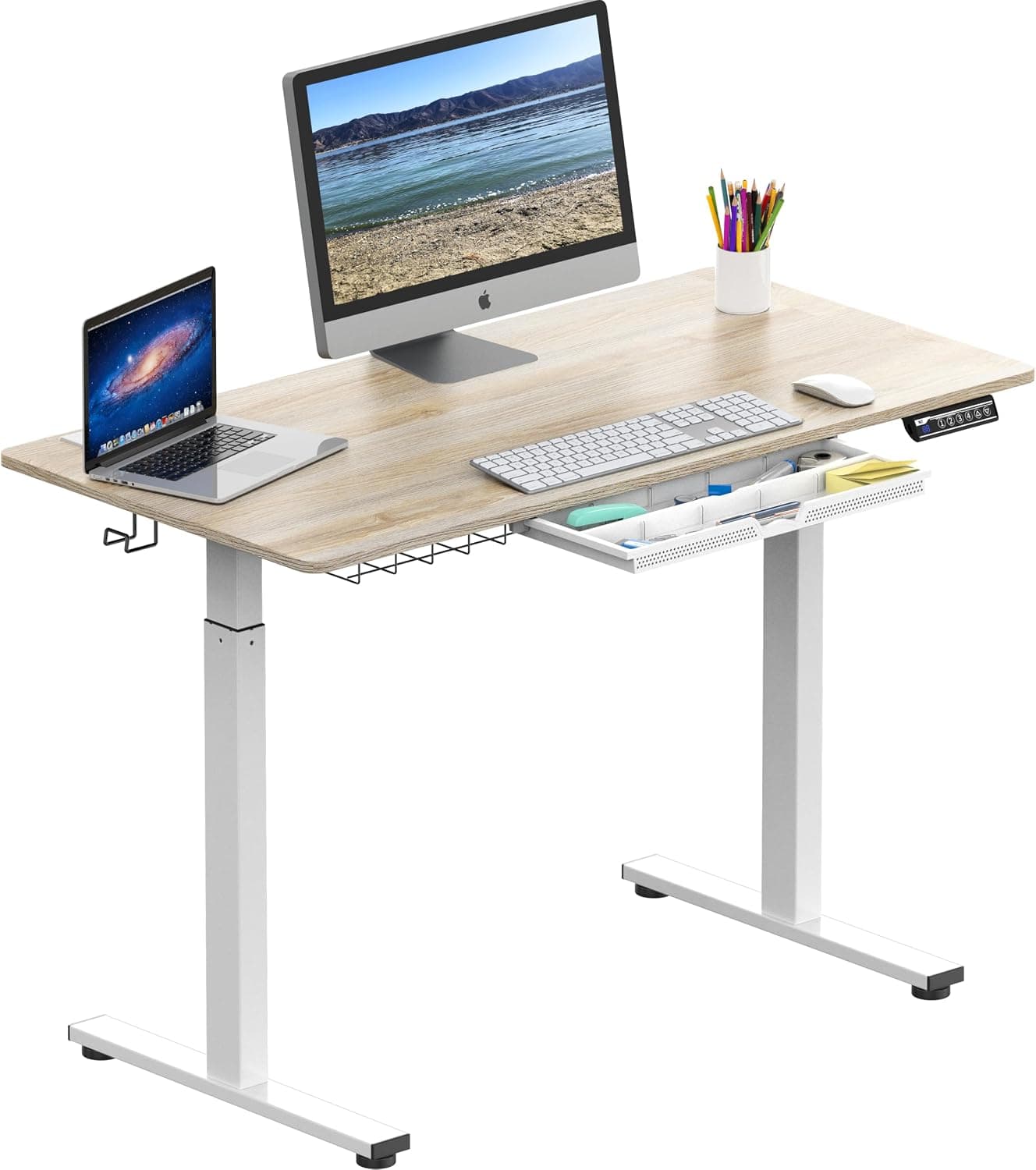
Prioritize motor stability, height range (armpit height when standing), and weight capacity. Dual motors are quieter and more stable than single motors.
Prioritize motor stability, height range (your standing desk should reach armpit height when standing), and weight capacity. Dual motors are quieter and more stable than single motors.
The Short Answer
When buying a standing desk, focus on three non-negotiable features: a dual-motor system for smooth and quiet operation, a height range that accommodates your standing elbow height (typically 25–50 inches), and a weight capacity that handles your gear (at least 150 lbs for most setups). These three factors directly determine durability, ergonomics, and day-to-day satisfaction.
The Full Picture
A standing desk is an investment in your health and productivity, but the market is flooded with options that look similar on paper. Understanding what truly matters—and what marketing hype to ignore—will save you money and frustration over the long run.
Why It Matters
Sitting for prolonged periods increases risks of back pain, cardiovascular disease, and metabolic issues. A quality standing desk lets you alternate between sitting and standing, reducing sedentary time. But a poorly chosen desk can introduce new problems: wobble at standing height, limited range that forces hunching, or a motor that fails within a year. The right desk is a long-term tool; the wrong one is a costly mistake.
The Key Factors
1. Motor System: Single vs. Dual
Dual motors lift the desk more evenly, handle heavier loads, and operate more quietly. Single motors are cheaper but often struggle with stability at higher loads and can be louder. For most people, a dual-motor is worth the extra $100–200.
2. Height Range
Your desk's minimum height should allow your elbows to rest at 90 degrees while seated (typically 25–30 inches). The maximum should bring the surface to just below your armpits when standing (typically 45–50 inches). Taller users need a range of at least 28–50 inches.
3. Weight Capacity
Consider the combined weight of your monitor(s), laptop, peripherals, and any accessories like monitor arms. A desk rated for 150 lbs is usually fine for a single monitor setup; dual monitors or heavy equipment may require 250+ lbs. Capacity also affects stability—don't push the limit.
4. Stability
Wobble is a common complaint, especially at standing height. Look for desks with a steel frame, crossbars, and wide feet. Test in-store or read real-user reviews about wobbling when typing or using a standing desk mat.
5. Desk Size and Shape
Measure your space and equipment. A 60x30-inch surface is standard for dual monitors. L-shaped or corner desks can maximize workspace but may require a three-leg setup for stability.
6. Programmability
Memory presets are convenient if multiple people use the desk. A basic programmable control box adds negligible cost but significant daily comfort.
7. Noise Level
Dual motors typically produce 40–50 dB (quiet as a library). Single motors can range from 45–60 dB. If you share an office or take calls while adjusting, quiet operation matters.
8. Warranty and Customer Service
A good frame warranty (10+ years) and responsive support indicate manufacturer confidence. Avoid brands with only 1–2 year warranties.
Comparison Table: Single vs. Dual Motor
| Feature | Single Motor | Dual Motor |
|---|---|---|
| Stability | Moderate; wobble at high loads | High; steady even with heavy setups |
| Noise | 45–60 dB (whirring) | 40–50 dB (quieter) |
| Weight Capacity | Usually ≤150 lbs | Typically 150–350 lbs |
| Price | $250–$500 | $400–$800 |
| Lifespan | 3–5 years with moderate use | 7–10 years with heavy use |
| Best For | Minimalist light setups | Dual monitors, heavy equipment |
Common Mistakes to Avoid
- Ignoring minimum height: A desk that doesn't go low enough forces you to hunch. Your seated elbow height should hit 90 degrees.
- Not measuring your workspace: Many desks are 60 inches wide—ensure it fits your room and allows cable management clearance.
- Choosing style over stability: Glass tops or thin frames may look sleek but often wobble. A steel frame with a modest wood top is more practical.
- Forgetting cable management: Plan for cable trays, grommets, or wireless peripherals. A clean desk is a productive desk.
- Buying on price alone: A $300 desk may work for a year, but a $600 dual-motor desk with a 10-year warranty is cheaper per year of use.
Our Recommendation
For most users, the sweet spot is a dual-motor, 60x30-inch standing desk with a height range of 28–50 inches and a weight capacity of at least 150 lbs. If you are over 6'2", look for a range that extends to 50+ inches. For those on a tight budget, a single-motor desk can serve light use, but expect to upgrade sooner.
Before buying, check our timing guides to snag the best deals: Best Time to Buy Desks (2026 Guide), Best Time to Buy Office Chairs (2026 Guide), and Best Time to Buy Ergonomic Office Chairs (2025 Guide). Pair your desk with a quality chair for a complete ergonomic setup.
Verdict
A standing desk is a long-term health investment. Prioritize motor type, height range, and build quality over flashy extras. Read verified reviews, measure your space, and wait for a sale. Your back will thank you.
Frequently Asked Questions
What is the ideal height range for a standing desk?
The ideal height range for a standing desk should accommodate both seated and standing postures. For most people, a range of 25 to 50 inches works. Minimum height allows 90-degree elbow angle while seated; maximum reaches just below your armpits when standing. Taller users may need 28-50 inches.
How do I measure my correct standing desk height?
To measure your correct standing desk height, stand erect with your arms at your sides, elbows bent at 90 degrees. Measure from the floor to your elbow. That's your ideal standing desk surface height. For seated height, measure from floor to your elbow while sitting with thighs parallel to the floor.
Why is cable management important for a standing desk?
Cable management is important because a cluttered desk reduces productivity and can cause trip hazards. Most standing desks have cable trays or grommets to route cords. Without planning, moving cables during height adjustment can snag or damage equipment. A clean setup also improves aesthetics and airflow for electronics.
Who needs a standing desk with a high weight capacity?
Users with heavy equipment—such as multiple monitors, a tower computer, or audio gear—need a standing desk with a higher weight capacity, typically 250 lbs or more. Additionally, if you plan to use monitor arms or attach heavy peripherals, a higher capacity ensures stability and prevents motor strain, prolonging desk life.
Products Mentioned