Get the App
Better experience on mobile
A step-by-step guide to diagnose and fix your Sony WH-1000XM5 headphones when they refuse to power on.
Having your Sony WH-1000XM5 headphones refuse to turn on can be incredibly frustrating, especially when you rely on them for work, travel, or relaxation. You're not alone—this is a common issue reported by many users of these premium noise-canceling headphones. Whether it's a dead battery, a software glitch, or a hardware fault, this problem can disrupt your day and leave you searching for answers.
This issue often stems from simple oversights like a drained battery or more complex causes like firmware issues or internal hardware failure. Based on user feedback and expert insights, we've compiled this guide to help you troubleshoot and resolve the problem. You'll learn 7 actionable fixes, from quick checks to advanced resets, and get advice on when it's time to consider a replacement.
By the end of this guide, you'll know how to diagnose the root cause, apply the right fix, and prevent future issues. Let’s get your headphones back to life!
Difficulty: easy | Time: 15 minutes
Plug your Sony WH-1000XM5 into a charger using the provided USB-C cable and let it charge for at least 10-15 minutes. A completely drained battery is the most common reason for headphones not turning on. Ensure the charging indicator light (usually red or amber) appears on the headphones. If it doesn't, try a different cable or power source.
Why this works: The battery may have discharged fully, especially if the headphones haven't been used in a while. What you should see: After charging, press the power button; the indicator should turn green or blue, and the headphones should power on. Warning signs: If there's no charging light after trying multiple cables or outlets, the issue might be with the port or battery.
Tools needed: USB-C cable, Power adapter
Difficulty: easy | Time: 5 minutes
Examine the USB-C cable and port on your headphones for damage, debris, or loose connections. A faulty cable or dirty port can prevent charging, mimicking a 'not turning on' issue. Use a small brush or compressed air to clean the port gently.
Why this works: Dust or damage can block the connection, stopping power delivery. What you should see: After cleaning or swapping cables, the charging light should appear when plugged in. Warning signs: If the port looks damaged or the light still doesn't show, there could be internal hardware damage.
Tools needed: Small brush, Compressed air can
Difficulty: easy | Time: 2 minutes
With the headphones plugged in, press and hold the power button for 5-10 seconds until the indicator light blinks or changes. This soft reset can clear minor software glitches preventing the device from powering on.
Why this works: Temporary software bugs can freeze the system, and a reset forces a restart. What you should see: The headphones should power on with a steady indicator light. Warning signs: If there's no response after multiple attempts, the issue might not be software-related.
Difficulty: medium | Time: 5 minutes
Unplug the headphones. Press and hold both the power button and the NC/Ambient button (if available) simultaneously for about 7 seconds. This initiates a hard reset, which can resolve deeper software issues.
Why this works: A hard reset clears cached data and reboots the system, often fixing persistent glitches. What you should see: The indicator light should flash, and the headphones should turn on. Warning signs: If this fails, the problem might be hardware-related.
Difficulty: medium | Time: 20 minutes
If the headphones turn on briefly or show signs of life, connect them to the Sony Headphones Connect app on your phone or computer. Check for firmware updates or perform a factory reset through the app to reinstall the software.
Why this works: Outdated or corrupted firmware can prevent proper booting. What you should see: After updating, the headphones should power on normally. Warning signs: If the app doesn't detect the headphones or updates fail, there may be a deeper issue.
Tools needed: Smartphone or computer, Sony Headphones Connect app
Difficulty: medium | Time: 5 minutes
Inspect the power button for stickiness, unresponsiveness, or physical damage. Press it gently multiple times to see if it clicks or feels loose. If damaged, the button may not register inputs.
Why this works: A broken button can prevent the headphones from receiving the power-on signal. What you should see: If the button works, the device should turn on. Warning signs: If the button feels broken or unresponsive, it likely needs professional repair.
Difficulty: hard | Time: 30 minutes
If none of the above steps work, visit Sony’s support website or call their customer service to check if your headphones are under warranty (typically 1 year from purchase). Describe the issue and request repair or replacement options. Be aware that opening the device yourself may void the warranty.
Why this works: Sony can diagnose internal hardware failures (like a dead battery or circuit board) that DIY fixes can't address. What you should see: Sony will confirm warranty status and provide next steps. Warning signs: If out of warranty, repair costs might be high compared to replacement.
If your Sony WH-1000XM5 headphones still won’t turn on after trying all troubleshooting steps, it might be a sign of permanent failure, such as a dead battery or fried motherboard—issues that are often costly to repair. If your headphones are over 2-3 years old, the internal components may have degraded naturally, especially the battery, which loses capacity over time. Additionally, if you notice physical damage (like cracks or water exposure), the cost of professional repair ($100-$200) may not be worth it compared to buying a new pair with updated features.
Check your warranty status on Sony’s website; if it’s still active, you might get a free or discounted repair/replacement. However, out-of-warranty repairs can approach the cost of a new mid-range model. Safety-wise, avoid using headphones with suspected electrical issues (e.g., burning smells or sparks) as they pose a risk. If repair costs exceed 50% of a new pair’s price or the device is outdated, upgrading to a newer model with better battery life and features is the smarter choice.
Red flags for upgrading include repeated power failures even after resets, no response to charging, or visible damage. Newer headphones often come with improved noise cancellation and durability, making replacement a worthwhile investment over sinking money into an aging device.
🛒 Buy Sony WH-1000XM5 Wireless Noise-Canceling Headphones (Latest Model) on Amazon
🛒 Buy Bose QuietComfort 45 Wireless Noise-Canceling Headphones on Amazon
🛒 Buy Anker Soundcore Life Q20 Hybrid Active Noise Cancellation Headphones on Amazon
🛒 Buy Sennheiser HD 450BT Active Noise Cancellation Headphones on Amazon

As the latest version of your current model, it offers improved noise cancellation and battery life, ensuring reliability over older units.
Price Range: $350-$400
Key Benefits:
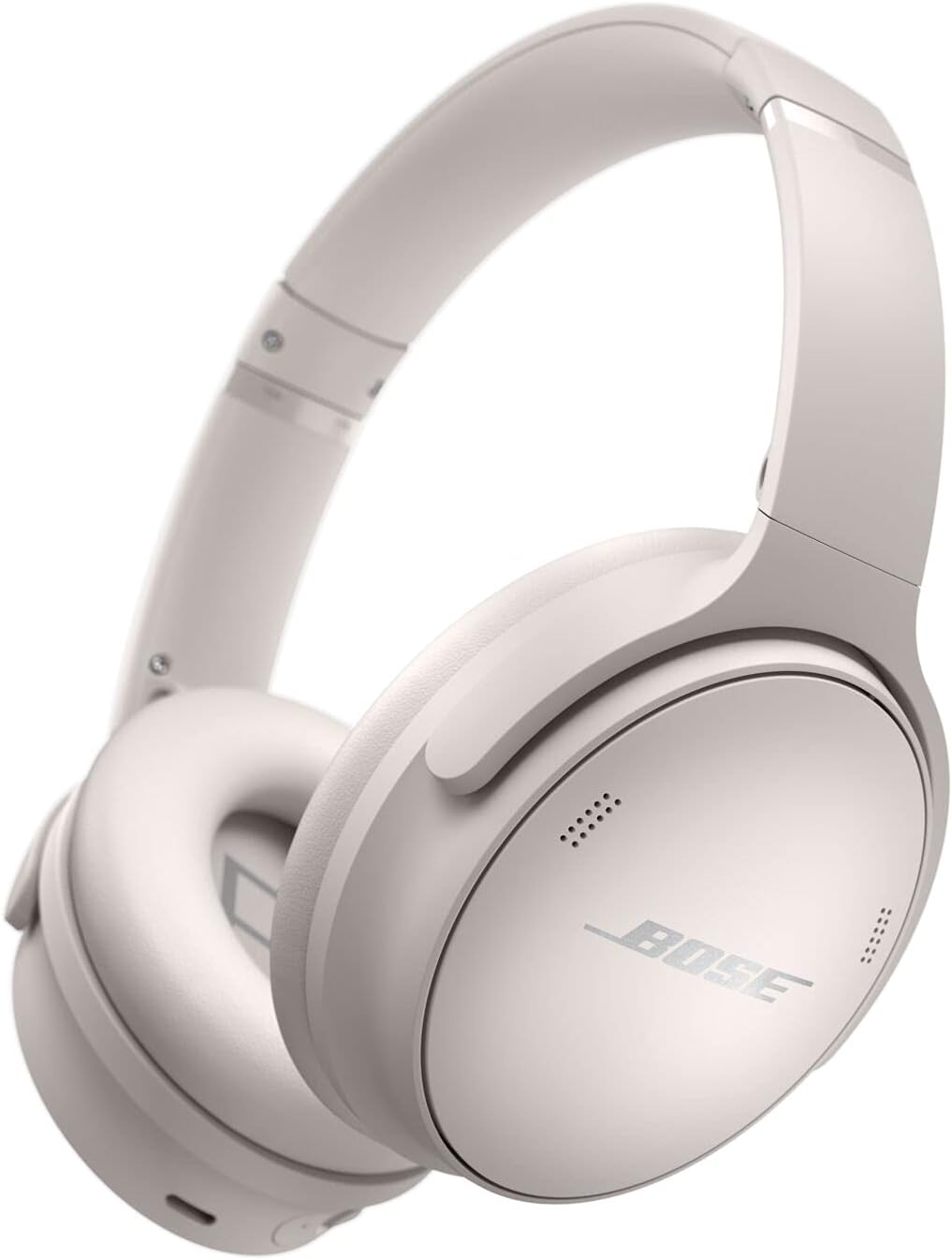
A solid mid-range alternative with excellent noise cancellation and reliable power management, often praised for durability.
Price Range: $250-$300
Key Benefits:
A budget-friendly option with decent noise cancellation and long battery life, ideal if you’re looking for affordability without sacrificing quality.
Price Range: $50-$60
Key Benefits:

A mid-premium choice with great sound quality and reliable power performance, offering a balanced upgrade option.
Price Range: $100-$150
Key Benefits:
Compare key specs and features of all our recommendations side-by-side
| Product | Recommendation | Rating | Price |
|---|---|---|---|
Sony WH-1000XM5 Noise Canceling Wireless Headphones - 30hr Battery Life - Over-Ear Style - Optimized for Alexa and Google Assistant - Built-in mic for Calls - Black - International Version No Warranty Rank #1 | 🏆 Top Pick | 4.4 4.4 | |
Bose QuietComfort 45 Noise Canceling Bluetooth Headphones (White Smoke) (Renewed) Rank #2 | 💰 Budget Pick | 4.1 4.1 | |
Anker Soundcore Life Q20 Hybrid Active Noise Cancellation Headphones Rank #3 | — | — | — |
 Sennheiser HD 450BT Bluetooth 5.0 Wireless Headphone with Active Noise Cancellation - 30-Hour Battery Life, USB-C Fast Charging, Virtual Assistant Button, Foldable - Black (Renewed) Rank #4 | — | 4.1 4.1 |
