Get the App
Better experience on mobile
A step-by-step guide to diagnose and fix the grinding noise in your KitchenAid Mixer, with upgrade options if needed.
Is your KitchenAid Mixer making a frustrating grinding noise? We understand how annoying it can be when a trusted kitchen companion starts acting up, especially during a critical baking session. This common issue affects many KitchenAid Mixer owners and can stem from simple wear and tear to more complex mechanical failures. You’re not alone—numerous users report this problem on forums and review sites.
Why does this happen? Grinding noises often result from issues like worn gears, loose components, or overuse without proper maintenance. In this guide, we’ll walk you through 7 actionable fixes to diagnose and resolve the issue, starting with the easiest solutions and progressing to more involved repairs. By the end, you’ll know whether you can fix your mixer or if it’s time to consider an upgrade.
Quick summary of solutions: From checking for simple obstructions to inspecting internal gears, we’ve got you covered with detailed steps, estimated times, and difficulty levels. Let’s get your mixer back to smooth operation!
Difficulty: easy | Time: 5 minutes
What to do: Unplug your KitchenAid Mixer for safety. Remove the bowl and attachment, and visually inspect the beater shaft and attachment hub for any food debris, dough buildup, or foreign objects that might be causing friction.
Why this works: Small particles can get lodged in moving parts, creating a grinding sound during operation.
What you should see: If debris is present, clean it with a damp cloth or small brush. Test the mixer afterward— the noise should disappear if this was the issue.
Warning signs if it doesn’t work: If no debris is visible or the noise persists after cleaning, move to the next step.
Tools needed: Damp cloth, Small brush
Difficulty: easy | Time: 10 minutes
What to do: With the mixer unplugged, gently shake it to listen for rattling. Use a screwdriver to tighten any visible screws on the mixer head, base, or attachment hub.
Why this works: Loose components can vibrate during operation, mimicking a grinding noise.
What you should see: After tightening, plug in and run the mixer on a low speed. The noise should be gone if loose parts were the culprit.
Warning signs if it doesn’t work: If the noise continues or no screws were loose, there might be an internal issue.
Tools needed: Screwdriver
Difficulty: easy | Time: 10 minutes
What to do: Unplug the mixer. Check if the beater is touching the bowl by turning the head adjustment screw (usually located at the hinge). Turn it clockwise to raise the beater or counterclockwise to lower it, aiming for a dime’s width clearance between beater and bowl.
Why this works: If the beater scrapes the bowl, it can cause a grinding sound.
What you should see: Test the mixer after adjustment. The noise should stop if misalignment was the issue.
Warning signs if it doesn’t work: Persistent noise suggests a deeper mechanical problem.
Tools needed: Screwdriver, Dime for measurement
Difficulty: medium | Time: 15 minutes
What to do: Unplug the mixer and remove any attachments. Check the front attachment hub for wear or damage. Rotate it manually to feel for roughness or grinding.
Why this works: A damaged hub can cause friction and noise when attachments are in use or even when idle.
What you should see: Smooth rotation means the hub is fine. If it feels rough, you may need a replacement part (available on Amazon).
Warning signs if it doesn’t work: If the hub is damaged, proceed to step 6 for part replacement or consider professional repair.
Difficulty: medium | Time: 30 minutes
What to do: Unplug the mixer. Tilt the head back (for tilt-head models) or remove the top cover (for bowl-lift models) using a screwdriver. Look for the gears and apply food-grade grease (like KitchenAid’s recommended grease) sparingly with a brush or cloth.
Why this works: Dry or worn gears can grind against each other, creating noise. Lubrication reduces friction.
What you should see: After reassembly, run the mixer. The noise should diminish if lack of lubrication was the issue.
Warning signs if it doesn’t work: If gears are visibly worn or damaged, lubrication won’t help—move to gear replacement. Safety note: Only attempt this if comfortable with disassembly; otherwise, seek professional help. Note that opening the mixer may void warranty.
Tools needed: Screwdriver, Food-grade grease, Brush
Difficulty: hard | Time: 1-2 hours
What to do: Unplug the mixer and disassemble the head or cover as in step 5. Inspect gears for visible wear, cracks, or stripped teeth. Order replacement gears or bearings from KitchenAid or Amazon (search 'KitchenAid mixer gear replacement'). Follow a detailed online guide or manual for installation.
Why this works: Worn gears are a common cause of grinding and must be replaced to restore smooth operation.
What you should see: After replacement, the mixer should run quietly. Test on low speed first.
Warning signs if it doesn’t work: If noise persists or other internal damage is evident, professional repair or replacement may be necessary. Safety note: This is complex and may void warranty—consider professional service if unsure.
Tools needed: Screwdriver, Replacement gears, Wrench (optional)
Difficulty: hard | Time: Varies (1-2 weeks for service)
What to do: If none of the above steps work, contact KitchenAid customer support (check your manual or their website for contact info) to inquire about warranty repairs. Alternatively, find a local appliance repair service with KitchenAid experience.
Why this works: Internal motor or transmission issues may require specialized tools and expertise beyond DIY scope.
What you should see: A professional can diagnose deeper issues and provide a repair quote.
Warning signs if it doesn’t work: If repair costs exceed 50% of a new mixer’s price, consider upgrading (see below).
When should you stop repairing and start shopping? If your KitchenAid Mixer continues to make grinding noises after attempting the above fixes, or if you notice additional issues like power loss, burning smells, or erratic speeds, it might be a sign of permanent failure in the motor or transmission. These repairs can be costly—often $100-$200 or more—and may not guarantee long-term reliability, especially for older models.
Age and cost considerations: If your mixer is over 5-7 years old and heavily used, or if repair costs approach 50% of a new unit’s price (new mixers start around $250-$300), upgrading often makes more financial sense. Check your warranty status on KitchenAid’s website—most mixers come with a 1-year warranty, though some models have extended coverage for specific parts. If out of warranty, weigh the hassle and safety risks of ongoing issues against a new, reliable machine.
Safety red flags: Persistent grinding with smoke, sparks, or overheating indicates a serious electrical or mechanical fault. Stop using the mixer immediately to avoid injury or fire risk, and prioritize replacement over further DIY attempts.
🛒 Buy KitchenAid Classic Series 4.5 Quart Tilt-Head Stand Mixer on Amazon
🛒 Buy KitchenAid Artisan Series 5 Quart Tilt-Head Stand Mixer on Amazon
🛒 Buy KitchenAid Professional 600 Series 6 Quart Bowl-Lift Stand Mixer on Amazon
🛒 Buy Cuisinart SM-50BC 5.5-Quart Stand Mixer on Amazon
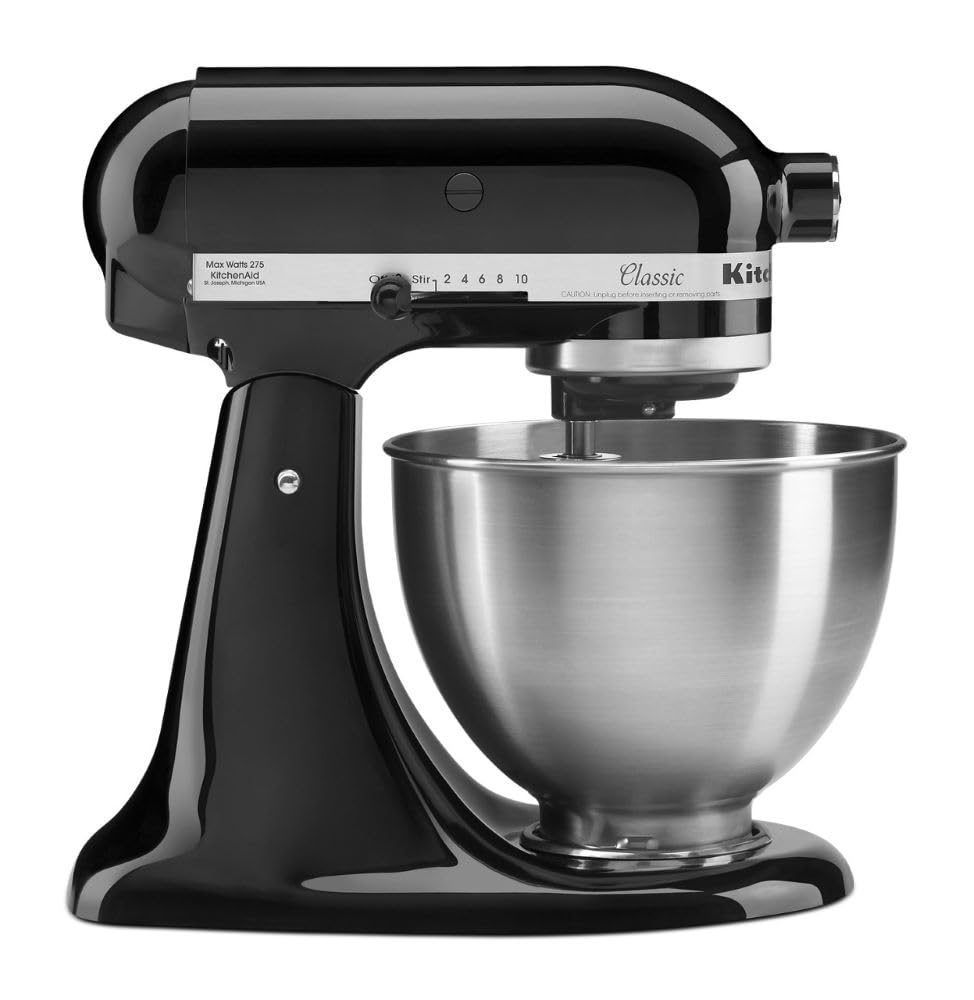
A budget-friendly yet reliable option from KitchenAid with a proven track record for durability and quieter operation compared to older models.
Price Range: $250-$300
Key Benefits:
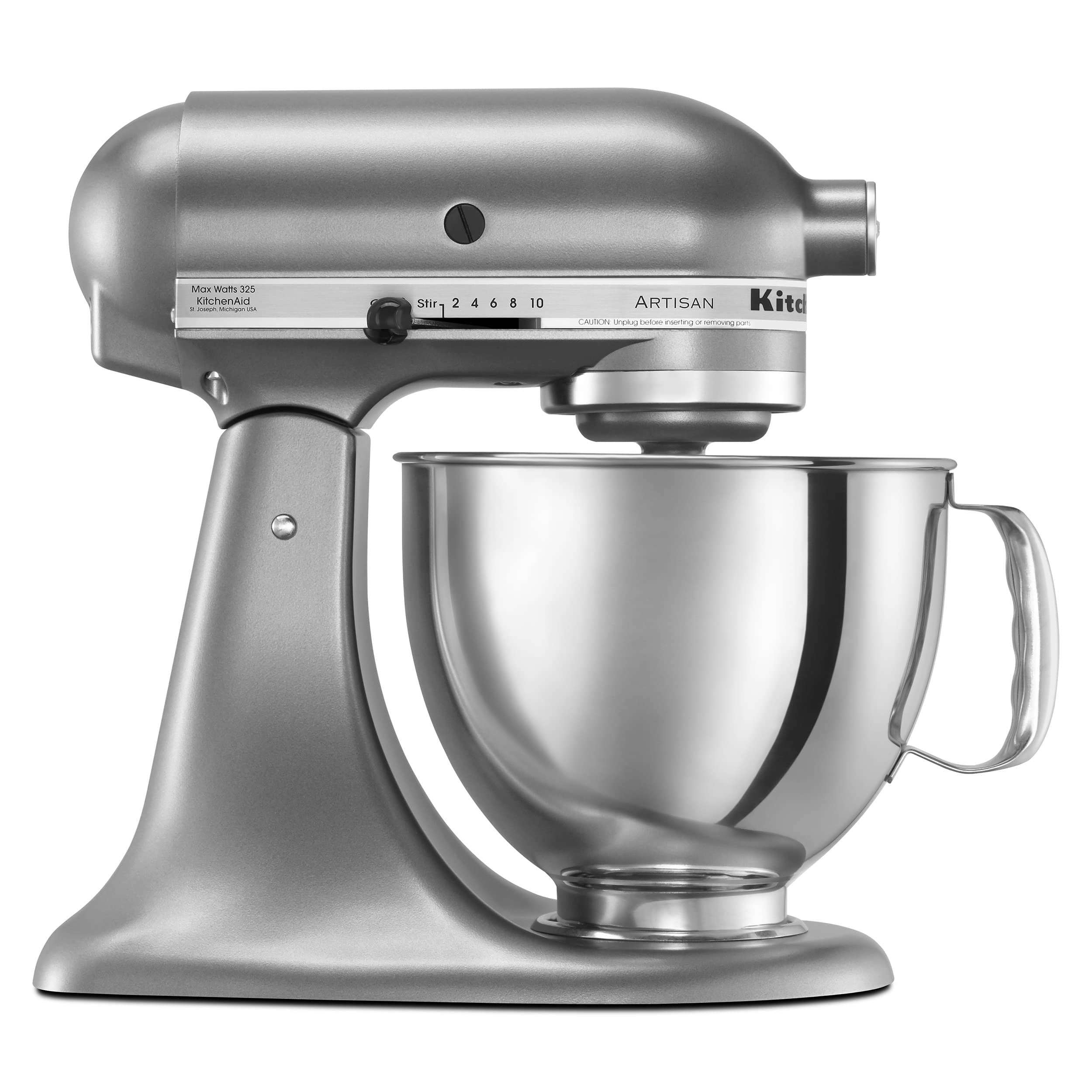
A mid-range upgrade with a larger capacity and more powerful motor, reducing strain and noise during heavy mixing tasks.
Price Range: $350-$400
Key Benefits:
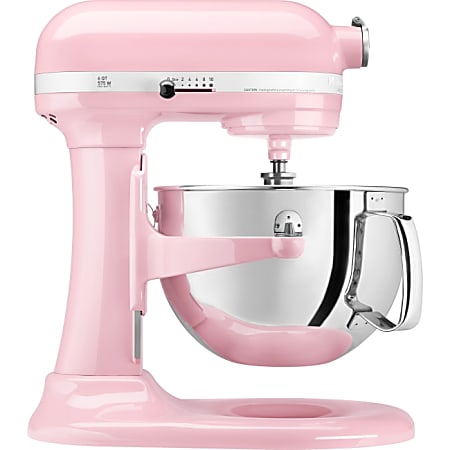
A premium choice for serious bakers, offering a bowl-lift design and robust build to handle frequent, heavy use without grinding issues.
Price Range: $500-$600
Key Benefits:
A reliable alternative to KitchenAid with a strong motor and quieter operation, often praised in reviews for longevity.
Price Range: $200-$250
Key Benefits:
Compare key specs and features of all our recommendations side-by-side
| Product | Recommendation | Rating | Price |
|---|---|---|---|
KitchenAid Classic Series 4.5 Quart Tilt-Head Stand Mixer Rank #1 | 🏆 Top Pick | — | Check price → |
KitchenAid Artisan Series 5-Quart Tilt-Head Stand Mixer Rank #2 | 💰 Budget Pick | — | Check price → |
KitchenAid Professional 600 Series 6 Quart Bowl-Lift Stand Mixer Rank #3 | — | — | Check price → |
Cuisinart SM-50BC 5.5-Quart Stand Mixer Rank #4 | — | — | — |
