Get the App
Better experience on mobile
A step-by-step guide to diagnose and fix rapid battery drain on your iPhone, with upgrade options if needed.
Dealing with an iPhone battery that drains faster than you can charge it is incredibly frustrating. You're not alone—rapid battery drain is one of the most common complaints among iPhone users, especially with older models or after software updates. Whether you're missing important calls or constantly searching for a charger, this issue can disrupt your day.
This problem often stems from software glitches, background app activity, aging hardware, or improper settings. In this guide, you'll learn how to identify the root cause of your iPhone's battery drain and fix it with 8 practical solutions. We'll start with simple tweaks and move to more advanced troubleshooting, ensuring you have the best chance of restoring your battery life. Plus, we'll discuss when it's time to consider an upgrade if the fixes don't work.
By the end, you'll know how to extend your iPhone's battery life, what to watch for if the problem persists, and whether a replacement or repair makes more sense. Let's dive in!
Difficulty: easy | Time: 5 minutes
Go to Settings > Battery on your iPhone. Look at the 'Battery Usage by App' section to see which apps are consuming the most power over the last 24 hours or 10 days. High usage from apps like social media or games often indicates background activity.
Why this works: Identifying power-hungry apps lets you restrict or uninstall them to save battery. If you see an app using over 20-30% of battery while barely used, that's a red flag.
What you should see: A clear list of apps and their usage percentages. If an app stands out, close it or adjust its settings (e.g., disable background refresh).
Warning signs: If no single app is using much power but the battery still drains, move to the next step.
Difficulty: easy | Time: 3 minutes
Navigate to Settings > General > Background App Refresh and toggle it off for all apps or selectively for high-usage ones identified in Step 1.
Why this works: Apps updating in the background can drain battery even when you're not using them.
What you should see: Battery drain should slow down within a few hours. Check Battery Usage again to confirm.
Warning signs: If disabling this doesn’t help, the issue might be elsewhere like hardware or network.
Difficulty: easy | Time: 2 minutes
Lower your screen brightness by swiping down to access the Control Center and sliding the brightness bar down, or enable Auto-Brightness in Settings > Accessibility > Display & Text Size.
Why this works: The display is one of the biggest power consumers on an iPhone. Lower brightness reduces energy use.
What you should see: Immediate improvement in battery life, especially if brightness was previously at 80-100%.
Warning signs: If battery drain persists even at low brightness, the issue isn’t display-related.
Difficulty: easy | Time: 10-20 minutes
Go to Settings > General > Software Update and install any available updates. Ensure your iPhone is charged or plugged in during the update.
Why this works: Apple often releases updates to fix battery drain bugs and optimize performance.
What you should see: After updating, monitor battery life over 24 hours. Improvements are often noticeable.
Warning signs: If updating worsens the drain or doesn’t help, consider a software reset in later steps.
Difficulty: easy | Time: 2 minutes
Turn on Low Power Mode via Settings > Battery or through Control Center (add it if not visible by customizing in Settings).
Why this works: This mode reduces background activity, lowers brightness, and limits performance to save battery.
What you should see: Battery life extends significantly, though some features (like mail fetch) may be slower.
Warning signs: If Low Power Mode doesn’t help, the battery hardware might be degraded.
Difficulty: easy | Time: 3 minutes
Go to Settings > Battery > Battery Health & Charging. Look at the 'Maximum Capacity' percentage. If it’s below 80%, your battery is significantly degraded.
Why this works: This tells you if the battery hardware itself is the issue due to age or wear.
What you should see: A capacity above 80% suggests software issues; below 80% indicates hardware degradation.
Warning signs: If capacity is low, consider a battery replacement (see later steps or upgrade section).
Difficulty: medium | Time: 10 minutes
Backup your iPhone first, then go to Settings > General > Transfer or Reset iPhone > Reset > Reset All Settings. This won’t delete data but resets preferences.
Why this works: Misconfigured settings or glitches can cause battery drain; resetting clears these.
What you should see: Battery performance may improve after a day or two as settings normalize.
Warning signs: If this doesn’t work, the issue is likely hardware-related. Be aware this resets Wi-Fi passwords and other preferences.
Difficulty: hard | Time: 1-2 hours (at service center)
If Battery Health shows capacity below 80%, visit an Apple Store or authorized service provider for a replacement. Costs are around $69-$99 depending on the model. Check if you’re under AppleCare+ for potential discounts.
Why this works: A new battery restores full capacity, often making the phone feel like new.
What you should see: Battery life returns to near-original levels post-replacement.
Warning signs: DIY replacement is not recommended due to risk of damage. If cost exceeds value of the phone, consider upgrading. Check warranty status before proceeding.
If your iPhone’s battery health is below 80% and the device is over 3-4 years old, a replacement might be more cost-effective than a repair. Battery replacements cost $69-$99 through Apple, but if your phone struggles with performance issues beyond battery life (like slow processing or outdated iOS support), the repair cost may not justify the limited lifespan left. Additionally, if you’ve tried all troubleshooting steps and the drain persists—or if you see swelling or overheating (a safety concern)—it’s a strong sign the hardware is failing permanently.
Check your warranty or AppleCare+ status at support.apple.com; if covered, you might get a discounted or free repair. However, for models like the iPhone 8 or older, Apple may no longer provide software updates, leaving you vulnerable to security risks. In such cases, upgrading to a newer model with better battery technology and longer support makes sense. Safety note: A swollen battery is a fire hazard—stop using the device and seek professional help immediately.
Ultimately, if repair costs approach 50% of a new iPhone’s price or if you’re constantly battling multiple issues, upgrading offers better value and peace of mind. Newer models also have improved battery efficiency and features that can prevent this problem in the future.
🛒 Buy Apple iPhone 13 (128GB, Midnight) on Amazon
🛒 Buy Apple iPhone 14 (128GB, Blue) on Amazon
🛒 Buy Apple iPhone SE (3rd Gen, 64GB, Midnight) on Amazon
🛒 Buy Anker PowerCore 10000 Portable Charger on Amazon
Excellent battery life compared to older models, with A15 Bionic chip for efficiency. Ideal mid-range upgrade.
Price Range: $599-$699
Key Benefits:
![Battery Case for iPhone 13/13 Pro/14, [2025 Upgraded] 7500mAh Slim Portable Smart Charging Case Rechargeable Protective Extended Charging Cover for iPhone 13/13 Pro/14 Battery Pack (6.1 Inch), Black Black For iPhone 13/13 Pro/14 - Image 1 of 7](https://m.media-amazon.com/images/I/61nsU7nuevL._AC_SL1500_.jpg)
Improved battery life over iPhone 13, with crash detection and satellite emergency features. Great premium choice.
Price Range: $699-$799
Key Benefits:

Budget-friendly option with solid battery life and modern A15 chip, perfect for those wanting affordability.
Price Range: $429-$499
Key Benefits:
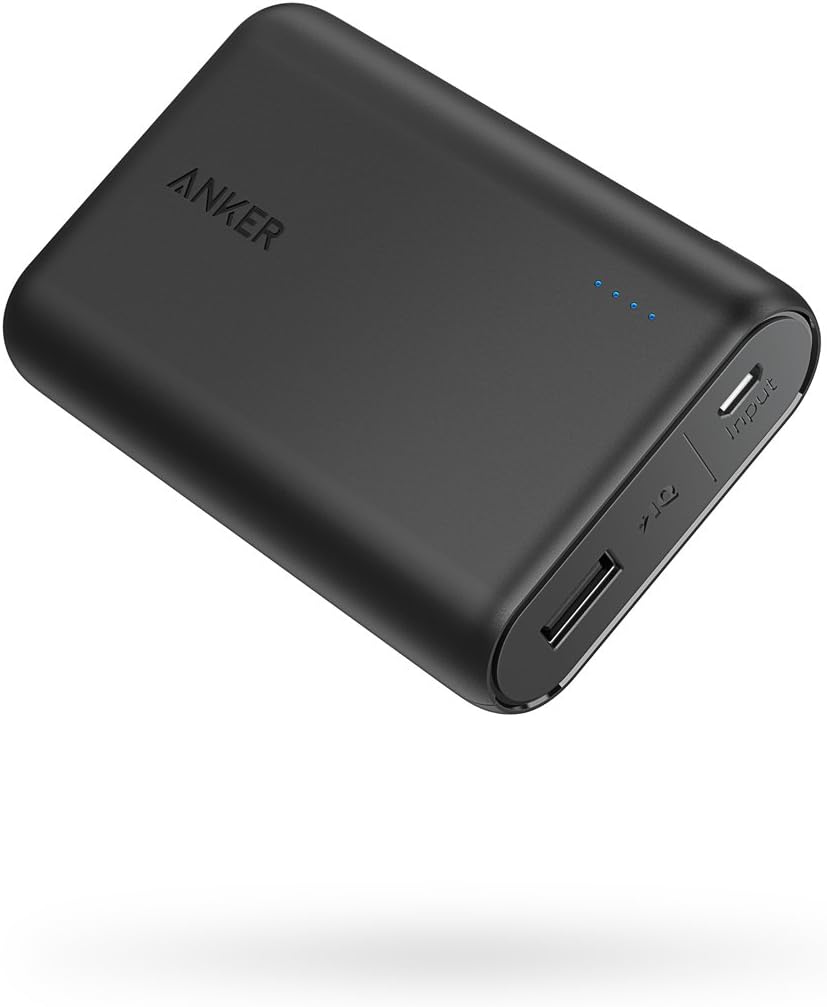
If upgrading isn’t an option yet, this portable charger extends your iPhone’s usability with a compact, reliable power bank.
Price Range: $25-$30
Key Benefits:
Compare key specs and features of all our recommendations side-by-side
| Product | Recommendation | Rating | Price |
|---|---|---|---|
Apple iPhone 13 (128GB, Midnight) Rank #1 | 🏆 Top Pick | — | — |
Battery Case for iPhone 13/13 Pro/14, [2025 Upgraded] 7500mAh Slim Portable Smart Charging Case Rechargeable Protective Extended Charging Cover for iPhone 13/13 Pro/14 Battery Pack (6.1 Inch), Black Black For iPhone 13/13 Pro/14 Rank #2 | 💰 Budget Pick | 4.0 4.0 | |
Apple iPhone SE 3rd Gen, 64GB, Midnight - Unlocked (Renewed) Rank #3 | — | 4.1 4.1 | |
Anker PowerCore 10000 Portable Charger, 10K Power Bank, Ultra-Compact Battery Pack, Phone Charger for iPhone, Samsung and More Black Rank #4 | — | 4.6 4.6 |
