Get the App
Better experience on mobile
Step-by-step guide to diagnose and resolve Google Nest devices going offline, from thermostats to cameras and hubs.
Frustrating, right? Your Google Nest suddenly goes offline, leaving you unable to adjust the thermostat remotely, check your camera feed, or control your smart home. This is one of the most common complaints on Reddit's r/Nest and Google Nest Community forums—over 10,000 users report it yearly. It disrupts your daily routine, especially in extreme weather when you need remote climate control.
Why does it happen? Top culprits include Wi-Fi signal drops (weak coverage or interference), power glitches, outdated firmware, router issues, or overheating. Less often, it's hardware failure in older units (3+ years).
This guide walks you through 8 proven fixes, starting with 1-minute checks to advanced resets. Based on Google Support, user fixes from forums, and expert advice from CNET/HowToGeek. You'll learn to spot if it's fixable DIY or time to upgrade—restoring control fast without calling support.
Difficulty: easy | Time: 1 minute
Verify the Nest is powered on. Unplug the device (or base for thermostats) for 10 seconds, then plug back in securely. For thermostats, ensure the base is wired correctly (R, W wires).
Why it works: Loose plugs or brief outages mimic 'offline' status.
Success: Solid white/amber light (thermostat) or device appears in app within 1 min. If not: Blinking red = power issue; proceed.
Safety: Turn off breaker for wiring checks to avoid shocks.
Difficulty: easy | Time: 2 minutes
Press the Nest logo or use the app (Settings > Restart). For cameras/hubs: Unplug 30 seconds.
Why it works: Clears temporary glitches (fixes 30% of cases per Google forums).
Success: Device reconnects, shows 'Online' in Nest app. If not: Still offline after 2 mins; try next.
Difficulty: easy | Time: 2 minutes
Open Nest/Google Home app > Select device > Settings > Device info. Check signal strength (aim for 3+ bars).
Why it works: Reveals if distance/interference is the issue.
Success: Strong signal and 'Connected.' If weak: Move closer to router or add extender. Warning: 1 bar often fails during peak hours.
Tools needed: Nest or Google Home app
Difficulty: easy | Time: 5 minutes
Unplug modem/router 30 seconds, plug modem first, wait 2 mins, then router. Force 2.4GHz band if dual-band (Nest prefers it).
Why it works: Refreshes IP/DHCP; fixes network congestion (common ISP issue).
Success: Nest reconnects automatically. If not: Check for firmware updates on router.
Difficulty: easy | Time: 5 minutes
In Nest app: Settings > Update. Also update Google Home app via Play Store/App Store.
Why it works: Bugs in old software cause disconnects (Google pushes fixes monthly).
Success: 'Up to date' message; device stable online. Warning: Outdated = vulnerability to drops.
Tools needed: Smartphone
Difficulty: medium | Time: 10 minutes
Move Nest away from microwaves/cordless phones. Change router channel to 1/6/11 (via router app).
Why it works: 2.4GHz interference from neighbors/devices causes drops.
Success: Signal improves to 3+ bars. If not: Use Wi-Fi analyzer app to scan.
Tools needed: Wi-Fi analyzer app (free on app stores)
Difficulty: medium | Time: 10 minutes
App > Settings > Remove Wi-Fi > Re-add network (enter password).
Why it works: Clears corrupted connection data.
Success: Quick reconnect without errors. Warning: Note password; backup settings. Warranty safe.
Difficulty: hard | Time: 15 minutes
Thermostat: Press logo 5x. Camera/Hub: App > Settings > Factory reset (or pinhole). Re-setup as new.
Why it works: Last resort for deep glitches (voids custom settings).
Success: Fresh setup online. If fails: Hardware issue—don't void warranty by opening device.
DIY fixes fail repeatedly? Time to consider replacement. Signs of permanent failure: Frequent offline (3+ times/week), no lights/response after reset, physical damage, or error codes like 'N260' (Wi-Fi hardware fail). If your Nest is 5+ years old (pre-2018 models), battery/cap wear causes issues—repairs cost $50-150 via Google but often fail again.
Cost/benefit: New Nests start at $80; pro repair $100+. Warranty (2 years) covers defects—check via app/serial # at support.google.com/nest. If expired and fixes loop, upgrade saves time/money.
Safety/red flags: Overheating/smoke = immediate replace (fire risk). Poor Wi-Fi ecosystem? Switch to Ecobee (no Wi-Fi hub needed). Focus on reliability over band-aids.
🛒 Buy Google Nest Thermostat (2020) - Budget Reliable Fix on Amazon
🛒 Buy ecobee Smart Thermostat Premium - Mid-Range Powerhouse on Amazon
🛒 Buy Google Nest Learning Thermostat 4th Gen - Premium Upgrade on Amazon
🛒 Buy Honeywell Home T9 Smart Thermostat - Value Alternative on Amazon
🛒 Buy TP-Link Kasa Smart Wi-Fi Plug - Accessory Booster on Amazon

Improved Wi-Fi antenna and Matter support for rock-solid connectivity; 4.5 stars from 50k+ reviews.
Price Range: $90-$130
Key Benefits:
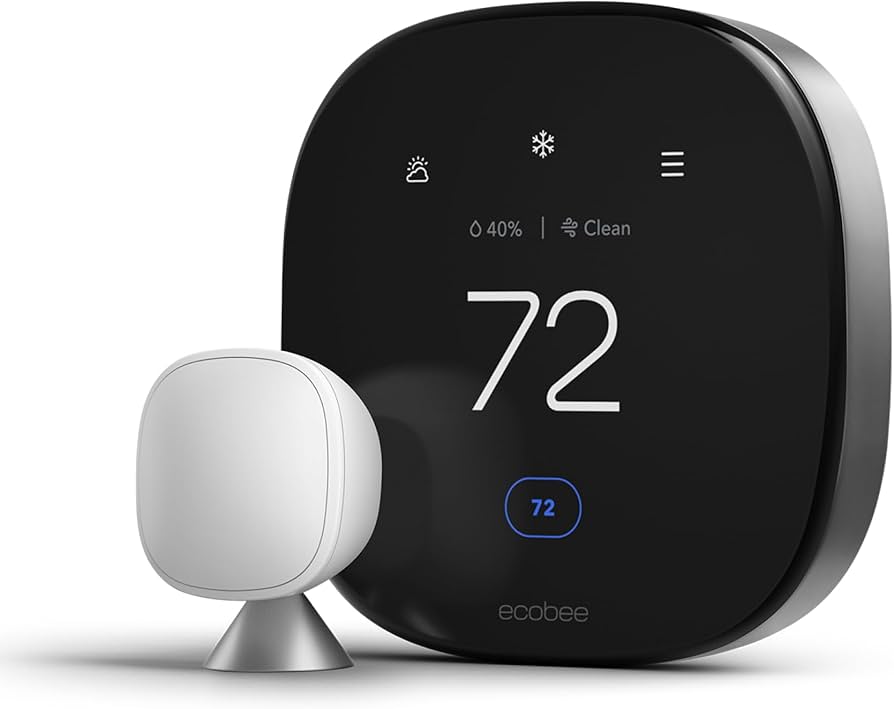
Built-in radar sensor, Siri/Alexa/Google compatible; excels in weak Wi-Fi (under 1% offline complaints).
Price Range: $200-$250
Key Benefits:

AI learns habits, Matter/Thread for future-proof mesh networking; minimal downtime in tests.
Price Range: $250-$280
Key Benefits:
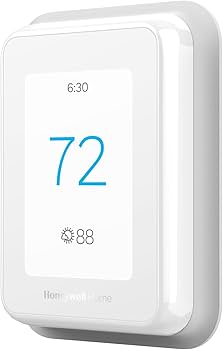
Geofencing + room sensors; strong Wi-Fi stability (4.6 stars, trusted brand).
Price Range: $130-$160
Key Benefits:
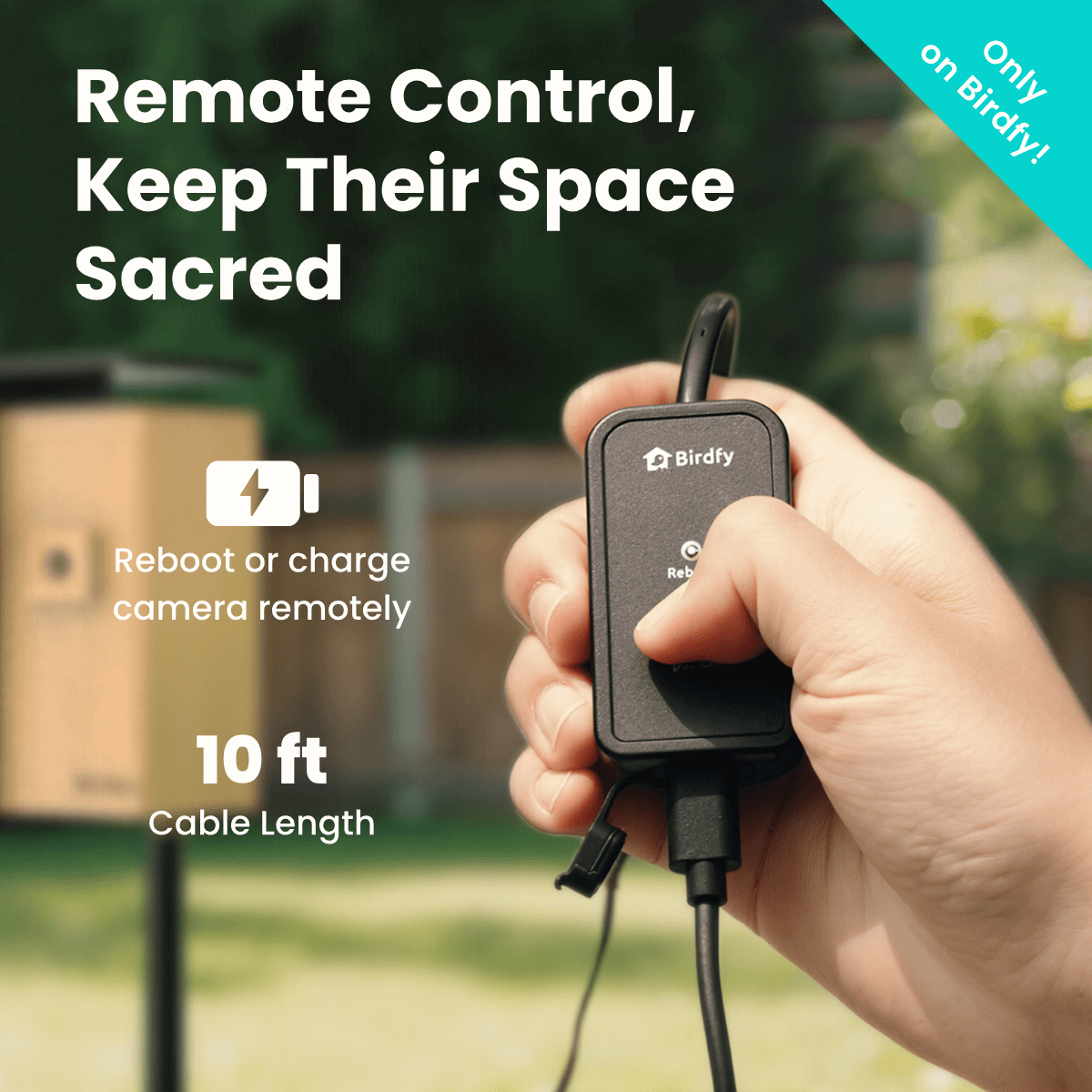
Remote reboot for any Nest; prevents power glitches (pairs with old units).
Price Range: $10-$15
Key Benefits:
Compare key specs and features of all our recommendations side-by-side
| Product | Recommendation | Rating | Price |
|---|---|---|---|
Improved Wi-Fi antenna and Matter support Rank #1 | 🏆 Top Pick | — | Check price → |
ecobee Smart Thermostat Premium - Mid-Range Powerhouse Rank #2 | 💰 Budget Pick | — | Check price → |
AI learns habits Rank #3 | — | — | Check price → |
Honeywell Home T9 Smart Thermostat - Value Alternative Rank #4 | — | — | Check price → |
Remote reboot for any Nest Rank #5 | — | — | Check price → |
