Get the App
Better experience on mobile
A step-by-step guide to diagnose and fix suction issues with your Dyson V15 vacuum cleaner.
Losing suction on your Dyson V15 vacuum can be incredibly frustrating, especially when you rely on it for a spotless home. You're not alone—many Dyson V15 users encounter this issue due to clogs, dirty filters, or battery problems. Based on user reports from forums like Reddit and Dyson’s own support pages, this is a common complaint that often stems from simple maintenance oversights or wear over time.
This guide will walk you through diagnosing and resolving the suction problem with actionable steps. We'll cover everything from quick checks to more involved troubleshooting, helping you restore your vacuum's performance. Whether it's a blocked hose or a failing motor, you'll find 8 potential fixes to get your Dyson V15 back to work—or know when it's time to consider an upgrade.
By the end, you’ll have a clear path to a working vacuum, with tips to prevent future issues and recommendations if replacement makes more sense.
Difficulty: easy | Time: 5 minutes
Start by ensuring your Dyson V15 has sufficient battery power. A low battery can cause weak suction or complete shutdown. Plug the vacuum into its charger and let it charge for at least 3.5 hours (full charge time). Look for the battery indicator light on the handle—solid blue means it's charging, and a full bar indicates it's ready.
If the suction returns after charging, you're good to go. If the battery doesn't hold a charge or the indicator flashes amber (indicating a fault), there might be a deeper battery issue—move to later steps. Note: Avoid using the vacuum while plugged in, as it's designed for cordless operation.
Difficulty: easy | Time: 5 minutes
A full or improperly seated dust bin can block airflow and kill suction. Remove the bin by pressing the red release button on the handle and empty it into a trash bag. Check for debris stuck near the cyclone entry point and clear it with your fingers or a dry cloth. Reattach the bin securely until it clicks.
Test the vacuum after emptying. You should notice improved suction immediately if this was the issue. If the bin was clean or suction remains weak, proceed to the next step. Be cautious not to overfill the bin in the future—empty it when it reaches the 'Max' line.
Difficulty: easy | Time: 10 minutes (plus 24 hours drying)
Dirty filters are a leading cause of suction loss in Dyson vacuums. The V15 has two filters: a pre-motor filter (in the cyclone) and a post-motor HEPA filter (near the handle). Remove both by twisting counterclockwise as per the user manual. Rinse them under cold water until the water runs clear, then let them air dry for 24 hours—do not use a dryer or reassemble wet.
Once dry, reinstall the filters and test the vacuum. Suction should be noticeably stronger if filters were the culprit. If there's no improvement, the issue lies elsewhere. Warning: Wet filters can damage the motor if reinstalled prematurely.
Difficulty: medium | Time: 15 minutes
Blockages in the hose or wand can choke airflow. Detach the wand and hose from the main body by pressing the release buttons. Look inside for debris like hair, dust bunnies, or small objects. Use a broom handle or a long, flexible brush to push out obstructions. For stubborn clogs, run water through the hose (ensure it's fully dry before reassembling).
After clearing, reattach and test suction. You should hear a clear airflow sound if successful. If suction is still weak, check other areas. Caution: Avoid sharp tools that could puncture the hose.
Tools needed: Broom handle or flexible brush
Difficulty: medium | Time: 15 minutes
A clogged brush bar can reduce suction, especially on carpets. Remove the cleaner head by pressing the red release button. Use scissors or a seam ripper to cut away tangled hair or threads wrapped around the bar—be gentle to avoid damaging the bristles. Wipe the bar clean with a damp cloth.
Reattach the head and test on a carpeted area. The bar should spin freely, and suction should improve. If it’s still not working or the bar doesn’t rotate, there could be a motor issue in the head—move to later steps.
Tools needed: Scissors or seam ripper, Damp cloth
Difficulty: medium | Time: 20 minutes
Debris stuck in the cyclone unit can disrupt airflow. Remove the dust bin and inspect the cyclone’s entry points for compacted dirt or large items. Use a small brush or compressed air to dislodge anything stuck—avoid excessive force to prevent damage. Wipe the area with a dry cloth.
Test the vacuum after clearing. Suction should return if this was the issue. If not, the problem might be internal. Warning: Do not use water on the cyclone as it’s near electrical components.
Tools needed: Small brush, Compressed air (optional)
Difficulty: easy | Time: 5 minutes
A software glitch might cause suction issues. To reset, unplug the charger (if connected), remove the battery by pressing the red release button under the handle, wait 30 seconds, then reattach the battery securely. Turn on the vacuum and select a different power mode (Eco, Auto, Boost) to test.
If suction returns, the reset worked. If the vacuum still struggles or displays error lights, there’s likely a hardware issue. Note: Frequent resets might indicate a failing component—consider professional help.
Difficulty: hard | Time: 30 minutes
A failing battery can cause inconsistent suction even after charging. Remove the battery (as in Step 7) and inspect for damage or corrosion on the contacts—clean with a dry cloth if dirty. If you have a spare Dyson-compatible battery, swap it in and test. If not, contact Dyson support to order a replacement (check warranty status first).
If a new battery restores suction, the old one was the issue. If there’s no change, the motor or circuitry might be failing—repair costs could outweigh replacement. Warning: Only use official Dyson batteries to avoid safety risks.
Tools needed: Replacement battery (optional)
If you've gone through all troubleshooting steps and your Dyson V15 still isn’t suctioning properly, it might be time to consider an upgrade. Persistent issues like a failing motor, frequent battery faults (especially if the vacuum is over 2-3 years old), or physical damage to critical components are red flags. Repairing a motor or replacing major parts can cost $100-$200 through Dyson or third-party services, which is often close to half the price of a new unit—making repair less economical.
Check your warranty status first; the Dyson V15 typically comes with a 2-year warranty covering parts and labor for manufacturing defects (not wear-and-tear like clogs or filter issues). If out of warranty, weigh the cost of ongoing fixes against a new vacuum with better reliability or features. Safety is also a concern—if you notice electrical smells, sparks, or overheating during use, stop immediately and replace the unit rather than risk further damage or injury.
Ultimately, if your vacuum requires frequent resets, struggles despite maintenance, or is nearing the end of its expected lifespan (around 5 years with heavy use), upgrading to a newer model with improved suction tech or battery life is the smarter long-term choice.
🛒 Buy Dyson V15 Detect Cordless Vacuum Cleaner on Amazon
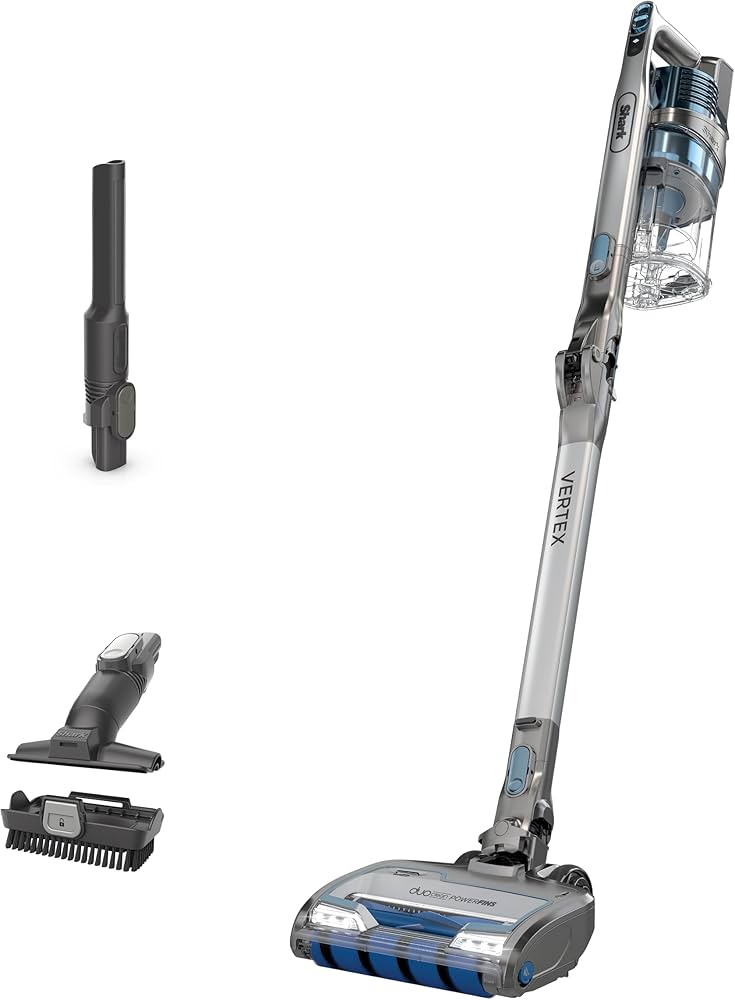
🛒 Buy Shark IZ462H Vertex Ultra Lightweight Cordless Stick Vacuum on Amazon
🛒 Buy Tineco Pure One S11 Cordless Vacuum Cleaner on Amazon

The latest iteration of the V15 with enhanced laser dust detection and consistent suction power, addressing motor and battery reliability issues.
Price Range: $700-$750
Key Benefits:

A mid-range alternative with strong suction, self-cleaning brushroll, and lighter design—great if you want to switch brands at a lower cost.
Price Range: $350-$400
Key Benefits:

A budget-friendly option with smart suction adjustment and decent power, ideal if repair costs for the V15 are too high.
Price Range: $250-$300
Key Benefits:
Compare key specs and features of all our recommendations side-by-side
| Product | Recommendation | Rating | Price |
|---|---|---|---|
 Dyson V15 Detect Cordless Vacuum Cleaner, Yellow/Nickel Large Yellow/Nickel Rank #1 | 🏆 Top Pick | 4.4 4.4 | |
 Shark IZ462H Vertex Ultra Lightweight Cordless Stick Vacuum with DuoClean PowerFins, Crevice, Pet Multi-Tool, Anti-Allergen, Brush, Removable Handheld, Flex, 60 min Runtime, Blue, MultiFLEX Vertex FlexPro (60 min) Rank #2 | 💰 Budget Pick | 4.2 4.2 | |
Yeedi C12 Robot Vacuum Cleaner and Mop, 8000Pa Strong Suction, ZeroTangle Brush, Smart Navigation, Self-Charging, White Rank #3 | — | 4.0 4.0 |
