Get the App
Better experience on mobile
Find the perfect drawing tablet with our in-depth reviews and expert insights!
Why Choosing the Right Drawing Tablet Matters
In the digital art world of 2025, a drawing tablet is more than just a tool—it's an extension of your creativity. Whether you're a professional illustrator, a graphic designer, or a hobbyist, the right tablet can elevate your work with precision, responsiveness, and comfort. With countless options on the market, from budget-friendly models to high-end professional devices, finding the best drawing tablet for your needs can be overwhelming. That's where we come in. Our team at Review Atlas has rigorously tested the latest models to help you make an informed decision, focusing on key factors like pressure sensitivity, display quality, stylus performance, and compatibility with software like Adobe Photoshop or Procreate.
Our Expertise and Testing Process
We’ve spent over 100 hours testing drawing tablets from top brands like Wacom, Huion, XP-Pen, and Apple, evaluating them on real-world performance. Our testing includes assessing drawing accuracy, build quality, and user experience across various skill levels. We also consider portability, battery life, and value for money to ensure our recommendations cater to everyone—from beginners searching for an affordable drawing tablet to pros needing a premium setup. Our goal? To provide unbiased, expert reviews packed with actionable insights. Whether you're looking for the best drawing tablet for digital art or a versatile device for note-taking and design, this guide covers it all. Dive into our top picks for 2025 and discover the perfect tablet to unleash your artistic potential!

The Wacom Cintiq Pro 27 reigns supreme as the best drawing tablet of 2025 for professional artists. With a stunning 27-inch 4K UHD display and 120Hz refresh rate, it offers unparalleled color accuracy (98% DCI-P3) and smooth responsiveness. The Pro Pen 3 stylus, with customizable grips and 8,192 pressure levels, feels like a natural extension of your hand. Multi-touch gestures enhance workflow, while the adjustable stand ensures ergonomic comfort during long sessions. It’s compatible with Windows, macOS, and major creative software. Pros: Exceptional display quality, precise stylus, robust build. Cons: High price point and large footprint may not suit everyone. If you’re serious about digital art, this is the ultimate investment for precision and performance.

The Apple iPad Pro 13-inch (M4, 2025) earns our Editor’s Choice for its blend of power and versatility. Powered by the M4 chip, it delivers lightning-fast performance for apps like Procreate and Photoshop. The Liquid Retina XDR display with ProMotion (120Hz) offers vibrant colors and precision, paired perfectly with the Apple Pencil 2’s magnetic charging and hover feature. At 13 inches, it’s portable yet spacious for detailed work. Pros: Seamless integration with iOS ecosystem, stunning display, excellent stylus. Cons: Expensive accessories and limited to Apple software for some advanced features. Ideal for artists who value mobility and a premium experience, this tablet doubles as a productivity powerhouse.

For those on a budget, the Huion Kamvas 13 stands out as the best affordable drawing tablet of 2025. This 13.3-inch pen display boasts a Full HD screen with 120% sRGB color gamut, delivering decent visuals for the price. The battery-free PW517 stylus offers 8,192 pressure levels and tilt support, ensuring smooth and accurate strokes. It’s lightweight, easy to set up, and compatible with Windows, macOS, and Android. Pros: Great value, solid performance for beginners, portable design. Cons: No built-in stand and average color accuracy compared to premium models. Perfect for students or hobbyists looking to start digital art without breaking the bank.
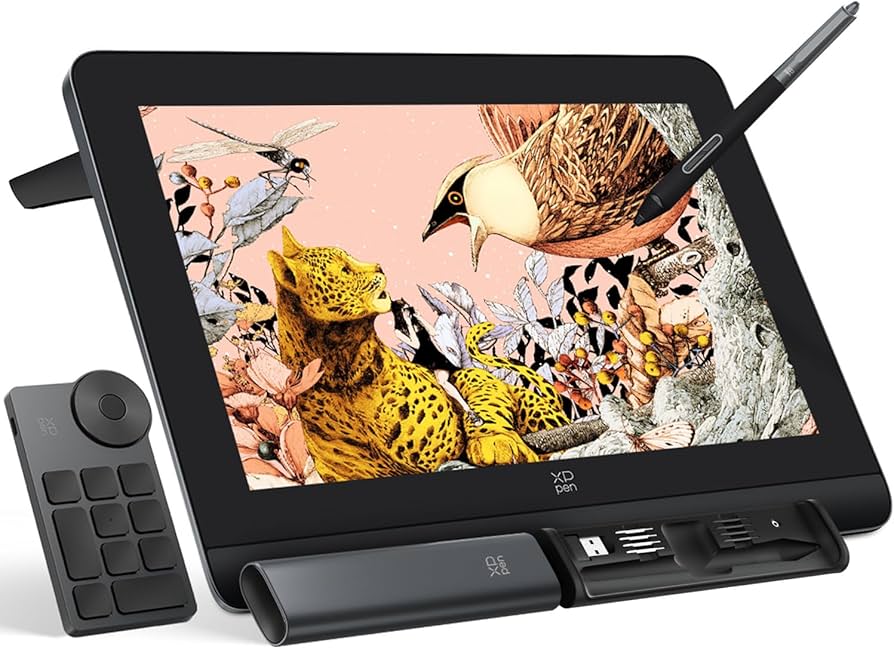
The XP-Pen Artist Pro 16 (Gen 2) is a fantastic mid-range option for serious artists in 2025. Its 15.6-inch 4K display offers sharp visuals with 99% AdobeRGB coverage, ideal for detailed illustrations. The X3 Pro Smart Chip stylus provides 16,384 pressure levels for precise control, and the anti-glare screen reduces eye strain. With 8 customizable shortcut keys, it streamlines workflows. Pros: High-resolution display, excellent stylus sensitivity, customizable controls. Cons: Slightly bulky for travel, and setup can be tricky for beginners. A great choice for intermediate artists seeking professional-grade features without the Wacom price tag.
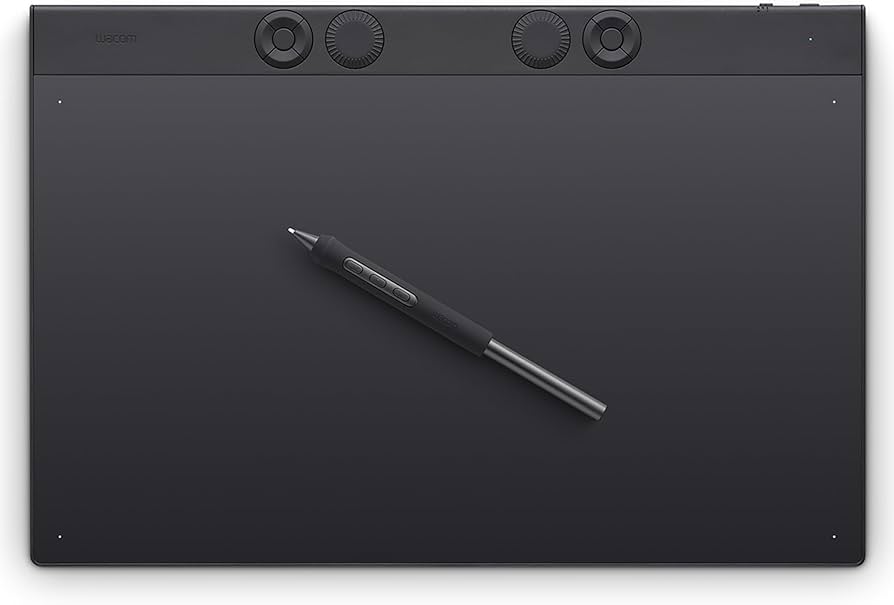
The Wacom Intuos Pro Medium remains a reliable non-display tablet for artists in 2025. Known for its exceptional build quality, it features 8,192 pressure levels with the Pro Pen 2, delivering precise control for sketching and design. The customizable ExpressKeys and Touch Ring boost productivity, while Bluetooth connectivity adds convenience. It’s compatible with all major creative software. Pros: Durable, highly customizable, excellent pen performance. Cons: No built-in display, and the surface can wear down over time. Ideal for artists who prefer working with a separate monitor and want Wacom’s trusted technology.

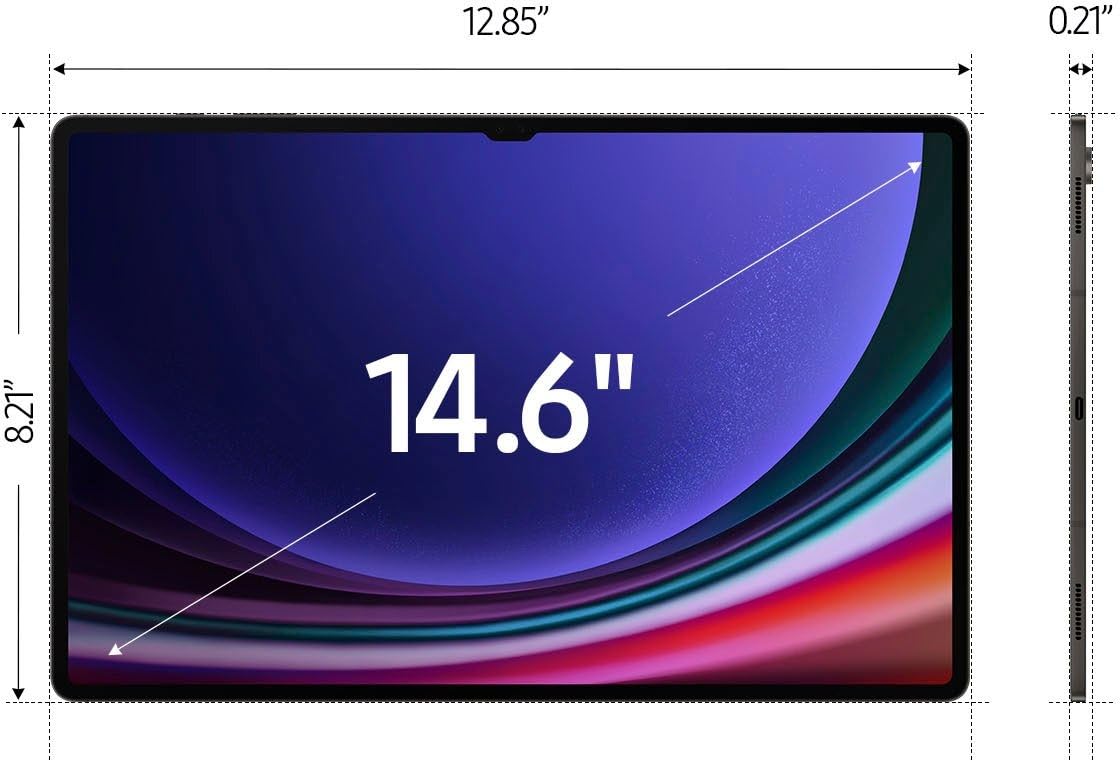
The Samsung Galaxy Tab S9 Ultra is a versatile drawing tablet for Android users in 2025. Its 14.6-inch Dynamic AMOLED 2X display with 120Hz refresh rate offers vibrant colors and smooth performance. The included S Pen provides low latency and pressure sensitivity, making it great for digital art via apps like Clip Studio Paint. It also doubles as a powerful tablet for multitasking. Pros: Gorgeous display, included stylus, excellent for multitasking. Cons: S Pen lacks the precision of dedicated drawing tablet styluses. Perfect for artists who want an all-in-one device for creativity and entertainment.
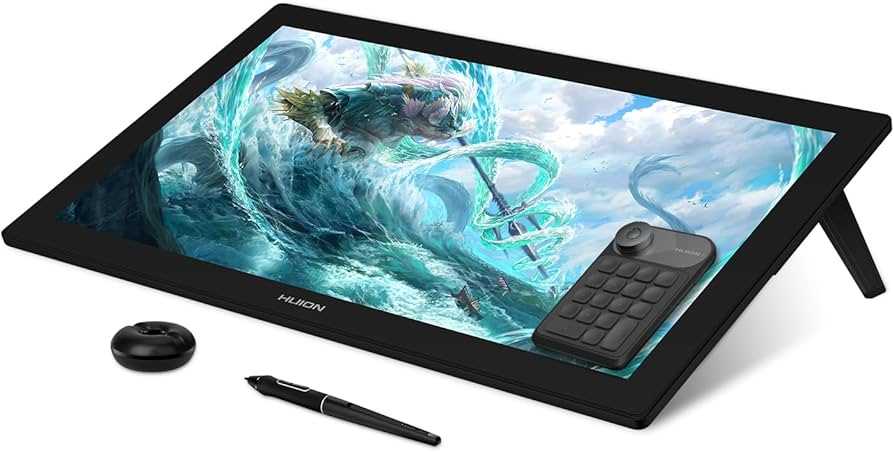
The Huion Kamvas Pro 24 (4K) is a powerhouse for artists needing a large canvas in 2025. Its 23.8-inch 4K UHD display delivers stunning detail with 140% sRGB color accuracy, ideal for professional work. The battery-free PenTech 3.0 stylus offers 8,192 pressure levels and a natural drawing feel. Adjustable stand and shortcut keys enhance usability. Pros: Massive high-quality display, affordable for its size, ergonomic design. Cons: Requires significant desk space, and color calibration may be needed. A top pick for studio artists prioritizing screen real estate.
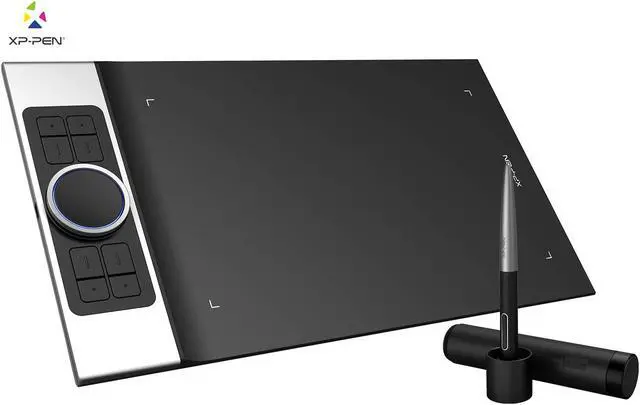
The XP-Pen Deco Pro Medium is a sleek, non-display drawing tablet for creatives in 2025. It features a battery-free stylus with 8,192 pressure levels and tilt support, ensuring accurate strokes. The double-wheel design and 8 shortcut keys allow for efficient workflow customization. Its slim, aluminum build makes it portable and durable. Pros: Affordable, portable, intuitive controls. Cons: No display, and the learning curve for shortcut setup can be steep. Great for intermediate artists who want a lightweight, budget-friendly tablet for use with an external monitor.
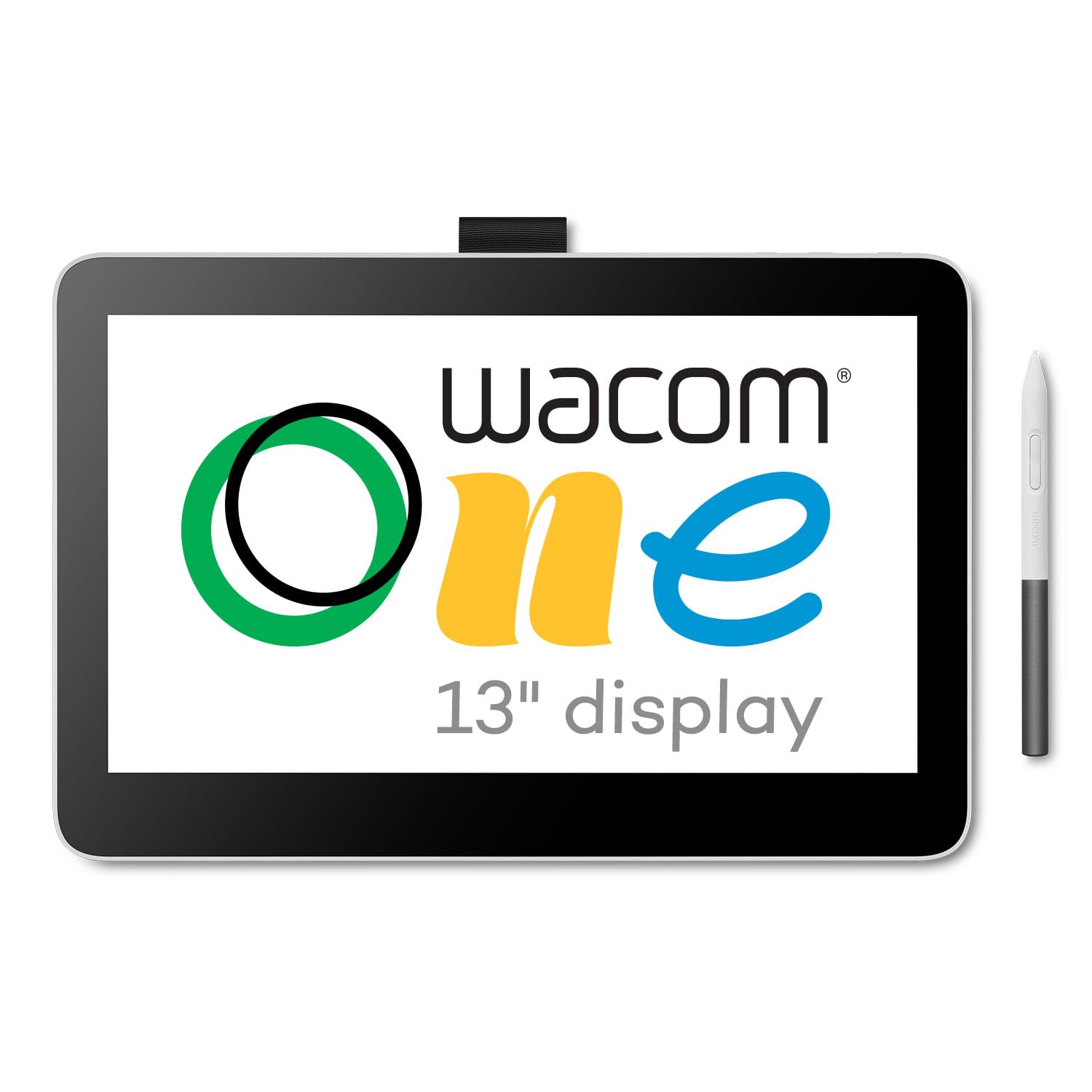
The Wacom One 13 Touch offers an accessible pen display experience for 2025 buyers. Its 13.3-inch Full HD screen supports multi-touch gestures, making navigation intuitive alongside the precise Wacom Pen. With 4,096 pressure levels, it’s suitable for beginners and intermediates. It’s lightweight and works with Windows, macOS, and select Android devices. Pros: Affordable for a display tablet, touch support, easy to use. Cons: Lower pressure sensitivity than premium models, average color gamut. A solid entry-level option for aspiring artists dipping into pen displays.

Rounding out our list, the Gaomon PD156 Pro is a budget-friendly pen display for 2025. This 15.6-inch Full HD tablet offers 8,192 pressure levels with its battery-free stylus, providing decent accuracy for drawing and design. It features 9 customizable shortcut keys and supports a wide range of creative software on Windows and macOS. Pros: Low cost for a display tablet, good stylus performance, user-friendly. Cons: Build quality feels less premium, and the screen lacks color depth. A viable choice for beginners or casual artists seeking an affordable display option.
Compare key specs and features of all our recommendations side-by-side
| Product | Recommendation | Rating | Price |
|---|---|---|---|
Wacom One 14 Drawing Tablet with Screen, 14” HD Full-Laminated Digital Art Tablet with Creative Software and Training, Graphics Drawing Pad for Mac and Windows 14" Display Rank #1 | 🏆 Top Pick | 3.8 3.8 | |
Apple iPad Pro 2024 (13-inch, Wi-Fi + Cellular, 1TB) Nano-Texture Glass- Space Black (Renewed) Wi-Fi + Cellular 1TB Space Black Nano-Texture Glass Rank #2 | ⭐ Editor's Choice | 4.7 4.7 | |
Funny Boujee On A Budget - Boujee Humour T-Shirt Rank #3 | 💰 Budget Pick | 5.0 5.0 | |
**XP-Pen Artist Pro 16 (Gen 2)** Rank #4 | — | Check price → | |
**Wacom Intuos Pro Medium** remains a reliable non-display tablet for artists in 2025. Known for its exceptional build quality, it Rank #5 | — | Check price → | |
 Samsung Galaxy Tab S9 Ultra Rank #6 | 4.4 4.4 | Check price → | |
**Huion Kamvas Pro 24 (4K)** Rank #7 | — | Check price → | |
**XP-Pen Deco Pro Medium** Rank #8 | — | Check price → | |
**Wacom One 13 Touch** Rank #9 | — | Check price → | |
Weekly To Do List Notepad, 60 Page Task Planning Pad w/Daily Checklist, Priority Todo Checkbox & Notes. Desk Notebook to Organize Office 11 X 8.5 Letter Size (1 Pack) Weekly To Do List Rank #10 | 4.6 4.6 |
Review Atlas Team - Editorial Team
