Get the App
Better experience on mobile
A step-by-step guide to diagnose and fix audio issues in one ear of your Bose headphones.
Having sound in only one ear of your Bose headphones can be incredibly frustrating. Whether you're missing half the music or struggling to hear important dialogue, this issue can ruin your listening experience. You're not alone—many Bose users report this problem, and it’s a common issue across headphone brands due to wear and tear or simple connection glitches.
This guide will walk you through the most common causes, from simple fixes like checking your audio source to more technical solutions like inspecting internal wiring. We'll help you diagnose why only one side of your Bose headphones is working and provide 7 actionable fixes to get both ears back in action. By the end, you'll either have your headphones working like new or know if it's time for an upgrade.
Quick summary of solutions: Start with easy checks like audio balance settings and cable connections, then move to resets and hardware inspections if needed.
Difficulty: easy | Time: 2 minutes
What to do: Open the audio settings on your phone, computer, or media player. Look for a 'Balance' or 'Stereo' setting and ensure it’s centered (not skewed to left or right). On iPhones, go to Settings > Accessibility > Audio/Visual > Balance. On Android, check Sound settings.
Why this works: If the balance is off, your device may send audio to only one ear. This is a common oversight, especially if someone else used your device.
What you should see: If balanced, sound should play in both ears. Test with a song or video.
Warning signs: If balance is centered but one side is still silent, move to the next step.
Difficulty: easy | Time: 3 minutes
What to do: If your Bose headphones are wired, unplug the cable from both the headphones and the device. Check for visible damage like fraying or bent connectors. Plug it back in firmly on both ends.
Why this works: A loose or partially disconnected cable can cause audio to drop in one ear due to incomplete contact.
What you should see: Audio should return to both sides if the connection was the issue. Twist the cable gently while listening to see if sound cuts in and out.
Warning signs: If twisting reveals intermittent sound or there’s visible damage, the cable might need replacement (see Step 6).
Difficulty: easy | Time: 5 minutes
What to do: Connect your headphones to another device (e.g., switch from phone to laptop). Play audio to test if the issue persists.
Why this works: The problem might be with the original device’s audio output, not the headphones.
What you should see: If sound works in both ears on the new device, the issue is with the original source. Adjust or repair that device’s settings or port.
Warning signs: If one side remains silent on multiple devices, the issue is likely with the headphones.
Difficulty: medium | Time: 5 minutes
What to do: For wireless Bose headphones, turn off Bluetooth on your device. On the headphones, press and hold the power button for 10 seconds to reset (check your model’s manual for exact steps). Re-pair the headphones by turning Bluetooth back on and selecting them from the device list.
Why this works: Bluetooth glitches can cause audio to drop on one side due to poor syncing.
What you should see: After re-pairing, play audio to confirm both sides work. Sound should be balanced.
Warning signs: If pairing fails or one side is still silent, there may be a hardware issue.
Difficulty: medium | Time: 5 minutes
What to do: For wired models, inspect the headphone jack on your device and the connector for dust or debris. Use a small brush, compressed air, or a toothpick (gently) to clean it out. For wireless, check the charging port if applicable.
Why this works: Debris can interfere with connections, causing audio to fail on one side.
What you should see: After cleaning, reconnect and test. Sound should return if debris was the issue.
Warning signs: Be gentle—pushing too hard can damage the port. If cleaning doesn’t help, move to hardware checks. Safety note: Avoid liquids near ports.
Tools needed: Small brush or toothpick, Compressed air (optional)
Difficulty: medium | Time: 10 minutes
What to do: If your Bose headphones use a detachable cable, purchase a compatible replacement (check Bose’s website or Amazon for the right model). Swap out the old cable and test.
Why this works: Internal wire damage can cause one-sided audio, and replacing the cable is cheaper than new headphones.
What you should see: Sound should return to both ears with a new cable.
Warning signs: If a new cable doesn’t fix it, the issue is likely internal (see Step 7). Note: Replacing parts may void warranty—check with Bose first.
Tools needed: Replacement cable
Difficulty: hard | Time: 30-60 minutes
What to do: If comfortable with DIY repairs, open the headphone earcup (search for your model’s teardown guide on YouTube or iFixit). Look for loose or disconnected wires to the speaker. Re-solder or secure if possible, but only if you have experience.
Why this works: Internal wiring can break from drops or wear, cutting audio to one side.
What you should see: If a wire is reconnected properly, sound should return. Test before reassembling.
Warning signs: This is risky—poor repairs can worsen damage. If unsure, contact Bose support or a professional. Safety note: Risk of damaging components or voiding warranty. Stop if you see complex circuitry.
Tools needed: Screwdriver set, Soldering kit (optional)
It might be time to upgrade your Bose headphones if troubleshooting doesn’t work and certain red flags appear. If only one side persists in failing across multiple devices and fixes, or if you notice crackling sounds, distorted audio, or physical damage like cracked earcups, the internal components may be beyond repair. Additionally, if your headphones are over 3-5 years old, wear and tear on speakers and wiring becomes more likely, and replacement parts may be hard to source.
Cost-wise, professional repairs for Bose headphones often range from $50-$100, which may not be worth it for older models when new, reliable headphones start at similar prices. Check your warranty status on the Bose website—if still covered, you may get a free or discounted repair. However, if out of warranty and repair costs approach the price of a new set, upgrading makes more sense. There’s no major safety concern with one-sided audio, but continued use of damaged wiring could lead to shorts or further degradation.
Upgrade if you value consistent audio quality and don’t want to risk recurring issues. Newer models often have improved durability and better Bluetooth stability, addressing common failure points in older Bose designs.

A direct upgrade for Bose users with enhanced noise cancellation and improved Bluetooth stability to prevent one-sided audio issues.
Price Range: $329-$349
Key Benefits:
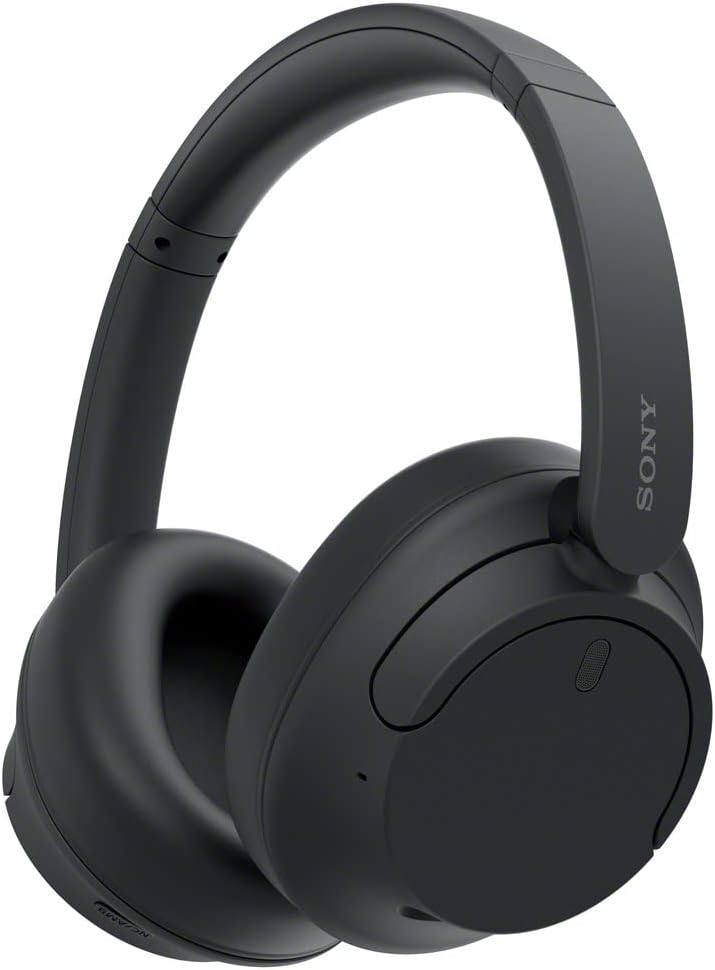
A budget-friendly alternative with solid audio balance and noise cancellation, often praised for durability.
Price Range: $148-$168
Key Benefits:

Mid-range option with excellent audio fidelity and fewer reports of one-sided failures due to robust build quality.
Price Range: $129-$149
Key Benefits:

Premium choice with industry-leading noise cancellation and advanced audio processing to avoid connection or balance issues.
Price Range: $398-$418
Key Benefits:
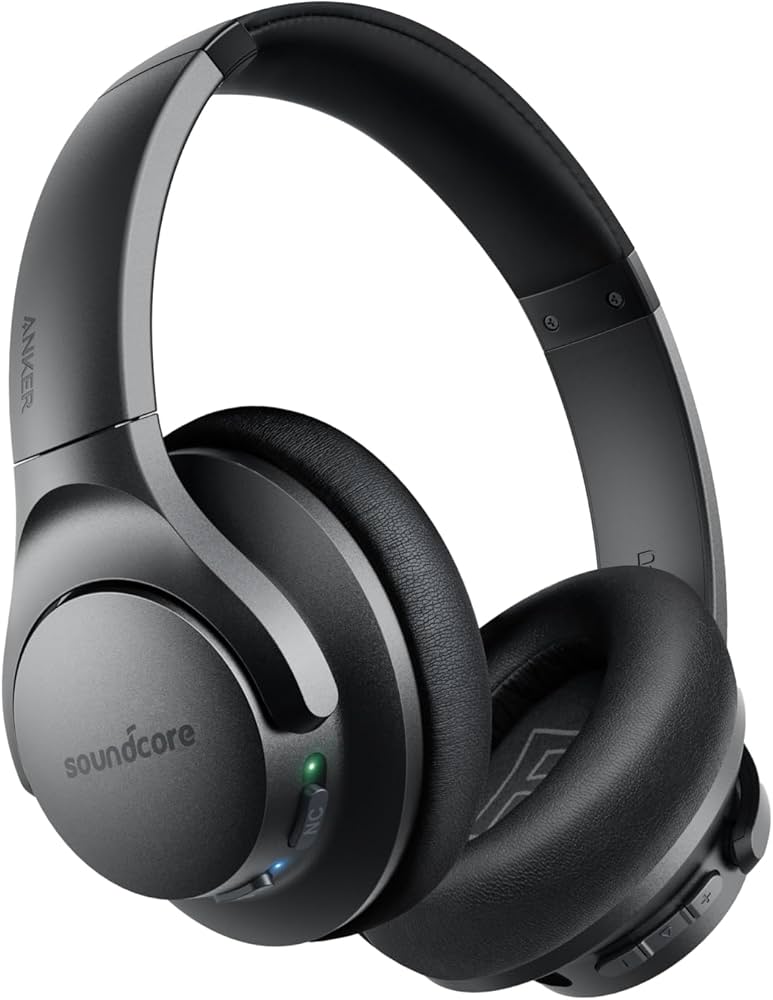
Ultra-budget option with decent sound and fewer hardware complaints, ideal for casual users.
Price Range: $59-$69
Key Benefits:
Compare key specs and features of all our recommendations side-by-side
| Product | Recommendation | Rating | Price |
|---|---|---|---|
 Bose QuietComfort 45 Bluetooth Wireless Noise Cancelling Headphones - Triple Black (Renewed) Rank #1 | 🏆 Top Pick | 4.2 4.2 | Check price → |
Sony WH-CH720N Noise Canceling Wireless Headphones Bluetooth Over The Ear Headset with Microphone and Alexa Built-in, Black New Rank #2 | 💰 Budget Pick | 4.4 4.4 | |
 Sennheiser HD 450BT Bluetooth 5.0 Wireless Headphone with Active Noise Cancellation - 30-Hour Battery Life, USB-C Fast Charging, Virtual Assistant Button, Foldable - Black (Renewed) Rank #3 | — | 4.1 4.1 | |
Sony WH-1000XM5 Noise Canceling Wireless Headphones - 30hr Battery Life - Over-Ear Style - Optimized for Alexa and Google Assistant - Built-in mic for Calls - Black - International Version No Warranty Rank #4 | — | 4.4 4.4 | |
Anker Soundcore Life Q20 Rank #5 | — | — | Check price → |
