Get the App
Better experience on mobile
A research-backed guide to the best Windows 11 laptops for work, school, gaming, and creativity.
Windows laptops in 2026 are splitting into three silicon camps: Intel Core Ultra, AMD Ryzen AI, and Qualcomm Snapdragon X. That matters more than the brand name on the lid, because your choice of chip determines battery life, app compatibility, and whether you get access to the latest on-device AI features. The end of Windows 10 support has also pushed many buyers to replace aging machines, so it's a good moment to understand what has actually improved—and what hasn't.
The biggest mistake general consumers make is fixating on processor model numbers while ignoring the screen, keyboard, and memory configuration. A fast chip paired with 8GB of soldered RAM and a dim 250-nit display will feel outdated long before its CPU does. Conversely, a midrange chip with 16GB of RAM, a 512GB SSD, and a good 1080p or OLED panel can easily last four or five years.
This guide ranks eight Windows laptops across budget, midrange, and premium tiers. We weighed published expert reviews, manufacturer specifications, and aggregated buyer feedback, with special attention to real-world usability: battery life, port selection, keyboard comfort, upgradeability, and service options. Every pick includes a clear trade-off, because no laptop is perfect for everyone.
The Yoga Slim 7i Aura Edition nails the general-purpose Windows laptop formula: a bright, high-resolution OLED screen, a comfortable keyboard, and enough battery life for a full workday. It's not a gaming machine, and memory is soldered, so configure it carefully from the start.
Main limitation: The RAM is soldered, so you cannot upgrade later if your needs grow.
Skip if: Skip it if you need a discrete GPU for gaming or heavy video editing, or if you insist on user-upgradeable memory.
For shoppers who need a reliable Windows laptop for browsing, Office, and video calls, the Aspire 3 delivers the essentials at a price that leaves room for accessories. The trade-off is a plasticky build and a display that looks washed out next to pricier panels.
Main limitation: The chassis is mostly plastic, and the display is dimmer and less colorful than alternatives costing a little more.
Skip if: Skip it if you need a vivid screen for photo editing or a premium-feeling keyboard and chassis.
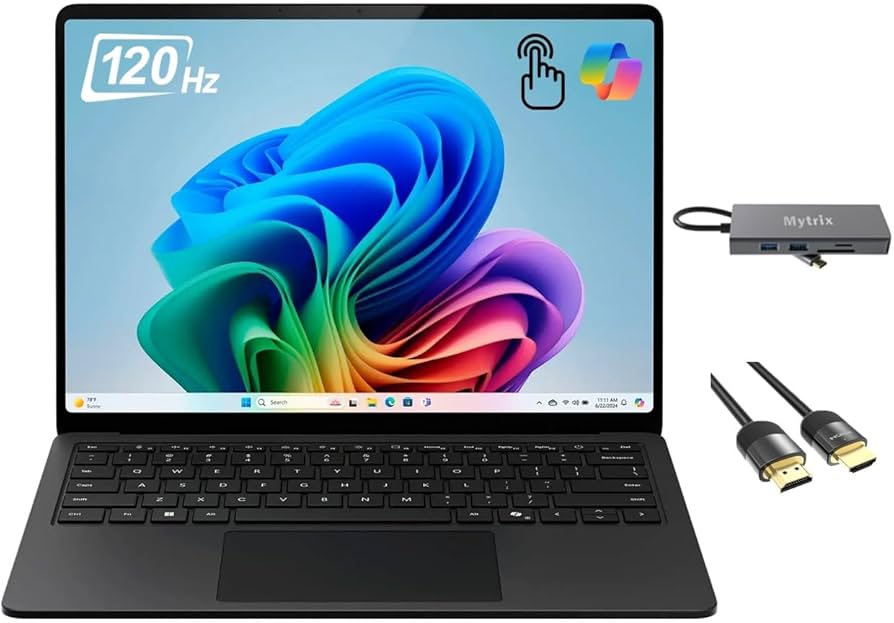
The Surface Laptop 7 is the Windows laptop to choose if you want MacBook-like battery life and build quality. Its Snapdragon processor handles everyday work well, but app compatibility is the catch.
Main limitation: The ARM-based chip means some games and legacy apps may not run natively or at all.
Skip if: If you rely on niche x86 software or play anti-cheat multiplayer games, choose an Intel or AMD laptop instead.
The Legion Pro 5i Gen 10 offers the best gaming performance per dollar among mainstream Windows laptops, with a fast display and easy upgradability. The trade-off is bulk and short unplugged gaming battery life.
Main limitation: It's heavy and the battery drains quickly when gaming, so it's not a good portable all-rounder.
Skip if: Skip it if you need a light laptop for carrying to class or meetings all day.
The Yoga 9i 2-in-1 is a polished convertible for note-takers, presenters, and creative dabblers, with a gorgeous OLED touchscreen and sturdy hinge. It's less ideal if you need all-day battery or a matte screen.
Main limitation: The glossy OLED screen attracts reflections, and battery life is merely average for a premium convertible.
Skip if: Skip it if you need a matte display for outdoor work or maximum battery life.
The Zenbook 14 OLED packs a vivid OLED screen and serious portability into a midrange price, making it a favorite for frequent travelers. The build and audio are where Asus cuts corners.
Main limitation: The chassis has some flex, and the speakers are thin-sounding compared with premium rivals.
Skip if: Skip it if you prioritize rock-solid build quality and top-tier speakers over price and portability.

The ProArt P16 is a mobile workstation for video editors, 3D artists, and photographers who need color accuracy and GPU acceleration. It's overkill for general consumers and not a battery champion.
Main limitation: It's expensive and runs warm under sustained creative workloads, with fans that can get loud.
Skip if: Skip it if you only need everyday productivity and want a quiet, lightweight machine.
The ThinkPad X1 Carbon Gen 13 Aura Edition is the gold standard for business travelers, combining a superb keyboard, light chassis, and strong security. The price and soldered memory are the main barriers.
Main limitation: It costs a premium, and RAM is soldered, so you must buy the right configuration upfront.
Skip if: Skip it if you're on a tight budget or need a dedicated GPU for creative work.
Compare key specs and features of all our recommendations side-by-side
| Product | Recommendation | Rating | Price |
|---|---|---|---|
Lenovo Yoga Slim 7i Aura Edition 15 Rank #1 | 🏆 Top Pick | 9.2/10 | $1,200–$1,600 Check current price → |
Acer Aspire 3 15 (2026) Rank #2 | 💰 Budget Pick | 8.1/10 | $350–$550 Check current price → |
Microsoft Surface Laptop 7 13.8-inch Rank #3 | ⭐ Editor's Choice | 8.8/10 | $1,000–$1,600 Check current price → |
Lenovo Legion Pro 5i Gen 10 (16-inch) Rank #4 | — | 8.5/10 | $1,300–$1,900 Check current price → |
Lenovo Yoga 9i 2-in-1 (14-inch, Gen 10) Rank #5 | — | 8.3/10 | $1,300–$1,700 Check current price → |
ASUS ZenBook 14 OLED (UX3405) Rank #6 | — | 8.5/10 | $800–$1,200 Check current price → |
ASUS ProArt P16 (H7606) Rank #7 | — | 8.4/10 | $1,900–$2,500 Check current price → |
Lenovo ThinkPad X1 Carbon Gen 13 Aura Edition Rank #8 | — | 8.5/10 | $1,800–$2,400 Check current price → |
Common questions buyers have about this category.
For most people, 16GB is the practical minimum, especially if you keep many browser tabs, spreadsheets, and video calls open at once. 8GB can work for very light use, but it often feels constrained within a year or two, and soldered memory means you cannot upgrade later.
Snapdragon X Elite and X Plus laptops generally deliver better battery life and cooler, quieter operation, which makes them great for travel and everyday productivity. The catch is app compatibility: many mainstream apps run well, but some games, niche business tools, and legacy peripherals may not work natively, so check your must-have software first.
Copilot+ PCs are Windows laptops that meet specific hardware requirements, including a powerful neural processing unit (NPU), for running certain on-device AI features. You do not need one for routine browsing, Office work, or streaming, but they can be worthwhile if you want future-facing AI tools and longer battery life.
OLED screens offer deeper blacks, faster response times, and more vibrant colors, which is great for media and creative work. However, they can be glossier, draw more power, and carry a small risk of burn-in; IPS panels are often matte, more battery-friendly, and cheaper, so choose based on where and how you work.
It matters if you plan to keep the laptop for more than three years, because many thin-and-light models solder RAM and sometimes storage. Look for a service manual or manufacturer specs that confirm an accessible M.2 SSD slot and, ideally, SO-DIMM memory slots—business-class laptops usually offer the best upgrade options.
Yes, but only if you shop carefully. A budget model with 16GB RAM, a 512GB SSD, and a 1080p IPS display can handle everyday tasks well; avoid configurations with 8GB RAM and 128GB storage, which tend to feel slow and fill up quickly.
Major sale events like back-to-school, Black Friday, and year-end holidays often bring the deepest discounts, and new model launches can push previous-generation units lower. If you need a laptop now, buy a current-generation model with the specs you need rather than waiting for a minor refresh.
Products we evaluated but did not recommend — and why.
