Get the App
Better experience on mobile
From the iPad Pro to Amazon’s Fire Max, we break down the tablets that deliver the most value for how you work, create, and stream.
In 2026, the tablet market is no longer just about the choice between iPad and Android—it’s about finding a device that fits your ecosystem, your use case, and your budget without going overboard. The biggest mistake most shoppers make is buying a premium tablet when a mid-range one would have performed the exact same streaming, browsing, and note-taking tasks. Meanwhile, some budget picks surprise with features you’d expect to pay double for, but they often sacrifice app quality or software longevity.
This guide ranks the best tablets across all price ranges, from the Apple iPad Pro M4 for power users to Amazon’s Fire Max 11 for kids and casual use. We judged each model based on display brightness and color accuracy, raw performance, stylus and keyboard support, battery life, and how well it integrates with its respective operating system. We also considered value—meaning the features you actually get for the price—and whether the trade-offs are fair.
Our picks are based on published expert reviews, manufacturer specs, and verified user feedback from major retailers. We did not perform hands-on lab testing; instead, we synthesized the most reliable data from credible sources to provide a clear picture of each tablet’s strengths and weaknesses. Whether you’re a student, a creative professional, a parent, or a film-binging media lover, these options cover the spectrum.
The tablet landscape has matured: productivity features like Samsung DeX and iPadOS Stage Manager have closed the gap with laptops, and affordable models now offer 120Hz displays and stylus support. But with that variety comes complexity—which is why we’ve organized this list into specific use-case recommendations, so you can quickly identify the right tablet for your life without wading through dozens of spec sheets.
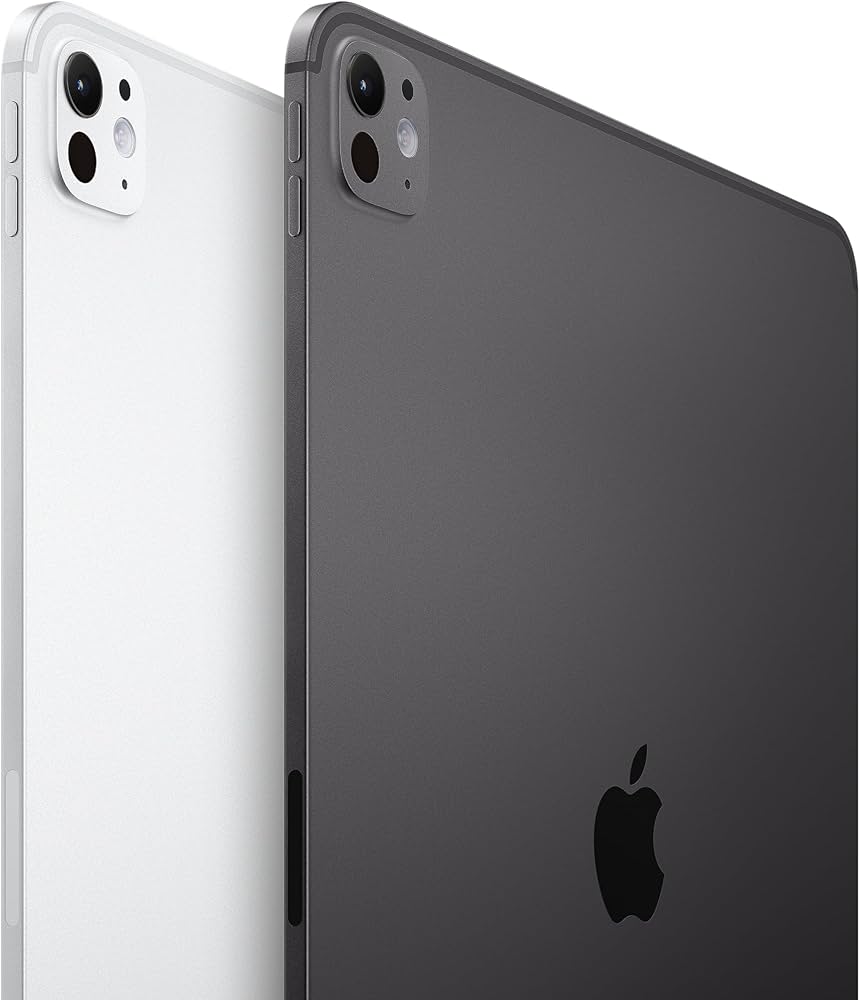
The Apple iPad Pro 13-inch M4 is the most powerful and versatile tablet you can buy, featuring an Ultra Retina XDR OLED display, the M4 chip, and a massive library of optimized apps. It excels at creative work, gaming, and productivity when paired with the Magic Keyboard. The trade-off is its high price, which is hard to justify if you only need basic consumption.
Main limitation: Its top-tier price excludes it from most budgets, and iPadOS, while polished, still feels constrained for complex multitasking compared to laptops.
Skip if: Skip it if your tablet needs are limited to streaming and web browsing, because the standard iPad can do that at a fraction of the cost.
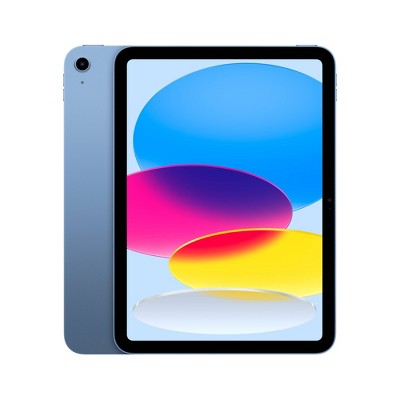
Apple’s baseline iPad delivers strong everyday performance with the A16 Bionic chip, a sharp 10.9-inch Liquid Retina display, and support for the first-gen Apple Pencil. It’s the most affordable way to access the iPadOS ecosystem and is ideal for students and casual users. The drawback is a dated design with a non-laminated screen and Lightning-only Pencil charging.
Main limitation: The non-laminated display is more prone to glare and reflections, and the first-gen Apple Pencil requires an awkward Lightning adapter to charge.
Skip if: Skip it if you prioritize build quality or plan to do drawing—the iPad Air with Apple Pencil Pro offers a far better experience for a little more money.
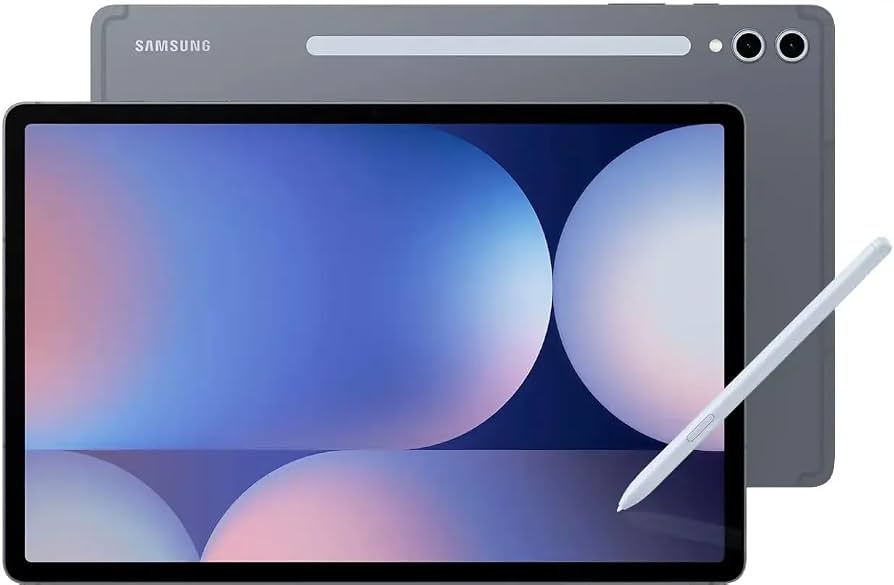
The Galaxy Tab S10 Ultra is a media powerhouse with an absolutely stunning 14.6-inch Dynamic AMOLED 2X display, quad speakers tuned by AKG, and an included S Pen. It also doubles as a competent productivity tool with Samsung DeX. The trade-offs are its enormous size, heavy weight, and Samsung’s occasionally cluttered One UI customization.
Main limitation: Weighs over 700 grams and is nearly unwieldy to hold for long periods, making it less portable than smaller tablets.
Skip if: Skip this if you want something easy to carry or hold one-handed—this is best used with a stand or for desktop-style viewing.
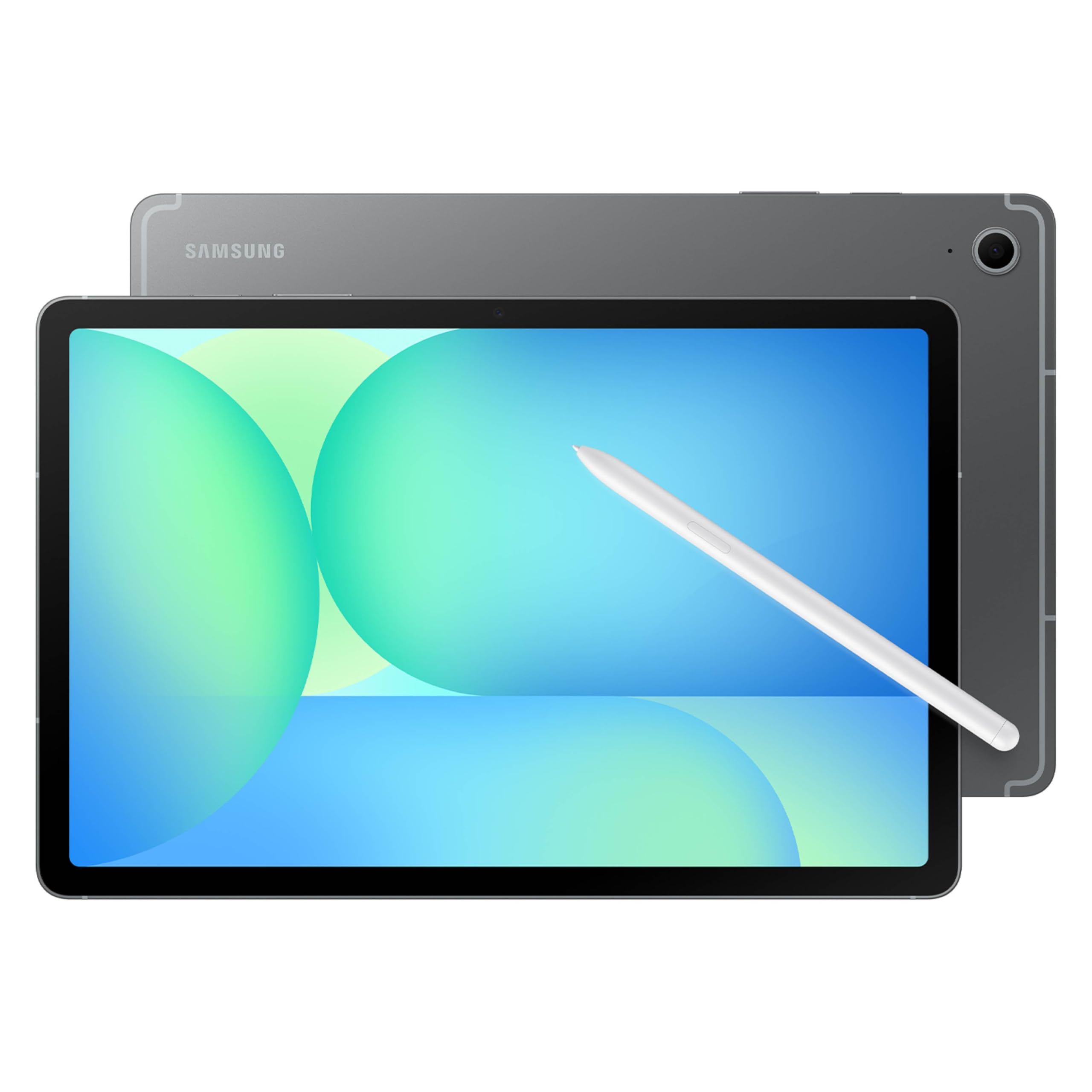
The Galaxy Tab S10 FE offers a bright 90Hz LCD, solid performance for everyday apps, and S Pen support at a price that won’t break the bank. It’s the best mid-range Android tablet for students and note-takers who want a taste of the Galaxy Tab experience. The catch is a less punchy display and slower charging compared to its pricier siblings.
Main limitation: Its LCD screen doesn’t match the AMOLED quality of other Samsung tabs, and the Exynos processor occasionally stutters in heavy games.
Skip if: Skip it if you demand a premium OLED display for binge-watching—spending a bit more on the Galaxy Tab S10 gets you the better panel.
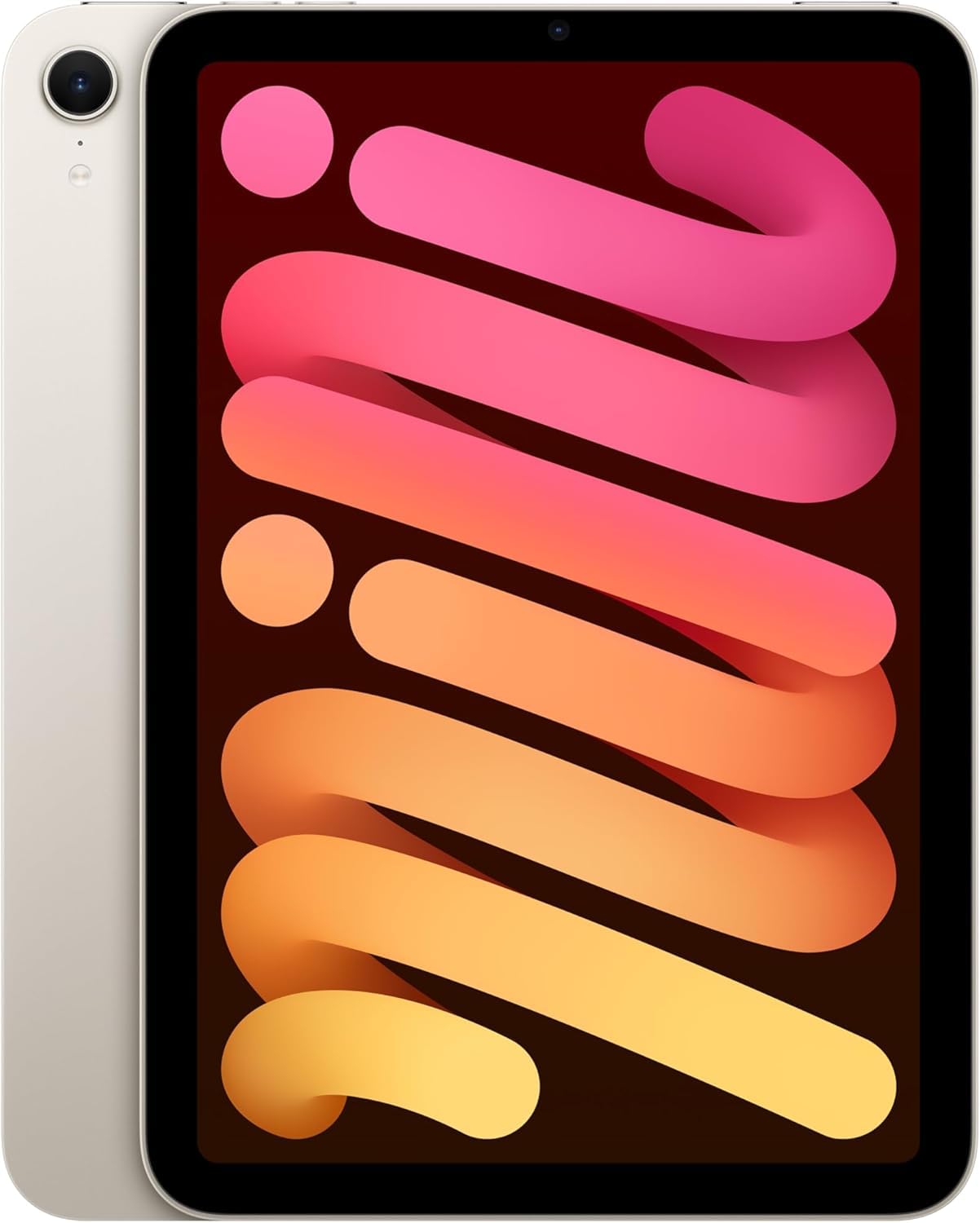
The iPad mini is the ultimate pocketable tablet, packing an A17 Pro chip, a gorgeous 8.3-inch Liquid Retina display, and support for the Apple Pencil Pro. It’s a joy to use for reading, note-taking, and gaming on the go. The main compromise is its high price per inch, along with the small screen’s limitations for multitasking.
Main limitation: The 8.3-inch screen feels cramped for split-screen productivity, and the price is steep for a secondary device.
Skip if: Skip if you plan to use your tablet for work that involves heavy typing or document editing—a standard iPad or iPad Air gives you more screen real estate for less.
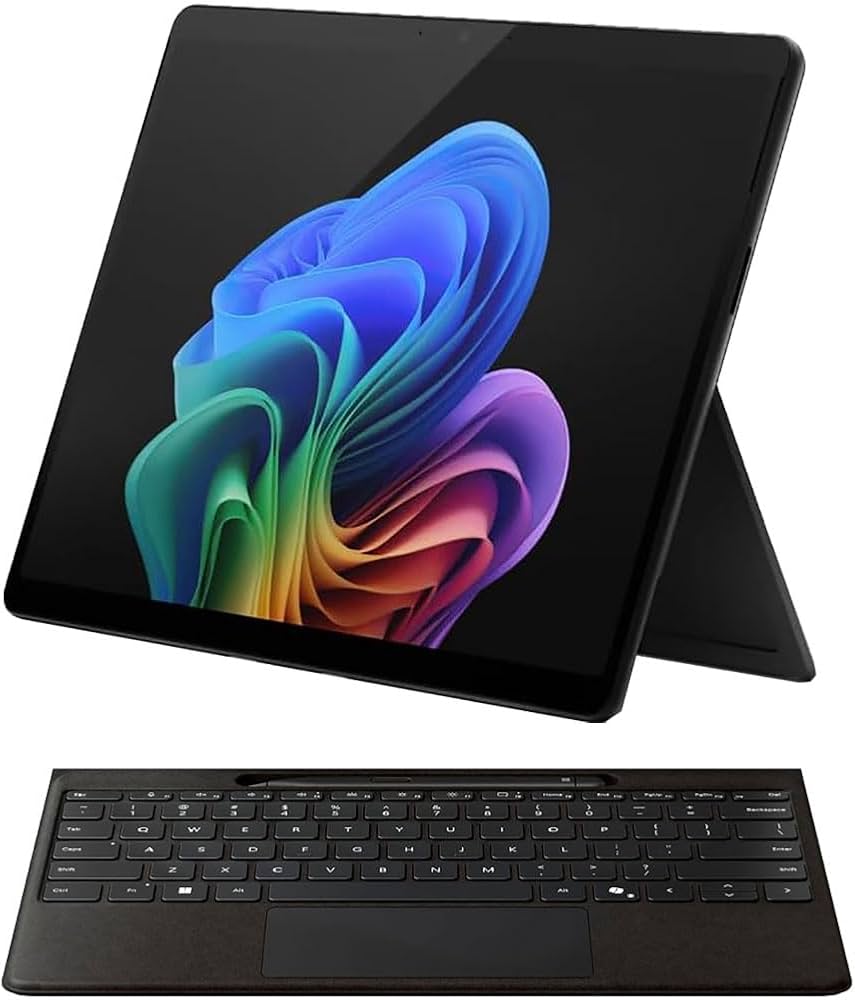
The Surface Pro 11 is the best tablet for laptop-class productivity, running full Windows 11 with a Snapdragon X Elite processor that offers stellar battery life and day-to-day responsiveness. The 120Hz PixelSense display is great, and the optional Flex Keyboard turns it into a solid ultrabook. The drawback is that the keyboard and stylus are sold separately, making a complete kit pricey.
Main limitation: Accessories like the keyboard and pen add significant cost, and Windows-on-ARM still has occasional app compatibility issues.
Skip if: Skip if you want a touch-first, always-on consumer tablet—this remains a laptop-first device that behaves tabletable-like.
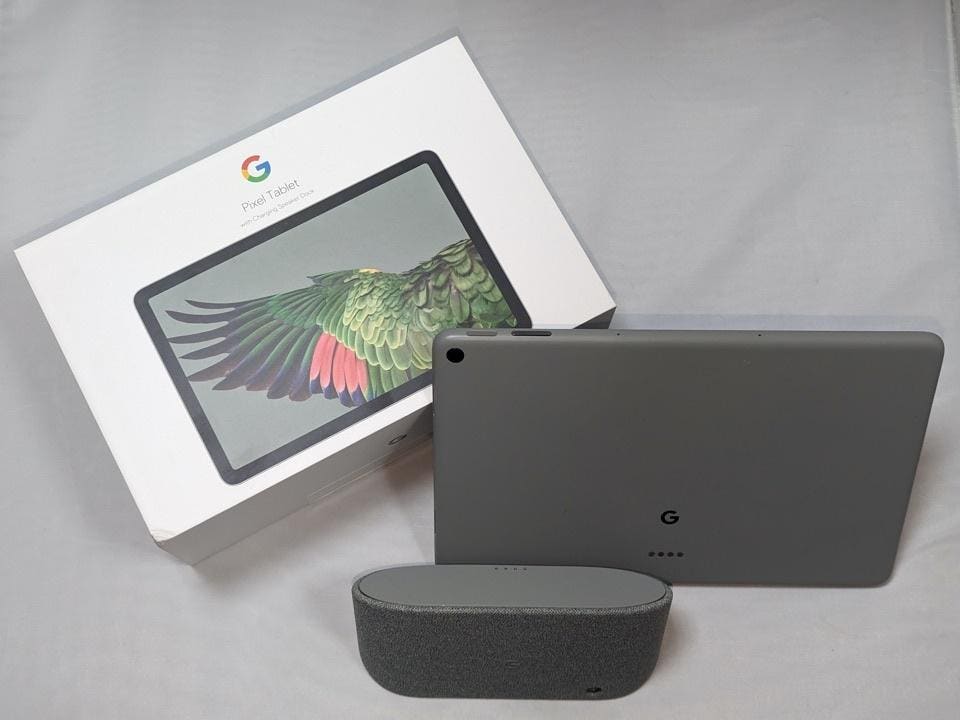
The Pixel Tablet 2 stands out with its included speaker dock that turns the tablet into a smart display for controlling your smart home, displaying photos, and casting video. It offers a clean Android experience and a sharp 11-inch screen, making it a great hybrid device. The trade-off is modest performance for its price and a dock that’s too bulky to pack into a bag.
Main limitation: The Tensor G3 chip lags behind rivals in gaming, and the dock isn’t portable, so you’re tied to one room for the smart-home experience.
Skip if: Skip it if you don’t live in the Google ecosystem or plan to use a tablet mostly away from home—you’ll be paying extra for a dock that stays put.
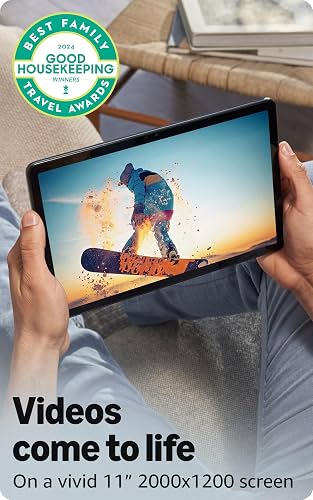
The Fire Max 11 is the best budget tablet for pure entertainment and kid-friendly usage, offering a sharp 11-inch screen, great battery life, and Amazon’s robust parental controls. It’s incredibly cheap, but you’re locked into Amazon’s Appstore—a serious downside if you rely on Google’s apps. Still, for streaming and light browsing, it’s a fantastic value.
Main limitation: No Google Play Store, so popular apps like Gmail, Chrome, and even some streaming services are missing or require workarounds.
Skip if: Skip it if you need full access to the Android app ecosystem or plan to use productivity software—this is a media-consumption device first.
Compare key specs and features of all our recommendations side-by-side
| Product | Recommendation | Rating | Price |
|---|---|---|---|
Apple iPad Pro 13-inch (M4) Rank #1 | 🏆 Top Pick | 9.3/10 | $1,299–$2,099 Check current price → |
Apple iPad (11th gen) 10.9-inch Rank #2 | 💰 Budget Pick | 8.0/10 | $349–$499 Check current price → |
Samsung Galaxy Tab S10 Ultra 14.6-inch Rank #3 | ⭐ Editor's Choice | 8.7/10 | $1,199–$1,499 Check current price → |
Samsung Galaxy Tab S10 FE 10.9-inch Rank #4 | — | 7.8/10 | $549–$649 Check current price → |
Apple iPad mini (7th gen) 8.3-inch Rank #5 | — | 8.2/10 | $499–$799 Check current price → |
Microsoft Surface Pro 11 (X Elite) Rank #6 | — | 8.4/10 | $999–$1,499 Check current price → |
Google Pixel Tablet 2 Rank #7 | — | 7.6/10 | $599–$699 Check current price → |
Amazon Fire Max 11 (2024) Rank #8 | — | 7.2/10 | $199–$249 Check current price → |
Common questions buyers have about this category.
It depends on your existing ecosystem and priorities. iPads have better long-term software support and a more extensive catalog of tablet-optimized apps, while Android tablets offer more flexibility, expandable storage, and often more value for media consumption. If you already use an iPhone or Mac, an iPad will integrate seamlessly; if you prefer customizing your home screen and using a free-form file system, Android is a better fit.
For most people, 64GB is the bare minimum, but we recommend 128GB if you want to download movies, play high-end games, or store photo libraries. If you plan to use your tablet for creative work like video editing or drawing, step up to 256GB or choose a model with microSD expansion, like the Galaxy Tab S10 FE. That said, cloud storage can help offset a smaller drive, but it requires an internet connection.
Yes, but only if you pick the right accessories and have modest productivity needs. The iPad Pro with a Magic Keyboard and the Surface Pro 11 are the closest to true laptop replacements. You can type, browse, and even run professional apps, but you’ll still run into limitations with legacy software, multi-window management, and complex spreadsheets. For a standard student or office worker, a tablet plus a desktop at home is a practical combo.
The 13-inch iPad Pro and iPad Air (2025) support the Apple Pencil Pro, which adds a barrel roll and haptic feedback, while the iPad mini (7th gener) also works with the Apple Pencil Pro but with wireless charging. The standard iPad (11th gen) only works with the first-generation Apple Pencil, which requires a Lightning adapter. Always check compatibility before buying, as the wrong generation won’t charge or pair.
They are a great value for kids, seniors, or anyone who only streams video and checks email. The Fire Max 11 is the best of the bunch, but the lack of Google Play is a major limitation. You can often sideload the Play Store, but that voids warranty and can introduce security risks. If you need mainstream apps like Google Maps, Gmail, or robust banking apps, it’s worth spending more on a proper Android tablet.
Yes, many premium and mid-range tablets offer a cellular model—typically with a separate data plan—but you’ll pay an extra $100 to $150 upfront. This is useful for travelers, field workers, or anyone who needs internet away from Wi-Fi. However, most people don’t need it, as they can tether from their phone’s hotspot. We recommend Wi-Fi-only unless you’re certain you need constant, reliable connection.
Products we evaluated but did not recommend — and why.
