Get the App
Better experience on mobile
A parent's guide to durable, safe, and age-appropriate tablets—from budget-friendly Fire Kids to the premium iPad.
The tablet market for children is a confusing mix of locked-down educational devices and full-featured slates you're supposed to hand over with trembling hands. The good news? There are now kid-specific versions of the most popular tablets that include robust parental controls and sturdy case designs without requiring you to become an IT expert.
The critical decision isn't just price—it's about the content ecosystem. Amazon's Fire Kids tablets come with a year of Amazon Kids+, which offers thousands of curated books, shows, and games. Google Kids Space is a similar layer for Android tablets, while Apple relies on Screen Time restrictions and the full App Store. Each approach has trade-offs in terms of app availability and administrative overhead.
In this guide, we've dug through published expert reviews, manufacturer documentation, and parent-facing forums to identify the tablets that stand up to daily abuse and actually contain misspent childhood—the good kind. We've ranked them by overall value, and we've made a point of calling out where a tablet's limitations become a problem.
You'll also see common mistakes parents make, like ignoring storage expansion or buying a tablet that's either too restrictive or not restrictive enough for their child's age. We hope this guide helps you find a device that will survive the drop test and keep your kid learning—and maybe even let you have the last five minutes of adult peace and quiet.
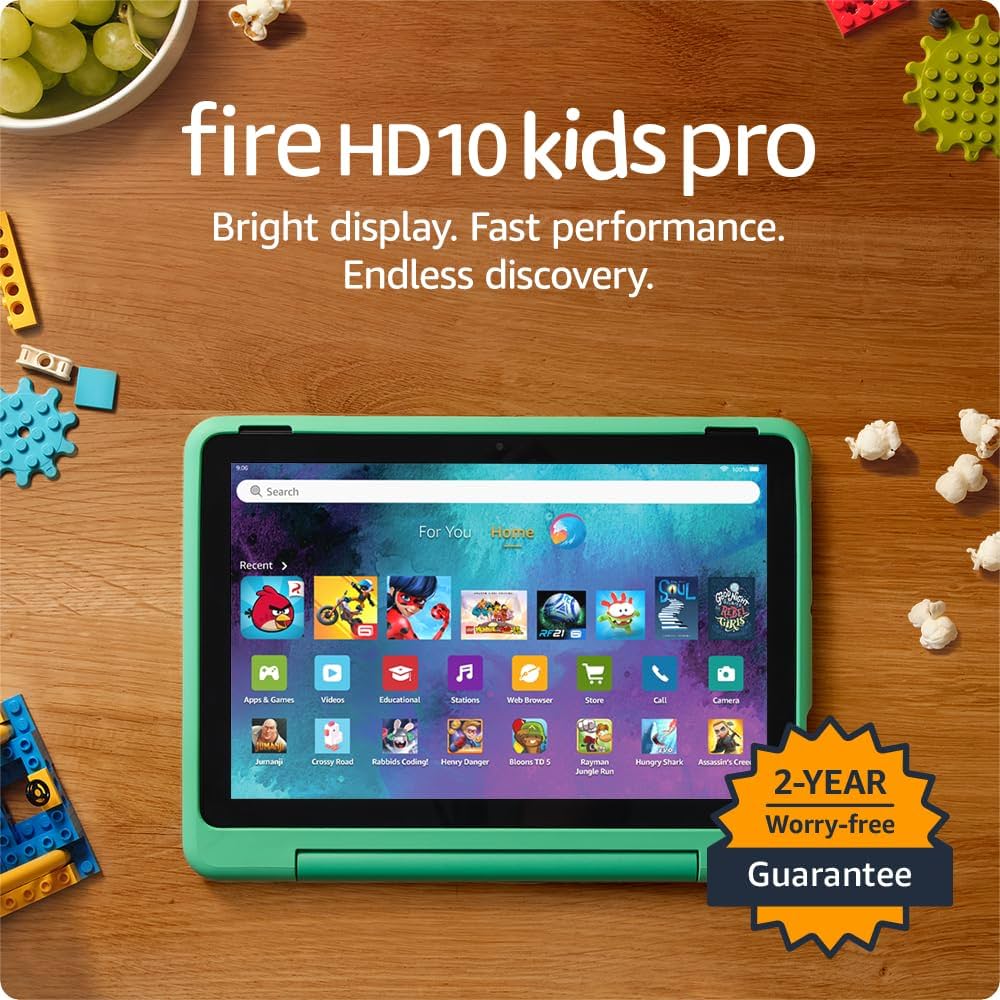
The Fire HD 10 Kids Pro delivers a fast, 10-inch display, plus the best parental controls in any kids tablet. Includes a drop-proof case, 2-year worry-free guarantee, and a year of Amazon Kids+ content. The trade-off: its proprietary OS limits access to wider Google Play apps.
Main limitation: The Amazon Appstore has far fewer apps than the Google Play Store or Apple App Store, so popular titles may be missing.
Skip if: Not ideal for teens who need access to full Android apps or more advanced productivity tools.
At around $110, the Fire 7 Kids is the most affordable way to get a crash-proof tablet with a child-proofed interface and a 2-year warranty. Its 7-inch screen and modest processor are fine for basic games and videos, but not heavy multitasking. You'll sacrifice some speed and screen quality to save money.
Main limitation: Low-resolution display and sluggish performance compared to pricier models; black Friday deals often make higher-end Fire Kids tablets similarly priced.
Skip if: If your child is over 6 or expects smooth gaming, spend more for the HD 8 or HD 10.
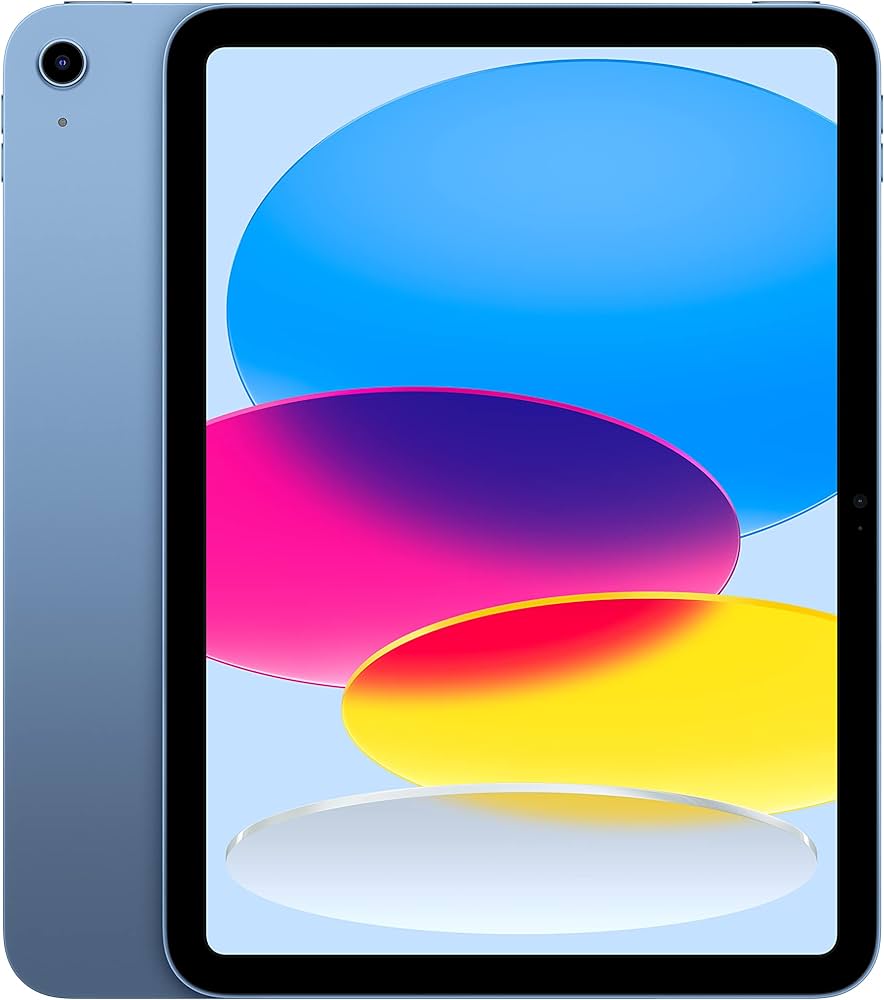
The iPad 10 is the tablet kids can grow into: a brilliant 10.9-inch screen, robust app store, and long iOS support. You'll need to provide your own case and set up parental restrictions, but this is the most future-proof pick for tweens and teens. Trade-off: price can double with accessories.
Main limitation: The base model's 64GB storage fills quickly, and Apple's parental controls require more initial setup than dedicated kids tablets.
Skip if: Parents looking for an all-in-one package with a built-in case and preloaded parental controls without setup.
For families that prefer Android, the Galaxy Tab A9+ combines a large 11-inch screen with Samsung Kids mode, which offers robust controls and educational content. It supports expandable storage and Google Play's full app store. The trade-off is a weaker selection of dedicated kids cases compared to Amazon.
Main limitation: Samsung Kids is a separate mode requiring setup, and the included 64GB base storage is modest without an SD card.
Skip if: Parents of very young children who want a comprehensive kid-proof case out of the box.
The 8-inch HD display and compact design make this the perfect fit for little kids. It's lighter than the 10-inch model and easier for small hands to hold, yet still has a durable case and all of Amazon's parental features. The main trade-off: the screen is small and low-res for older kids who watch lots of HD content.
Main limitation: Only 32GB of storage and a 1280x800 display that looks dated compared to the HD 10.
Skip if: Families whose kids are over 8 and kids who will need more processing power for apps and games.
The Lenovo Tab M11 comes with Google Kids Space, which curates educational, kid-friendly apps from the Play Store. It also offers an optional Google Entertainment Space for when your child 'graduates' from Kids Space, making it a device that can grow with them. Trade-off: the software is less polished than Samsung Kids, and the included case is more basic.
Main limitation: Performance is just average for the price; the 11.5-inch display is great for learning but not for high-end gaming.
Skip if: If you need top-notch parental control and a rugged case—consider the Amazon Fire or iPad instead.
Compare key specs and features of all our recommendations side-by-side
| Product | Recommendation | Rating | Price |
|---|---|---|---|
Amazon Fire HD 10 Kids Pro Rank #1 | 🏆 Top Pick | 9.0/10 | $199.99 Check current price → |
Amazon Fire 7 Kids Tablet (2022) Rank #2 | 💰 Budget Pick | 7.5/10 | $109.99 Check current price → |
Apple iPad (10th Generation) Rank #3 | ⭐ Editor's Choice | 8.8/10 | $349.00 Check current price → |
Samsung Galaxy Tab A9+ Rank #4 | — | 8.0/10 | $219.99 Check current price → |
Amazon Fire HD 8 Kids Tablet (2022) Rank #5 | — | 8.0/10 | $149.99 Check current price → |
Lenovo Tab M11 Rank #6 | — | 7.6/10 | $179.99 Check current price → |
Common questions buyers have about this category.
Many experts recommend waiting until age 2 or 3 and keeping screen time very limited. At this age, a durable kids tablet with built-in parental controls and curated educational content is ideal. For older children, a general-purpose tablet with robust app restrictions becomes more appropriate.
Amazon Kids+ is included free for a year with Fire Kids tablets, giving access to thousands of kid-appropriate books, videos, and apps. After the first year, the monthly fee is $5.99 for Prime members or $8.99 without. If your child uses the tablet frequently, it's a great value, but if they only need basic apps, you may skip it.
Yes, Apple's Screen Time and Android's Family Link offer strong controls for app limits, content filters, and screen-time scheduling. However, they require more manual setup than Amazon Kids or Samsung Kids, and tech-savvy older children may find ways to bypass them if you don't maintain proper supervision.
For younger kids, 32GB is usually enough if you manage downloads, but 64GB is safer if you'll download many apps or offline videos. Many tablets support microSD cards for expansion; look for that option if you're buying a budget model.
A dedicated kids tablet (like Amazon Fire Kids) includes a built-in case, bumper protection, and warranty coverage for accidental damage, making it a better choice for toddlers for a small premium. For older kids who treat devices carefully, a regular tablet with a good case and parental control app can be more flexible and long-lasting.
Some do. Amazon Fire Kids tablets allow you to switch from Amazon Kids to the full Fire OS when your child is older, though you'll lose some premium parental features. Samsung's Kids mode and Google Kids Space also have 'adult' modes, while iPads are general-purpose from the start, so they only become more capable as your child matures.
Products we evaluated but did not recommend — and why.
