Get the App
Better experience on mobile
After evaluating the latest kid-focused tablets and general-purpose models with strong parental controls, these six picks stand out for durability, safety, and value.
The most important feature on a kids' tablet isn't the processor or the screen resolution - it's how much control you're willing to give your child. In 2026, the market splits into two camps: purpose-built kids tablets with built-in parental control and a physical case, and mainstream tablets that you can lock down yourself. Both approaches work, but they serve different ages and budgets.
Amazon's Fire Kids Pro line has earned a reputation as the default choice, and for good reason: it combines a durable case, a two-year warranty, and the most comprehensive parental dashboard available on a sub-$200 device. But the tablet world doesn't end at the Fire. LeapFrog's dedicated learning tablets are ideal for toddlers who need total simplicity, while Apple's iPad remains the premium option for families that want a device to grow with their child for years.
Our selections cover a wide range of price points and ages, from a $60 Fire 7 Kids to a $349 iPad. We focused on five key criteria: build quality and drop protection, parental control depth, age-appropriate content, screen quality, and long-term cost. We also considered how easy it is to set boundaries - because a tablet without limits is just a door to the internet.
The good news is that you don't need to spend a fortune to keep your kid safe online. Whether you're looking for a first device for a three-year-old or a durable tablet for a middle-schooler, there's a pick here that balances safety, engagement, and your sanity.
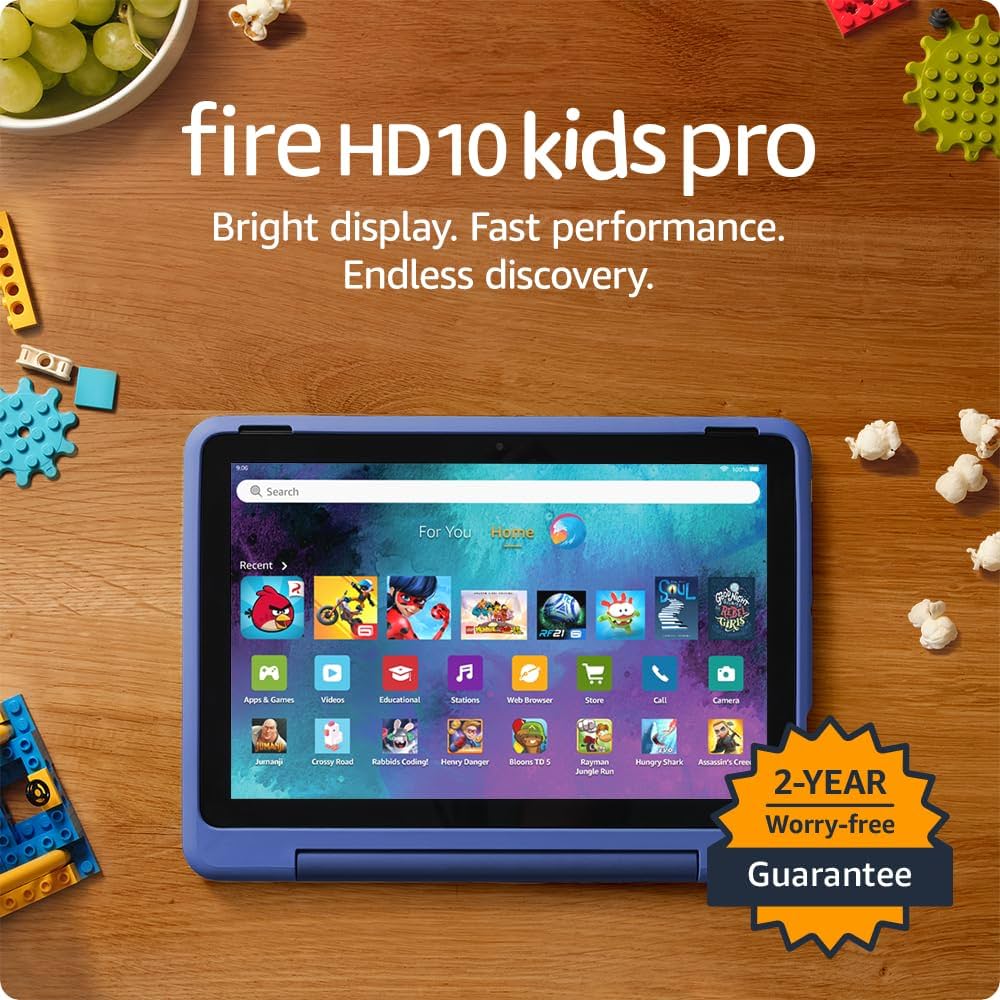
The Fire HD 10 Kids Pro is the sweet spot for kids aged 6–12: a fast 10.1-inch screen, a rugged case, and Amazon's most flexible parental controls. It offers access to thousands of kid-approved apps, books, and videos, but the display isn't as sharp as premium tablets.
Main limitation: The 1080p screen is adequate but not as crisp as higher-end tablets, and the colorful case is a bit bulky for small hands.
Skip if: If you're looking for a long-term device for a teenager who'll also want access to the full Google Play app store, the Fire HD 10's limited Amazon app store could feel restrictive.
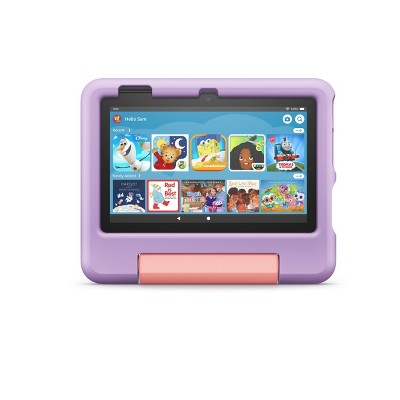
The Fire 7 Kids is the least expensive way to give a young child a durable tablet. The 7-inch screen is small and the processor is slow, but for streaming shows and playing simple games, it's fine—and it comes with the same robust parental controls as its pricier siblings.
Main limitation: The low-resolution screen (1024 x 600) is not ideal for reading, and the 16 GB storage (expandable up to 1 TB) fills up quickly if you download many apps offline.
Skip if: If you need a tablet that can handle faster gameplay or more demanding apps like Roblox or Minecraft, this budget option will feel frustratingly laggy for older kids.
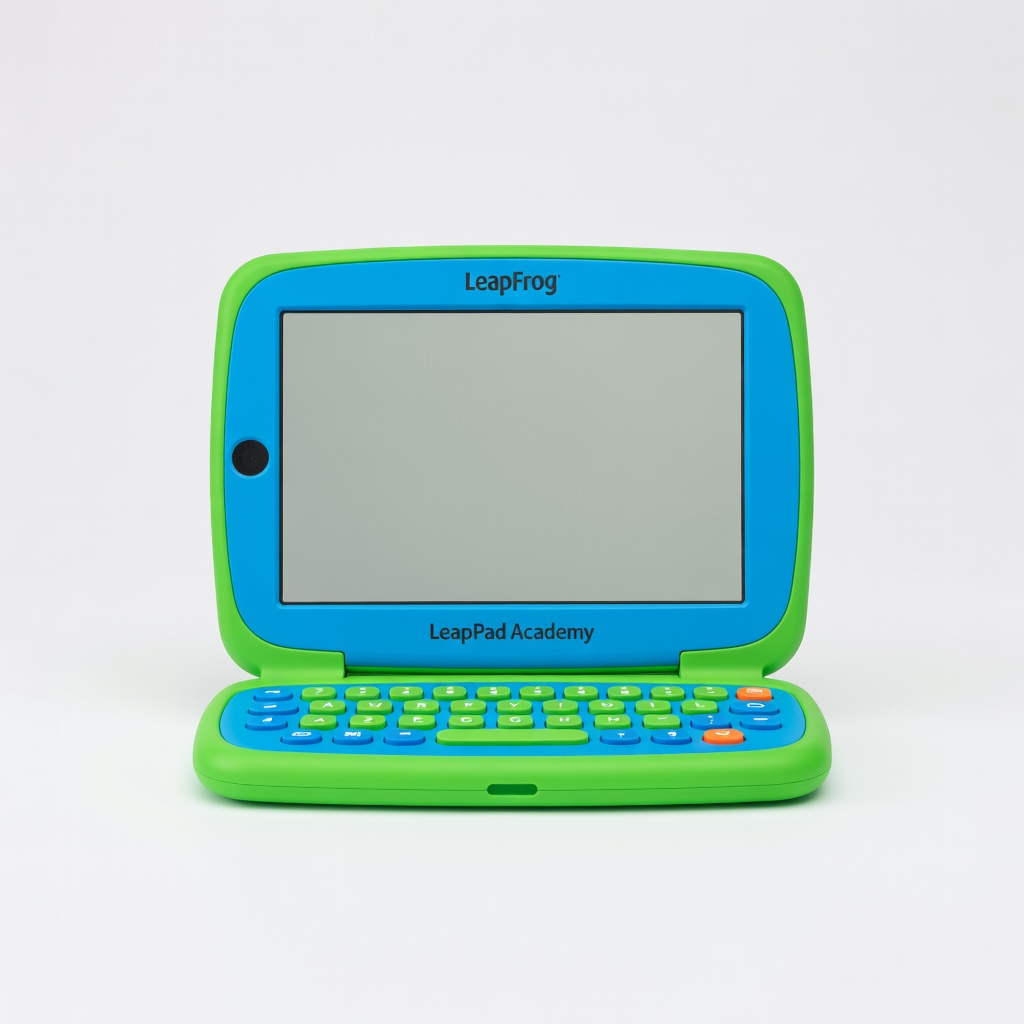
The LeapPad Academy is purpose-built for little learners ages 3–6, with a chunky carrying handle, a shatter-safe screen, and a curated library of 20+ preloaded educational apps. It's closed off from the broader internet, which gives parents total peace of mind—but also means no access to mainstream streaming apps like YouTube Kids.
Main limitation: Only 16 GB of storage (not expandable in the same way as the Fire) and the app selection is heavily academic, which some kids may outgrow after just a few years.
Skip if: If your child is older than 6 or you want a tablet that can also stream Netflix and PBS Kids, this dedicated learning tablet will feel too restrictive.

For parents who want a single tablet that will keep up with their child for years, the iPad is the gold standard. The A14 chip is blazing fast, the 10.9-inch Liquid Retina display is gorgeous, and Apple's Screen Time features let you lock down content and app usage. You'll need to buy a durable kid-proof case, but the hardware itself will last from kindergarten through middle school.
Main limitation: The base model has only 64 GB storage (upgradeable for a large price bump), and there's no headphone jack, so you'll need Bluetooth headphones.
Skip if: If you're on a budget or your child is very young and accident-prone, the iPad's glass screen is fragile and the cost of repairs is high.
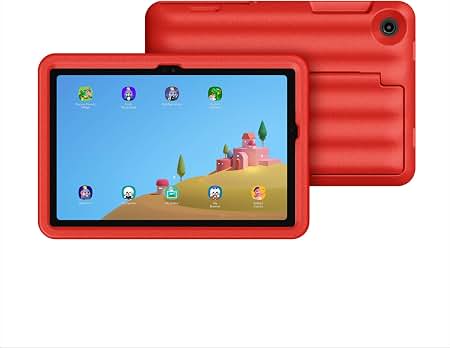
The Galaxy Tab A9+ is a solid all-round Android tablet, and the Kids Edition bundle adds a shockproof case and a two-year warranty specifically for accidental damage. Samsung's Kids mode gives you granular control over app access and screen time, while also offering a full Google Play library for when your child gets older. The 11-inch screen is great for interactive learning, but the software isn't as heavily curated as Amazon's Kids+.
Main limitation: Samsung Kids is less polished than Amazon Kids+ in terms of age-specific content recommendations, and the tablet's battery life is only average—around 8 hours.
Skip if: If you prefer a more locked-down, kid-specific content ecosystem from the start, Amazon's Fire tablets are easier to configure and safer.

The Fire HD 8 Kids is the 8-inch version of Amazon's kids tablet, pairing a 16:10 display with the same child-proof case and parental controls as the Fire 7, but with a faster processor and double the storage. It's a great middle ground if you want something a bit more powerful than the 7 but cheaper than the 10-inch model. The screen is large enough for puzzle games and educational apps, and it still fits in a backpack.
Main limitation: The screen resolution (1280 x 800) is sharp for the size, but the dock connector for charging is a bit tight for little hands, and the battery life is 12 hours despite Amazon's marketing claims.
Skip if: If you want a bigger canvas for movies or drawing apps, the Fire HD 10 Kids Pro is worth the extra $40–50; otherwise, for the same price as the regular Fire HD 8 Kids, you might find more value in the Pro version for older children.
Compare key specs and features of all our recommendations side-by-side
| Product | Recommendation | Rating | Price |
|---|---|---|---|
Amazon Fire HD 10 Kids Pro (2023) Rank #1 | 🏆 Top Pick | 8.8/10 | $139.99–$189.99 (depending on promotions) Check current price → |
Amazon Fire 7 Kids (2022) Rank #2 | 💰 Budget Pick | 7.5/10 | $59.99–$69.99 Check current price → |
LeapFrog LeapPad Academy Rank #3 | ⭐ Editor's Choice | 8.2/10 | Around $99.99 Check current price → |
Apple iPad 10.9-inch (10th generation) Rank #4 | — | 8.4/10 | $349–$399 (as of early 2026) Check current price → |
Samsung Galaxy Tab A9+ Kids Edition Rank #5 | — | 7.8/10 | $199–$229 Check current price → |
Amazon Fire HD 8 Kids (2022, 12th Generation) Rank #6 | — | 7.6/10 | $99.99–$119.99 Check current price → |
Common questions buyers have about this category.
Amazon Kids+ is included free for one year on every Fire Kids tablet, after which it costs about $5.99 per month (or $4.99 if you're a Prime member). It's worth it if you want a constant stream of age-appropriate books, videos, and educational apps without having to manually vet content. If your child only uses a few favorite apps and you're comfortable curating them yourself, you can skip the subscription and use the free parental controls.
On iOS, go to Settings > Screen Time and enable Content & Privacy Restrictions. You can block mature content, limit explicit music, set app store restrictions, and establish downtime schedules. On Android, use Google Family Link to create a supervised account for your child—it lets you approve app downloads, set screen time limits, and see activity reports. Both systems require you to set a separate parental PIN and ensure your child doesn't know it.
Yes, most kids tablets support video calling apps. Amazon Fire Kids tablets have Echo Show-style video calling through Alexa's 'Call to Amazon Kids' feature, which works only between approved contacts. The LeapPad and other learning tablets don't have a front-facing camera, so they can't video call. For Zoom or FaceTime, you'll need a general-purpose tablet like the iPad or Samsung Tab and set up the app from the adult profile.
Many pediatric experts recommend waiting until at least age 2 or 3, and even then, screen time should be limited and high-quality. For a first device, a durable, app-restricted tablet like the LeapPad or Amazon Fire 7 Kids is ideal for toddlers and preschoolers. Around age 6, kids can handle a more capable device with video streaming, but always enable parental controls and set clear rules about online safety.
Yes, most tablets allow offline use if you download content ahead of time. On Amazon Fire tablets, you can download shows from Netflix, Prime Video, and PBS Kids for offline viewing. Many educational apps (like Khan Academy Kids) work offline, though some features like progress sync require an internet connection. The LeapPad Academy is fully offline for the preloaded apps, but you will need internet to purchase new ones.
Dedicated learning tablets like the LeapPad are designed for short-term use (2–3 years) and lack robust internet features. Amazon Fire Kids tablets come with a 2-year worry-free guarantee, but with a case and average care, they can last 3–4 years before slowing down. A premium tablet like an iPad can easily run for 5–6 years, though it may need a case replacement and possibly a battery replacement down the line.
The standard Fire Kids tablets are aimed at ages 3–7 and come with a softer, more colorful childproof case, simple parental controls, and a curated content library. The Fire Kids Pro line targets ages 6–12 and features a slimmer, less toy-like case, a higher-resolution screen (on the 10-inch model), and a more advanced settings menu that kids can access with a password. The Pro tablets also run fewer animations and offer a more mature feel for older children.
Products we evaluated but did not recommend — and why.
