Get the App
Better experience on mobile
We've evaluated the most durable, safe, and age-appropriate tablets for children, from Amazon's ruin-proof Fire Kids to the iPad for growing families.
The real question isn’t which tablet has the fastest processor or the highest-resolution screen – it’s which one can survive being dropped on the sidewalk, coated in applesauce, and shoved into a backpack between soccer practice and piano lessons. Kids’ tablets are a category where durability and parental controls matter far more than benchmark scores.
For this guide, we sorted through the current kids-tablet landscape and selected six of the most reliable and popular choices for 2026. They range from under $100 to around $350, and include both purpose-built kids tablets (like Amazon’s Fire Kids line) and full-featured tablets that simply work well with a rugged case and parental lockdowns. We looked at build quality, app libraries, content curation, and how easily parents can manage what their child sees and buys.
One thing became clear: there’s no single best tablet for every kid. The right choice depends on your child’s age, your budget, and whether you want a ready-to-go kid device or a versatile screen that can grow with them. We’re also honest about limits – every pick here has at least one real trade-off that might make you look elsewhere.
Below you’ll find our ranked picks, from the all-around best to the preschool favorite, along with practical buying advice and answers to the questions we hear most from parents. No product is perfect, but the right one will keep your child entertained, safe, and learning – and might just survive long enough to be passed down to a sibling.
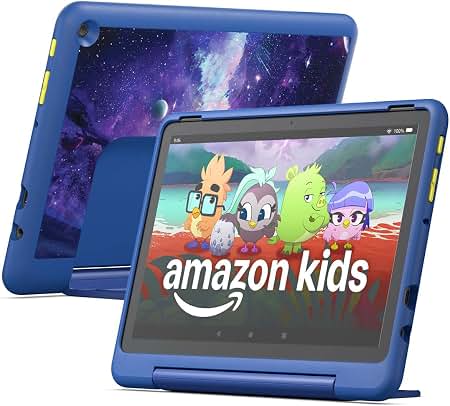
The Fire HD 10 Kids Pro offers a 10.1-inch 1080p display, a durable kid-proof case, and a 2-year worry-free replacement guarantee that protects against drops and cracked screens. It includes a year of Amazon Kids+ content, giving thousands of ad-free books, apps, and videos, and it's fast enough for most kids' apps and streaming. The main trade-off is that it's locked into Amazon's Appstore, which lacks many mainstream Android games and apps.
Main limitation: The Amazon Appstore doesn't include Google services, so some popular apps like YouTube and many Google Play games aren't available without workarounds.
Skip if: If you want a tablet that gives access to the full Google Play Store or Apple's app ecosystem, skip this and consider an iPad or Samsung Tab.
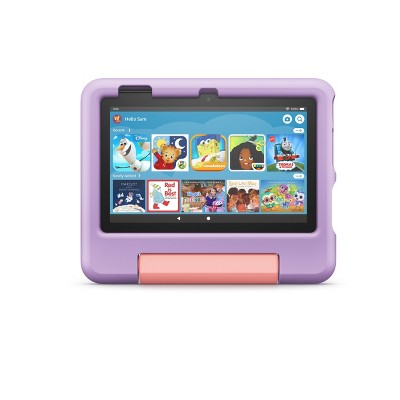
Amazon's Fire 7 Kids is the most affordable kid-proof tablet, with a toddler-friendly case, a kid-safe web browser, and access to the same parental dashboard as its pricier siblings. It's small and light enough for small hands, but it only has a 7-inch 1024x600 screen and a slower processor. The trade-off is that it can feel sluggish with heavier apps, and the low resolution is noticeable in bright colors and text.
Main limitation: The 1.3 GHz quad-core processor and 8GB of internal storage (expandable via microSD) means it will struggle with demanding apps and games.
Skip if: If your child plans to play graphic-heavy games or you need a sharp screen for reading, this budget tablet isn't the best fit.

The iPad 10.9-inch is the best choice for families who want the largest, most polished selection of educational and creative apps, including Apple's superb built-in parental controls and Screen Time. It's more expensive than a kids' tablet and lacks the integrated bumper case, but its A14 Bionic chip and 10.9-inch screen will last through years and multiple kids. The trade-off is that you'll need to buy a separate rugged case and a screen protector, adding to the upfront cost.
Main limitation: Without a rugged case, the glass front and aluminum back are prone to cracking when dropped, so a quality protective case is mandatory.
Skip if: If you're looking for an all-in-one tablet that's ready out of the box for a 4-year-old, this isn't it — you'll need to buy and install your own protection.
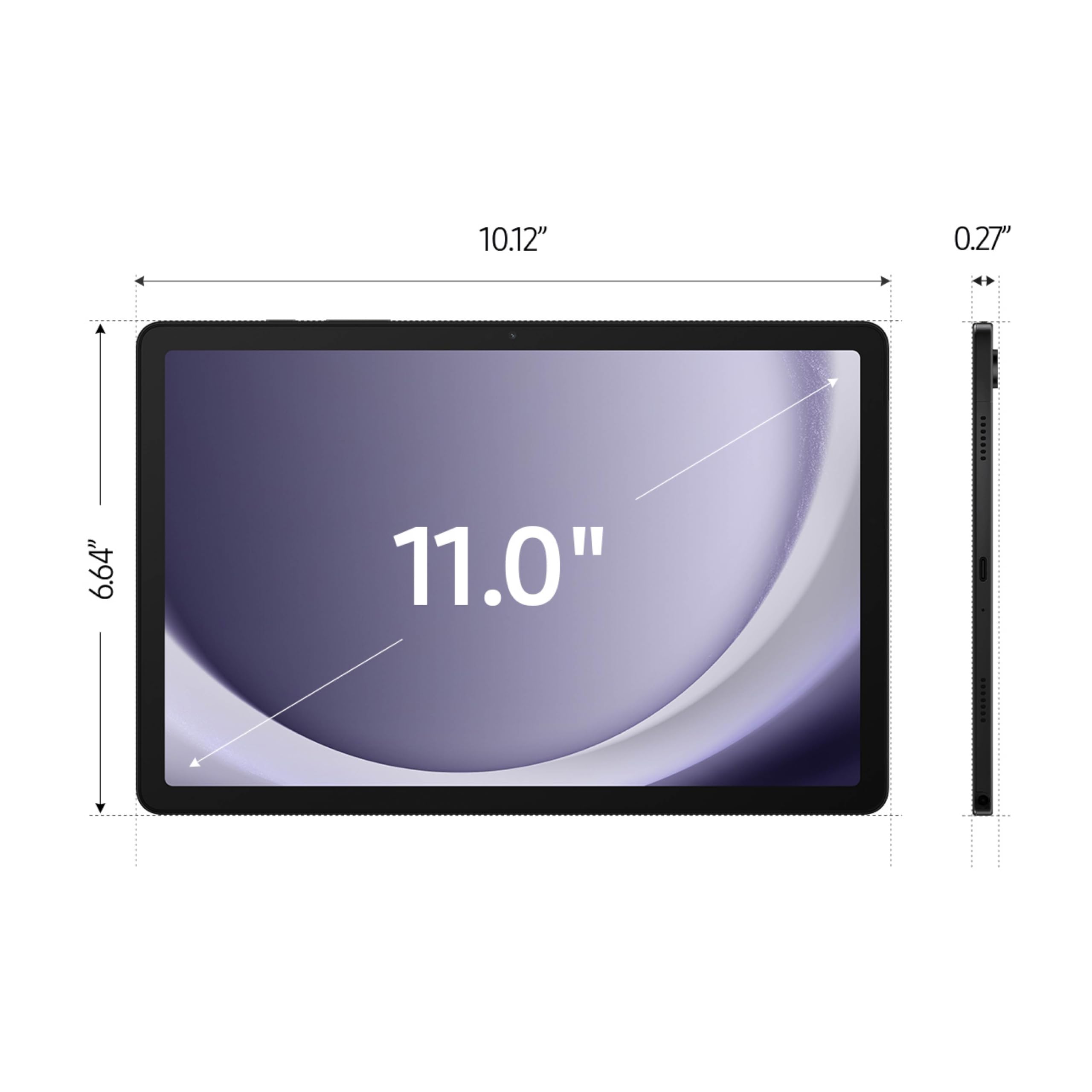
For families who want full access to the Google Play Store and the flexibility of an Android tablet, the Galaxy Tab A9+ is a solid, affordable pick. Its 11-inch 90Hz display is great for streaming and school apps, and Google Family Link provides robust parental controls across a much wider app library than Amazon's offering. The trade-off is that Samsung doesn't offer a dedicated kids' edition — you'll need to add a rugged case and configure Family Link yourself, and the base model comes with only 64GB of storage.
Main limitation: The tablet's fit and finish feel less premium than an iPad, and the kids' protection relies entirely on software and third-party accessories.
Skip if: If you prefer no-fuss setup and a guaranteed-kid-proof package, the Amazon Fire Kids tablets are much simpler.
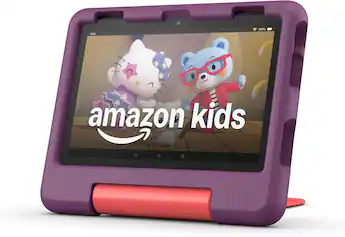
The Fire HD 8 Kids is the Goldilocks size for young children — the 8-inch HD display is larger than the Fire 7 for better video quality but easier to grip and hold than the giant 10-inch Fire HD 10. Like its siblings, it comes with a chunky kid-proof case, a 1-year worry-free guarantee, and a full Amazon Kids subscription. The trade-off is that the 1280x800 resolution isn't as sharp as the HD 10's 1080p, and the battery life is slightly shorter.
Main limitation: The aging MediaTek quad-core processor is noticeably slower than the HD 10's octa-core chip when loading multi-tab browsers or jigsaw puzzles.
Skip if: If your child watches a lot of 1080p content or uses advanced apps, the Fire HD 10 Kids Pro offers better visuals and speed for just a bit more money.
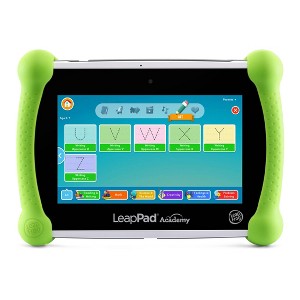
The LeapPad Academy is designed specifically for kids ages 3 to 5, offering a curated library of math, reading, and creativity apps through its own LeapFrog marketplace and built-in learning content. It's extremely durable, with a rubberized case and a scratch-resistant screen, and it has no internet browser, eliminating accidental exposure to adult content. The trade-off is that its 5-inch screen and lightweight Android-based OS limit it to the included educational catalog only — you can't install YouTube or most mainstream apps.
Main limitation: The 5-inch 480p resolution is fuzzy, and the device becomes outdated quickly as your kid approaches age 6 or 7.
Skip if: If your child is over 5 or wants access to popular apps like YouTube Kids or Minecraft, skip this and get a full-featured tablet with parental controls.
Compare key specs and features of all our recommendations side-by-side
| Product | Recommendation | Rating | Price |
|---|---|---|---|
Amazon Fire HD 10 Kids Pro Tablet Rank #1 | 🏆 Top Pick | 9.0/10 | $199.99 Check current price → |
Amazon Fire 7 Kids Tablet Rank #2 | 💰 Budget Pick | 7.8/10 | $99.99 Check current price → |
Apple iPad 10.9-inch (10th generation) Rank #3 | ⭐ Editor's Choice | 8.5/10 | $349.00 Check current price → |
Samsung Galaxy Tab A9+ 11-inch Rank #4 | — | 7.8/10 | $199.99 Check current price → |
Amazon Fire HD 8 Kids Tablet Rank #5 | — | 8.0/10 | $149.99 Check current price → |
LeapFrog LeapPad Academy 5-inch Rank #6 | — | 7.2/10 | $109.99 Check current price → |
Common questions buyers have about this category.
Most child-development experts suggest waiting until at least age 3, and even then, only with short co-viewing sessions. For the under-3 crowd, interactive real-world play is more important than screen time. After age 3, dedicated kids' tablets like Amazon Fire Kids can be fine, but keep total screen time to around one hour per day and use the built-in time limits.
Amazon Fire Kids tablets are built specifically for young kids: they come with a rugged case, a replacement guarantee, and an integrated parental dashboard. iPads are more flexible and powerful, with a much larger library of quality educational apps, but they require a separate case, aren't drop-proof, and cost significantly more. For most families with young children, a Fire Kids tablet is the better value; for kids over 10 who need access to Google Chat or Microsoft Office, an iPad is a better long-term investment.
Look for four things: content filters for apps and websites, time limits, the ability to block purchases, and 'worry-free' replacement if the device breaks. Amazon's FreeTime and Apple's Screen Time are both robust, but Apple's controls need to be set up directly on the device. On Android, Google Family Link is good but requires more manual configuration. The simplest parent experience is Amazon's, where you can set bedtime limits, educational goals, and remotely approve new apps from your own phone.
Yes, on most tablets, but not on the LeapPad or other preschool-specific devices. Amazon Fire Kids tablets include streaming apps like Netflix, Disney+, and YouTube (via the Silk Browser or the Kids' profile), but the Amazon Kids+ content itself is ad-free and curated. On an iPad or a standard Android tablet, you can install those apps normally, though you should pair them with parental controls to restrict browsing and purchases.
That depends on the build quality and how rough the child is. Amazon's kids' tablets include a 2-year worry-free guarantee (on the Fire Kids Pro) or 1-year (on the standard Fire Kids), which covers cracked screens and battery failure. Without a case, a general tablet might not survive more than one drop. For the long-term, an iPad can last 4-6 years for basic tasks, while cheaper Android tablets start to feel sluggish after 2-3 years.
No tablet is 100% safe unsupervised, but the LeapPad Academy is the closest because it has no internet browser or app store — it only runs educational apps that are pre-vetted. Amazon Fire Kids tablets also do a good job with strict content filters and no unauthorized purchases. That said, there is always the risk of a child navigating into a menu or the camera, so supervision is still recommended for the youngest kids.
If you choose a dedicated kids' tablet like an Amazon Fire Kids or a LeapPad, the case is already included. For an iPad or Samsung Galaxy tablet, you'll definitely want a heavy-duty case (like OtterBox) and a tempered-glass screen protector. Be sure to look for a case that leaves access to buttons and ports and doesn't block the camera. Also consider a separate bluetooth headphone set to avoid playing anything aloud in the car.
Products we evaluated but did not recommend — and why.
