Get the App
Better experience on mobile
Essential gear for starting your live streaming journey — from webcams to microphones, capture cards, and lighting.
The most common mistake new streamers make is assuming you need to spend a fortune on gear to compete. In reality, the best setup is the one that gets you streaming consistently while learning your craft. Camera, audio, and lighting are the three pillars of any stream — and you can start with just one of each.
Our research shows that audio quality is often more important to viewer retention than video. A $100 microphone paired with a $30 webcam will outperform a $500 camera with tinny laptop mics. That's why this list prioritizes products that balance cost and capability, with options to mix and match based on your platform and goals.
We selected these five across camera, microphone, capture, and lighting based on published expert reviews, manufacturer specs, and aggregated user feedback. Every item was chosen for plug-and-play simplicity — no advanced technical knowledge needed. From the budget-friendly Logitech C920x to the pro-grade Elgato Wave:3, there's a starting point for every budget.
One more insight: don't buy everything at once. Pick the component that solves your biggest problem first. If your face is dark, invest in lighting. If your voice is muffled, buy a mic. The right sequence will help you grow without wasting money.
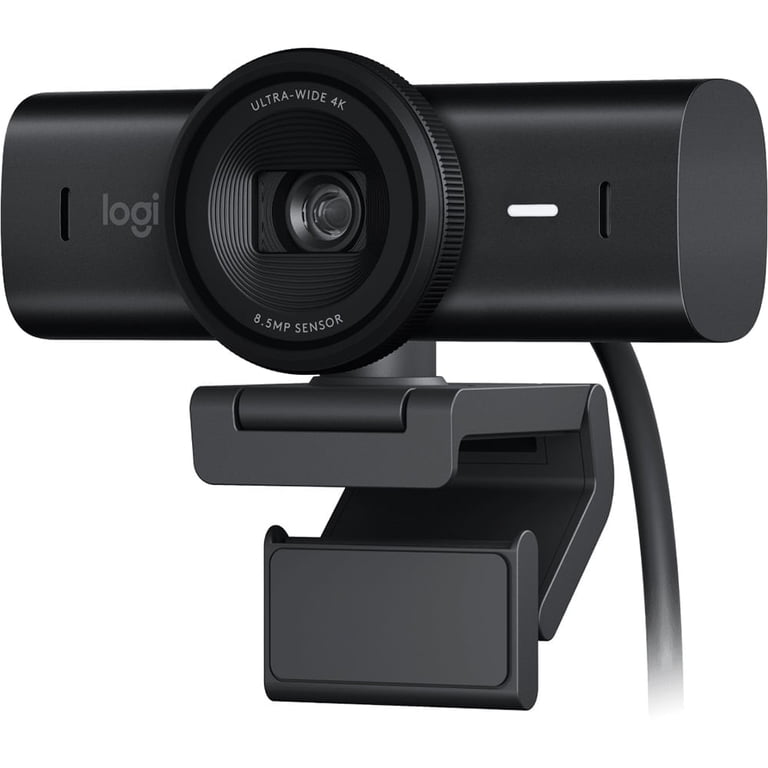
The Logitech MX Brio delivers stunning 4K video with advanced sensor technology and reliable autofocus, making it a top pick for new streamers who want a polished look. Its USB-C plug-and-play setup means you can be live in minutes, but the premium price reflects a premium imaging experience — for most beginners, it's an investment that pays off in consistent, crisp video.
Main limitation: The 4K resolution is overkill for most streaming platforms, which cap at 1080p, and the autofocus can occasionally hunt in low-light conditions.
Skip if: If you're on a tight budget or already own a decent 1080p webcam, you can skip this and put the savings toward a better microphone.
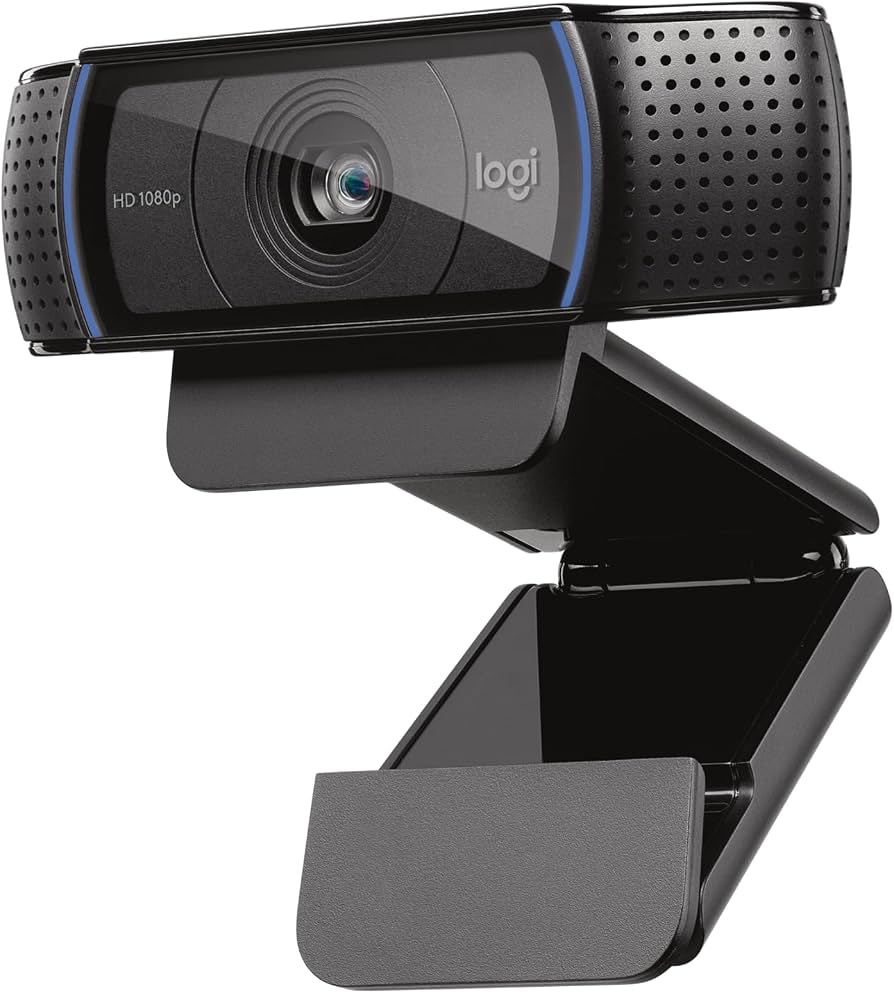
The C920x is the classic entry-point webcam that never disappoints. It offers clean 1080p video at 30fps, solid autofocus, and dual mics with noise reduction — all at a price that leaves room in your budget for a microphone. Its dated design and non-replaceable cable are the main trade-offs, but it remains the best value for starting your streaming setup.
Main limitation: Image quality is respectable but not class-leading, and the fixed field of view can't be adjusted for different camera angles beyond presets.
Skip if: If you need 60fps streaming or have a room with challenging lighting, consider spending a bit more for a camera with a larger sensor.
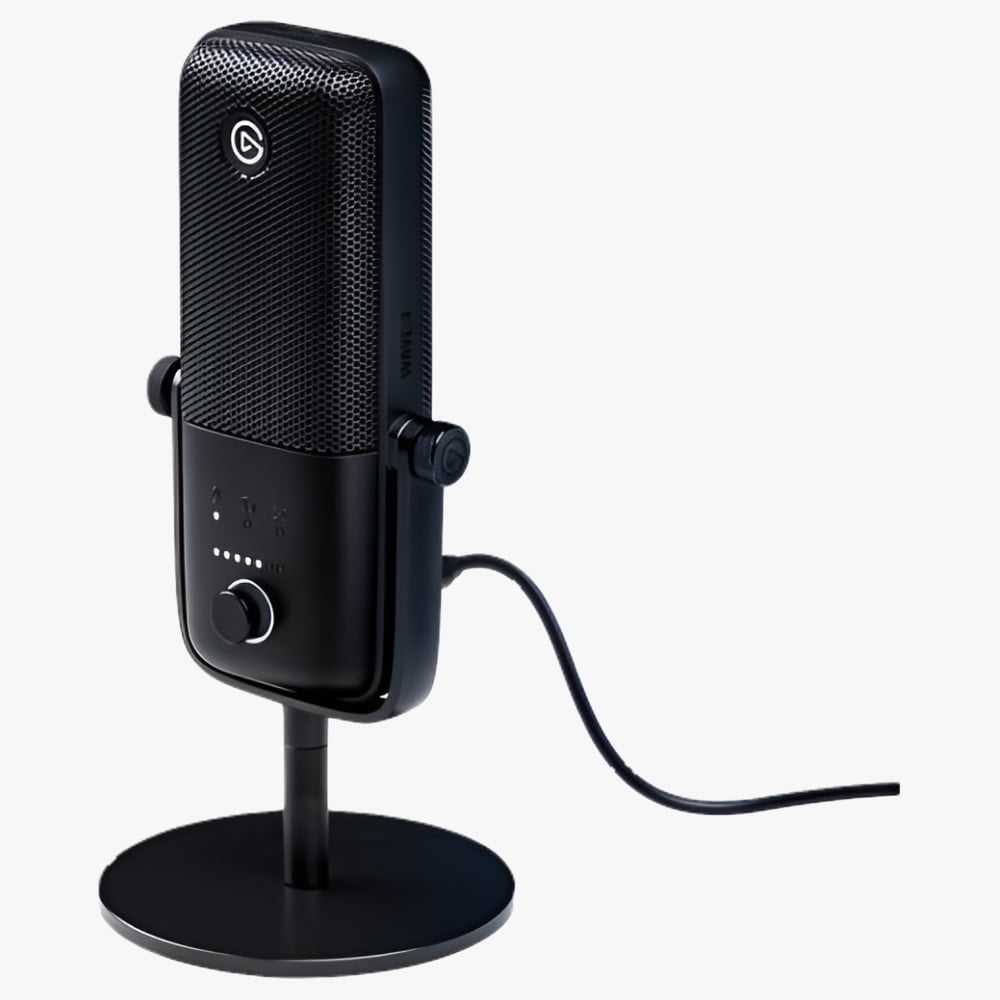
The Elgato Wave:3 brings broadcast-quality audio to your desk without the complexity of XLR gear. Its 24-bit/96kHz resolution, cardioid pattern, and Clipguard technology ensure your voice stays clean and distortion-free, even for louder streamers. The plug-and-play USB connection and Wave Link software give you mixing, EQ, and effects, but the mic's tight pick-up pattern requires proper positioning.
Main limitation: The Wave:3 lacks rumbling warmth of some dynamic mics and is sensitive to pop sounds unless a pop filter is used.
Skip if: If you have a very noisy environment and need extreme background noise rejection, a dynamic mic like the Samson Q2U might be a better fit.
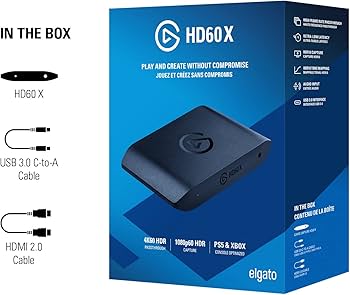
If you're streaming from a PlayStation or Xbox, the HD60 X simplifies the process by capturing 1080p60 while passing 4K through to your TV with zero latency. Setup takes minutes with its USB-C connection, and the app integrates snugly with OBS. It's not the cheapest capture card, but its reliability and low bandwidth requirements make it the go-to for console beginners.
Main limitation: It doesn't support 4K capture or HDR passthrough, which limits future-proofing if you plan to stream in 4K.
Skip if: PC-only streamers who don't need to capture external sources can skip this and invest in better camera/audio instead.
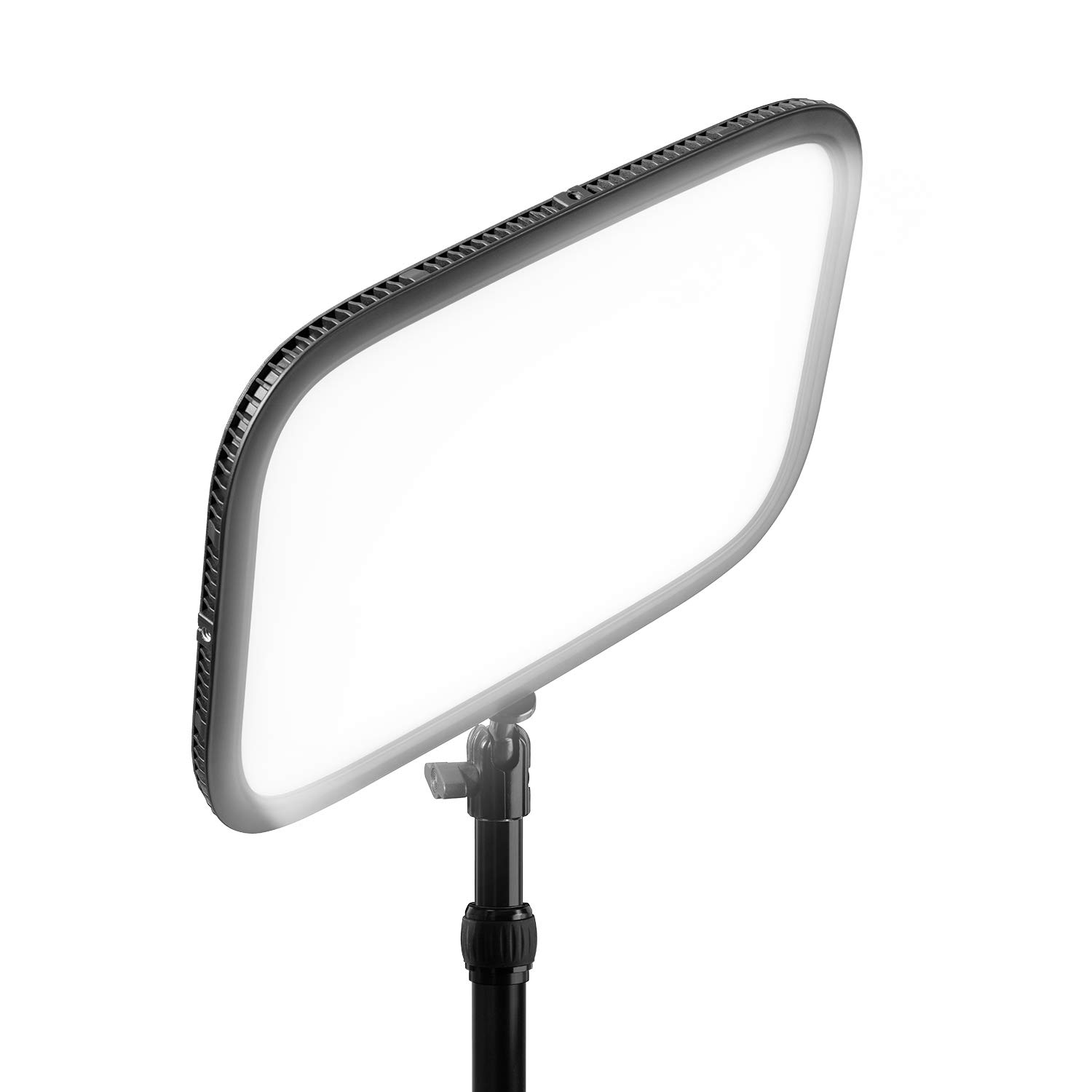
Good lighting matters more than a fancy camera, and the Elgato Key Light makes it easy to look professional with a soft, flattering 45-degree light panel. It connects via Wi-Fi and can be controlled with the Elgato app or your phone, plus it mounts on a desk clamp for a tidy setup. The main downside is the price for a single light source — most streamers will eventually want a two-light setup.
Main limitation: It's a single directional light and doesn't include a stand or C-stand; you'll need to purchase a boom arm or clamp separately.
Skip if: If you're getting by with natural light or a ring light, the Key Light is a luxury — not a necessity — for absolute beginners.
Compare key specs and features of all our recommendations side-by-side
| Product | Recommendation | Rating | Price |
|---|---|---|---|
Logitech MX Brio 4K Rank #1 | 🏆 Top Pick | 9.0/10 | $199–$249 Check current price → |
Logitech C920x HD Pro Webcam Rank #2 | 💰 Budget Pick | 8.0/10 | $59–$79 Check current price → |
Elgato Wave:3 USB Microphone Rank #3 | ⭐ Editor's Choice | 8.7/10 | $149–$159 Check current price → |
Elgato HD60 X Rank #4 | — | 8.4/10 | $199–$219 Check current price → |
Elgato Key Light Rank #5 | — | 8.0/10 | $199–$239 Check current price → |
Common questions buyers have about this category.
No, not for PC streaming. OBS Studio can capture your screen and camera simultaneously as long as you have a decent CPU/GPU. Capture cards are only necessary if you're streaming from a dedicated camera that connects via HDMI, or from a console like PlayStation or Xbox.
OBS Studio is the industry standard and free, but it's a bit daunting. For a simpler start, try Streamlabs Desktop, which offers a clear interface and built-in widgets. Both work with the products on this list via USB plug-and-play.
It's possible, but we recommend against relying on it exclusively. Headset mics usually sound unpolished and pick up mouth clicks and background noise. For a better viewer experience, a dedicated USB microphone is worth the ~$60 minimum.
You can start with minimal equipment for under $200: a webcam ($50), a USB mic ($60), and a ring light ($30). If you have more budget, upgrading each of those to mid-tier gear will run about $400 to $600. There's no need to buy everything at once; start with the items that address your biggest gaps.
No — streaming platforms like Twitch and YouTube cap most channels at 1080p60. A 4K camera allows you to crop into scenes and future-proofs your footage for recording, but it's not necessary for going live. A high-quality 1080p webcam like the Logitech C920x is enough for beginners.
No, a green screen is optional. They are used to replace your background, which can help with immersion, but they require even lighting and can cause visual artifacts if not set up properly. Start with a clean, clutter-free background — you can always add a green screen later.
Products we evaluated but did not recommend — and why.
