Get the App
Better experience on mobile
We break down the essential gear to start streaming on Twitch, YouTube, or Kick—without breaking the bank.
Starting a channel is easy; making it look and sound good is the hard part. Most first-time streamers overspend on a fancy camera while skimping on audio—yet viewers will tolerate a slightly soft picture far more than crackling, muffled voice. The secret isn't buying the most expensive gear; it's getting a few core components right: a microphone that captures your voice cleanly, a camera that gets your face on screen, lighting that doesn't cast harsh shadows, and—if you're playing consoles—a capture card to route that video to your PC.
This guide focuses on the essential pieces for a beginner streaming setup, with options that span budget to premium. We've picked a top-tier microphone, a reliable budget webcam, a lighting solution that flatters any face, a capture card for console gamers, and an optional stream deck that will make going live feel effortless. All choices were made after reviewing published expert opinions, manufacturer specifications, and verified user feedback.
We evaluated more than 25 products, filtering out anything that requires a complex setup or tech knowledge. Each recommendation is something you can plug in and be running within minutes, even if you've never streamed before. Below, you'll find our picks for every part of the beginner streamer package, along with the trade-offs you should know about.
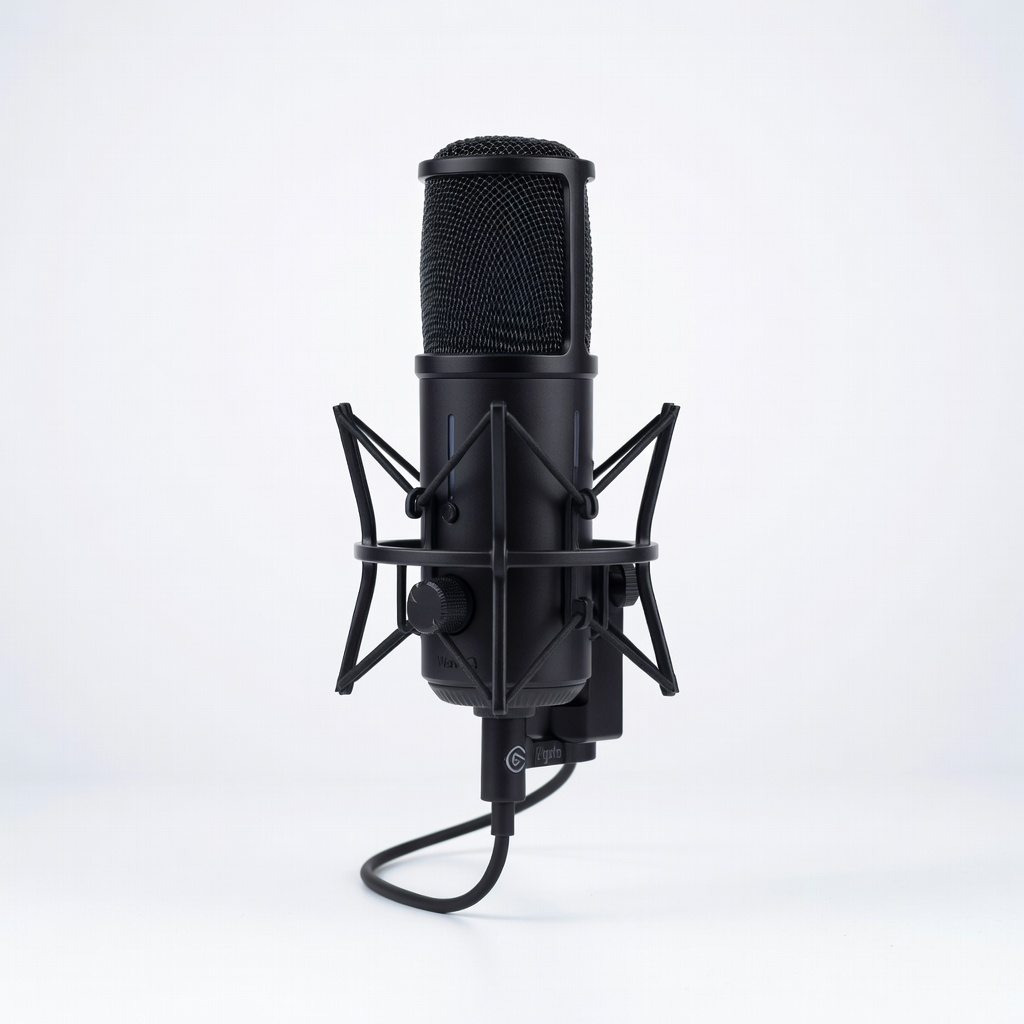
The Elgato Wave:3 delivers broadcast-quality audio straight to your computer with zero setup hassle. Its Clipguard feature prevents distortion when you get excited, and the Wave Link software lets you mix your game, music, and mic channels separately. The trade-off is that it's a USB mic, so you won't be able to upgrade to XLR gear without starting over.
Main limitation: No XLR output, so analogue upgrades require a new microphone entirely.
Skip if: If you already own an audio interface and plan to go XLR, invest in a dynamic XLR mic instead.
The C920s has been the go-to budget webcam for years, and for good reason: full 1080p at 30fps, decent low-light performance, and a built-in privacy shutter. It's plug-and-play on Windows, macOS, and even ChromeOS. The picture quality won't rival a mirrorless camera, but it's more than enough for your first stream.
Main limitation: Fixed focus can soften details if you lean in close, and the field of view is slightly narrow.
Skip if: If you're planning to use a DSLR or mirrorless camera for bokeh, skip this and invest in a capture card instead.
The Key Light is a 2800-lumen panel that produces soft, even illumination without harsh shadows—a must for any streamer who wants to look professional. It mounts to a desk clamp and is fully controllable from your computer via the Elgato app. It's pricey, but you'll notice the difference immediately compared to a cheap ring light.
Main limitation: Needs desk space for the clamp mount, and it's one of the more expensive lighting options.
Skip if: If you're on a tight budget, a $30 ring light will get you 80% of the way for less.
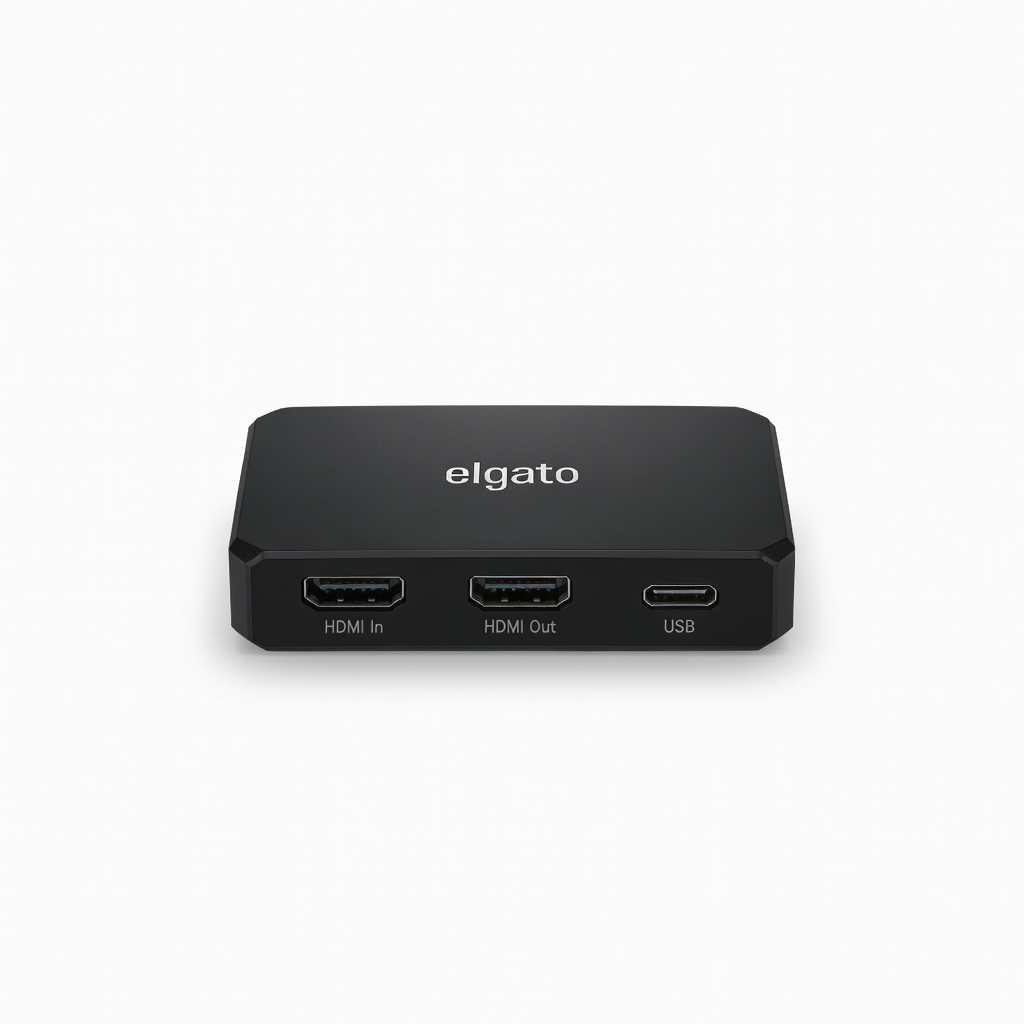
If you want to stream console gameplay on Xbox or PlayStation, the HD60 X is the industry standard for reliable 1080p60 passthrough with zero latency. It plugs in via USB-C and doesn't require additional power, making it simple for beginners. The trade-off is that it only supports up to 4K60 passthrough but records in 1080p60, so if you need 4K recording, you'll need the 4K60 Pro.
Main limitation: Records at 1080p60 even when passing through 4K, so archival footage is limited to 1080p.
Skip if: PC-only streamers don't need a capture card—your GPU can encode directly.
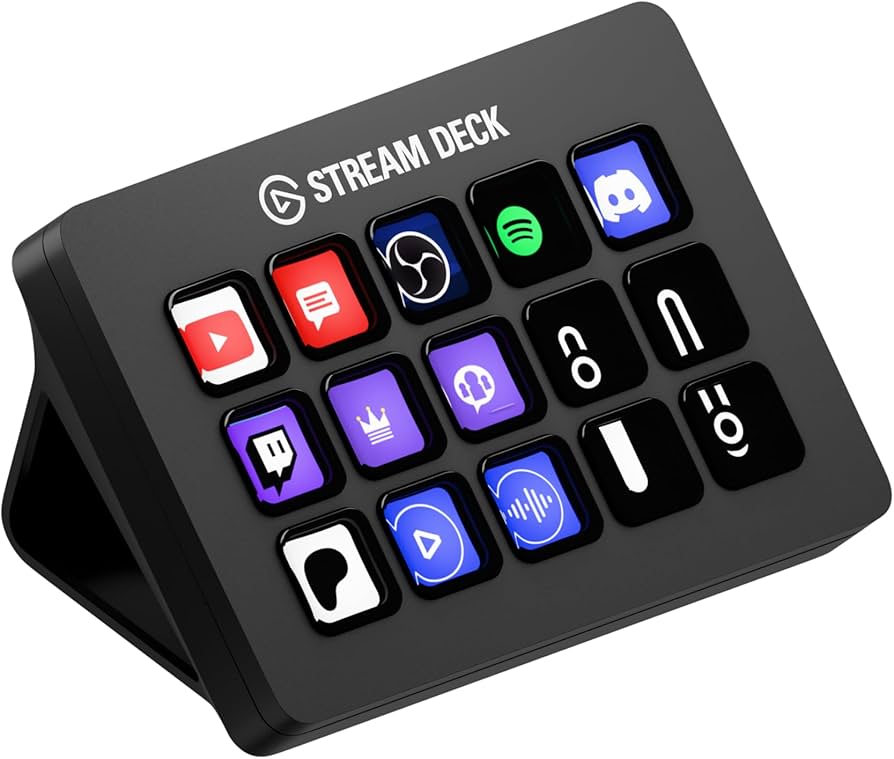
The Stream Deck puts 15 programmable keys at your fingertips, letting you mute/unmute, switch scenes, launch media, and control your lighting with a single tap. It's a massive time-saver when you're live, and the software supports plugins from Twitch, OBS, and more. It's not a necessity, but it's the best quality-of-life upgrade for any streamer.
Main limitation: Costs more than a lot of budget microphones, and you might not need all 15 keys as a beginner.
Skip if: If you're just starting out and keeping things simple, stick to hotkeys in OBS first.
Compare key specs and features of all our recommendations side-by-side
| Product | Recommendation | Rating | Price |
|---|---|---|---|
Elgato Wave:3 USB Condenser Microphone Rank #1 | 🏆 Top Pick | 9.0/10 | Around $159 Check current price → |
Logitech C920s Pro HD Webcam Rank #2 | 💰 Budget Pick | 8.0/10 | Around $70 Check current price → |
Elgato Key Light Rank #3 | ⭐ Editor's Choice | 8.0/10 | Around $199 Check current price → |
Elgato HD60 X Capture Card Rank #4 | — | 8.5/10 | Around $199 Check current price → |
Elgato Stream Deck MK.2 Rank #5 | — | 8.0/10 | Around $149 Check current price → |
Common questions buyers have about this category.
It depends on what you're streaming. If you're playing PC games and using OBS Studio or Streamlabs, you can capture your gameplay directly with no extra hardware. A capture card is essential for streaming console games, because it lets you route your console's video signal into your computer for encoding and broadcasting.
For 1080p60 you'll want at least 6 Mbps upload speed. For 720p30, 3 Mbps is the minimum, but we recommend a solid 5 Mbps for a cleaner image. Always prefer a wired Ethernet connection over Wi-Fi to avoid packet loss and frame drops.
Start with a USB microphone—they're truly plug-and-play, require no extra gear, and modern USB mics like the Elgato Wave:3 or HyperX QuadCast sound excellent. XLR mics require an audio interface, cables, and more knowledge to configure. If you only care about streaming, a USB mic will save you time and money without sacrificing quality.
Aim for a three-point setup: a key light (your main light) placed slightly above eye level, a fill light to soften shadows, and a background light to separate you from the backdrop. Look for diffused, soft light—either a ring light or a panel like the Elgato Key Light. Avoid having a window behind you, as it will backlight you and make your face look dark.
You can, but the experience will be poor for viewers. Laptop mics pick up keyboard clicks and are usually behind the screen, and without a camera viewers lose the connection. A basic $50 webcam and a $60 USB mic will drastically improve the stream's professionalism and viewer engagement.
OBS Studio is free, open-source, and the industry standard—it offers full control over scenes, sources, and overlays. Streamlabs Desktop is a user-friendly wrapper around OBS that includes built-in alerts, widgets, and a chat dashboard, making it easier for beginners. Both work with virtually all streaming platforms and capture cards.
You can build a capable starter setup for $300–$500: a $70 webcam, a $100 USB mic, a $50 ring light, and no capture card if you're on PC. If you need a capture card for consoles, add another $200. Avoid buying high-end gear like 4K cameras or XLR interfaces until you know you'll stick with streaming and understand what you're missing.
Products we evaluated but did not recommend — and why.
