Get the App
Better experience on mobile
From webcams to mics to lighting, these are the essential components that will get you live without breaking the bank.
First-time streamers often overthink their gear: They're convinced they need a 4K camera, a broadcast-level microphone, and a neon sign to look legit. That's exactly backwards. The most successful beginner setups focus on three things in order: audio clarity, lighting, and a reliable camera. Adding a capture card or a stream deck comes later, once the basics are running.
Your audio is the first thing viewers judge. A poor webcam can be forgiven, but a buzzing or echoey mic will send people clicking away within seconds. That's why a dedicated USB microphone is the first purchase we recommend, followed closely by a soft light source to make your face visible and your room look intentional. A basic 1080p/30fps webcam will do for video, but if you're on a budget, prioritizing audio and lighting gives you the biggest quality boost per dollar.
Based on published expert reviews, aggregated buyer feedback, and manufacturer specs, we've sorted through the most popular streaming components to find the ones that actually matter for your first months on Twitch, YouTube, or TikTok Live. We've kept our picks to products that are plug-and-play, forgiving for novices, and backed by solid software. Whether your budget is $150 or $500, these are the pieces that will help you go live with confidence.
This guide covers the essential building blocks—a microphone, a webcam, a light, and optional extras like a capture card and a stream deck—so you can build a setup that matches your goals. We've included a range of price tiers and use cases, from budget-friendly classics to premium tools that will stick with you as you get more serious.
The Elgato Wave:3 delivers studio-quality sound through a simple USB connection, making it the easiest way to dramatically improve your stream's audio. Its proprietary Wave Link software lets you mix your voice, game audio, and music into one track without needing a separate mixer. The trade-off is that you'll need to install and learn the software to get the most out of it—plug-and-play users may find it a bit extra.
Main limitation: Requires Elgato Wave Link software for advanced features, which may overwhelm beginners.
Skip if: Anyone who already owns a quality headset mic and isn't ready to invest in a separate microphone.
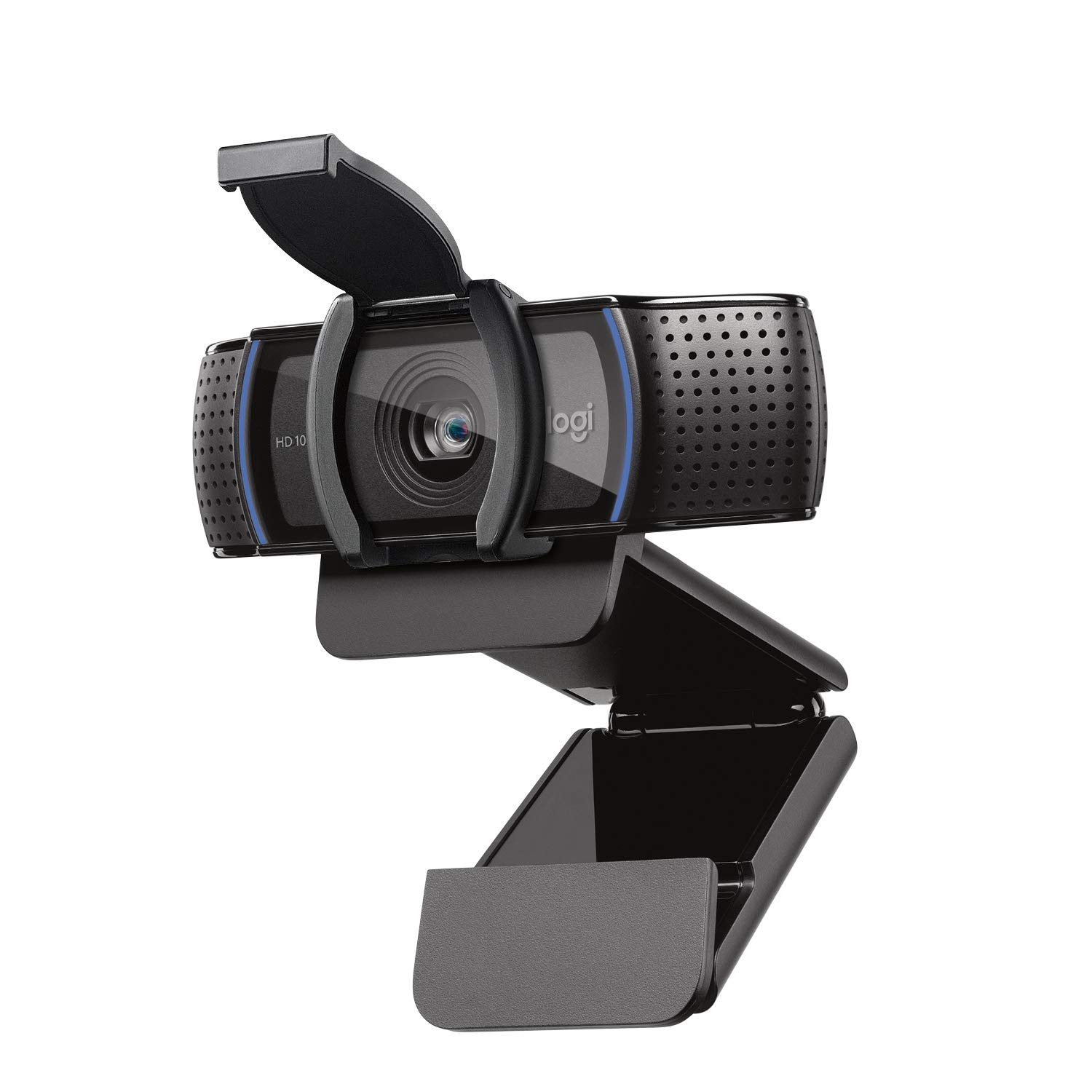
The Logitech C920s is the budget webcam that keeps showing up in starter setups for one reason: it works reliably at 1080p/30fps with a built-in privacy shutter. You get solid video quality and automatic light correction for under $80, which is tough to beat. The downside is that it's an older design and lacks 60fps support, so fast-moving streams can look slightly less fluid.
Main limitation: Limited to 30fps at 1080p and struggles in low light compared to pricier options.
Skip if: Anyone who wants 60fps video or is streaming high-action games that demand sharper motion.
Good lighting is the cheapest way to make your entire stream look professional, and Elgato Key Light puts that control at your fingertips. It's a soft panel with 80 LEDs that you can adjust via Wi-Fi using the Elgato app or a Stream Deck—no dimmer knobs required. The main trade-off is price: at around $130, it's a significant investment for a hobby, and the stand takes up desk space.
Main limitation: Expensive for one light, and you'll need a second one if you want full two-point lighting.
Skip if: Streamers who already have a bright, well-lit room and don't need extra key lighting.
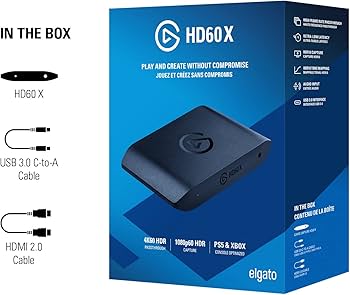
If you're streaming from a PlayStation or Xbox, the HD60 X is the most straightforward capture card to start with, thanks to 1080p/60fps passthrough and a simple USB 3.0 connection. It works with OBS Studio and any HDMI device, so you can switch from console to a DSLR later. The catch is that it only records at 1080p, not 4K, which may be a limitation for future-proofing.
Main limitation: No 4K capture; only 4K passthrough, which is worth noting if you plan to upgrade cameras later.
Skip if: PC-only streamers who don't need to capture video from a console or external source.
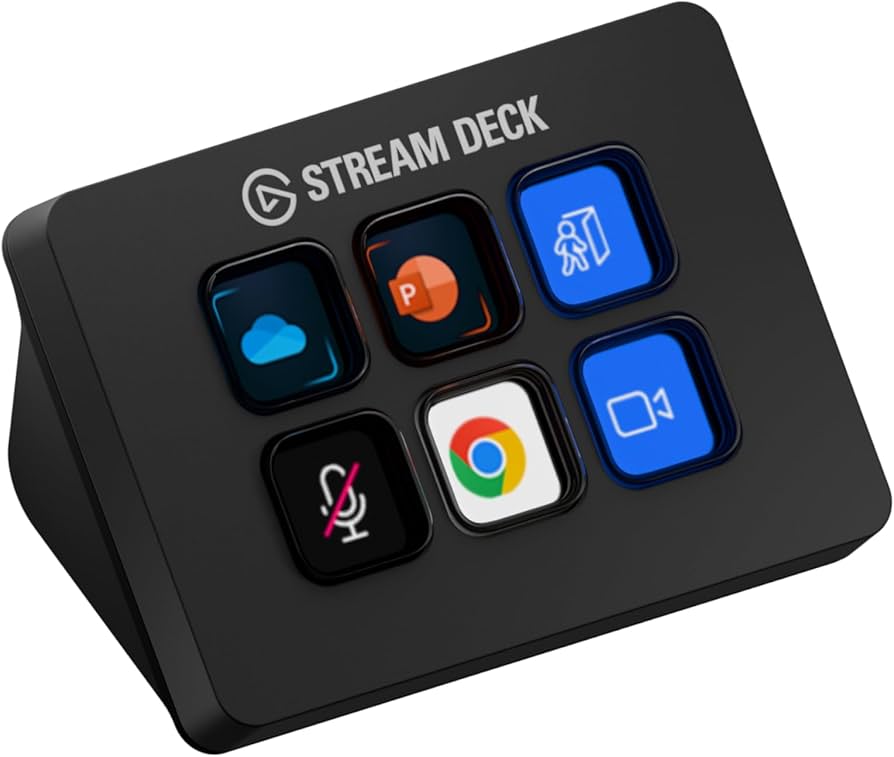
The Stream Deck Mini gives you six programmable buttons that can switch scenes, mute your mic, launch games, and trigger media—without reaching for a mouse. It's the most cost-effective way to start building a production workflow, and it lights up with custom icons so you'll never misclick. The trade-off is that six keys are limiting as you grow; you'll likely outgrow it within your first year.
Main limitation: Only six buttons, so you'll need to layer pages to access more actions as your stream grows.
Skip if: Streamers who prefer using OBS hotkeys or have a second monitor dedicated to control.
Compare key specs and features of all our recommendations side-by-side
| Product | Recommendation | Rating | Price |
|---|---|---|---|
Elgato Wave:3 USB Microphone Rank #1 | 🏆 Top Pick | 9.0/10 | Around $160 Check current price → |
Logitech C920s HD Pro Webcam Rank #2 | 💰 Budget Pick | 8.0/10 | Around $70 Check current price → |
Elgato Key Light Rank #3 | ⭐ Editor's Choice | 8.5/10 | Around $130 Check current price → |
Elgato HD60 X Rank #4 | — | 8.5/10 | Around $200 Check current price → |
Elgato Stream Deck Mini Rank #5 | — | 7.5/10 | Around $80 Check current price → |
Common questions buyers have about this category.
No. If you're streaming a game from the same PC, you don't need a capture card—OBS Studio can capture your screen and gameplay directly. Capture cards are only required when you want to stream from a separate device like a console or a second computer.
A headset mic will work in a pinch, but the audio quality is noticeably lower. Viewers tolerate average video, but poor audio is a major turn-off. A dedicated USB mic like the Elgato Wave:3 is the single best upgrade you can make for your stream's perceived quality.
Some modern cameras support direct USB webcam mode via software like Elgato Camera Hub or the manufacturer's app, but most require a capture card to deliver clean video. If you already own a good camera, a USB capture device like the Elgato Cam Link 4K is a simpler option than a full capture card.
OBS Studio is the most popular and completely free, and it works with all the products we recommend. It has a steeper learning curve, but there are countless tutorials. Streamlabs Desktop is a more beginner-friendly wrapper around OBS with built-in overlays and alerts, though it uses more system resources.
A solid starter setup with a budget webcam, a decent USB mic, and a basic lighting kit can run around $300–$400 if you buy new. You can cut that down by using a headset mic and natural lighting, but you'll sacrifice quality. We recommend investing at least in a good mic and a simple light before upgrading your webcam.
Not strictly, but it makes a huge difference. A second monitor lets you view OBS, chat, and alerts while your game is on the main screen. If you don't have one, you can use a tablet or phone with apps like OBS remote control, but you'll find yourself alt-tabbing frequently.
For a smooth 1080p/60fps stream, you should have at least 10 Mbps upload, ideally more. Many ISPs have lower upload speeds than downloads, so run a speed test before going live. You can stream at 720p with a 5 Mbps upload, but the quality will be noticeably softer.
Products we evaluated but did not recommend — and why.
