Get the App
Better experience on mobile
Big text, loud speakers, hearing-aid pairing, and interfaces that don't fight back — six phones that get the fundamentals right.
The most useful thing to know about shopping for a senior phone in 2026 is this: the accessibility tools built into mainstream iPhones and Android phones have quietly overtaken most of what the purpose-built "senior phone" industry offers. Assistive Access on iOS and Easy Mode on Samsung can turn a standard phone into a large-button, single-screen device in about five minutes — while keeping the app store, a good camera, and years of security updates. The dedicated senior phones still worth buying are the ones that add something a mainstream phone genuinely cannot: a one-touch emergency button connected to a 24/7 response center, a list-based menu with no app grid to get lost in, or a physical flip keypad with real buttons.
That distinction matters, because the category's most common mistake is over-simplifying. A phone that can't run a banking app, a rideshare app, or a video call becomes a problem the moment daily life requires one — and the person who chose the phone usually isn't the one who ends up troubleshooting it.
What actually separates a good phone for an older adult from a frustrating one comes down to a handful of measurable things: how bright the display gets in direct sunlight, how far text scales before layouts break, whether it pairs with their specific hearing aids, how many years of security updates the manufacturer promises, and whether emergency features like Fall Detection, Crash Detection, or satellite SOS are included. Weight and grip matter more than most spec sheets admit — an enormous screen is only helpful if it can be held comfortably for a 20-minute call.
Below are six phones spanning roughly $100 to $800, from a flip phone that does calls and almost nothing else to a flagship that should still receive updates well into the 2030s. Our picks draw on manufacturer specifications, published expert reviews, accessibility documentation, and aggregated buyer feedback rather than first-party lab testing, and every recommendation names the trade-off you'll live with.
The iPhone 17 is the phone we'd point most older adults toward: a bright 6.3-inch display that scales text cleanly, Made for iPhone hearing-aid pairing, Fall Detection and Crash Detection, and Assistive Access — which converts the home screen into a simplified grid of oversized buttons. The trade-off is cost and commitment: you're paying flagship money, and iOS still requires an Apple ID and a couple of weeks of patience to feel natural.
Main limitation: At roughly $799 it costs more than many seniors need to spend, and first-time smartphone users will need help setting up an Apple ID and iCloud.
Skip if: Skip it if you want physical buttons, a built-in one-touch emergency response service, or a phone that works without creating an online account.
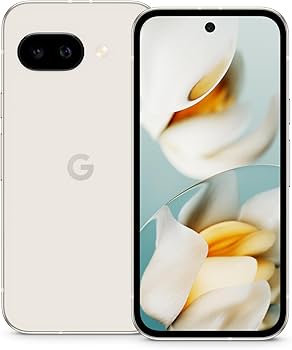
The Pixel 9a delivers most of the accessibility experience of a flagship at roughly half the price — a bright 6.3-inch 120Hz display, seven years of OS and security updates, and Pixel tools like Call Screen and Live Caption that quietly help with hearing and with spam calls. The trade-offs are a plastic-backed build that feels less premium and a Settings menu that scatters accessibility options across more screens than Apple's single hub.
Main limitation: There's no built-in emergency response service or satellite messaging, and Pixel's accessibility settings take more digging to configure than iOS.
Skip if: Skip it if you want a one-touch emergency button, a physical keypad, or the simplest possible out-of-the-box interface.
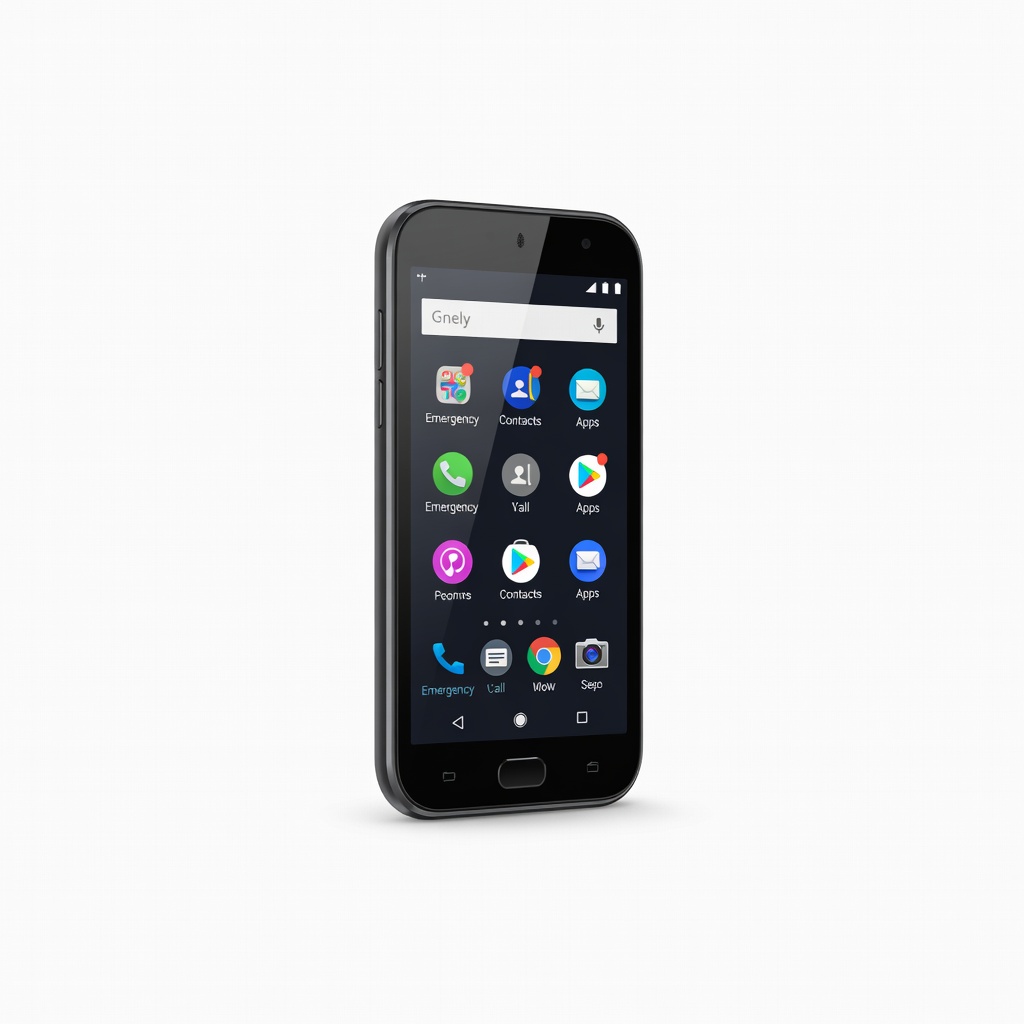
The Jitterbug Smart4 replaces the app grid with a simple scrolling list — Call, Text, Camera — so there is nothing to hunt for, and it adds a dedicated Urgent Response button that connects to Lively's 24/7 response team. The free Lively Link app lets family members check in remotely, which is the feature that makes it worth the premium. The trade-off is that you're paying mid-range prices for entry-level hardware, and the phone is tied to a Lively service plan.
Main limitation: Processor performance and camera quality lag well behind mainstream phones that cost the same or less.
Skip if: Skip it if you want the best camera or fastest performance for the money, or if you'd rather not add a monthly service plan on top of the phone price.
If readability is the priority, the Galaxy S25 FE pairs a 6.7-inch AMOLED panel with Samsung's Easy Mode, which enlarges icons, text, and the home screen in a couple of taps. It also carries seven generations of OS upgrades, a large battery, and 45W charging — genuinely long-term hardware. The trade-off is Samsung's software load: two stacks of preinstalled apps that many seniors will never open and will want help cleaning up.
Main limitation: Preinstalled Samsung and Google apps add clutter and duplicate functions out of the box.
Skip if: Skip it if you want the simplest interface possible with no cleanup, or if you prefer a lighter phone for one-handed use.
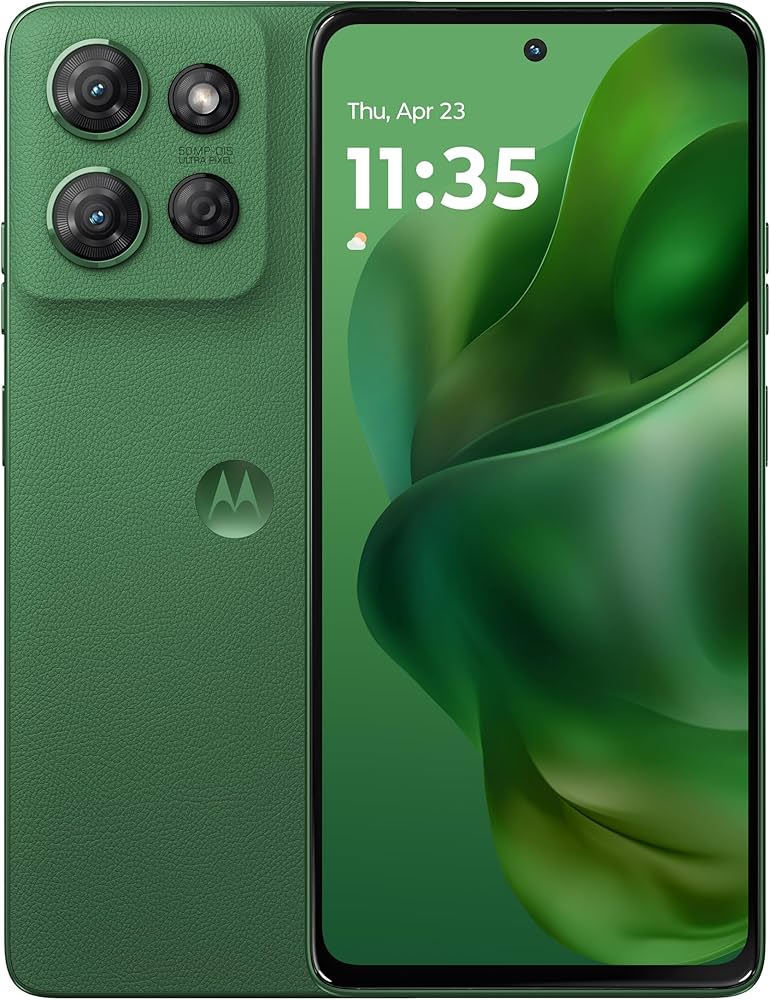
The Moto G Power 2025 is built around a 5,000mAh battery and a 6.8-inch screen, and Motorola's near-stock Android keeps the interface noticeably cleaner than Samsung's. At around $300 it's an easy recommendation for someone who mostly calls, texts, and video chats and doesn't want to think about charging. The trade-off is software longevity: Motorola promises far fewer OS upgrades than Google or Samsung, so this phone ages out sooner.
Main limitation: Limited software support means it stops receiving major Android updates years before a comparably priced Pixel.
Skip if: Skip it if you plan to keep the phone for five years or more and want the longest possible security-update window.
The Jitterbug Flip2 is for the person who wants a phone that makes calls and nothing else: large backlit buttons, a loud speaker, voice dialing, and a dedicated Urgent Response button in a familiar flip form factor. It's also the least expensive way into Lively's caregiver and emergency services. The trade-off is real — this is a 4G feature phone with no app store, so anything beyond calls, basic texts, and simple photos is out of reach.
Main limitation: No app store and limited texting make it unusable for banking, rideshare, or mainstream video-calling apps.
Skip if: Skip it if you want to send photos, use FaceTime or WhatsApp, or run any smartphone app at all.
Compare key specs and features of all our recommendations side-by-side
| Product | Recommendation | Rating | Price |
|---|---|---|---|
Apple iPhone 17 (256GB) Rank #1 | 🏆 Top Pick | 9.4/10 | $799–$1,099 Check current price → |
Google Pixel 9a Rank #2 | 💰 Budget Pick | 8.6/10 | $399–$499 Check current price → |
Lively Jitterbug Smart4 Rank #3 | ⭐ Editor's Choice | 8.2/10 | Around $150 plus a Lively service plan Check current price → |
Samsung Galaxy S25 FE Rank #4 | — | 8.3/10 | $549–$649 Check current price → |
Motorola Moto G Power 2025 Rank #5 | — | 7.8/10 | $249–$300 Check current price → |
Lively Jitterbug Flip2 Rank #6 | — | 7.6/10 | Around $100 plus a Lively service plan Check current price → |
Common questions buyers have about this category.
For most people, no. The accessibility settings in iOS and Android — Assistive Access, Easy Mode, Larger Text, Magnifier, Live Captions — turn a mainstream phone into a simplified device while preserving the app store, the camera, and years of security updates. Purpose-built senior phones remain worthwhile mainly when you need a dedicated one-touch emergency response button or a physical keypad.
iPhones have the longest track record with Made for iPhone hearing-aid support and are the safest default if the person's hearing aids are on that list. Android phones from Google and Samsung support ASHA and Bluetooth LE Audio, which works well with newer hearing aids, but compatibility is model-specific. Confirm the exact phone-and-aid pairing with an audiologist before buying.
Most seniors do well with a display between 6.1 and 6.7 inches, provided text scaling and brightness are good. Larger panels help with reading, but they add weight and make one-handed use harder, so a 6.3-inch phone with excellent brightness often beats a 6.9-inch phone that's awkward to hold. Try holding a display model before deciding.
Yes, for a narrow but real use case: someone who wants calls, basic texts, and a physically reassuring keypad with no apps to manage. Modern flip phones run on 4G networks and include loud speakers and large buttons, but they have no app store and limited texting, so they're a poor fit if the person needs banking, rideshare, or video-calling apps.
The Google Pixel 9a and Samsung Galaxy S25 FE both carry seven years of OS upgrades and security patches, which is the longest support available in this roundup. The Moto G Power 2025 receives substantially fewer, and iPhones typically get five to seven years of iOS updates depending on the model. Longer support matters most for security, since an unpatched phone is a genuine risk.
Unlocked phones give you flexibility to switch carriers and avoid bloatware, but carrier stores offer trade-in credits and in-person setup help, which can be genuinely valuable for a first smartphone. For the Lively Jitterbug models, a Lively service plan is required for the emergency and caregiver features to function.
Turn on Larger Text and Bold Text, enable the Magnifier, set Medical ID and emergency contacts, pair any hearing aids, and configure Fall Detection or Emergency SOS if the phone supports it. Then add a simplified home screen — Assistive Access on iPhone or Easy Mode on Samsung — with only the four or five apps they'll actually use. Doing this in one sitting prevents weeks of frustration.
Products we evaluated but did not recommend — and why.
