Get the App
Better experience on mobile
Relieve and prevent back pain with ergonomic chairs that prioritize adjustable lumbar support and proper spinal alignment.
The best office chair for lower back pain isn't necessarily the one with the thickest cushion—it's the one that lets you adjust the lumbar support to match the curve of your spine. Most people don't realize that a chair's backrest angle and seat depth play just as critical a role as the lumbar pad itself. When these elements work together, they help maintain your spine's natural lordotic curve, reducing the strain that leads to discomfort and long-term issues.
Sitting for prolonged periods compresses spinal discs and weakens core muscles, but the right chair can mitigate these effects by promoting good posture and encouraging subtle movement. Chairs designed specifically for lower back pain offer adjustable lumbar support that can be raised, lowered, and sometimes even adjusted for depth, ensuring targeted pressure where you need it most. Without this customization, even an expensive chair may fail to address your unique anatomy.
In this guide, we've curated six top-performing chairs based on research from ergonomic experts, manufacturer specifications, and aggregated buyer feedback. We focused on models with proven lumbar support systems, seat depth adjustment, and high-quality materials that hold up over time. Whether you're on a tight budget or ready to invest in a premium ergonomic solution, there's a chair here for your needs.
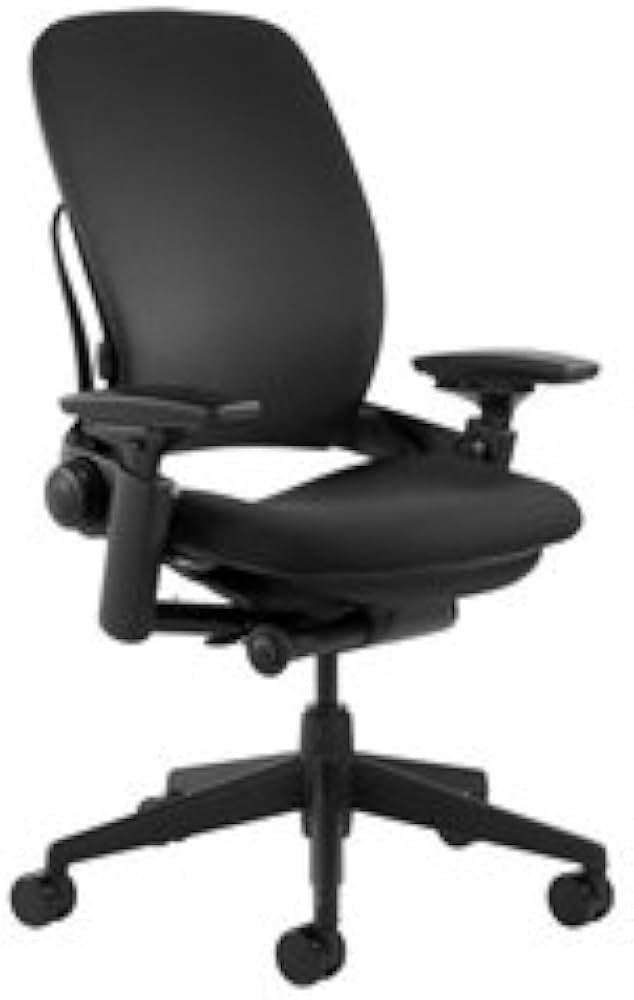
The Steelcase Leap V2 is widely recommended by ergonomists for its exceptional lower back support. Its LiveBack technology and adjustable lumbar system let you fine-tune the fit, making it a top choice for relieving and preventing back pain. The main trade-off is the premium price and lack of a headrest.
Main limitation: Expensive and lacks a headrest for neck support during recline.
Skip if: Those on a tight budget or who prefer a plush, cushioned seat over a firm, supportive one.
The Sihoo M18 offers impressive ergonomic features at a fraction of the cost of premium chairs, including adjustable lumbar support and a breathable mesh back. It's a great entry point for those needing lower back relief, though the build quality and padding won't match higher-end models.
Main limitation: The seat cushion may feel thin for heavier users, and the armrests are basic.
Skip if: Users over 6 feet tall or those who need extensive adjustability and long-term durability.
The Herman Miller Aeron is a legend in ergonomic seating, and its PostureFit SL provides targeted lumbar support that can be adjusted for depth. The mesh design keeps you cool, but the firm seat and lack of a headrest may not suit everyone.
Main limitation: The mesh seat can feel too firm for some, and the chair is quite expensive.
Skip if: Those who prefer a plush, padded seat or need a headrest for reclining.

The Branch Ergonomic Chair delivers many high-end features at a mid-range price, including adjustable lumbar support and seat depth. It's a solid choice for home offices, though the lumbar support is less refined than premium options.
Main limitation: The lumbar support adjustment is limited compared to high-end chairs, and armrests are not 4D.
Skip if: Users with severe back pain who need precise, multi-directional lumbar adjustments.
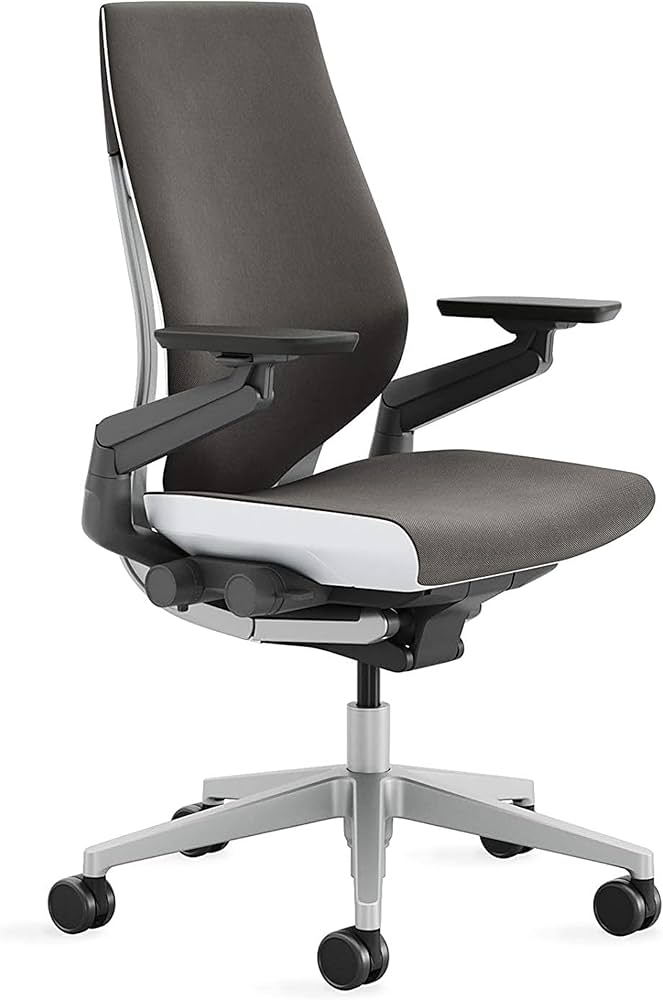
The Steelcase Gesture is a top choice for those who need highly adjustable armrests that support various postures, and it still provides excellent lumbar support. However, it's a significant investment and may be overkill for basic needs.
Main limitation: Very expensive, and the complex armrest adjustments can be overwhelming.
Skip if: Budget-conscious buyers or those who don't need advanced armrest articulation.
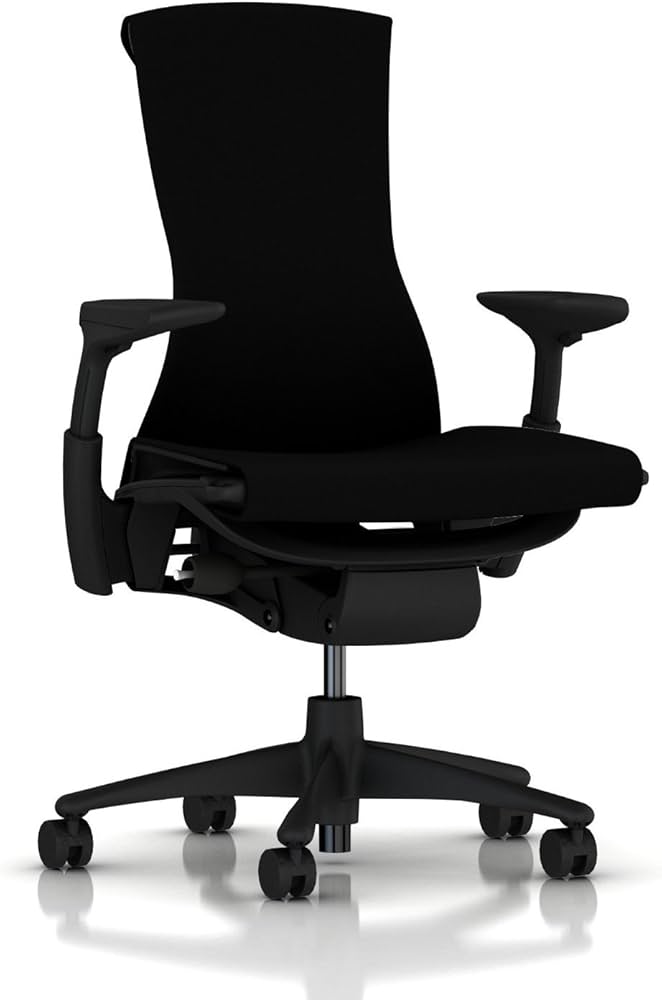
The Herman Miller Embody is designed to support your spine's natural curve with its Backfit adjustment and dynamic pixelated support. It encourages movement and reduces pressure points, but the firm seat and high price are notable drawbacks.
Main limitation: The seat is quite firm, and the chair is one of the most expensive options available.
Skip if: Those who prefer a soft, cushioned seat or are not willing to invest heavily.
Compare key specs and features of all our recommendations side-by-side
| Product | Recommendation | Rating | Price |
|---|---|---|---|
Steelcase Leap V2 Rank #1 | 🏆 Top Pick | 9.4/10 | $1,000–$1,200 Check current price → |
Sihoo M18 Rank #2 | 💰 Budget Pick | 8.1/10 | $200–$250 Check current price → |
Herman Miller Aeron Rank #3 | ⭐ Editor's Choice | 9.2/10 | $1,200–$1,800 Check current price → |
 Branch Ergonomic Chair Rank #4 | — | 4.2 4.2 | $350–$400 Check current price → |
Steelcase Gesture Rank #5 | — | 8.8/10 | $1,000–$1,300 Check current price → |
Herman Miller Embody Rank #6 | — | 9.0/10 | $1,500–$2,000 Check current price → |
Common questions buyers have about this category.
Prioritize adjustable lumbar support that can be moved up, down, and ideally in and out to match your spine's curve. Also look for seat depth adjustment, a backrest that reclines and locks, and adjustable armrests. These features work together to maintain proper posture and reduce strain on your lower back.
You can find decent budget options with adjustable lumbar support for around $200, but expect to spend $350–$600 for a mid-range chair with more refined adjustments and better durability. Premium chairs from Steelcase or Herman Miller typically cost $1,000–$2,000 but often last 10–15 years and offer the most precise support.
Mesh chairs offer better breathability and can provide firm, even support that many users find helpful for lower back pain. However, padded chairs may feel more comfortable for those who prefer a softer seat. The key is the lumbar support system, not the material—both mesh and foam can be effective if adjustable.
Start by adjusting the seat height so your feet are flat on the floor and knees at 90 degrees. Then set the lumbar support to fit the inward curve of your lower back, typically 6–10 inches above the seat. Adjust seat depth so you have 2–3 fingers of space behind your knees, and set armrests so your shoulders are relaxed. Finally, recline slightly and lock the backrest to reduce spinal pressure.
Yes, a well-designed ergonomic chair can significantly reduce or prevent lower back pain by supporting your spine's natural curve and promoting good posture. However, no chair is a cure-all—you should also take frequent breaks, stand and stretch every 30–60 minutes, and strengthen your core muscles for lasting relief.
A headrest is not essential for lower back pain relief, but it can help maintain neck alignment during recline, which indirectly reduces strain on your lower back. If you often recline while working or taking calls, a headrest can be beneficial. Many top ergonomic chairs for lower back pain, like the Steelcase Leap, do not include one by default.
Lumbar support is built into the chair and is typically adjustable to fit your spine's curve, providing consistent, integrated support. A lumbar pillow is a separate cushion you place on any chair; it can be a quick fix but often shifts and may not provide the precise adjustability of a built-in system. For chronic lower back pain, an integrated adjustable lumbar support is generally more effective.
Products we evaluated but did not recommend — and why.
