Get the App
Better experience on mobile
From budget 1080p to 4K hub displays, these monitors blend panel quality, connectivity, and value for home, office, and play.
Monitor purchases are rarely driven by the spec sheet alone; they're about the daily experience of sitting in front of the screen. The 2026 monitor market offers an unprecedented range of panel technologies, from high-refresh QHD to 4K hub displays, and the best choice for you depends less on raw resolution and more on how your monitor connects to your laptop, how you want to adjust it, and what you do for eight-plus hours a day.
The biggest mistake most buyers make is equating higher resolution with a better monitor. A 4K panel is useless if your computer can't drive it smoothly, or if you're sitting too far away to see the difference. Conversely, a high refresh rate doesn't matter if you're not a gamer. What matters is the entire experience: ergonomics, USB-C power delivery, color accuracy, and the quirks of the on-screen menu.
We've sorted through the spec sheets, unboxed experiences, and long-term owner reviews to bring you eight monitors that each nail a specific need. Whether you're building a compact home office, upgrading to a 4K creative setup, or diving into 1440p gaming, these are the monitors worth your money in 2026. We've also flagged the trade-offs so you can match a display to your actual priorities—not just the headline numbers.
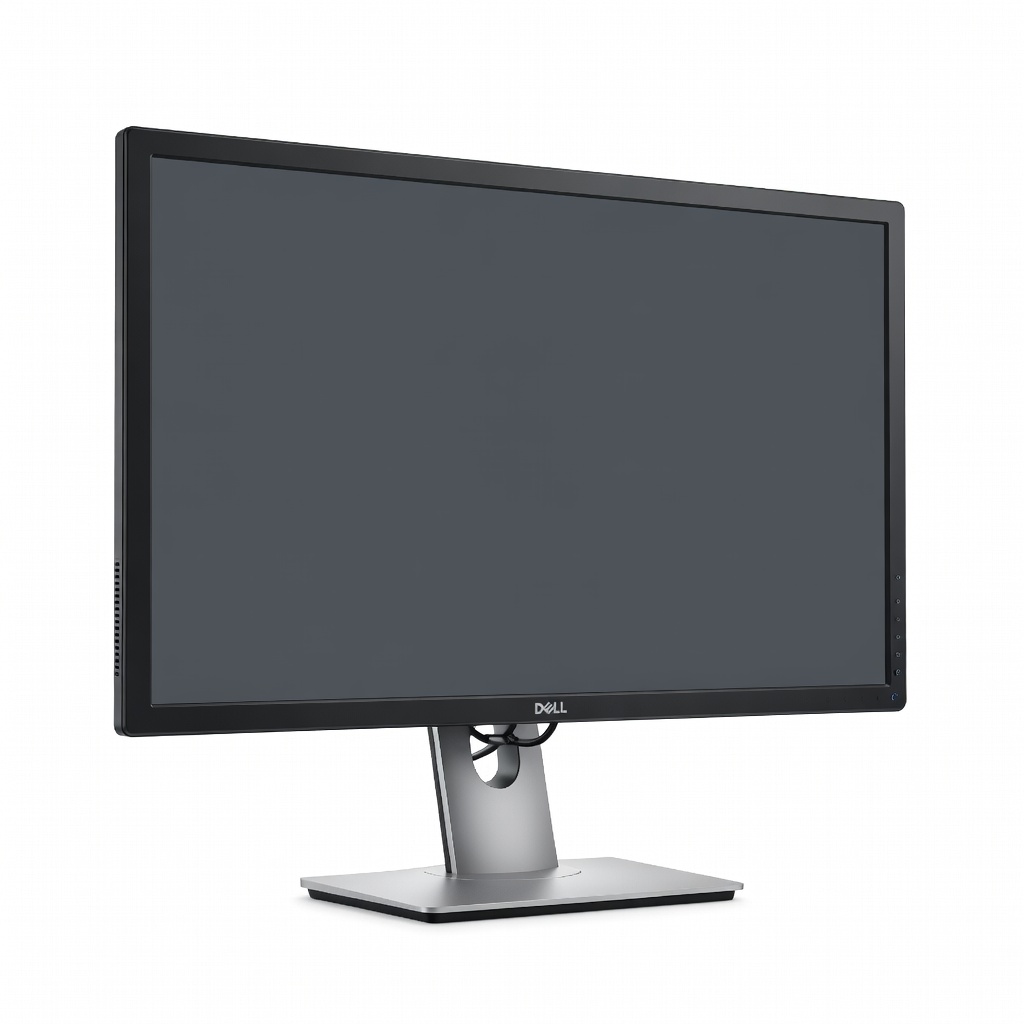
The Dell UltraSharp U2723QE is a supremely versatile 27-inch 4K monitor that balances color accuracy, connectivity, and ergonomics for most users. Its IPS panel offers wide viewing angles and 100% sRGB / 98% DCI-P3 coverage, while the built-in USB-C hub with 90W power delivery charges your laptop and peripherals with a single cable. The main trade-off is its 60Hz refresh rate, which isn't ideal for competitive gaming.
Main limitation: The 60Hz refresh rate and a response time of 5ms GTG are not suited for high-refresh gaming.
Skip if: Hardcore gamers who need 120Hz+ refresh rates.
For under $100, the AOC 24B3H2 delivers a sharp 1080p IPS panel with a fast 100Hz refresh rate and a slim stand that saves desk space. It's a great option for students, office workers, or a secondary monitor, with solid color and viewing angles. The trade-off is a basic build quality and limited adjustment (tilt only).
Main limitation: The stand only offers tilt adjustment and the monitor lacks built-in speakers and USB ports.
Skip if: Users who need height adjustment or USB-C connectivity.
The BenQ PD2700U is a no-frills 4K monitor designed for creative professionals on a budget, with 100% sRGB and 95% P3 color space coverage and factory-calibrated accuracy. Its Dimming Mode and KVM switch streamline multi-input workflows. The trade-off is a clunky on-screen menu and 60Hz refresh rate, but it excels in color-critical tasks.
Main limitation: The OSD (on-screen display) is dated and the 60Hz refresh rate limits its appeal for gamers.
Skip if: Gamers seeking high refresh rates or anyone wanting a sleek design.
The ASUS TUF Gaming VG27AQ3A offers an excellent balance of speed and visuals with a 27-inch QHD IPS panel that hits 165Hz and supports both G-Sync and FreeSync. It also has strong motion handling and a fast 1ms response time, making it a favorite for competitive and immersive gaming alike. The trade-off is average contrast and a mildly aggressive gamer aesthetic.
Main limitation: The contrast ratio is typical of IPS panels, and the design might not suit every home office.
Skip if: Users who prefer a subtle, professional-looking monitor.
The LG 34WN80C-B brings immersive 21:9 ultrawide real estate to a relatively affordable package, with a 34-inch curved IPS panel that makes multitasking effortless. It includes USB-C with 60W charging and decent color coverage, making it a strong pick for productivity and immersive movie watching. The trade-off is a modest 60Hz refresh rate and slight black uniformity issues in dark rooms.
Main limitation: Not great for gaming (no high refresh rate) and the curvature is relatively mild.
Skip if: Gamers who want an ultrawide with 100Hz+ refresh rate.
The LG UltraFine 27UP850-W is a 27-inch 4K monitor that pairs seamlessly with Macs, thanks to its single-cable USB-C with 96W laptop charging, and perfectly complements macOS color profiles. Its thin bezels and overall picture quality are on par with more expensive options. The trade-off is a lower pixel density than Apple's premium Studio Display and a typical 60Hz refresh rate.
Main limitation: The panel is not as sharp as Apple's 5K display, and the stand lacks height adjustment.
Skip if: Mac users who demand 5K resolution or a sturdy adjustable stand.
The Dell S2722QC is a 27-inch 4K monitor with a built-in USB-C hub that simplifies desk setup, delivering up to 65W charging plus four USB-A ports and a 3.5mm jack. It also has dual 3W speakers, making it a practical all-in-one for home offices. The trade-off is a lackluster 60Hz refresh rate and a wobbly stand.
Main limitation: The monitor's stand is not particularly stable, and the speakers are weak.
Skip if: Anyone who needs a monitor for gaming or high refresh rates.
The LG 32UN880-B is a 32-inch 4K monitor that comes with LG's Ergo stand, which lets you extend, retract, tilt, pivot, and swivel the display effortlessly, freeing up desk space. It also includes a USB-C port with 60W charging, making it a solid choice for programmers and designers who want a flexible display. The trade-off is a 60Hz refresh rate and a slightly lower brightness than some rivals.
Main limitation: The 60Hz refresh rate and a brightness of 350 nits are not for HDR or gaming.
Skip if: Gamers or anyone needing a monitor with a traditional pedestal stand on a small desk.
Compare key specs and features of all our recommendations side-by-side
| Product | Recommendation | Rating | Price |
|---|---|---|---|
Dell UltraSharp U2723QE 27-inch 4K IPS Monitor Rank #1 | 🏆 Top Pick | 9.0/10 | $550-$650 Check current price → |
AOC 24B3H2 24-inch IPS Monitor Rank #2 | 💰 Budget Pick | 7.5/10 | $80-$100 Check current price → |
BenQ PD2700U 27-inch 4K Monitor Rank #3 | ⭐ Editor's Choice | 8.5/10 | $400-$500 Check current price → |
ASUS TUF Gaming VG27AQ3A 27-inch QHD 165Hz Monitor Rank #4 | — | 8.0/10 | $250-$320 Check current price → |
LG 34WN80C-B 34-inch Ultrawide Monitor Rank #5 | — | 8.0/10 | $350-$420 Check current price → |
LG UltraFine 27UP850-W 27-inch 4K Monitor Rank #6 | — | 8.0/10 | $400-$500 Check current price → |
Dell S2722QC 27-inch 4K USB-C Hub Monitor Rank #7 | — | 7.5/10 | $350-$450 Check current price → |
LG 32UN880-B 32-inch 4K Ergo Monitor Rank #8 | — | 8.0/10 | $500-$600 Check current price → |
Common questions buyers have about this category.
For most people, a 27-inch QHD (2560x1440) offers the best balance of sharpness and performance, especially for gaming and productivity. If you have a powerful computer and need more desktop space for video editing or coding, a 27- or 32-inch 4K (3840x2160) is the clear upgrade, but you'll need to scale your UI to keep things readable.
IPS (In-Plane Switching) panels provide the best wide viewing angles and accurate colors, making them ideal for office work and photo editing. VA (Vertical Alignment) panels offer higher contrast ratios and deeper blacks, but have weaker viewing angles and slower response times, which can cause smearing in fast-moving games. TN (Twisted Nematic) panels are the fastest, but their viewing angles are poor and color reproduction is generally lower quality.
Not necessarily. At 27 inches, 4K provides a very sharp image, but its advantage over QHD is only visible if you sit close and have good vision. If your computer isn't powerful enough to drive 4K at your preferred refresh rate, or if you mostly browse the web and check email, a 1440p display offers more bang for the buck and still looks crisp.
Refresh rate is how many times your monitor updates the image per second, measured in hertz (Hz). A 60Hz monitor is fine for office work and general usage, but if you're gaming or scrolling a lot, a 120Hz or 144Hz display makes motion look noticeably smoother. For competitive esports, 240Hz or higher can give you a slight edge, but it requires a powerful graphics card to hit those frames.
It depends on your desk depth and viewing distance. For a typical desktop, a 24-inch monitor is comfortable at 50–70 cm, while a 27-inch monitor is ideal for 70–90 cm distances. A 32-inch monitor or an ultrawide needs more room and generally works best if your desk is at least 70cm deep — otherwise you'll be too close to the edges. Consider how the monitor will fit with your speakers, keyboards, and other peripherals.
If you regularly connect a laptop, USB-C with power delivery is a huge convenience — one cable handles video, data, and charging, cutting down clutter. It's especially valuable for MacBook users and modern Windows ultrabooks. If you mostly use a desktop PC, you can get away with HDMI and DisplayPort, but USB-C future-proofs your setup if you ever switch to a laptop.
Yes, but you'll need to check the monitor's inputs. Many modern monitors have both USB-C and HDMI/DisplayPort, so you can connect a Mac to USB-C and a PC to HDMI or DisplayPort. For seamless switching, look for a monitor with a KVM switch or input selector, like the BenQ PD2700U in our list, which lets you use one keyboard and mouse for both computers.
Products we evaluated but did not recommend — and why.
