Get the App
Better experience on mobile
Our researched picks for dual-purpose monitors that excel in both work and play.
Most gaming monitors sacrifice color accuracy for speed, while productivity monitors often cap at 60Hz. The sweet spot for dual-purpose use is a high-refresh panel with factory calibration and ergonomic flexibility. In 2026, the lines between gaming and productivity monitors have blurred, with models that offer 1440p or 4K resolution, 144Hz+ refresh rates, and USB-C connectivity.
When choosing a monitor for both gaming and work, resolution and refresh rate are the main trade-offs. A 1440p monitor at 27 inches hits a sweet spot for pixel density and performance, while 4K at 32 inches offers more screen real estate for productivity but demands a powerful GPU for gaming. Ultrawide monitors provide immersive gaming and excellent multitasking but can be expensive.
Panel technology also matters. IPS panels offer the best color accuracy and viewing angles, making them ideal for productivity, while VA panels provide deeper blacks but can suffer from smearing. OLED panels deliver perfect blacks and instant response times but carry a risk of burn-in with static content.
We've researched over 20 monitors to find the best dual-purpose options for 2026. Our picks range from budget-friendly 1440p displays to premium 4K and ultrawide models, ensuring there's something for every budget and use case. Each recommendation acknowledges trade-offs, so you can make an informed decision.
The LG 27GR83Q strikes an excellent balance for dual-purpose use with a 27-inch 1440p IPS panel, 240Hz refresh rate, and 1ms GtG response time. It offers vibrant colors and wide viewing angles, making it great for both gaming and productivity. However, its contrast ratio is typical for IPS, so blacks won't be as deep as VA or OLED panels.
Main limitation: The stand lacks a swivel function, limiting ergonomic adjustments.
Skip if: Those who prioritize deep blacks and high contrast for media consumption should consider a VA or OLED panel instead.
The Acer Nitro XV272U delivers impressive value with a 27-inch 1440p IPS panel, 170Hz refresh rate, and excellent color accuracy for the price. It's a solid choice for budget-conscious users who need a dual-purpose monitor. However, its build quality is mostly plastic and the stand offers limited adjustment.
Main limitation: The monitor lacks USB-C connectivity, so laptop users will need adapters for video and charging.
Skip if: If you need a monitor with USB-C for a single-cable laptop setup, this isn't for you.
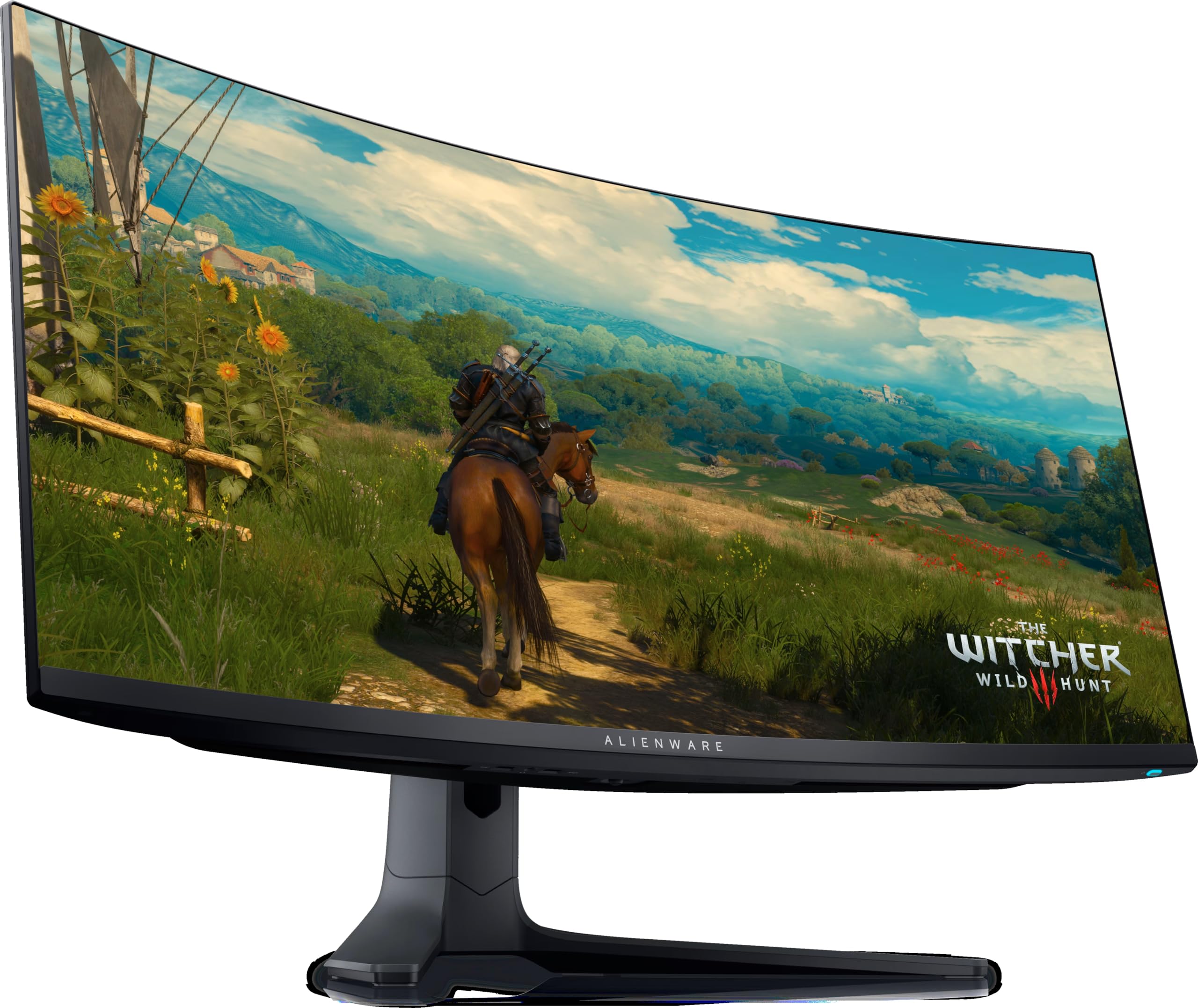
The Alienware AW3423DWF is a stunning 34-inch QD-OLED ultrawide that excels in both gaming and productivity. Its infinite contrast, vibrant colors, and 175Hz refresh rate make games pop, while the 3440x1440 resolution provides ample screen real estate for multitasking. However, OLED panels can suffer from burn-in if static elements are displayed for long periods.
Main limitation: The risk of burn-in means you need to take precautions like hiding the taskbar and using screen savers.
Skip if: Users who frequently work with static spreadsheets or leave a single window open for hours may want to avoid OLED.
The LG 32GQ950-B combines a 32-inch 4K Nano IPS panel with a 144Hz refresh rate, making it ideal for creators who need color accuracy and gamers who want high resolution. It covers 98% of the DCI-P3 color space and supports HDR 1000. However, it's expensive and requires a powerful GPU to drive 4K at high frame rates.
Main limitation: The monitor's contrast ratio is only around 1000:1, so HDR performance is limited compared to OLED or VA panels.
Skip if: If you don't have a high-end graphics card, you won't be able to fully utilize the 4K 144Hz capability.
The Gigabyte M32U is a 32-inch 4K IPS monitor with a 144Hz refresh rate and HDMI 2.1, making it perfect for both PC and console gaming. It also includes a built-in KVM switch, which is great for productivity users who need to switch between devices. However, its HDR performance is lackluster due to edge-lit backlighting.
Main limitation: The stand is wobbly and doesn't offer as much adjustment as some competitors.
Skip if: Those who want a monitor with deep blacks and high contrast for HDR gaming should look elsewhere.
The Samsung Odyssey Neo G7 features a 32-inch 4K curved VA panel with Quantum Mini-LED backlighting, delivering deep blacks and a 165Hz refresh rate. The 1000R curvature enhances immersion in games and provides a more comfortable viewing experience for productivity. However, the VA panel can exhibit black smearing in fast-moving scenes.
Main limitation: The monitor is heavy and the stand takes up a lot of desk space.
Skip if: Users who prefer a flat monitor for precise color work or don't have the desk depth for a curved display should skip this.
Compare key specs and features of all our recommendations side-by-side
| Product | Recommendation | Rating | Price |
|---|---|---|---|
LG UltraGear 27GR83Q Rank #1 | 🏆 Top Pick | 9.2/10 | $400–$500 Check current price → |
Acer Nitro XV272U Pbmiiprzx Rank #2 | 💰 Budget Pick | 8.3/10 | $250–$300 Check current price → |
Dell Alienware AW3423DWF Rank #3 | ⭐ Editor's Choice | 9.0/10 | $900–$1,100 Check current price → |
LG UltraGear 32GQ950-B Rank #4 | — | 8.8/10 | $800–$1,000 Check current price → |
Gigabyte M32U Rank #5 | — | 8.5/10 | $600–$700 Check current price → |
Samsung Odyssey Neo G7 Rank #6 | — | 8.4/10 | $700–$900 Check current price → |
Common questions buyers have about this category.
For most people, 1440p at 27 inches offers the best balance of sharpness, performance, and screen space. It's easier to drive than 4K, so you can achieve high frame rates without a top-tier GPU. However, if you do a lot of detailed creative work or want maximum screen real estate, 4K at 32 inches is worth the investment, provided you have a powerful graphics card.
No, 240Hz is primarily beneficial for competitive gaming, where faster refresh rates can provide a slight edge in motion clarity. For productivity, even 60Hz is sufficient, but a higher refresh rate (e.g., 120Hz or 144Hz) makes scrolling and cursor movement feel smoother, which can reduce eye strain. If you game and work, a 144Hz–165Hz monitor is a sweet spot.
OLED monitors offer incredible contrast and color, but they carry a risk of permanent burn-in from static elements like taskbars or window frames. If you mostly work with static content for long hours, an IPS or VA panel is safer. However, many modern OLED monitors include burn-in mitigation features, and if you vary your content, the risk is lower.
A 27-inch monitor is the most versatile size for a desk, offering a good balance between immersion and workspace. 32-inch is better for productivity but can be overwhelming for some games. Ultrawide 34-inch monitors are excellent for multitasking and immersive gaming, but they require more desk depth and may not be ideal for competitive shooters.
It depends on your primary use. If you're a content creator who also games, prioritize color accuracy (look for 99% sRGB or higher and factory calibration). If you're a competitive gamer who also works, prioritize refresh rate (144Hz+). Many modern monitors offer both, so you don't have to choose.
The Acer Nitro XV272U is our top budget pick, offering a 27-inch 1440p IPS panel with a 170Hz refresh rate and good color accuracy for around $250–$300. It lacks USB-C, but it delivers excellent value for those who want a dual-purpose monitor without breaking the bank.
USB-C is a convenience feature that allows you to connect a laptop with a single cable for video, data, and charging. If you frequently switch between a desktop and laptop, or want a clean setup, USB-C is worth having. However, it's not essential for everyone, especially if you use a desktop PC with DisplayPort.
Products we evaluated but did not recommend — and why.
