Get the App
Better experience on mobile
From USB plug-and-play to professional XLR setups, these microphones deliver broadcast-quality audio for every type of streamer.
Your microphone is the single most important piece of hardware in your streaming setup. Viewers will forgive a blurry webcam or a laggy game, but they'll click away from muddy, echoey, or noisy audio in seconds. Yet the biggest mistake streamers make is assuming that spending more money automatically equals better sound. In reality, the right microphone for your voice, your room, and your workflow matters far more than the price tag.
Most streaming mics fall into two categories: dynamic and condenser. Dynamic mics like the Shure SM7B are less sensitive and excel at rejecting room noise, making them ideal for untreated spaces. Condenser mics like the Audio-Technica AT2020USB+ capture more detail and airiness but also pick up keyboard clacks, air conditioning hum, and traffic. Similarly, USB mics offer plug-and-play simplicity, while XLR mics require an audio interface but deliver more flexibility and upgradability.
For this guide, we researched dozens of options and narrowed them down to six standouts that cover every budget and use case. We focused on audio quality, build quality, ease of setup, and features that streamers actually use—like mute buttons, headphone monitoring, and software mixing. Whether you're a beginner with a $70 budget or a professional ready to invest in broadcast-grade gear, there's a mic here for you.
You'll find options ranging from the ultra-affordable Samson Q2U to the industry-standard Shure SM7B. Each pick includes an honest assessment of its weaknesses, so you can choose the microphone that fits your specific situation—not just the one with the best marketing.
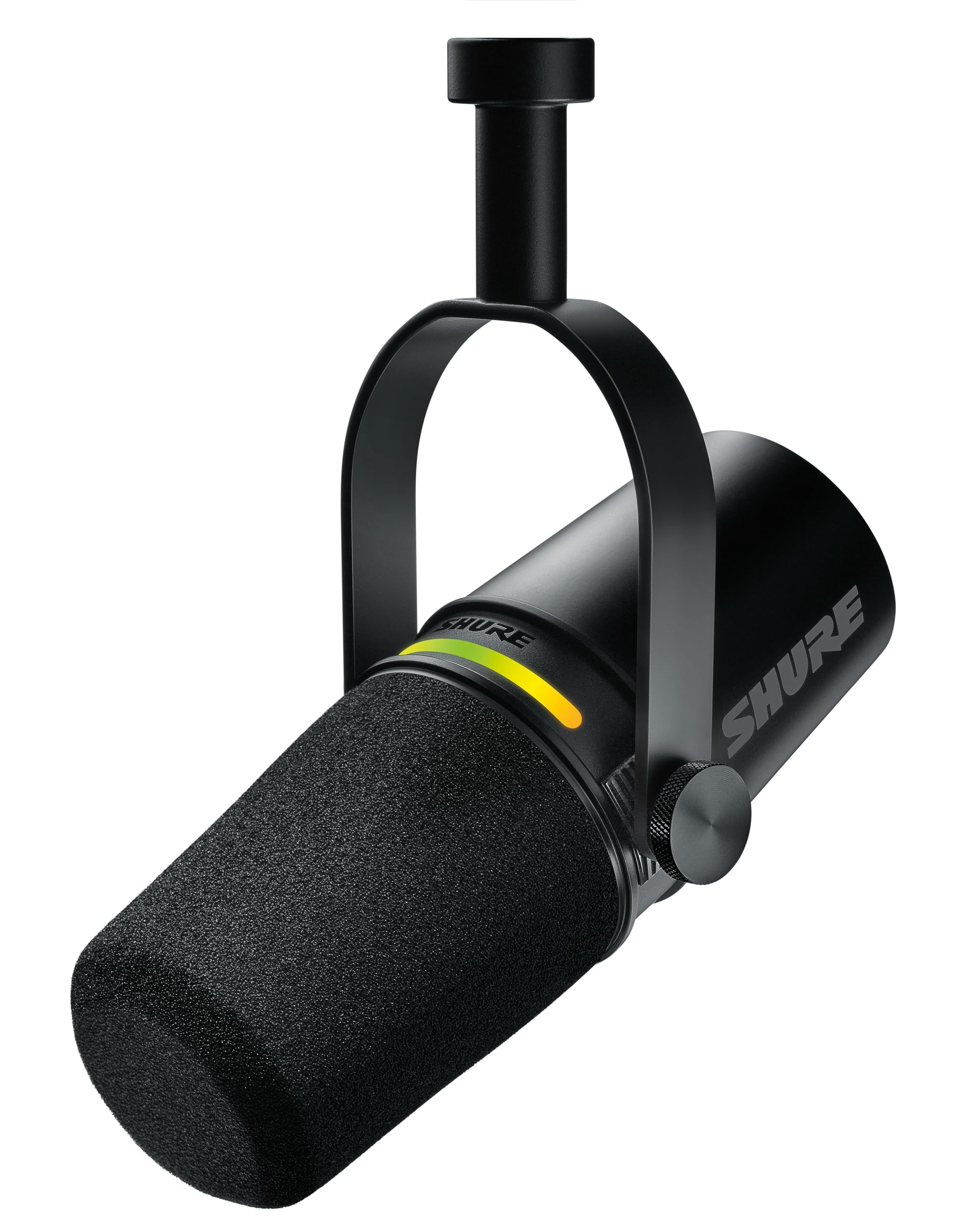
The Shure MV7+ combines the broadcast-ready sound of the legendary SM7B with the convenience of USB and XLR connectivity. It offers excellent voice isolation, a built-in headphone jack, and customizable DSP via ShurePlus MOTIV app. However, its dynamic capsule requires you to speak closely, and it benefits from EQ tweaks to sound its best.
Main limitation: The MV7+ needs a bit of EQ tinkering to sound its best out of the box, and its dynamic capsule means you must speak within a few inches for optimal tone.
Skip if: Streamers who want a wide, airy condenser sound without close-mic technique should look elsewhere.
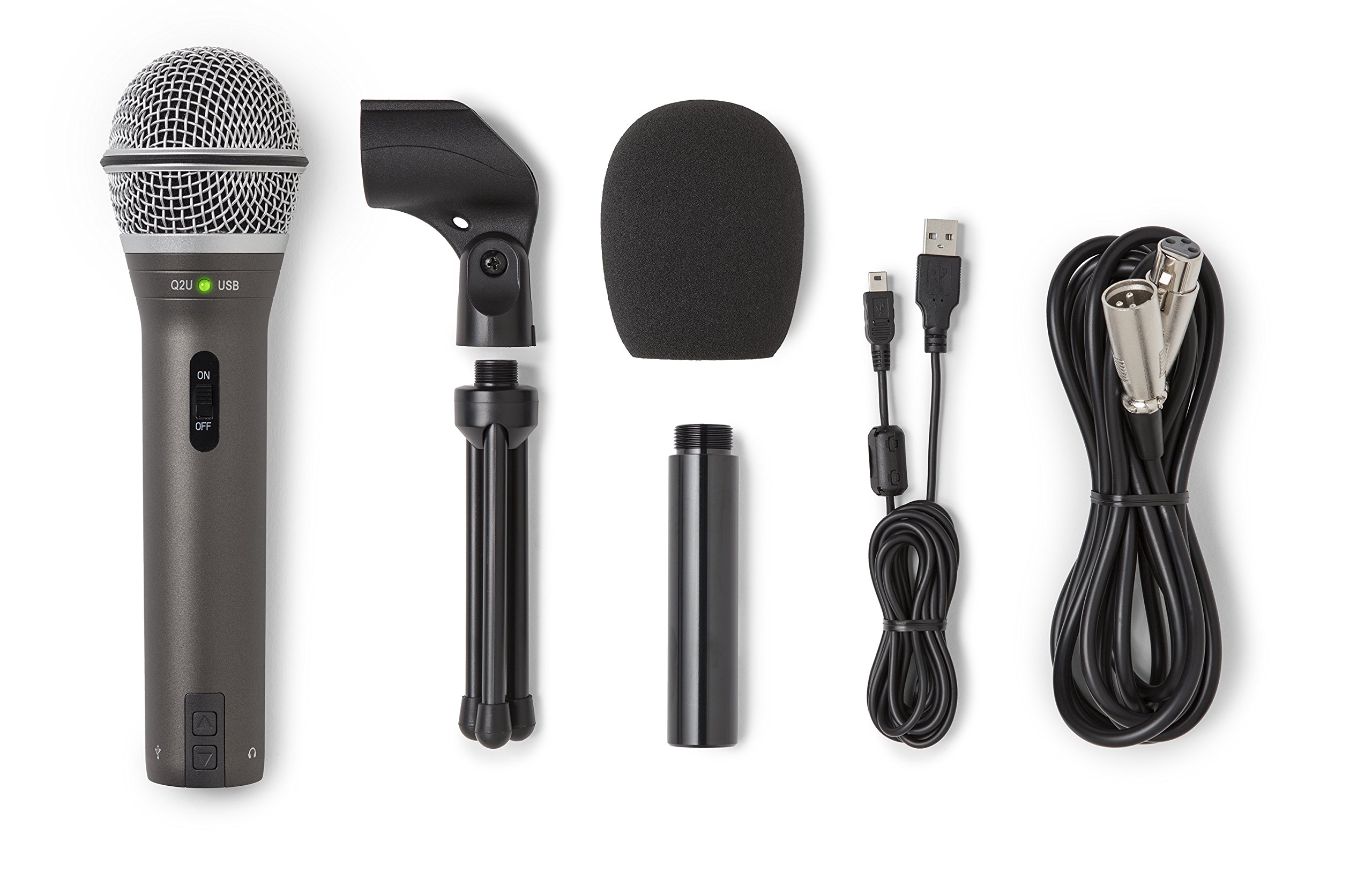
The Samson Q2U is a remarkable value, offering both USB and XLR outputs, a dynamic capsule that rejects room noise, and a built-in headphone jack. It's a fantastic entry point for streamers on a tight budget. The trade-off is a plastic build and a slightly less detailed sound compared to pricier dynamic mics.
Main limitation: The Q2U's plastic body feels less durable than metal alternatives, and its headphone output can introduce a faint hiss.
Skip if: Streamers who need advanced onboard controls or a premium metal build should spend more.
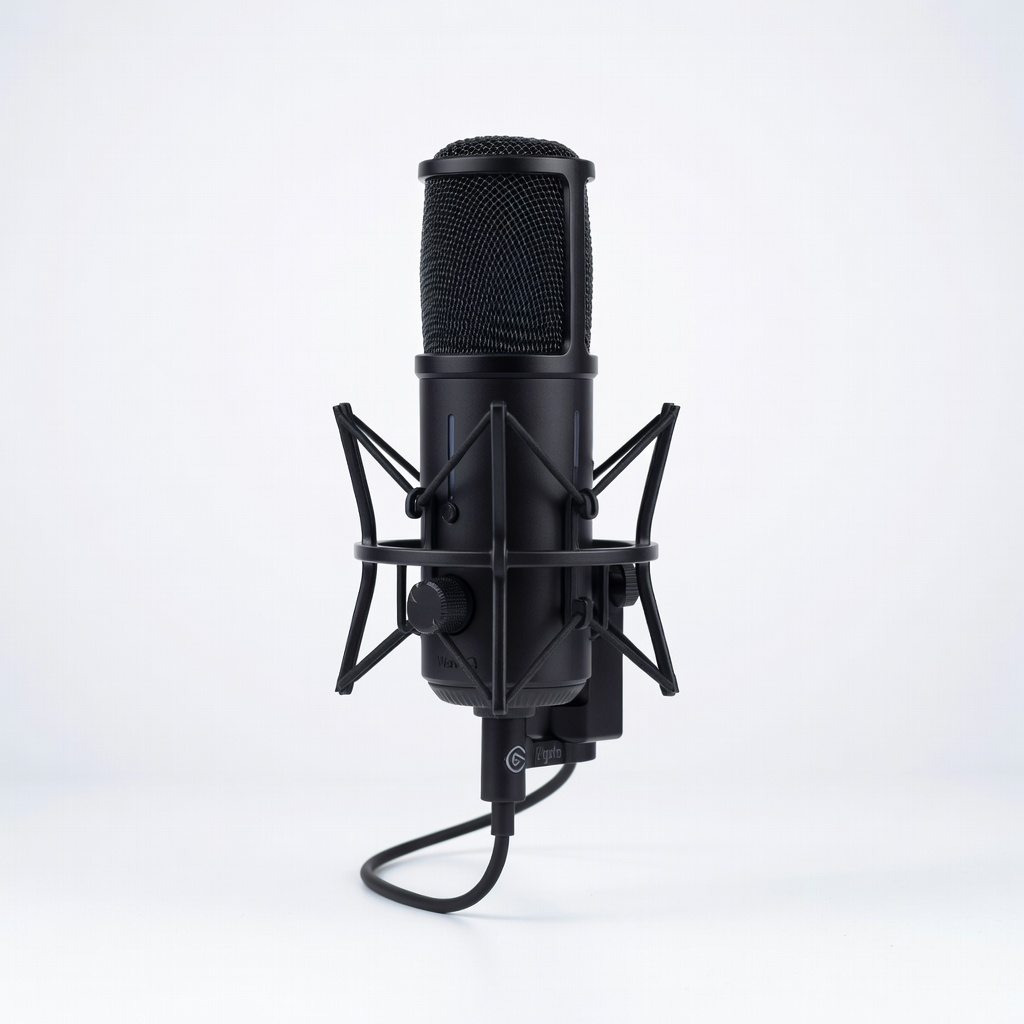
The Elgato Wave:3 is designed specifically for streamers, with a capacitive mute button, a built-in clipguard to prevent distortion, and the powerful Wave Link software for mixing multiple audio sources. It delivers a clean, detailed condenser sound. The main drawback is that its condenser capsule picks up more room noise than dynamic mics, so it works best in a quiet, treated space.
Main limitation: The Wave:3 is a condenser mic, so it picks up more room noise and keyboard sounds than dynamic options, and the capacitive mute button can be accidentally triggered.
Skip if: Those in noisy, untreated rooms should choose a dynamic microphone instead.
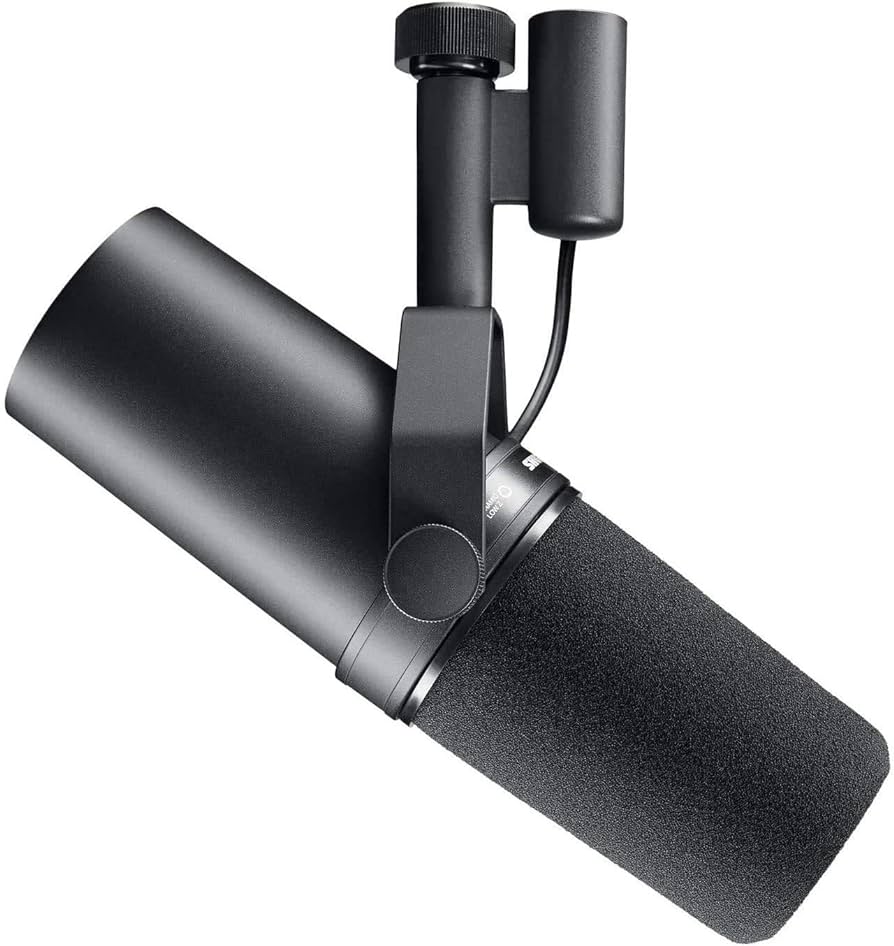
The Shure SM7B is the gold standard for broadcast and streaming audio, trusted by top podcasters and streamers worldwide. Its dynamic capsule provides exceptionally smooth, warm voice reproduction and superb rejection of room noise. However, it's XLR-only, requiring a high-gain audio interface or inline preamp, which adds significant cost to your setup.
Main limitation: The SM7B requires a high-gain audio interface or inline preamp to reach usable levels, adding to the overall cost.
Skip if: Beginners who want a simple USB plug-and-play solution should avoid the SM7B's XLR-only setup.
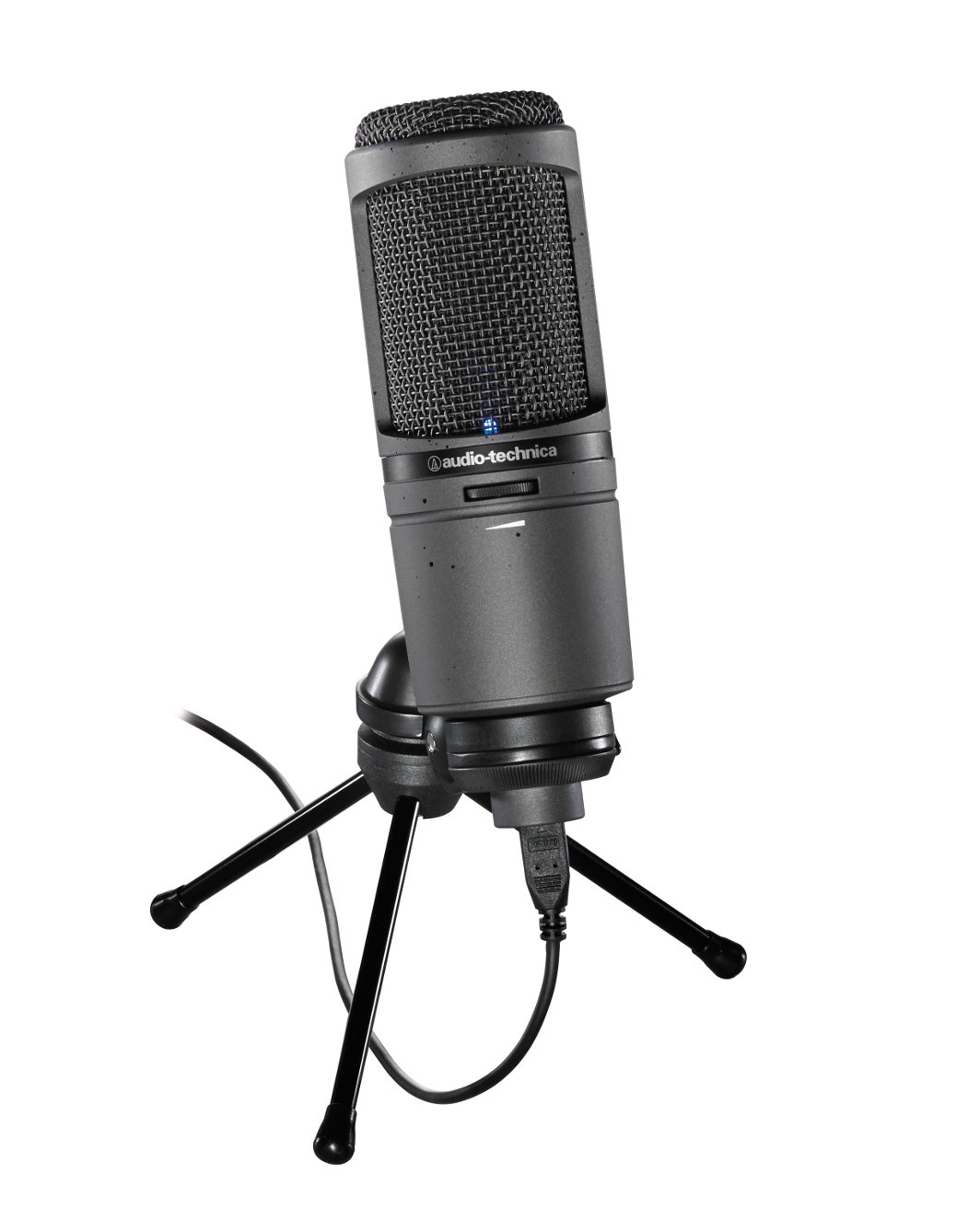
The AT2020USB+ delivers the detailed, articulate sound that the AT2020 series is known for, making it a great choice for streamers who also sing or do voice-over work. It features a built-in headphone jack with volume control and a mix dial to blend mic and playback audio. Its condenser capsule is sensitive, so it will pick up background noise unless your room is well-treated.
Main limitation: Its cardioid condenser capsule is sensitive to background noise, so it's not ideal for noisy environments.
Skip if: Streamers in shared spaces or with loud HVAC will struggle with the AT2020USB+'s sensitivity.
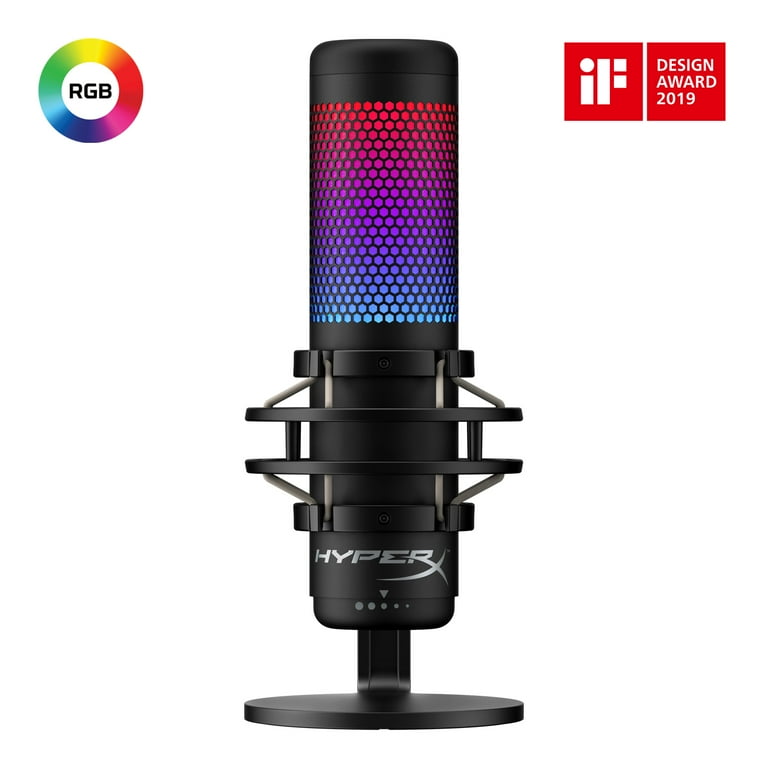
The HyperX QuadCast S is a popular choice among gamers thanks to its striking RGB lighting, built-in shock mount, and tap-to-mute sensor. It offers four polar patterns and a clear condenser sound. While its aesthetic and features are appealing, the audio quality is comparable to other USB mics in its price range, and the tap-to-mute can be finicky.
Main limitation: The QuadCast S's tap-to-mute sensor can be finicky, and the RGB lighting doesn't improve audio quality.
Skip if: Audio purists who don't care about RGB and want a more neutral sound should consider other options.
Compare key specs and features of all our recommendations side-by-side
| Product | Recommendation | Rating | Price |
|---|---|---|---|
Shure MV7+ USB/XLR Podcast Microphone Rank #1 | 🏆 Top Pick | 9.2/10 | $249–$279 Check current price → |
Samson Q2U Dynamic USB/XLR Microphone Rank #2 | 💰 Budget Pick | 8.3/10 | $60–$80 Check current price → |
Elgato Wave:3 USB Condenser Microphone Rank #3 | ⭐ Editor's Choice | 8.7/10 | $149–$169 Check current price → |
Shure SM7B Cardioid Dynamic Vocal Microphone Rank #4 | — | 9.0/10 | $399–$429 Check current price → |
Audio-Technica AT2020USB+ Cardioid Condenser USB Microphone Rank #5 | — | 8.0/10 | $129–$149 Check current price → |
HyperX QuadCast S USB Condenser Gaming Microphone Rank #6 | — | 8.2/10 | $139–$159 Check current price → |
Common questions buyers have about this category.
Only if you choose an XLR microphone. USB microphones plug directly into your computer and don't require an interface. However, XLR mics like the Shure SM7B need an audio interface or mixer to connect, and they often require a high-gain interface to reach proper levels.
Dynamic microphones are less sensitive and excel at rejecting background noise, making them ideal for untreated rooms. Condenser microphones are more sensitive and capture more detail and high frequencies, but they also pick up more room noise, keyboard clicks, and ambient sound. Your choice depends on your environment and desired sound.
USB is better for simplicity and portability—you can plug it into any computer and start streaming. XLR is better for audio quality and upgradability, as it allows you to use professional interfaces, preamps, and mixing boards. Many streamers start with USB and later move to XLR as their setup grows.
Use a dynamic microphone, speak close to the mic, and enable noise suppression software like NVIDIA Broadcast or Krisp. Physical solutions like acoustic panels, moving your mic away from your computer fans, and using a shock mount and pop filter also help. No microphone is completely immune to room noise, so treat your space if possible.
A boom arm gets the mic off your desk, reducing vibrations and keyboard noise, and allows for better positioning. A shock mount isolates the mic from handling noise and desk bumps. While not strictly necessary, these accessories can significantly improve audio quality and are highly recommended for serious streamers.
Many USB mics come with their own software, like ShurePlus MOTIV or Elgato Wave Link, which offer EQ, compression, and mixing. For XLR setups, you can use your interface's software or a digital audio workstation (DAW) like Reaper or Adobe Audition. OBS also has built-in filters like noise gate, EQ, and compressor that work with any mic.
Expensive microphones like the Shure SM7B offer superior build quality, voice isolation, and broadcast-ready sound, but they require additional gear and a treated room to shine. For beginners, a $70-$150 USB mic can deliver excellent results. Invest in a premium mic only if you've outgrown your current setup and have the supporting equipment.
Products we evaluated but did not recommend — and why.
