Get the App
Better experience on mobile
We ranked the lightest, longest-lasting, and most travel-ready laptops you can buy this year.
The best travel laptop is the one you forget you're carrying — until you need it. In this category, the biggest mistake is buying a heavy 'portable' laptop that looks good on paper but forces you to baby it through airport security. The opposite problem is paying a premium for a featherlight shell that leaves you scrambling for a charger at 2 p.m.
This year's lineup is defined by two shifts: ARM processors (like Apple's M4 and the Snapdragon X Elite) have flipped the old trade-off between performance and battery life, and some of the lightest Windows laptops now comfortably exceed 15 hours of real-world use. But more power and longer endurance often come with a higher price and fewer ports, so you'll need to decide what you value most.
We've sorted through the current market to find machines that strike the right balance for specific travel styles — from a budget sub-2.5-pound MacBook alternative to a business-grade workhorse with the best keyboard in its class. Every pick is available today in 2026, and we've flagged the real trade-offs you'll face, whether it's a flimsy lid, an expensive keyboard add-on, or a glossy screen that hates bright cabins.
Below, you'll find six laptops that span the budget-to-premium spectrum, plus a few honorable mentions that almost made the cut. We based this list on manufacturer specs, published expert reviews, and aggregated buyer feedback — not on hype.
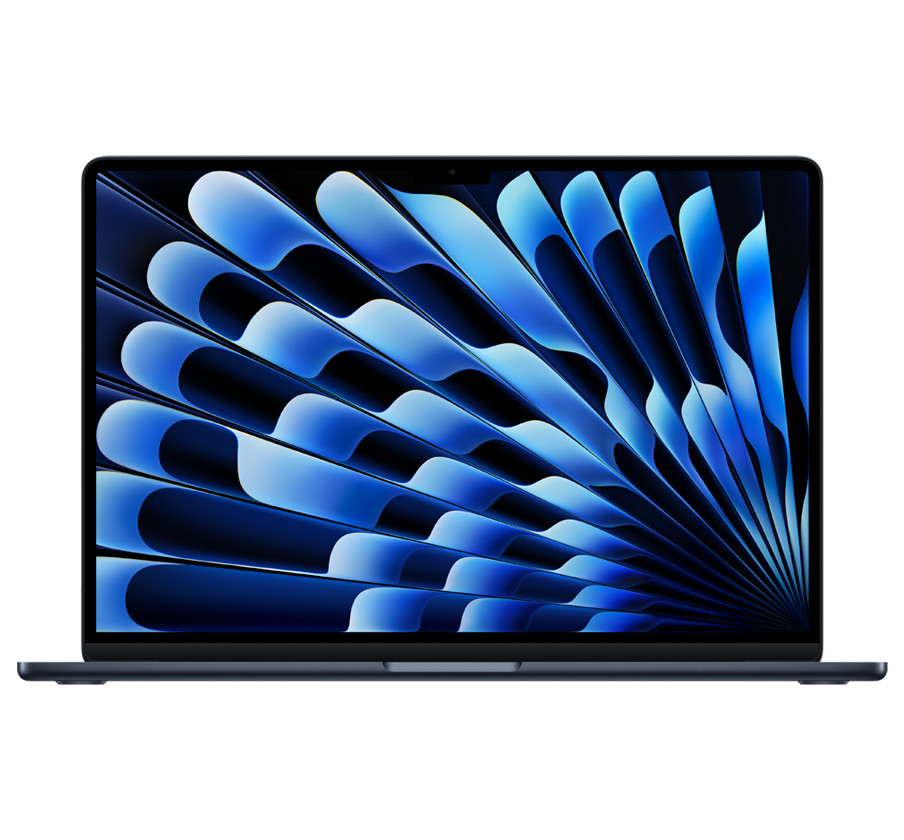
The MacBook Air 15-inch is the rare laptop that excels at everything a traveler cares about: it weighs just 3.3 pounds, offers all-day battery life (up to 18 hours), and the M4 chip handles video editing or code compilation without breaking a sweat. The trade-off is that it's pricey and you'll need a dongle for extra USB ports, but for most people this is the one-laptop-to-rule-them-all.
Main limitation: Only two USB-C ports and a premium price tag — accessories like a memory-card reader become a necessity.
Skip if: If you're a hardcore gamer or need to use software that doesn't run on macOS, you'll want a Windows machine instead.
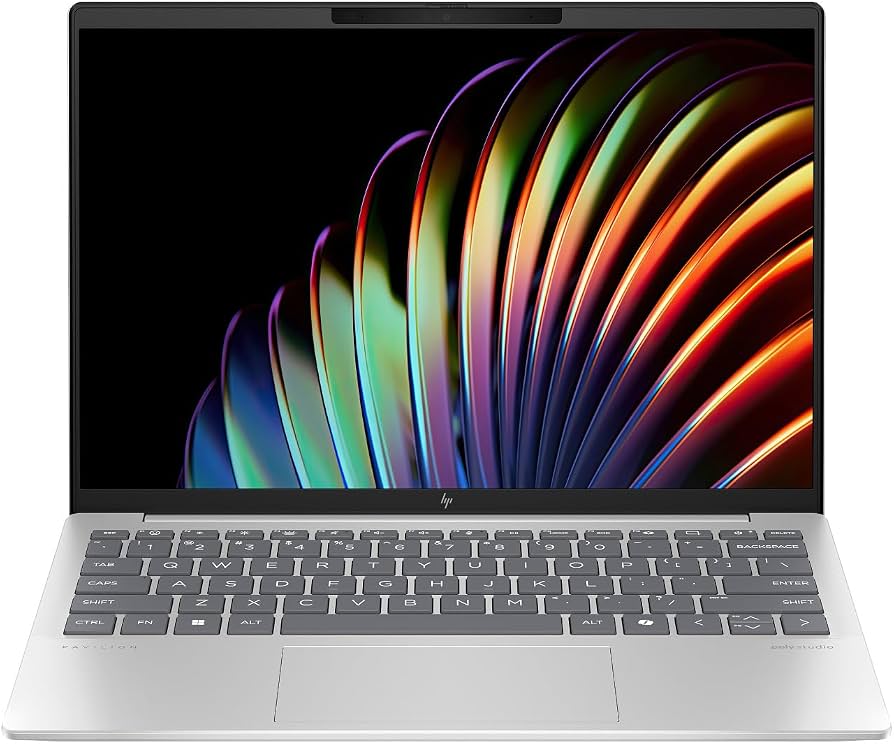
The HP Pavilion Aero 13 is a featherweight champion at 2.2 pounds, undercutting most ultraportables by hundreds of dollars while still packing a fast AMD Ryzen 7 processor. For around $700, you get a bright 2560x1600 screen and a surprisingly comfortable keyboard — but the all-plastic body and middling 8–9 hour battery life keep it from competing with pricier rivals.
Main limitation: Plastic build feels less premium, and the battery life falls short of the 12-hour mark many travelers need.
Skip if: If you prefer a metal chassis or need to work away from an outlet for a full workday, skip this and look at the LG gram instead.
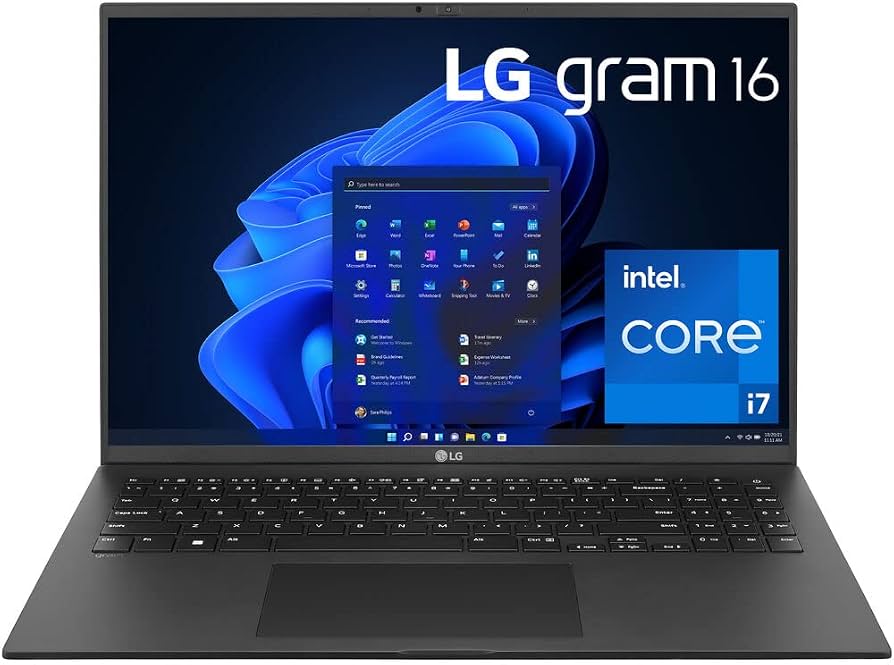
With an 86Wh battery and efficient Intel hardware, the LG gram 16 delivers up to 21 hours of video playback — the longest endurance we've seen in any 16-inch laptop. It's also absurdly light for its size at just 2.6 pounds, making it the ideal companion for carry-on-only trips. The downside is a flexible, almost fragile-feeling chassis that won't survive rough handling.
Main limitation: The magnesium-lithium alloy lid flexes noticeably under pressure, and the device feels less robust than aluminum rivals.
Skip if: If you're hard on gear or pack your laptop in a checked bag without cushion, skip this one for a tougher ThinkPad.
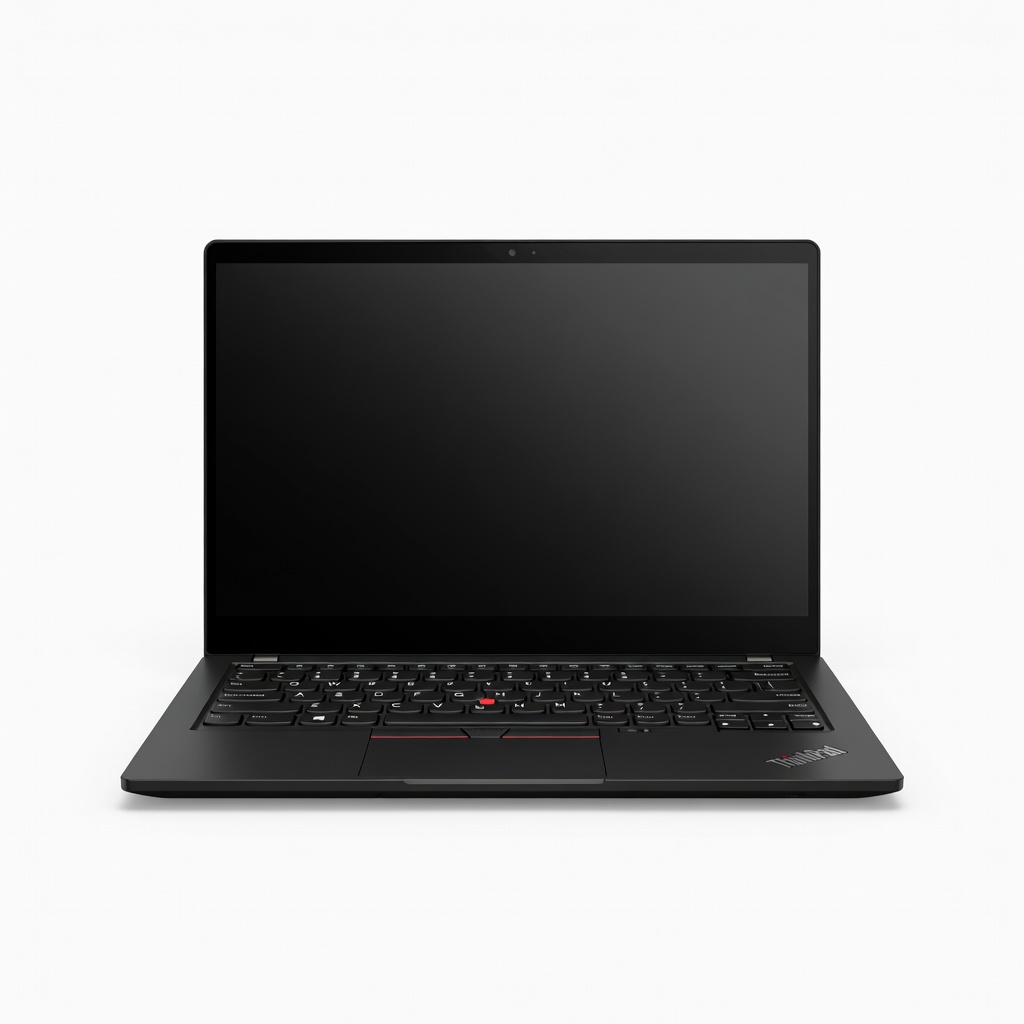
The ThinkPad X1 Carbon is the gold standard for road warriors: it's 2.4 pounds of MIL-SPEC durability, but its real claim to fame is the best laptop keyboard ever made. You'll get lightning-quick performance from an Intel Core Ultra 7, robust security features (including optional smart card reader), and enough battery for a cross-continental flight — though the 14-inch display is more compact than the LG gram's.
Main limitation: Premium pricing (often $1,500+) and the 1440p webcam is average for the era of 4K video calls.
Skip if: If you're on a tight budget or want a touchscreen entertainment machine, the X1 Carbon's business-first design will feel overpriced.
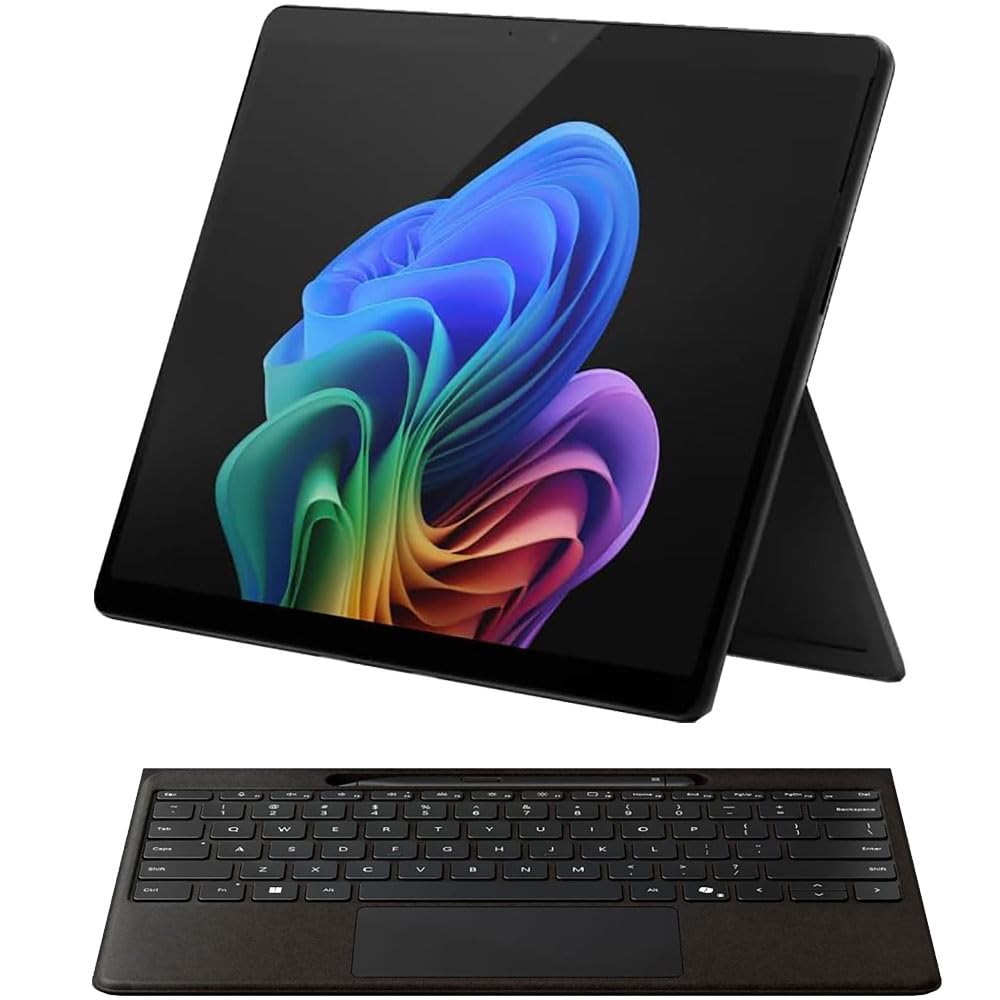
The Surface Pro 11 is the most versatile travel laptop you can buy: it's a tablet for mountain-top reading, a full Windows laptop with the keyboard, and a touchscreen canvas for note-taking. The Snapdragon X Elite chip delivers incredible performance per watt, delivering 11+ hours of battery life, but you'll need to spend extra for the Type Cover, and the kickstand makes lap work a balancing act.
Main limitation: The keyboard and stylus are sold separately, pushing the total above $1,600; the kickstand is unstable on soft surfaces like airplane tray tables.
Skip if: If you rarely use a touchscreen and value the simplicity of a clamshell, you'll prefer a traditional ultrabook.
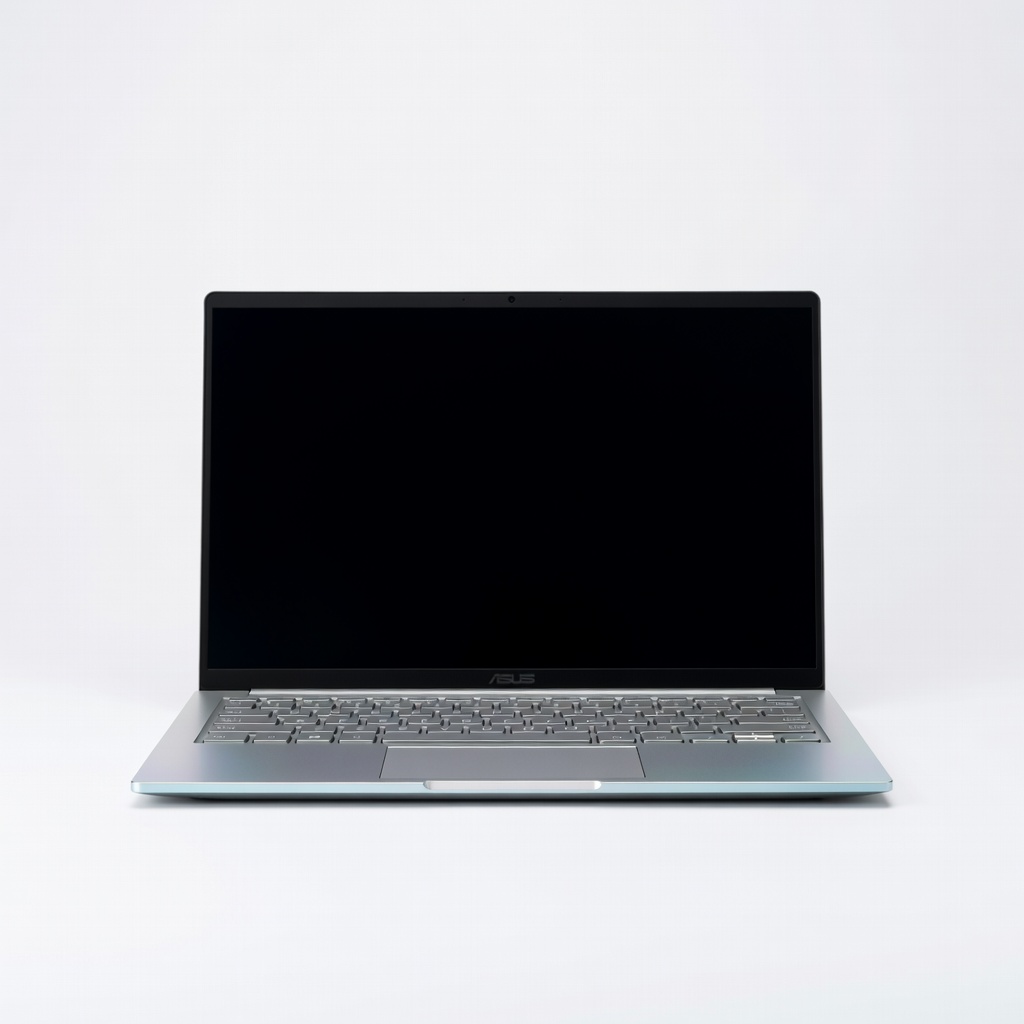
If your in-flight entertainment matters as much as your tabs, the Zenbook 14's 2.8K OLED panel is a visual feast — deep blacks, punchy colors, and a 550-nit brightness that cuts through glare (mostly). It's also a featherweight at 2.7 pounds and a great value if you catch it under $900, though the glossy display can be reflective in bright windows.
Main limitation: The OLED screen is shiny enough to become a mirror in direct sunlight; battery life (around 9–10 hours) is good but not class-leading.
Skip if: If you work primarily outdoors or in very bright environments, consider a matte-screen model instead.
Compare key specs and features of all our recommendations side-by-side
| Product | Recommendation | Rating | Price |
|---|---|---|---|
Apple MacBook Air 15-inch (M4 chip, 2026) Rank #1 | 🏆 Top Pick | 9.2/10 | $1,299–$1,499 Check current price → |
HP Pavilion Aero 13 (AMD Ryzen 7, 2025) Rank #2 | 💰 Budget Pick | 8.1/10 | $649–$799 Check current price → |
LG Gram 16 (2025) Rank #3 | ⭐ Editor's Choice | 8.3/10 | $1,299–$1,599 Check current price → |
Lenovo ThinkPad X1 Carbon Gen 12 (2024) Rank #4 | — | 8.7/10 | $1,499–$2,299 Check current price → |
Microsoft Surface Pro 11 (Snapdragon X Elite) Rank #5 | — | 8.4/10 | $1,099–$1,599 (without keyboard) Check current price → |
ASUS Zenbook 14 OLED UM3406 Rank #6 | — | 8.0/10 | $849–$1,149 Check current price → |
Common questions buyers have about this category.
Battery life is generally more important than weight if you're ever away from a charger for more than a few hours, since you can't extend it once you're on the go. However, a pound difference is noticeable if you're backpacking or walking a lot. A good target is under 3 pounds with 10+ hours of real-world battery life; the LG gram and MacBook Air meet that bar.
Yes, but they excel in specific niches. The Surface Pro is great for presentations, note-taking, and in-flight viewing because you can detach the keyboard and prop it up. However, using a kickstand on your lap is awkward, and the keyboard cost can push the total price up significantly. If you mostly type on your lap, a traditional clamshell is usually more practical.
Chromebooks are cheap and light, but they rely heavily on internet connectivity. Offline apps for Google Docs and Gmail work, but many Windows/macOS productivity tools like Photoshop or specialized engineering software won't run. For a backup laptop or basic writing, a Chromebook is fine, but for a full work setup, stick with a Windows or Mac laptop.
At least two is ideal: one for charging and one for accessories like a mouse, external SSD, or phone. Three is even better if you'll present on an external monitor or constantly connect peripherals. Some laptops like the MacBook Air only have two, so you'd need a small USB-C hub for flexibility.
For most travelers, 13–14 inches is the sweet spot because it's light (typically under 3 pounds) and fits on an airplane tray table without crowding your neighbor. A 15–16-inch screen offers more real estate for split-screen work or video editing, but adds about 0.5–1 pound and takes up more bag space. If you do a lot of work at coffee shops, a 14-inch high-res display is a great compromise.
Historically, Apple Silicon MacBook Air models have the best typical battery life, often exceeding 15–18 hours of video playback. The latest Windows laptops with Snapdragon X chips, like the Surface Pro 11, are catching up, but most Intel/AMD ultrabooks still land around 10–12 hours. If battery life is your top priority, the MacBook Air is the safe bet.
Invest in a padded, reinforced sleeve and always place it in its own laptop compartment in your backpack or briefcase. Avoid packing it tightly against heavy objects. Also consider adding a personal insurance policy or using your credit card's purchase protection for accidental damage, since laptops are fragile and repairs are costly.
Products we evaluated but did not recommend — and why.
