Get the App
Better experience on mobile
Productive workspace picks that stay within a budget without sacrificing comfort or durability.
A home office setup is only as strong as its weakest link. Spend all your money on a top-of-the-line chair and you'll be straining your eyes on a tiny laptop screen. Splurge on a massive monitor and you'll regret it after an afternoon on a hard chair. After analyzing hours of expert commentary and thousands of buyer reviews, we've concluded that a balanced approach — not a single hero product — is what creates a workspace that's both productive and comfortable.
Under a $1,000 budget, there's no room for waste. That's why we've focused on the five components that matter most: an ergonomic chair, a height-adjustable desk, a high-quality monitor, and a keyboard and mouse that don't cause fatigue. These are the items you touch and rely on every single workday.
Our selections are built on a foundation of published reviews, manufacturer specifications, and aggregated customer feedback from major retailers and forums. We weighed adjustability, build quality, and the availability of replacement parts, while ignoring flashy features that don't contribute to long-term comfort or workflow.
The result is a complete setup that costs just over $800 at typical retail — leaving you breathing room for accessories like a desk lamp or a secondary monitor. Whether you're working from home full-time or setting up a daily study zone, these picks get the fundamentals right without stretching your budget.
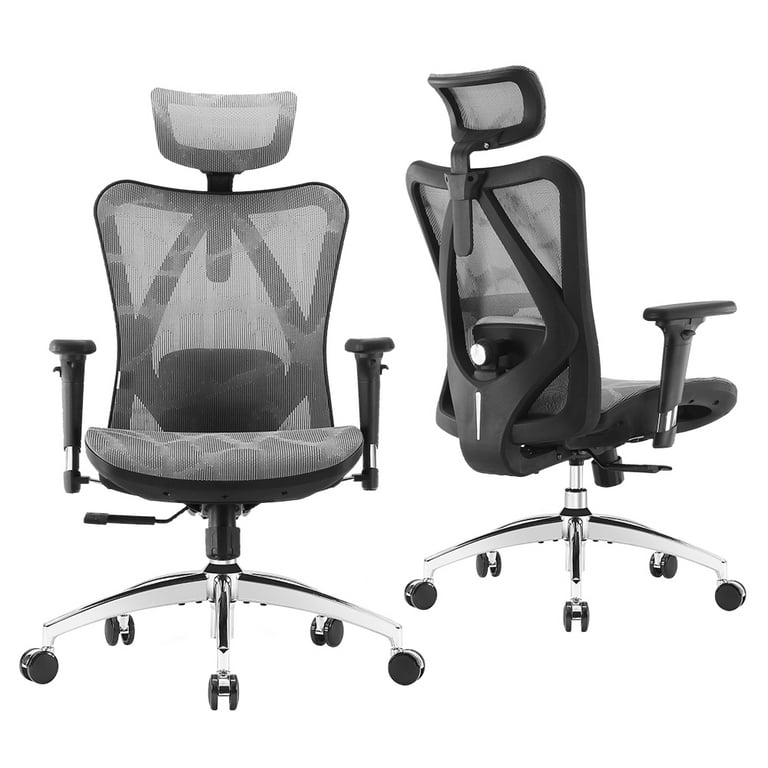
The Sihoo M57 offers the best balance of lumbar support, adjustability, and durability for a wide range of body types. It features a breathable mesh back and a four-way adjustable headrest, but the lack of a seat depth adjustment means it may not fit taller users perfectly.
Main limitation: The seat cushion is thicker at the front, which can cause pressure on the thighs for some users after long hours.
Skip if: Those over 6'2" or under 5'4" may find the M57's seat depth and armrest height limits less accommodating.
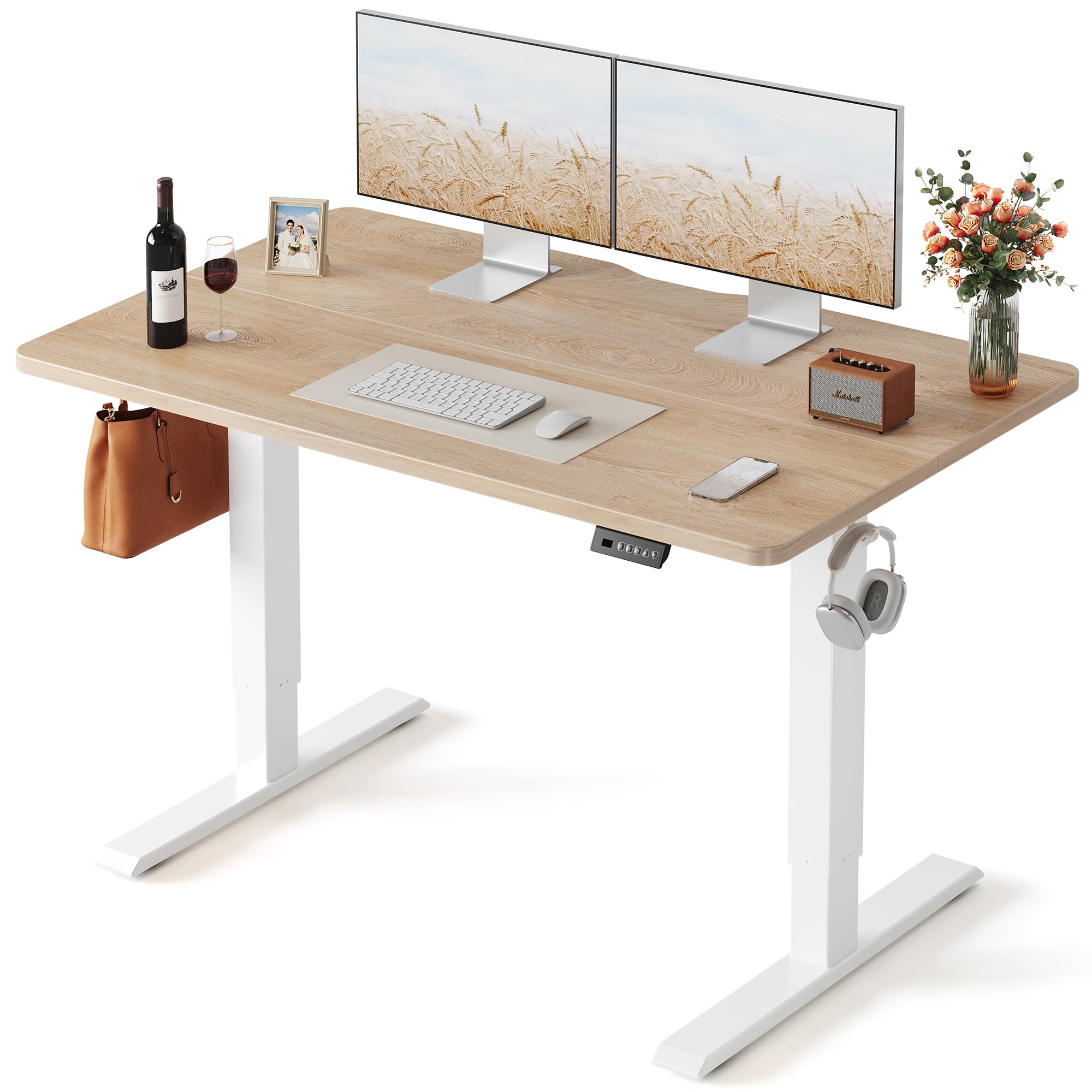
The FEZIBO 48-inch electric desk provides a solid height-adjustable work surface at a price that's significantly under comparable options. It has a smooth quiet motor and a memory controller, but its particleboard top feels less premium than solid wood.
Main limitation: The desktop is susceptible to scratches and the split hairline design can irritate some users.
Skip if: Anyone needing a larger surface than 60 inches or looking for a premium wood finish.
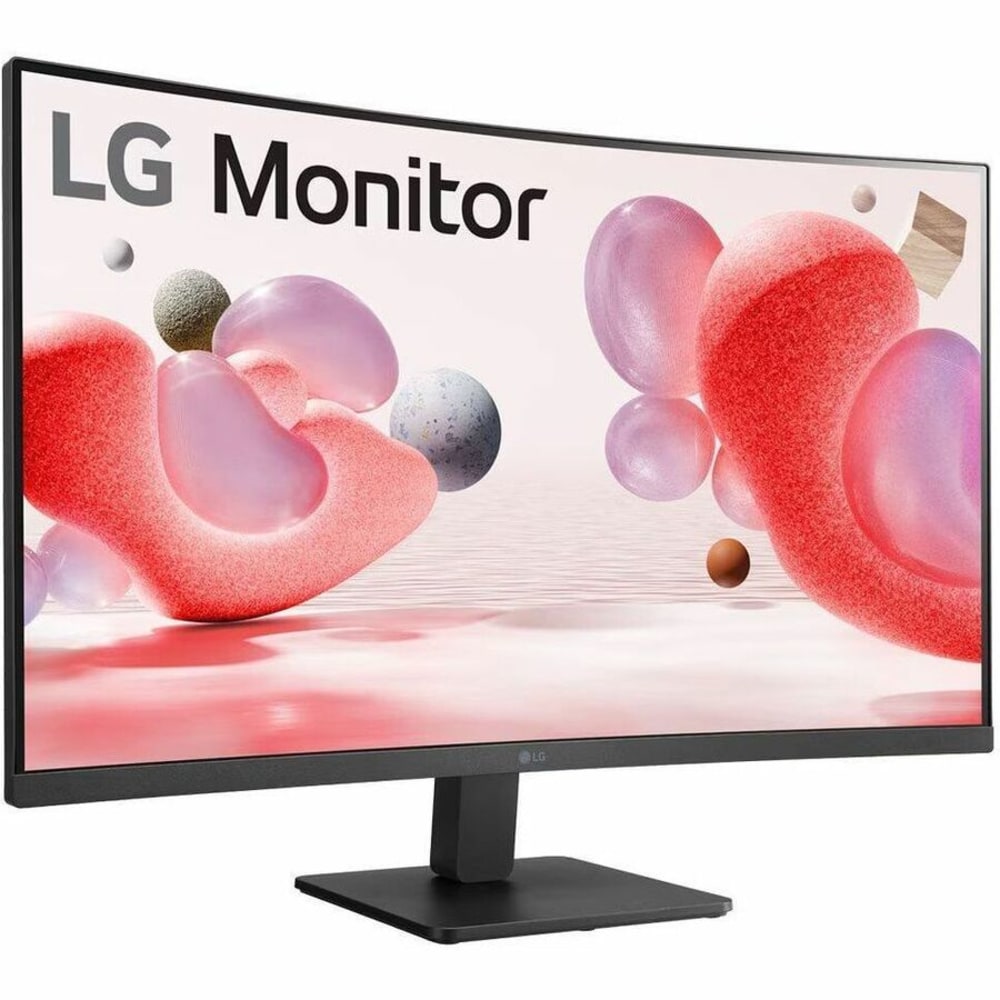
This LG monitor delivers crisp 1080p visuals with a comfortable viewing experience, thanks to its IPS panel and color accuracy right out of the box. Its slim profile and wide viewing angles make it an excellent centerpiece for a multi-monitor setup, though the stand is not height-adjustable.
Main limitation: The stand only tilts, and you'll need to buy a separate VESA arm to adjust height.
Skip if: Graphic designers or video editors who need 4K resolution or high refresh rates.
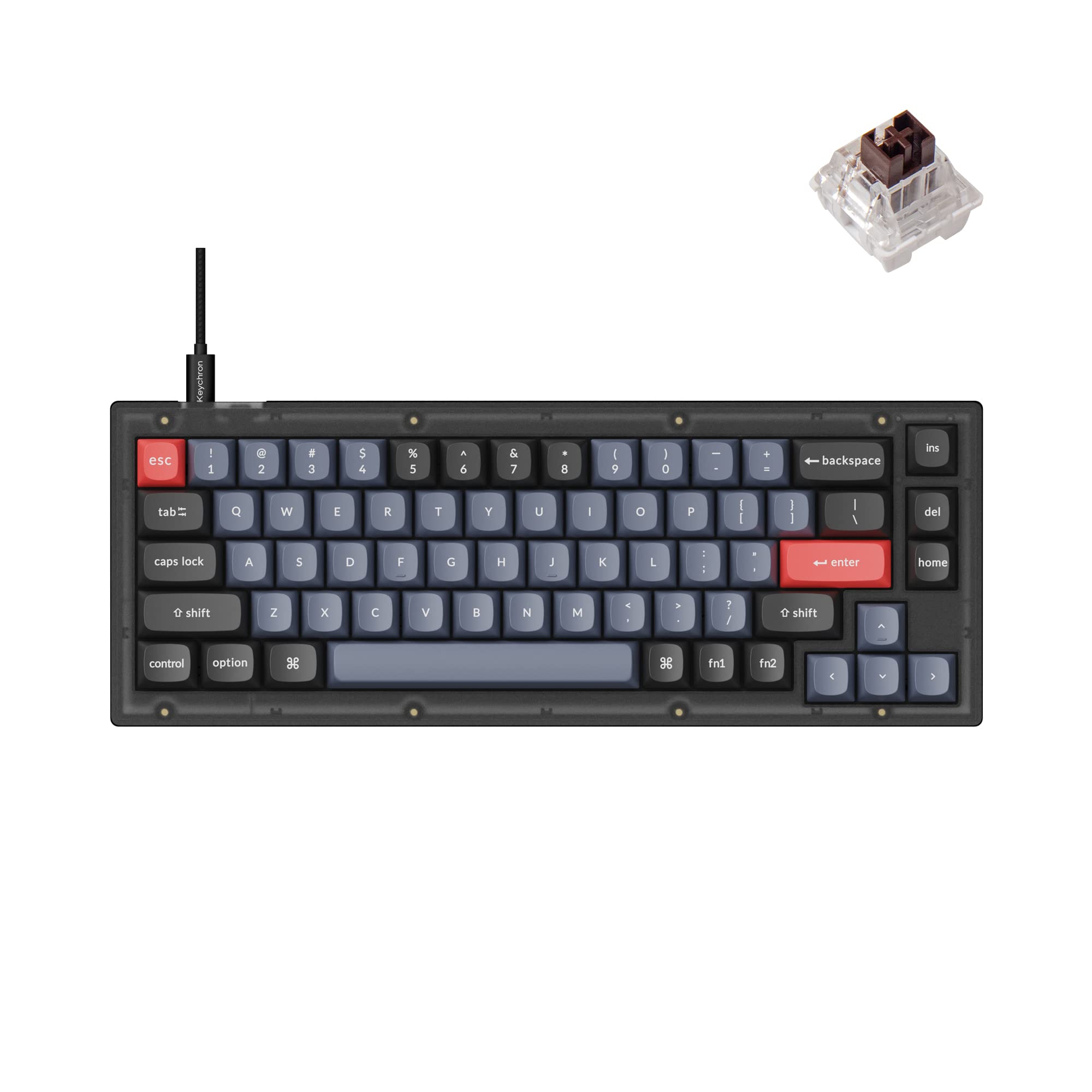
The Keychron V2 offers a blend of tactile mechanical switches and a compact 65% layout that saves desk space. Its hot-swappable switches and gasket mount make it a superb entry point into keyboard customization, but its low-profile alternatives are more portable.
Main limitation: The cable is a USB-C-to-USB-C with no adapter included, which may confuse some users.
Skip if: Those who prefer membrane keyboards or wireless-only setups.
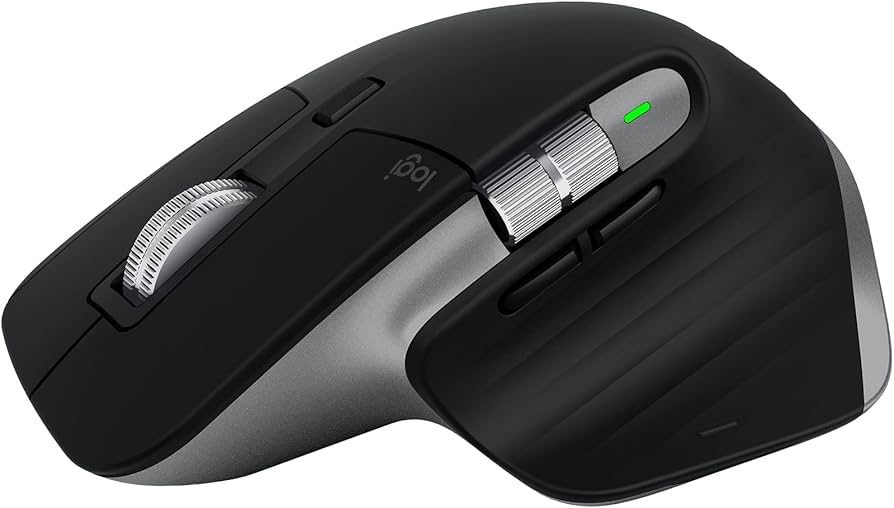
The MX Master 3S is the gold standard for productivity, with an ultra-quiet click and an 8K DPI sensor that tracks on virtually any surface. Its unique scroll wheel and gesture controls are best in class, but the price is steep for a budget build.
Main limitation: The mouse is heavier than average, which may feel cumbersome for FPS gamers.
Skip if: Budget purists who can get 80% of the function from a $30 mouse.
Compare key specs and features of all our recommendations side-by-side
| Product | Recommendation | Rating | Price |
|---|---|---|---|
SIHOO M57 Ergonomic Office Chair Rank #1 | 🏆 Top Pick | 8.5/10 | $200–$260 Check current price → |
FEZIBO Electric Height Adjustable Standing Desk (48 x 24 inches) Rank #2 | 💰 Budget Pick | 8.0/10 | $220–$300 Check current price → |
LG 27MP500-B 27-Inch Full HD Monitor Rank #3 | ⭐ Editor's Choice | 7.5/10 | $140–$180 Check current price → |
Keychron V2 Custom Mechanical Keyboard (Pre-Built, Hot-Swappable) Rank #4 | — | 8.0/10 | $85–$110 Check current price → |
Logitech MX Master 3S Wireless Mouse Rank #5 | — | 8.0/10 | $90–$120 Check current price → |
Common questions buyers have about this category.
For most people, yes. Alternating between sitting and standing throughout the day can reduce fatigue and back pain, and many of today's affordable models, like our budget pick from FEZIBO, come with memory presets that make transitions effortless. You don't need the most expensive frame; a solid electric desk under $300 can serve you well.
A 27-inch 1080p monitor offers a good balance of screen real estate and sharpness for under $200, and it fits comfortably on a 48-inch desk. If you're working mostly with documents, a 24-inch model can save money, but the extra space on 27 inches helps when multitasking with side-by-side windows.
The sweet spot for a budget home office is $200 to $300. That range gets you adjustable lumbar support, armrests, and breathable mesh, which are crucial for avoiding discomfort. Spending less than $150 often means sacrificing adjustability, while more than $400 is overkill unless you have specific medical needs.
You can, but a dedicated monitor is a game-changer for productivity. A laptop's screen is too small to view multiple documents or spreadsheets comfortably, and the low height forces you into a hunched posture. If your budget allows, a 27-inch monitor is one of the best investments you can make for your neck and eyes.
Too many people spend the majority of their budget on a pricey desk or a high-end mouse and then choose a $60 chair that wracks their bodies after a week. The chair and monitor should take priority because they have the greatest impact on your health and comfort, while peripherals like a mouse can be upgraded later.
No, but many people prefer them for their tactile feedback and durability. Mechanical switches are more expensive than membrane keyboards, but they last years longer and are usually easier to clean. If you type all day, a mechanical keyboard like the Keychron V2 is a worthwhile upgrade because you'll feel less fatigue.
Yes, at typical retail prices, all five items — chair, desk, monitor, keyboard, and mouse — cost around $800, leaving room for tax, shipping, and small accessories like a desk lamp. Prices fluctuate, but we've deliberately selected components that collectively stay well below the $1,000 threshold.
Products we evaluated but did not recommend — and why.
