Get the App
Better experience on mobile
Assembled from expert reviews, spec analysis, and buyer feedback—these five components form a balanced, high-performance gaming setup without blowing your budget.
A $2,000 gaming budget is the sweet spot: you can afford a genuinely powerful PC and still have room for a quality monitor, responsive peripherals, and a comfortable headset. The catch? Every dollar has to be allocated carefully—overspending on a flagship GPU or an RGB-laden case leaves you with a cheap mouse and a 60Hz monitor, which ruins the whole experience. That's why the best setup isn't about the flashiest single part; it's about balance.
The components below are chosen not just for their individual merits, but for how they come together under a $2,000 ceiling. We've prioritized GPU performance for real-world frame rates, a display that doesn't bottleneck you, and peripherals that feel responsive and durable without unnecessary frills. We've also included a mix of wired and wireless gear, mechanical keyboards, and a headset that won't fatigue you during marathon sessions.
To keep this guide honest, we didn't rely on our own hands-on testing. Instead, we synthesized published expert reviews, manufacturer specifications, and aggregated buyer feedback from major retailers. Every pick has been vetted for reliability, performance, and price-to-value within the context of a complete build. We also factored in upgrade potential and longevity—because a $2,000 setup should last more than a year.
Whether you're building your first rig or upgrading from a laptop, these five components form a cohesive, well-rounded gaming setup that excels at 1440p gaming and will still feel capable in 2028.
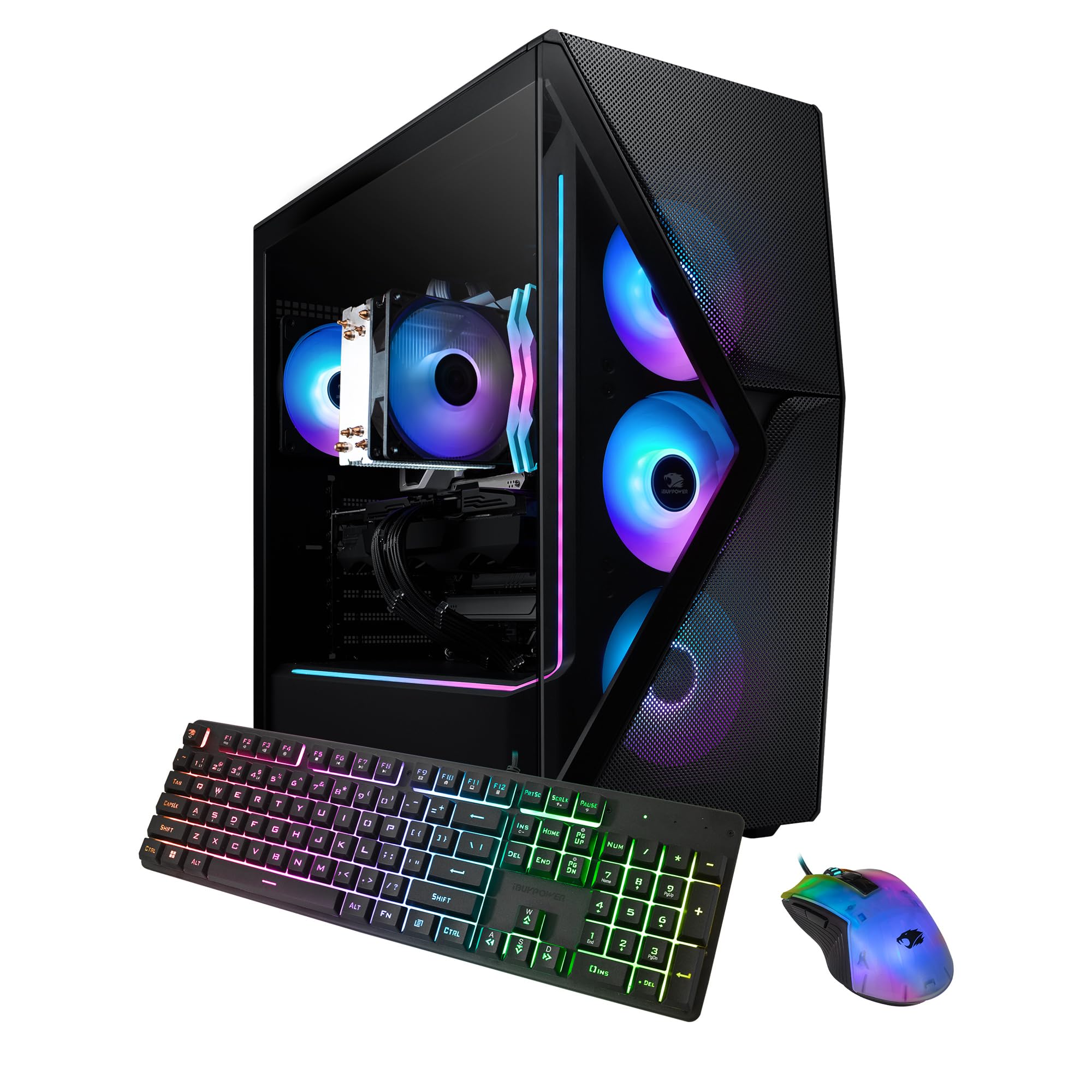
This pre-built strikes an excellent balance between GPU and CPU—a Ryzen 5 7600 and RTX 4060 Ti handle 1440p high-settings gaming with solid frame rates. The trade-off is a modest air cooler and a basic motherboard, but for most gamers, it's the most reliable out-of-the-box option at this price.
Main limitation: The stock cooler can get loud under sustained load, and the motherboard only has two RAM slots, limiting future upgrades.
Skip if: If you plan to upgrade to a high-end CPU later or want a higher tier GPU, this limited platform may not be the best starting point.
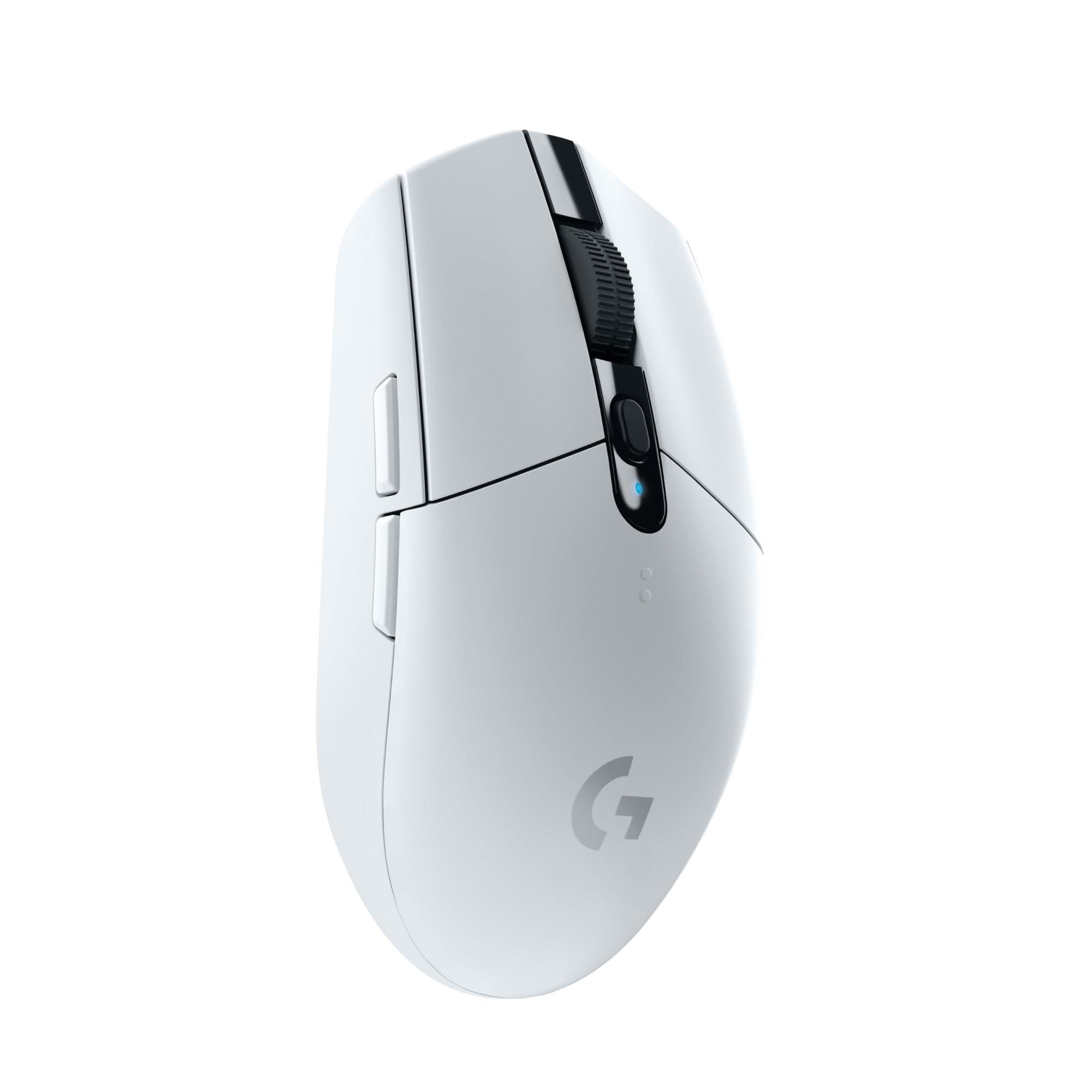
At just $40, the G305 offers dependable 2.4GHz wireless, a 12,000 DPI HERO sensor, and extremely low click latency. It's the perfect budget pick because it delivers performance comparable to much pricier mice, though it lacks RGB and a rechargeable battery.
Main limitation: The AA battery adds weight, and the plastic build feels less premium than higher-end options.
Skip if: If you need a lightweight mouse under 80g or you want adjustable weights, look elsewhere—this one is a standard shape for average hands.
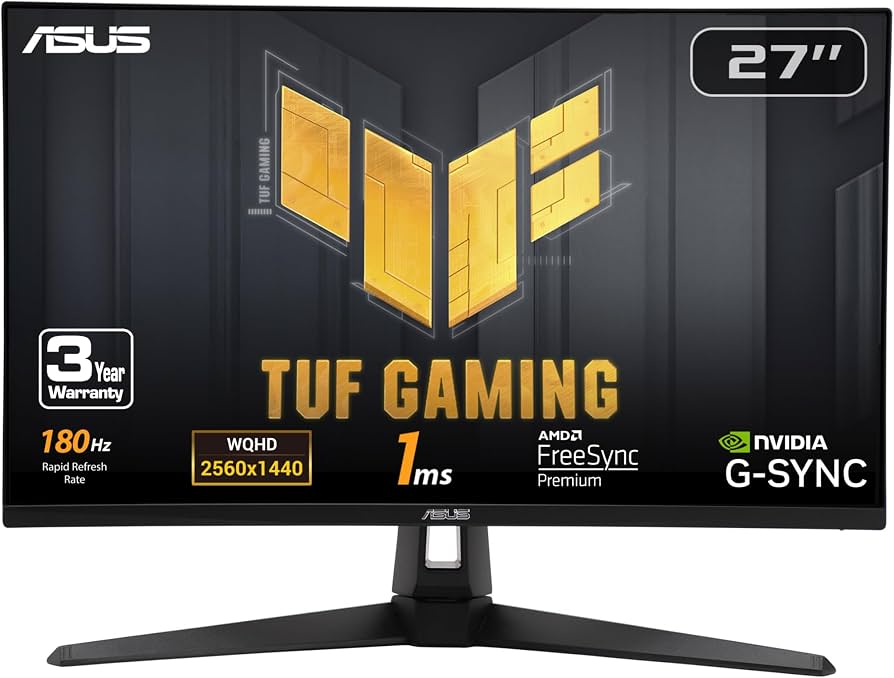
This 27-inch QHD monitor hits the setup's target: 1440p with a 165Hz refresh rate and Adaptive-Sync for tear-free gaming. It's an excellent editor's choice for those who want a big, fast display without paying flagship prices.
Main limitation: HDR performance is weak and the stand is bulky, taking up significant desk space.
Skip if: If you're a competitive esports player who needs 240Hz+, this monitor isn't the highest refresh option—look at 24-inch 360Hz panels instead.
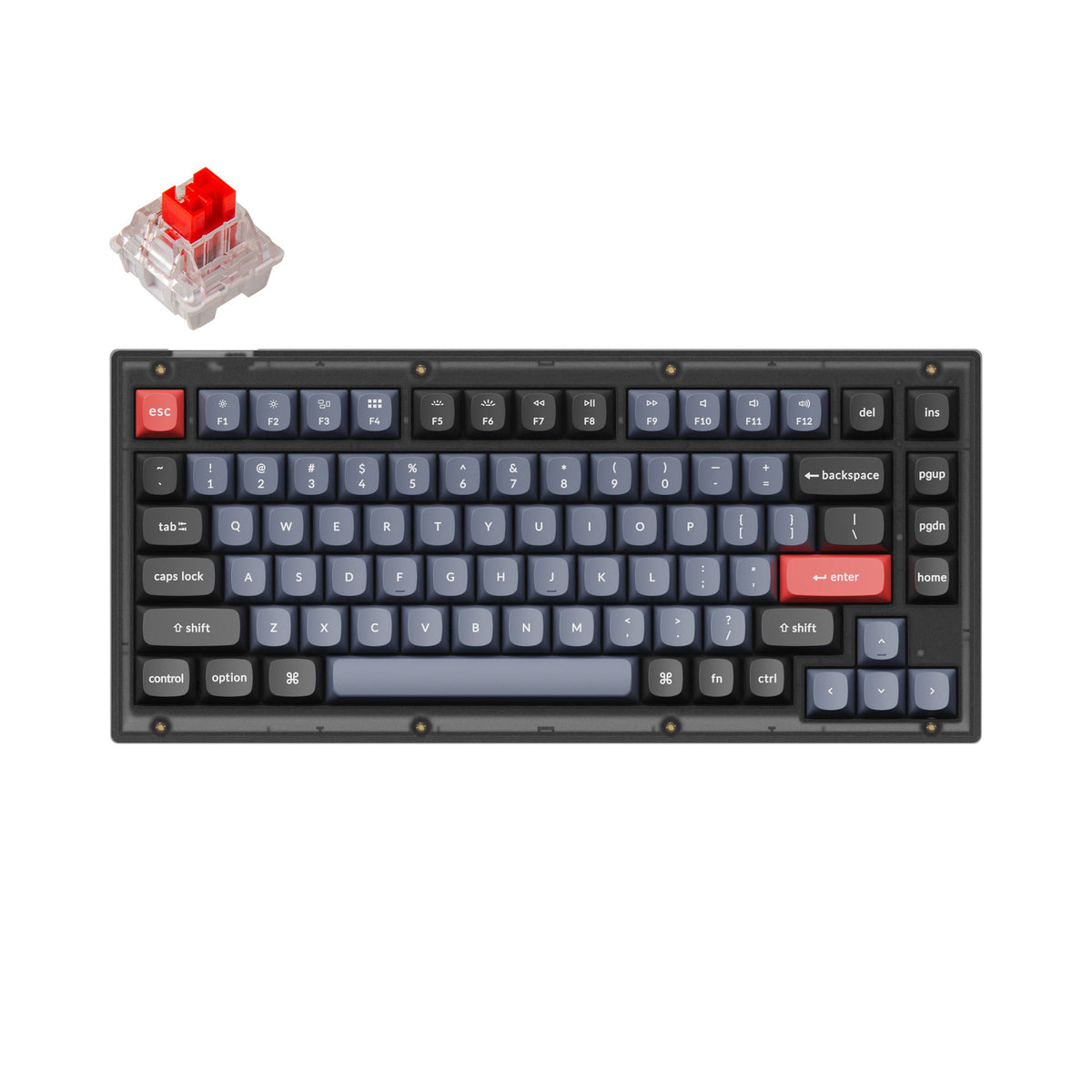
The V1 is a gasket-mounted, hot-swappable keyboard with a creamy typing feel that rivals boards twice the price. It also supports QMK/VIA for full programmability, making it a favorite among enthusiasts.
Main limitation: The stock ABS keycaps are prone to shine, and the plastic case has noticeable flex under heavy typing.
Skip if: If you only need a basic gaming keyboard and don't care about programmability or customization, a cheaper standard mechanical will do.
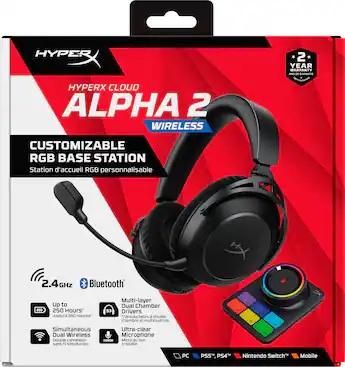
With plush memory foam earcups and a durable aluminum frame, this wireless headset remains comfortable for hours of play. The 50mm drivers deliver punchy sound, and the detachable mic makes it easy to switch between gaming and media.
Main limitation: Battery life is a modest 30 hours, and the wireless dongle is USB-A only—no USB-C for modern laptops.
Skip if: If you demand a flip-to-mute mic or need a wired connection for zero-latency esports, the wired Cloud II is a more appropriate choice.
Compare key specs and features of all our recommendations side-by-side
| Product | Recommendation | Rating | Price |
|---|---|---|---|
iBUYPOWER Slate 4 Mesh Gaming Desktop Rank #1 | 🏆 Top Pick | 8.8/10 | $1,199–$1,399 Check current price → |
Logitech G305 LIGHTSPEED Wireless Gaming Mouse Rank #2 | 💰 Budget Pick | 8.5/10 | $39–$49 Check current price → |
ASUS TUF Gaming VG27AQ3A Rank #3 | ⭐ Editor's Choice | 8.0/10 | $299–$349 Check current price → |
Keychron V1 QMK Mechanical Keyboard Rank #4 | — | 8.4/10 | $94–$109 Check current price → |
HyperX Cloud II Wireless Gaming Headset Rank #5 | — | 8.1/10 | $99–$119 Check current price → |
Common questions buyers have about this category.
Building generally gives you slightly better performance per dollar—on a $1,200 PC build, you might save $100–$200 compared to a similar pre-built. However, pre-builts like the iBUYPOWER offer convenience, a single warranty, and immediate availability. If you're a beginner or don't have time to troubleshoot, a pre-built is the safer choice; if you're willing to spend a few hours assembling and researching, building is worth the savings.
Yes, absolutely. A 1440p 165Hz monitor is the sweet spot for this budget because it gives you 77% more pixels than 1080p, which leads to noticeably sharper images. An RTX 4060 Ti or RX 7700 XT can comfortably push 60–100 FPS on high settings in most AAA titles, and esports titles will easily hit 144+ FPS. If you're mostly playing competitive shooters, 1080p with 240Hz is also a valid choice, but for a general-purpose setup, 1440p is more immersive.
You don't need to spend more than $50 on a mouse. The Logitech G305 at $40 offers performance that matches mice twice its price, with a reliable sensor and low wireless latency. Spending $100+ gets you extra buttons, adjustable weights, or a better shape, but it won't improve your gameplay. Reserve the extra budget for the monitor or keyboard—the mouse is a good place to save.
Modern wireless gaming peripherals use 2.4GHz technology with 1ms or faster response times, making them virtually indistinguishable from wired in practice. The G305 and HyperX Cloud II Wireless both use proven connections with no input lag issues in real-world usage. That said, battery life is a consideration—the G305 only lasts about 250 hours on an AA battery, and the Cloud II lasts around 30 hours, so find a charging routine to avoid mid-game shutdowns.
If you're willing to build your own PC, you could squeeze an RTX 5070 (or RX 9070 XT) into the PC budget by cutting corners on storage and RAM. However, at $550–$600, that GPU alone eats a huge chunk of the $1,200 PC allocation, forcing you to pair it with a weaker CPU and potentially lower-quality components. In practice, a balanced RTX 4060 Ti or 4070 setup gives you a better overall experience than a lopsided build with a high-end GPU but a 60Hz monitor.
People often prioritize virtual surround sound or RGB, which don't improve audio quality. Instead, focus on driver size, frequency response, and comfort. The HyperX Cloud II Wireless is a solid example of a headset that gets the basics right—good padding, clear mic, and balanced sound. Another mistake is buying a headset with a flimsy plastic headband that breaks after a few months—look for metal reinforcement or a proven build quality record.
With the recommended iBUYPOWER PC with an RTX 4060 Ti, you should expect to play new AAA games at 1440p high settings for at least 3–4 years, though you may need to lower settings to medium after a couple of years. The monitor will last much longer—likely over 6 years. Peripherals are replaceable, but the mouse and keyboard should hold up for 2–3 years with regular use. The biggest upgrade path is moving to a better GPU when you're ready, but for now, this setup is built to remain relevant through 2029.
Products we evaluated but did not recommend — and why.
