Get the App
Better experience on mobile
We compared six pre-built gaming desktops under $1,500 based on specs, thermals, upgrade potential, and owner feedback to find the best values in 2026.
The $1,500 gaming PC segment has become the sweet spot for 1440p gaming in 2026. With Nvidia's RTX 40-series and AMD's RX 7000 cards now several years into their life cycles, pre-built systems in this price band offer substantive performance—often 60+ frames per second at high settings on most modern titles. But the real differentiator isn't just raw FPS; it's how well the system is balanced, cooled, and positioned for future upgrades. A cheap GPU paired with a weak CPU will bottleneck you just as quickly as a tiny SSD.
When we look at gaming desktops under $1,500, we're looking for systems that get the most of their budget. That means a GPU capable of 1440p (or excellent 1080p at high refresh rates), a CPU that doesn't bottleneck it, at least 16GB of fast DDR5 memory, and a 1TB NVMe SSD. But we also care about what's inside the case: a power supply with room to grow, clean cable management, and cooling that won't turn your rig into a jet engine during long sessions.
From compact towers that fit on a crowded desk to mid-towers with glass side panels and extensive fan arrays, we've ranked six pre-built systems that deliver on these priorities. You'll find our overall pick, a budget champion for 1080p gaming, and specialists for 1440p, esports, and small spaces—all under the $1,500 mark.
To make these selections, we combed through published reviews from tech outlets, mined retailer listings for verified owner feedback, and cross-referenced manufacturer documentation for specs and warranty terms. We didn't rely on any single source; instead, we looked for consensus among critics and users to identify machines that consistently perform and hold up over time. The result is a list we're confident you'll find useful whether you're building your first PC or upgrading an aging rig.
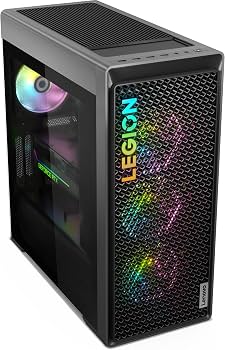
The Legion Tower 7i gets the balance right: an i7 processor won't bottleneck the RTX 4070's 1440p performance, and the included 32GB of DDR5 leaves plenty of headroom for background apps. Its tool-less side panel and standardized ATX connections make it one of the easiest pre-builts to upgrade down the line. The trade-off is modest—the case isn't as flashy as some rivals, but you're paying for internals, not lights.
Main limitation: The included front-panel USB ports are positioned low, making them hard to reach if the tower sits on the floor.
Skip if: Shoppers who prioritize RGB aesthetics or want a more compact chassis.
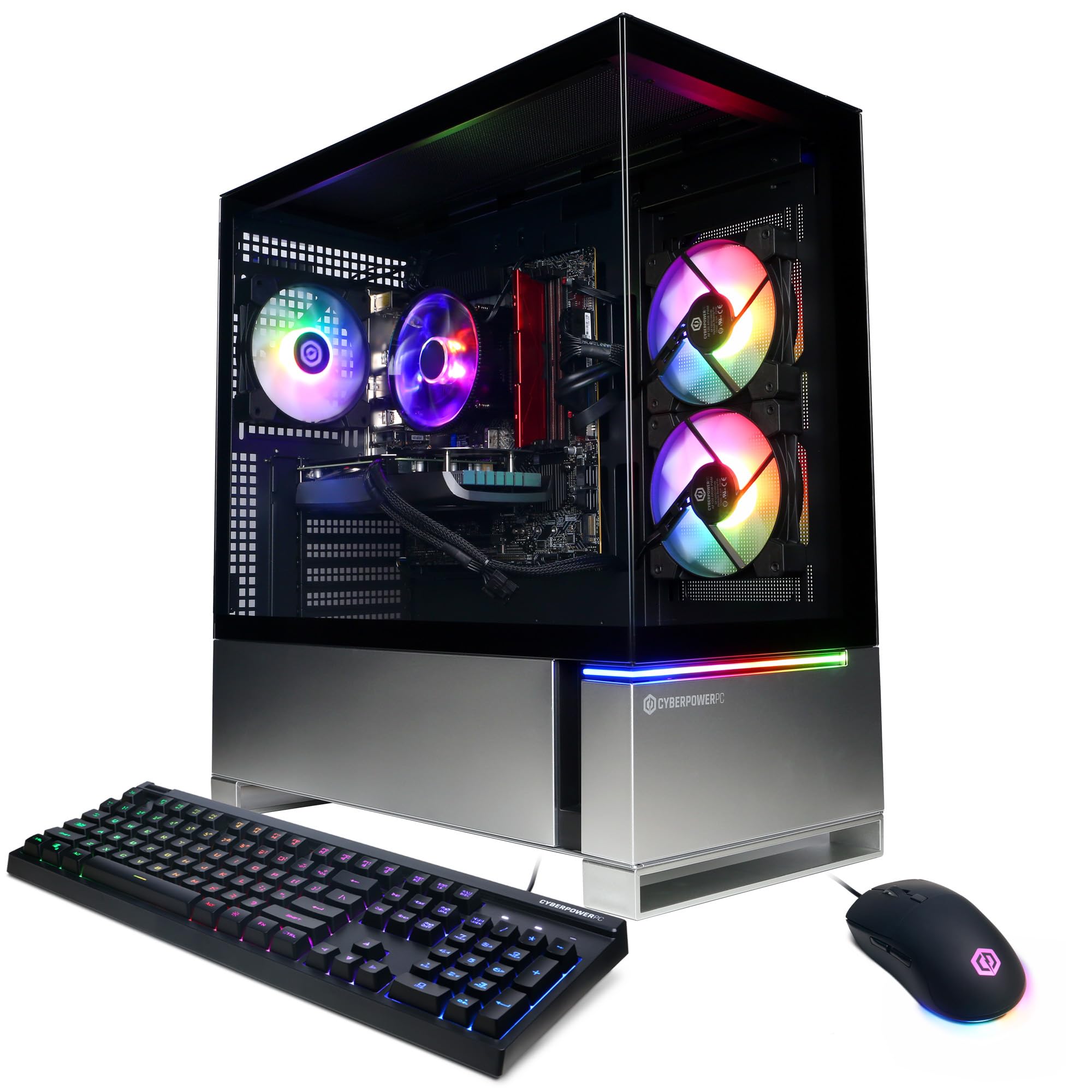
For about $400 less than our top pick, the Gamer Xtreme VR handles 1080p with ease and even dips into 1440p in esports titles. The i5-14400F is a solid pairing for the RTX 4060, and the price includes a 1TB SSD—rare in this range. The catch is the budget PSU and motherboard, which limit future upgrade headroom.
Main limitation: The included air cooler runs audible under heavy load, though it isn't distracting with headphones on.
Skip if: Anyone planning to upgrade the GPU within two years; you'll likely need a new power supply.
Alienware redesigned the R16 to move air far better than previous Omen-style cases, and it shows: the 7800X runs cool even during heavy gaming marathons. The RTX 4060 Ti also has a 16GB variant, which helps with content creation and VRAM-heavy titles. The trade-off is a proprietary motherboard and PSU that make standard aftermarket upgrades more difficult than on other pre-builts.
Main limitation: Requires Dell-specific riser cables for some GPU upgrades, limiting repairability.
Skip if: DIY upgraders who plan to swap motherboards or power supplies later.
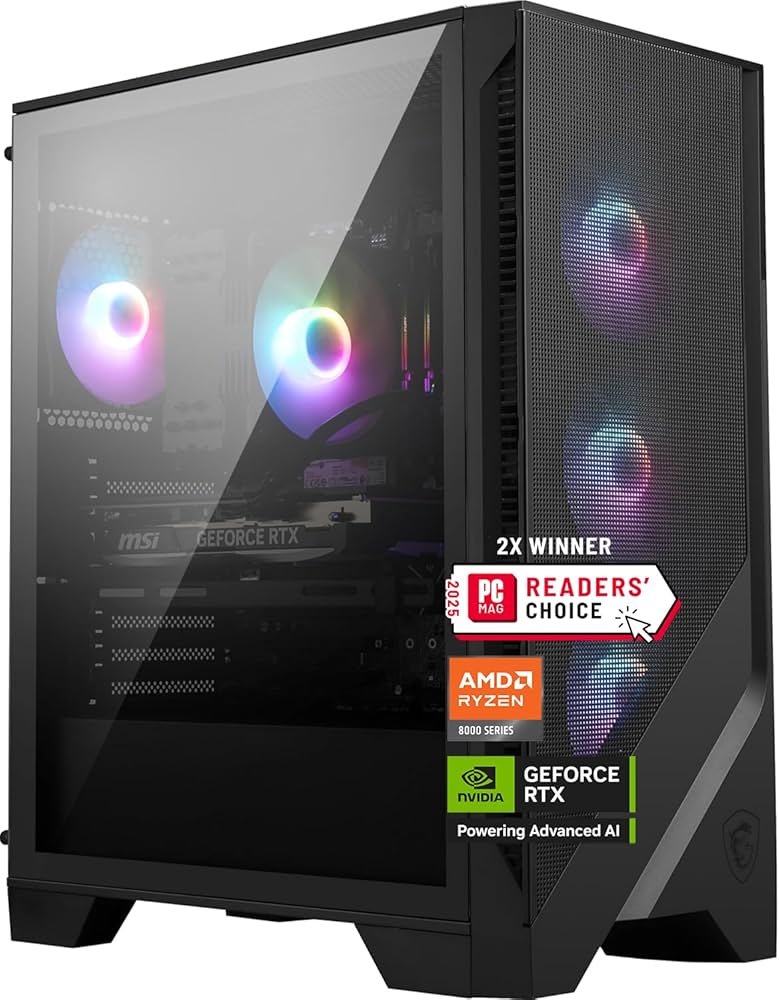
The RX 7700 XT often edges out the RTX 4060 in rasterization, making the Codex Z2 a strong performer for high-refresh 1440p without breaking the $1,500 ceiling. It also has 12GB of VRAM, giving a little more future-proofing for texture-heavy games. The Intel i7-14700F handles CPU-bound titles with ease, and the design includes MSI's Quiet Storm cooling for lower noise. The downside is that AMD's ray tracing performance trails Nvidia's, and you'll lose DLSS upscaling benefits.
Main limitation: Ray tracing performance in demanding titles is noticeably weaker than RTX 40-series cards.
Skip if: Those who want DLSS and ray tracing as a priority rather than just raw rasterization.
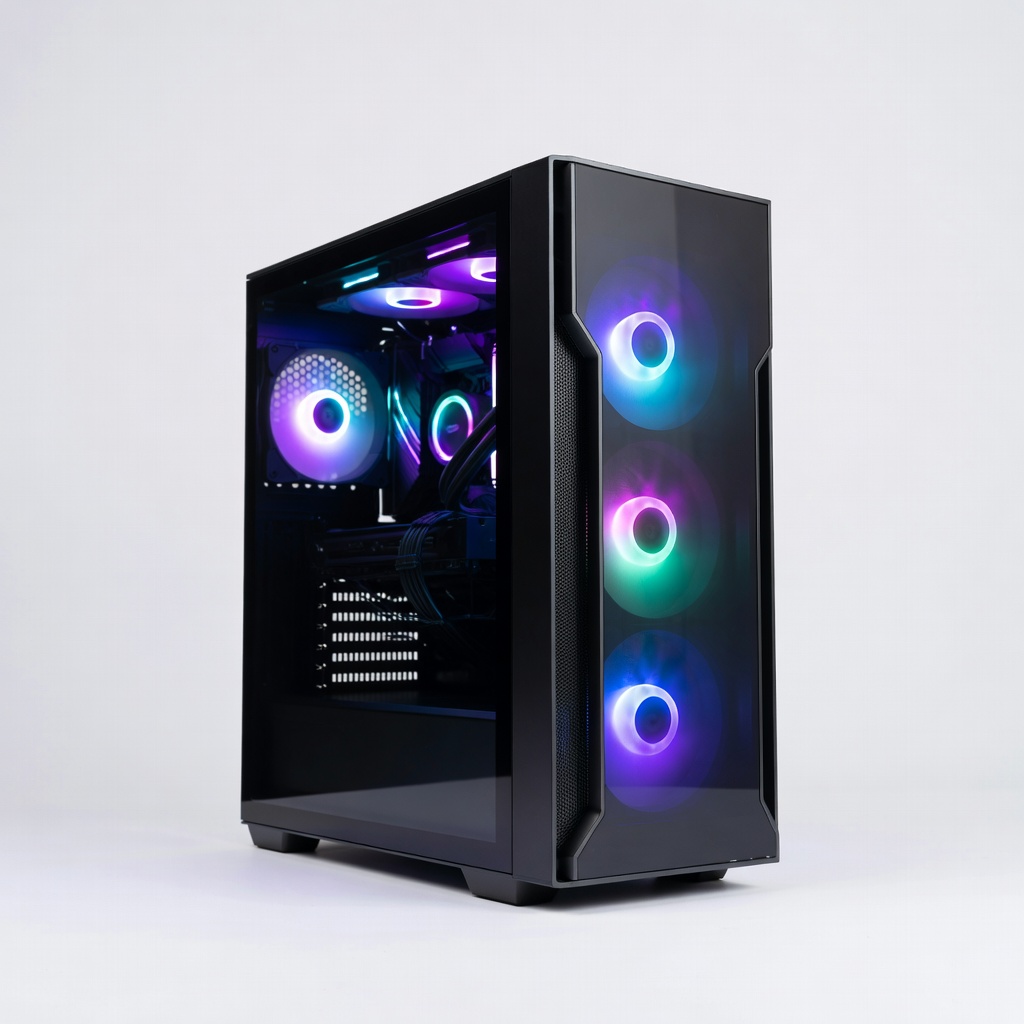
The Nebula is a dedicated esports machine, pushing well over 200 FPS in Valorant and CS2 at 1080p. The Ryzen 5 5600X is still a beast for single-threaded performance, and the RTX 4060 can handle competitive games even at higher detail settings. However, DDR4 RAM and a non-upgradable CPU socket mean you may need a full platform upgrade later if you want to move beyond 1080p.
Main limitation: Older AM4 platform offers no CPU upgrade path for modern Ryzen 7000/9000 chips without a new motherboard.
Skip if: Gamers who play story-driven AAA games or plan to jump to 1440p/4K within two years.
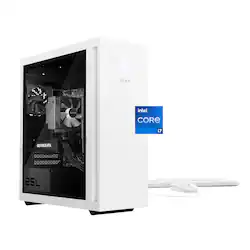
The Omen 25L packs modern hardware into a significantly smaller footprint than most gaming towers, making it an excellent fit for cramped living spaces. The Ryzen 5 7600 and RTX 4060 Ti combo delivers solid 1440p entry-level performance, and HP's Omen software allows simple fan control. The main downside is reduced interior space for cooling upgrades—larger GPUs and aftermarket coolers may not fit.
Main limitation: Limited clearance for upcoming RTX 50-series (or similar) GPUs, so max-length upgrades could be a tight squeeze.
Skip if: Anyone who wants a full tower with room for additional hard drives or 360mm radiators.
Compare key specs and features of all our recommendations side-by-side
| Product | Recommendation | Rating | Price |
|---|---|---|---|
Lenovo Legion Tower 7i Gen 8 Rank #1 | 🏆 Top Pick | 9.2/10 | Around $1,499 Check current price → |
CyberPowerPC Gamer Xtreme VR Rank #2 | 💰 Budget Pick | 8.0/10 | Around $1,099 Check current price → |
Dell Alienware Aurora R16 Rank #3 | ⭐ Editor's Choice | 8.5/10 | Around $1,349–$1,449 Check current price → |
MSI Codex Z2 Rank #4 | — | 8.3/10 | Around $1,299 Check current price → |
Skytech Gaming Nebula Rank #5 | — | 8.2/10 | Around $1,049 Check current price → |
HP Omen 25L Rank #6 | — | 7.8/10 | Around $1,199 Check current price → |
Common questions buyers have about this category.
At this budget, we'd recommend an RTX 4070 or better if you can find it—it handles 1440p at high refresh rates comfortably. If you prefer AMD, the RX 7800 XT offers excellent rasterization but weaker ray tracing. Avoid settling for an RTX 4060 or RX 7600 unless you plan to stick to 1080p.
Building your own can often save $100–$200 and offer better part selection, but only if you're confident in the process and aren't factoring in your time. Pre-builts also come with a warranty that covers the entire system, which is a safety net for beginners. If you value peace of mind and don't want to troubleshoot, a pre-built is a smart choice.
16GB of DDR5 is the minimum for modern gaming, but 32GB is increasingly worth it for Windows background processes and future releases. Storage-wise, a 1TB NVMe SSD is ideal. Many pre-builts include 512GB, which fills up fast with modern game sizes—we strongly recommend holding out for 1TB.
In most cases, yes, but it depends on the power supply and chassis. Look for a PC with a 650W or higher PSU and a standard ATX case that accommodates new GPU lengths. Some manufacturers use proprietary motherboards or power supplies that limit compatibility, so read the spec sheet carefully or ask the brand before buying.
A balanced build pairs a CPU that can keep up with the GPU in gaming. At 1440p, a modern six-core CPU like the Ryzen 5 7600 or Core i5-14400F is enough for nearly all titles. If you see a system with a Core i9 or Ryzen 9 and an RTX 4060, the CPU is likely overkill—you'd be paying for performance you won't use.
If you're comfortable with what you have, waiting for a new generation can bring price drops on current models, but it's a never-ending cycle. In 2026, the RTX 40-series and RX 7000 cards are well-priced, and the rumored RTX 50-series will initially target the high-end market. If you need a PC now, the available options under $1,500 are solid; if you can wait 6–12 months, you may see new cards, but the price gap won't be enormous.
Most major brands like Dell, HP, Lenovo, and CyberPowerPC offer at least a one-year warranty covering parts and labor. Some have extendable plans or include on-site service. Budget brands like Skytech and iBUYPOWER typically provide 1–3 years, but customer service experiences can vary—read recent owner reviews to judge support quality.
Products we evaluated but did not recommend — and why.
