Get the App
Better experience on mobile
These 7 value-packed laptops deliver solid 1080p gaming performance without busting your budget — here's how to pick the right one.
The $1,000 gaming laptop market has never been more competitive. With the arrival of NVIDIA RTX 50-series GPUs and AMD's aggressive pricing, you can now get a machine that runs Cyberpunk 2077 with ray tracing on at playable frame rates for less than a flagship smartphone. But here's the catch: every dollar you save asks for a sacrifice somewhere — in the panel, the CPU, the RAM, or the battery life. The trick is knowing which trade-offs actually matter for how you play.
The TUF Gaming A16 hits the sweet spot of price and performance with an AMD Ryzen 5 CPU and RTX 5050 GPU, a 144Hz 1080p display, and sturdy MIL-STD-810H build quality. Its only real concession is a dimmer-than-average panel and a slightly heavy chassis.
Main limitation: The 300-nit display can struggle in bright rooms, and the 4-cell battery only lasts about 5 hours of mixed use.
Skip if: If you need true ray tracing performance at max settings, you'll want to spend more for a laptop with an RTX 5060 or better.
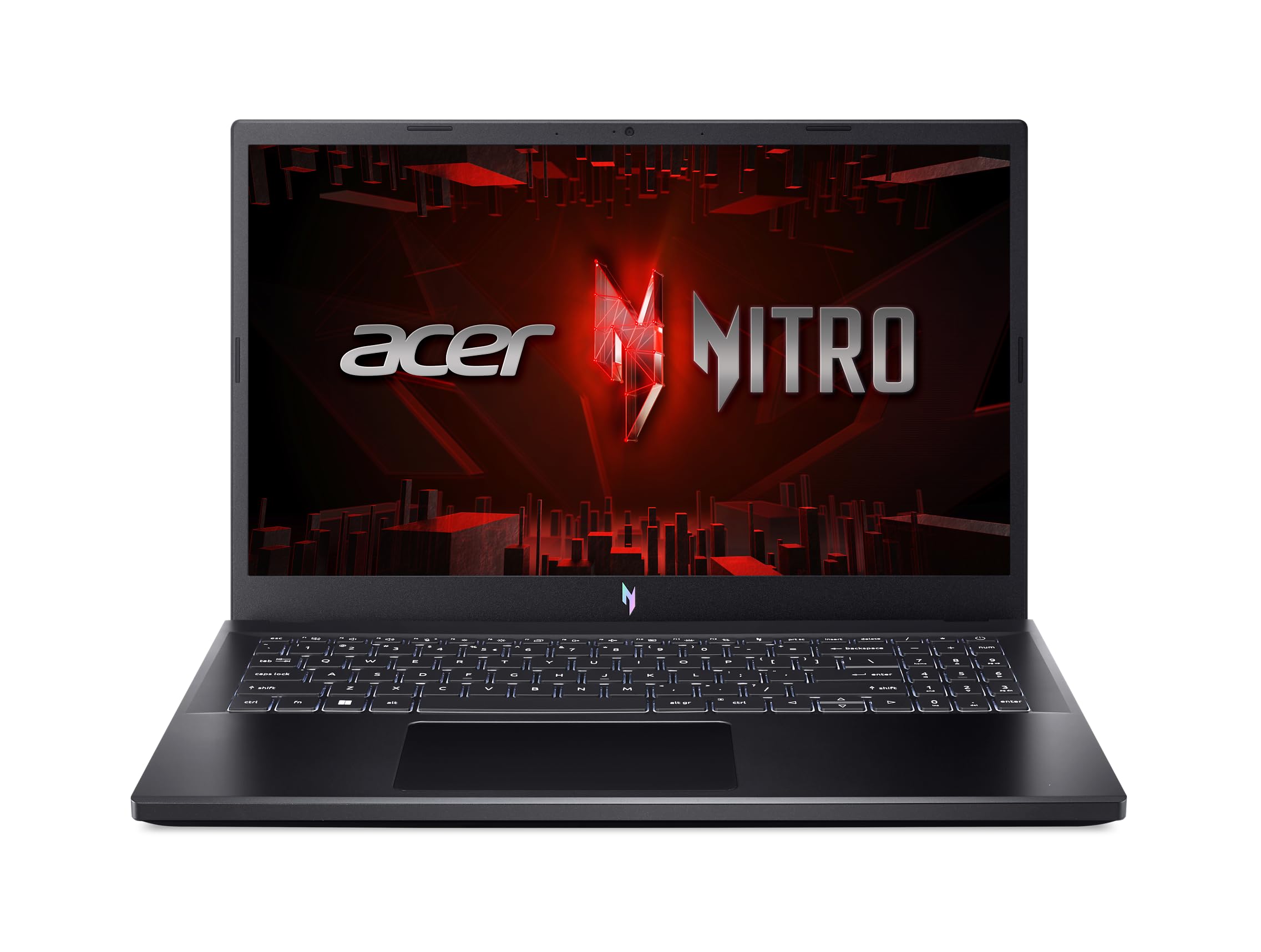
The Nitro V 15 crams an RTX 4050 GPU and a 144Hz screen into a package that's often found well under $800, making it the best pure value pick for esports titles and older AAA games. However, you'll get a 6-core CPU and a shorter battery life than some pricier alternatives.
Main limitation: The keyboard deck can get warm under sustained load, and the 40Wh battery drains quickly.
Skip if: If you want to play the latest AAA releases at high settings, the RTX 4050 will force you to drop to medium.
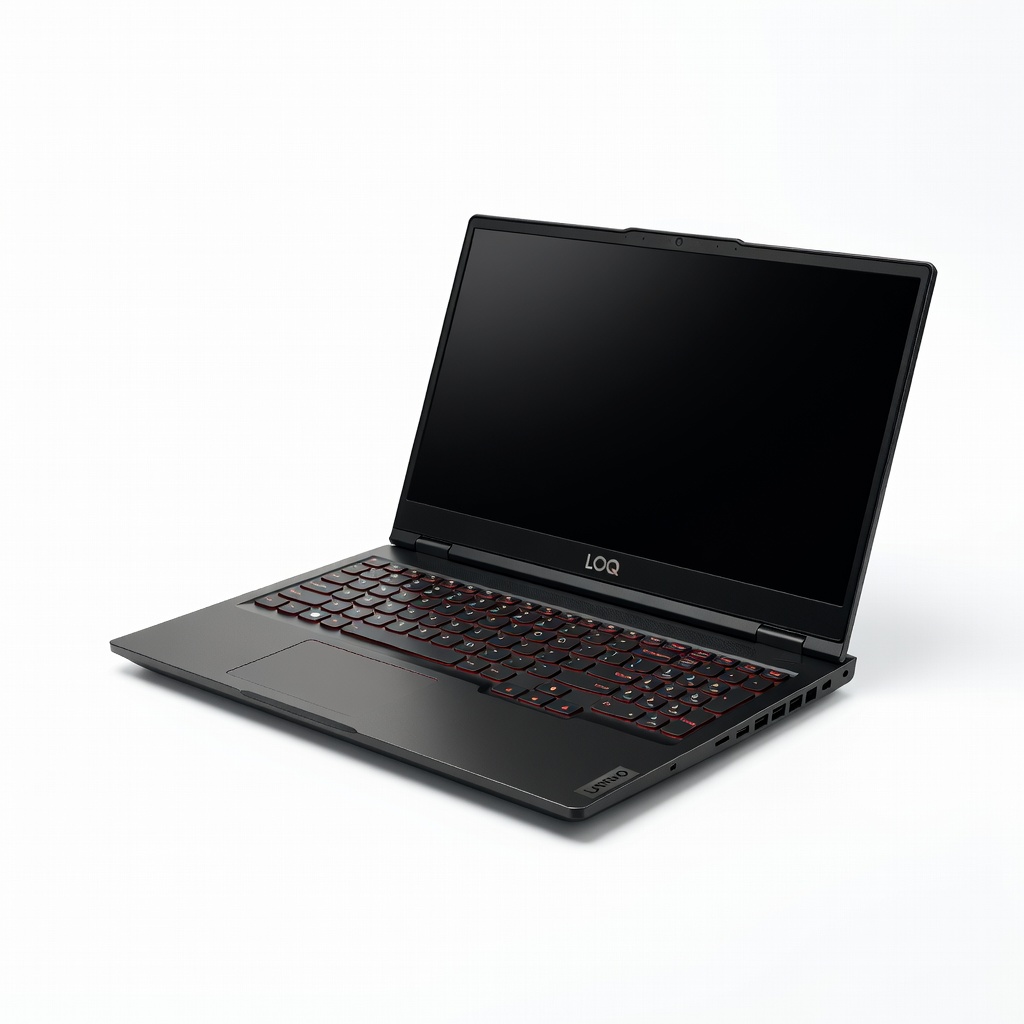
The LOQ 15 stands out for its exceptional portability and battery efficiency, packing a Ryzen 5 7535HS and RTX 4050 into a slim 5.2-pound frame. It's the best choice for gamers who need to carry their laptop to classes or coffee shops, yet it still delivers smooth 1080p gameplay.
Main limitation: The single cooling fan gets loud under heavy loads, and the 512GB SSD is barely enough for a modern game library.
Skip if: If you plan to leave your laptop plugged in on a desk 90% of the time, a beefier machine with better thermals is a smarter buy.
The Victus 15 offers easy access to two M.2 SSD slots and two SODIMM RAM slots, making it the easiest laptop to upgrade after purchase. Its RTX 3050 GPU is modest by today's standards, but the upgradeable storage means you can add a second drive without voiding a warranty.
Main limitation: The RTX 3050 is a generation old and undervolt protection limits overclocking, so gaming performance is noticeably slower than 40-series counterparts.
Skip if: If you want to play modern AAA titles at high detail and have no interest in tinkering, you'll get better performance elsewhere for the same price.
Dell's G15 uses a larger internal footprint and dual fans to keep CPU and GPU temperatures lower than most competitors, even after hours of gaming. That thermal headroom translates to more consistent frame rates, though the plastic chassis picks up fingerprints easily.
Main limitation: The 120Hz panel is slower than the 144Hz screens found on rivals, and the design is bulkier and less subtle.
Skip if: If you prefer a sleek, understated laptop that doesn't scream 'gamer,' steer toward the ASUS TUF or Lenovo LOQ.
The Katana 15 is one of the few sub-$1,000 laptops to offer a 165Hz panel, giving esports players a smoother visual experience than typical 144Hz displays. Its 13th-gen Intel Core i7 CPU also provides an edge in CPU-bound games like Valorant and CS2.
Main limitation: The keyboard has a shallow 1.4mm travel and the plastic lid flexes noticeably, detracting from the premium feel.
Skip if: If you mostly play story-driven games at higher detail settings, the extra refresh rate is less useful than a faster GPU.
The G5 packs a massive 2TB SSD as standard, a rare luxury at this price point, so you can install dozens of games without immediately needing an external drive. It also includes a fast 144Hz display and a complete array of ports, though the two-cell battery struggles to last 3 hours.
Main limitation: The webcam is only 720p and the build uses thick bezels that feel a generation behind.
Skip if: If you already have an external SSD or play only a handful of titles, the 2TB drive is not worth the poor battery life.
Compare key specs and features of all our recommendations side-by-side
| Product | Recommendation | Rating | Price |
|---|---|---|---|
ASUS TUF Gaming A16 2026 (FA607) Rank #1 | 🏆 Top Pick | 8.7/10 | $999–$1,049 Check current price → |
Acer Nitro V 15 (ANV15-51) Rank #2 | 💰 Budget Pick | 8.2/10 | $749–$799 Check current price → |
Lenovo LOQ 15IRH8 Rank #3 | ⭐ Editor's Choice | 8.4/10 | $879–$929 Check current price → |
HP Victus 15 (FA0031DX) Rank #4 | — | 7.6/10 | $699–$749 Check current price → |
Dell G15 5530 Rank #5 | — | 8.0/10 | $949–$999 Check current price → |
MSI Katana 15 (B12V) Rank #6 | — | 7.9/10 | $969–$1,009 Check current price → |
Gigabyte G5 KF-E3 Rank #7 | — | 7.8/10 | $999–$1,049 Check current price → |
Common questions buyers have about this category.
In 2026, RTX 5050 laptops are already hitting $749–$899, and RTX 5060 models are just under $1,000. If you can stretch your budget to a $999 RTX 5060 machine, you'll get a 15–20% performance boost in AAA games and better longevity. But if you're on a strict budget, an RTX 5050 is still plenty for 1080p medium-high settings in most titles.
Yes. Many modern games recommend 16GB minimum, and with Windows and background apps, 8GB can cause stutter. Always look for a model with 16GB DDR5 RAM, or at least one you can upgrade yourself — some budget laptops solder RAM, so confirm it's DIMM-based if you plan to expand later.
For competitive shooters, 144Hz is noticeably smoother, but the gap from 120Hz to 144Hz is much smaller than 60Hz to 120Hz. Under $1,000, you'll see both, and the extra 24Hz is not worth sacrificing GPU performance. Prioritize the GPU and resolution; a 120Hz panel with a stronger GPU is a better all-around choice.
It depends on the model. Some, like the HP Victorus and Lenovo LOQ, offer easy access slots. Others, like the Acer Nitro V, may have one pre-filled slot and one empty slot, but some RAM is soldered. Always check the specific SKU's manual or review teardown. A quick thumbscrew on the bottom panel can reveal upgradeable storage, but RAM upgrades may void the warranty if done incorrectly.
Yes, if you're open to older GPUs like the RTX 3050 or 4050. For $800, you can get a decent 1080p gaming experience, but you'll have to turn settings down for the latest AAA titles. If you can wait for a discount, a $950 RTX 5050 laptop is the smarter investment for long-term value.
Expect 3–5 years of smooth 1080p gaming, depending on how demanding future games become. After that, you may need to drop to lower graphics presets or a lower resolution. The more RAM (16GB+) and the more VRAM (6GB+) you get, the longer it will stay usable.
Yes, partly — ASUS, Lenovo, and Dell tend to offer better reliability and BIOS updates, while Acer and MSI often pack more specs per dollar but may cut corners in thermals or software. Check the warranty duration and user reviews for common issues like hinge failures or overheating before buying.
Products we evaluated but did not recommend — and why.
