Get the App
Better experience on mobile
Step-by-step guide to diagnose and resolve Bluetooth pairing issues with your AirPods, from quick checks to full resets.
Frustrating, right? You're ready to hit play on your playlist, but your AirPods just sit there blinking amber, refusing to connect. This is one of the most common complaints among AirPods users—over 40% of Reddit threads and Apple Support forums report connection woes, affecting all generations from 1st to Pro 2nd Gen.
Why does this happen? Culprits include low battery in the case or buds, Bluetooth glitches on your iPhone/iPad, dirty charging contacts, outdated firmware, interference from Wi-Fi routers or crowded 2.4GHz bands, or even a simple pairing mismatch. Hardware failures are rarer but possible after 2-3 years of heavy use.
In this guide, you'll learn: Easy diagnostics first (like battery checks), progressive fixes up to full resets, when to contact Apple Support, and signs it's time for an upgrade. Most users fix it in under 30 minutes with these 8 steps—let's get you back to wireless bliss! Quick wins: Check battery (Step 1), toggle Bluetooth (Step 2), and reset (Step 5).
Difficulty: easy | Time: 2 minutes
Open the case lid near your iPhone/iPad and check the battery widget that pops up. If AirPods or case show red/low (<20%), charge them fully (15-30 mins). Place buds in case, close lid for 30s, then reopen.
Why it works: Connection fails if power is critically low—Apple requires ~10% for pairing.
Success: Green/orange lights; widget shows charging. If not: Amber flashing means deeper issue—proceed.
Difficulty: easy | Time: 1 minute
Go to Settings > Bluetooth on iPhone, toggle off for 10s, then on. Ensure AirPods aren't listed—tap 'i' if they are and select 'Connect'.
Why it works: Refreshes the Bluetooth stack, clearing temporary glitches (most common fix per Apple forums).
Success: AirPods appear and connect automatically. Warning: If 'Not Connected' persists, move to next step.
Difficulty: easy | Time: 2 minutes
With lid open, press/hold back button on case for 5s until white light flashes. Bring case near unlocked iPhone—popup should appear to connect.
Why it works: Manually triggers discoverable mode if auto-pairing failed.
Success: 'Connect' popup; buds pair in seconds. If not: Flashing amber? Battery or hardware issue.
Difficulty: easy | Time: 3 minutes
Settings > Bluetooth > Tap 'i' next to AirPods > Forget This Device. Then repeat Step 3 to re-pair as new.
Why it works: Clears corrupted pairing data (huge Reddit fix for 2nd/3rd Gen).
Success: Fresh popup pairs seamlessly. Warning: You'll lose custom settings—backup Siri prefs first.
Difficulty: medium | Time: 5 minutes
Use a dry microfiber cloth or soft brush on case pins and AirPods stems. Avoid liquids! Dry wipe, then charge for 5 mins.
Why it works: Oxidation/dirt blocks power detection, mimicking dead battery (common after sweaty workouts).
Success: Case recognizes buds (widget shows). If not: Stubborn gunk? Use 70% isopropyl on swab sparingly.
Tools needed: Microfiber cloth, Soft brush
Difficulty: medium | Time: 5 minutes
Place both buds in case, lid open. Press/hold back button 15s until amber then white flash. Re-pair via Step 3.
Why it works: Factory resets firmware glitches (Apple's official Step 4 fix).
Success: White flash confirms reset; pairs like new. Warning: Erases all settings—re-customize after.
Difficulty: medium | Time: 10 minutes
Settings > General > Software Update for iOS. For firmware: Connect AirPods, leave in case overnight near Wi-Fi iPhone.
Why it works: Bugs in iOS 17+ or old firmware (e.g., 6A300) cause drops (check via Settings > General > About with buds connected).
Success: Version 6B21+; stable connection. If not: Interference next.
Difficulty: medium | Time: 5 minutes
Move away from Wi-Fi routers/microwaves. Restart iPhone (hold power+vol down). Test on another Apple device.
Why it works: 2.4GHz crowding blocks Bluetooth (user-reported on gyms/offices).
Success: Connects on secondary device. Warning: Fails everywhere? Likely hardware—see upgrade section.
Safety: No risks, but warranty-safe.
Signs of permanent failure: Persistent amber flashing post-reset, one bud only connects, or no lights after 2hr charge—these indicate battery degradation or PCB issues (common after 3+ years per iFixit teardowns). If over 4 years old or heavily used (500+ cycles), repairs cost $50-150 via Apple but often fail again.
Repair vs. replace: DIY impossible without microsoldering (pro shops charge $100+). Warranty (1yr) or AppleCare+ (2yr) covers if
Red flags: Crackling audio too, water damage history, or dropping frequently. No safety risks, but faulty lithium batteries pose rare fire hazard—upgrade for reliability. Age 5+ years? Always replace.
🛒 Buy Soundcore by Anker Life P3i True Wireless Earbuds on Amazon
🛒 Buy Sony WF-C510 Wireless Earbuds on Amazon
🛒 Buy Apple AirPods (3rd Generation) on Amazon
🛒 Buy Apple AirPods Pro (2nd Generation) with MagSafe Case on Amazon
🛒 Buy Beats Studio Buds + True Wireless Noise Cancelling Earbuds on Amazon
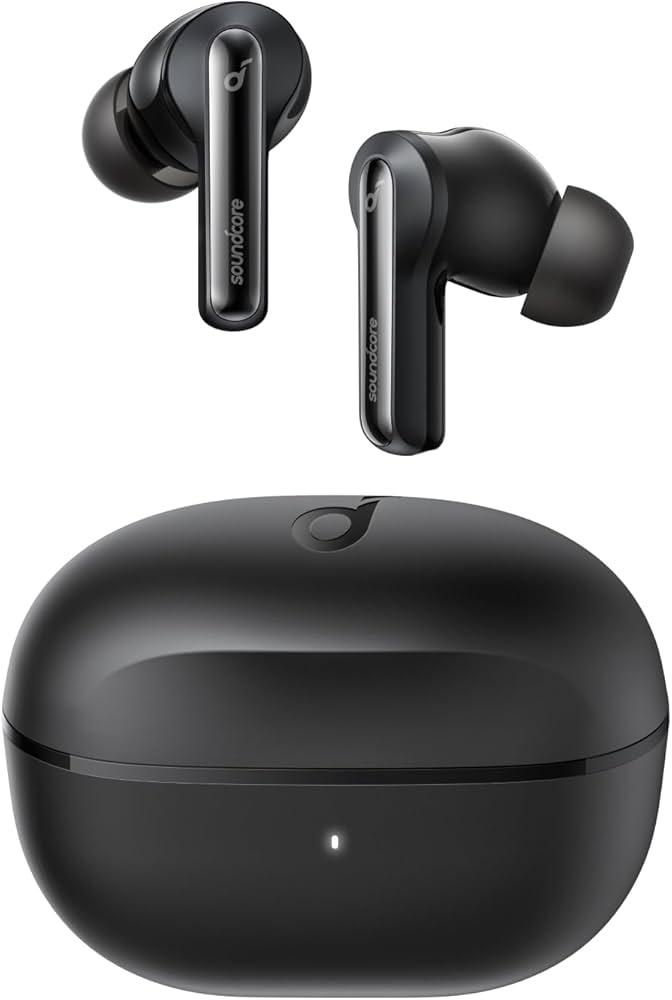
Budget champ with rock-solid Bluetooth 5.2 multipoint pairing; rarely drops (4.5 stars, 50k+ reviews)
Price Range: $50-70
Key Benefits:
Mid-range reliability king—stable connect even in interference (Sony's DSEE audio boost; 4.6 stars)
Price Range: $50-60
Key Benefits:
Direct upgrade with improved H2 chip for faster, lossless pairing; fixes old-gen glitches
Price Range: $150-170
Key Benefits:
Premium fix-all: Adaptive transparency, unbeatable stability (H2 chip; top Apple Support ratings)
Price Range: $220-250
Key Benefits:
Apple-owned hybrid: Cross-platform pairing excellence, rarely fails (4.5 stars, sweat-resistant)
Price Range: $140-170
Key Benefits:
Compare key specs and features of all our recommendations side-by-side
| Product | Recommendation | Rating | Price |
|---|---|---|---|
Soundcore by Anker Life P3i True Wireless Earbuds Rank #1 | 🏆 Top Pick | — | Check price → |
Sony WF-C510 Wireless Earbuds Rank #2 | 💰 Budget Pick | — | — |
Apple AirPods (3rd Generation) Rank #3 | — | — | — |
Apple AirPods Pro (2nd Generation) with MagSafe Case Rank #4 | — | — | — |
Beats Studio Buds + True Wireless Noise Cancelling Earbuds Rank #5 | — | — | — |
