
Quick Verdict
The Sennheiser Momentum 4 Wireless is a fine consumer headphone, but its suitability for music production depends heavily on the specific task. It works for idea generation, editing, and reference checks when used in wired mode, but falls short of the accuracy and low latency required for professional mixing and mastering. For casual producers, it's decent; for serious audio work, consider dedicated studio monitors.
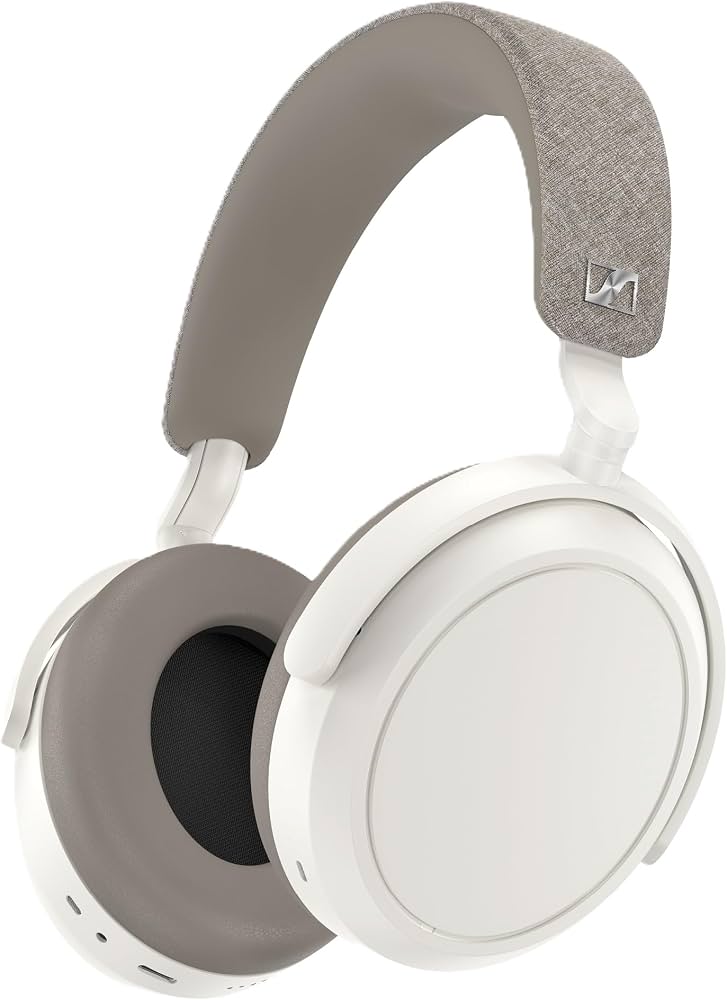
Sennheiser Momentum 4 Wireless
$299.99

✓ Key Strengths
- •Outstanding battery life (up to 60 hours) supports long sessions and heavy studio days
- •Plush ear pads and comfortable headband designed for hours of wear
- •Versatile wired (3.5mm and USB-C) audio modes eliminate Bluetooth latency
- •Effective adaptive noise cancellation creates a quiet working environment
- •Six-band EQ in the Smart Control app lets you approximate a flatter response
- •Lightweight and portable enough for mobile production setups
✗ Key Weaknesses
- •Consumer-tuned, V-shaped frequency response masks mixing errors
- •Inherent Bluetooth latency makes wireless monitoring impractical for tracking
- •No true neutral flat response; EQ adjustment is limited
- •Build uses a lot of plastic, not as robust as professional studio cans
- •Price is similar to dedicated studio headphones yet lacks their accuracy
- •ANC can alter the perceived sound signature (especially low-end) when enabled
What is Sennheiser Momentum 4 Wireless?
What is music production?
Detailed Analysis
👍 Perfect For
- ✓Producers who want a dual-purpose headphone for daily listening and occasional studio sketching
- ✓Music hobbyists creating beats or demos in a home setup who already use studio monitors for final mixing
- ✓Podcast and voiceover editors who need clear voice monitoring and long battery life for field work
- ✓Traveling musicians who need a compact, comfortable headphone with reliable wireless for reference checks
👎 Not Ideal For
- ✗Professional mixing and mastering engineers who require a flat, uncolored frequency response
- ✗Musicians who need to track live instruments or vocals without latency
- ✗Budget-conscious beginners who should prioritize accuracy and can't justify the price for a non-studio headphone
- ✗Anyone looking for a robust, replaceable parts studio tool that can endure years of studio abuse
Use Case Scenarios
Aspiring Producer Sketching Beats
A beginner producer creating hip-hop or electronic beats at home, using a DAW like Ableton or FL Studio. They need headphones to hear their ideas and often work late at night.
✓ Strengths
- Fun, bass-forward sound that inspires creativity
- Wireless convenience for moving around the studio
- 60-hour battery supports marathon sessions
- Comfortable for long periods
✗ Weaknesses
- Bass response can encourage too much low-end in a mix
- Bluetooth latency may cause timing issues when recording MIDI
- Not accurate enough for fine-tuning synths
💡 Workarounds
- Use the USB-C wired connection when recording MIDI
- Check your mix on other speakers or earbuds before exporting
- Use the EQ app to tame the bass boost
For a beginner whose main goal is to create and have fun, the Momentum 4 delivers an inspiring sound with loads of convenience. The lack of neutrality is less critical at this stage, but users should be aware that their mix may not translate perfectly.
Podcast Editor and Voiceover
An editor working on podcasts or audiobooks needs headphones for precise speech editing, including removing mouth noises and adjusting levels. They often work with spoken word and need a clear, neutral mid-range.
✓ Strengths
- Clear mids for dialogue intelligibility
- Wired mode eliminates latency for precise editing
- ANC helps isolate you from ambient noise
- Long battery life for long editing sessions
✗ Weaknesses
- Not completely neutral; slight mid scoop masks some detail
- Can be fatiguing when using over Bluetooth for long periods
💡 Workarounds
- Use wired connection for critical editing
- Switch between headphones and desktop speakers to validate EQ
- Try using Sonarworks SoundID Reference to flatten the response
The Momentum 4 works reasonably well for editing podcasts, especially when used wired. Its comfort and battery are big pluses, and while not perfectly neutral, most speech editors will find it acceptable.
Semi-Pro Mixing for YouTube Cover Songs
A musician produces covers and original tracks for YouTube. They mix and master their own songs to get them sounding good on a range of consumer devices.
✓ Strengths
- Provides a 'pleasing' preview of your mix
- Low distortion for moderate volume levels
- Wired mode ensures no latency
✗ Weaknesses
- V-shape response misrepresents the tonal balance
- Not enough detail retrieval in the mid-range for critical EQ decisions
- Can cause ear fatigue when analyzing for hours
💡 Workarounds
- Use the EQ app to flatten the response as much as possible
- Cross-reference your mix on inexpensive earbuds or laptop speakers
- Invest in a cheap pair of neutral studio headphones for final mixing
Semi-pro mixing requires a reasonable degree of accuracy. The Momentum 4 can be used with workarounds, but it's not the right tool for the most important decision-making. Its tonal biases are simply too strong.
Professional Mastering Engineer
A mastering engineer works on final mixes, making subtle adjustments to tone, dynamics, and stereo width. Precision and absolute neutrality are essential.
✓ Strengths
- Low distortion allows hearing at moderate levels
✗ Weaknesses
- Colored frequency response wreaks havoc on mastering decisions
- Closed-back design limits soundstage and depth perception
- Lack of neutrality makes it impossible to trust what you hear
💡 Workarounds
- Use a calibrated EQ plugin to flatten the response (not ideal, but possible)
- A/B against trusted reference headphones to validate moves
- Use in wired mode only to avoid latency and codec artifacts
Mastering demands clinical precision. The Momentum 4 is simply not a mastering tool. Using it for mastering will likely produce inaccurate results that don't translate. It's best to leave mastering to dedicated studio headphones.
Mobile Producer on the Go
A producer who works while traveling, on airplanes, or in coffee shops uses a laptop and portable audio interface to produce ideas on the fly.
✓ Strengths
- Huge battery life – no charging anxiety during travels
- Adaptive ANC suppresses engine hum and coffee shop chatter
- Lightweight and foldable for portability
- Works wired with USB-C for zero-latency recording
✗ Weaknesses
- Not flat, so you'll need to check your mix later
- Bluetooth codecs may compress audio (yet aptX Adaptive is decent)
- The included case doesn’t protect against heavy drops
💡 Workarounds
- Use the USB-C audio interface cable for recording sessions
- Carry a personalized EQ preset in the Smart Control app
- Get a hard case for extra protection when tossing into a backpack
For a mobile producer who focuses on writing and arranging rather than final mixing, the Momentum 4's combination of battery, ANC, comfort, and portability is a big win. Just keep a pair of reference headphones at home for final mixing.
Bottom Line
Ready to get the Sennheiser Momentum 4 Wireless? Check the latest price on Amazon.
🛒 Buy on AmazonAs an Amazon Associate we earn from qualifying purchases.
Frequently Asked Questions
Is Sennheiser Momentum 4 Wireless good for music production?
The Momentum 4 Wireless can be used for music production, but its suitability depends on the task. For sketching ideas, editing, and casual reference checks, it works well—especially when used wired. For professional mixing and mastering that requires a flat frequency response and precise latency control, it falls short. We recommend it for non-critical work and enjoying music, but not as a primary studio monitor.
Can you use Sennheiser Momentum 4 Wireless for music production?
Yes, you can. They can function as studio headphones because they support wired and USB-C audio, which eliminates Bluetooth latency. However, their V-shaped sound signature will color your mix, so you'll need to cross-reference with more neutral monitors. They are better suited for arranging and editing than for final mixing, due to the consumer-friendly tuning.
Is Sennheiser Momentum 4 Wireless suitable for music production?
It's 'conditionally suitable.' If you're a hobbyist or mobile producer, it can serve as a secondary pair of headphones for beat-making and editing. For serious studio work, it lacks the flat response and subtleties of dedicated studio headphones. We categorize it as a 'consumer headphone with studio-friendly options' rather than a true production tool.
What's better than Sennheiser Momentum 4 Wireless for music production?
Several dedicated studio headphones outperform the Momentum 4 for music production in both accuracy and price. The Audio-Technica ATH-M50x offers a more neutral response and costs less. The Beyerdynamic DT 770 Pro is rugged and sealed for tracking. The Sennheiser HD 600 is an open-back reference standard for mixing and mastering. If you're looking for wireless sensitivity, the Sony WH-1000XM5 is another consumer option but is also not studio-grade.
Does Sennheiser Momentum 4 Wireless work for music production?
Yes, they do work, but not perfectly. You can connect them to your computer via USB-C or a 3.5mm cable, bypassing Bluetooth latency. The sound quality is clean and detailed, but the boosted bass and treble will mislead you during mixing. Many users find that they can create great music on the Momentum 4, but they always double-check their mix on other speakers.
Sennheiser Momentum 4 Wireless vs Audio-Technica ATH-M50x for music production
The ATH-M50x is tailored for music production: it's wired, provides a more neutral frequency response, and costs about half as much as the Momentum 4. It lacks ANC and wireless convenience. The Momentum 4 offers 60-hour battery, ANC, and Bluetooth, but its sound is consumer-tuned. For a pure studio tool, the ATH-M50x wins. For a versatile all-rounder, the Momentum 4 is more versatile for commute and casual listening.
Does Sennheiser Momentum 4 Wireless have latency in wired mode?
In wired mode (using either the 3.5mm or USB-C cable), the Momentum 4 introduces essentially zero latency because the audio signal travels directly to the transducers. Bluetooth mode introduces significant latency—around 100–200 ms depending on the codec, which is not suitable for recording or real-time monitoring. Using wired mode solves this issue entirely.
Can the Sennheiser Smart Control app flatten the Momentum 4 sound for studio use?
The app includes a five-band EQ, but the adjustments are limited and cannot fully counteract the physical tuning of the drivers. You can reduce bass and treble to some degree, but the result won't be perfectly flat. Some users use third-party EQ software like Sonarworks SoundID Reference to correct the response in their DAW, which can achieve a more neutral profile—but that's an extra software purchase.
Are the Momentum 4 Wireless comfortable enough for long music production sessions?
Yes, most users find them very comfortable. The plush leatherette earpads and moderate clamping force allow for extended wear without hotspots. The headband is well padded. Some users report slight warmth from the closed leather pads, but not enough to be a dealbreaker. Overall, comfort is one of the strongest aspects of these headphones for production work.
Should I buy a Sennheiser Momentum 4 for music production or get a cheaper studio headphone like the ATH-M50x?
It depends on your priorities. If you already have a good audio setup and need headphones for both production and everyday entertainment, the Momentum 4 is a versatile choice. If you're solely focused on producing music and want the best accuracy for your money, the ATH-M50x or DT 770 Pro will serve you better for less. We'd say: if you need one headphone for everything, the Momentum 4; if you need only a studio tool, get the ATH-M50x.
What are the best accessories for the Sennheiser Momentum 4 for music production?
Essential accessories include a hard case for travel, replacement earpads for hygiene and comfort, and possibly a more durable 3.5mm cable with a longer length. Using them with a dedicated headphone amplifier or audio interface can also improve their audio fidelity. A headphone stand helps keep them safe and accessible.
Is Sennheiser Momentum 4 Wireless worth the money for a beginner music producer?
If you're just starting out and have a budget around $300, you could spend that money on a well-rounded setup: the ATH-M50x ($149) and an audio interface like the Scarlett Solo ($139), which together give you much better tools for music production along with almost no latency. The Momentum 4 is a brilliant consumer headphone, but beginner producers usually need accuracy more than ANC and wireless.