
Quick Verdict
The MacBook Pro 16-inch M3 Pro is an excellent choice for music production. It offers outstanding performance, silent operation, long battery life, and all the ports you need for a modern studio. The 36GB RAM ceiling and high price are the only significant compromises.
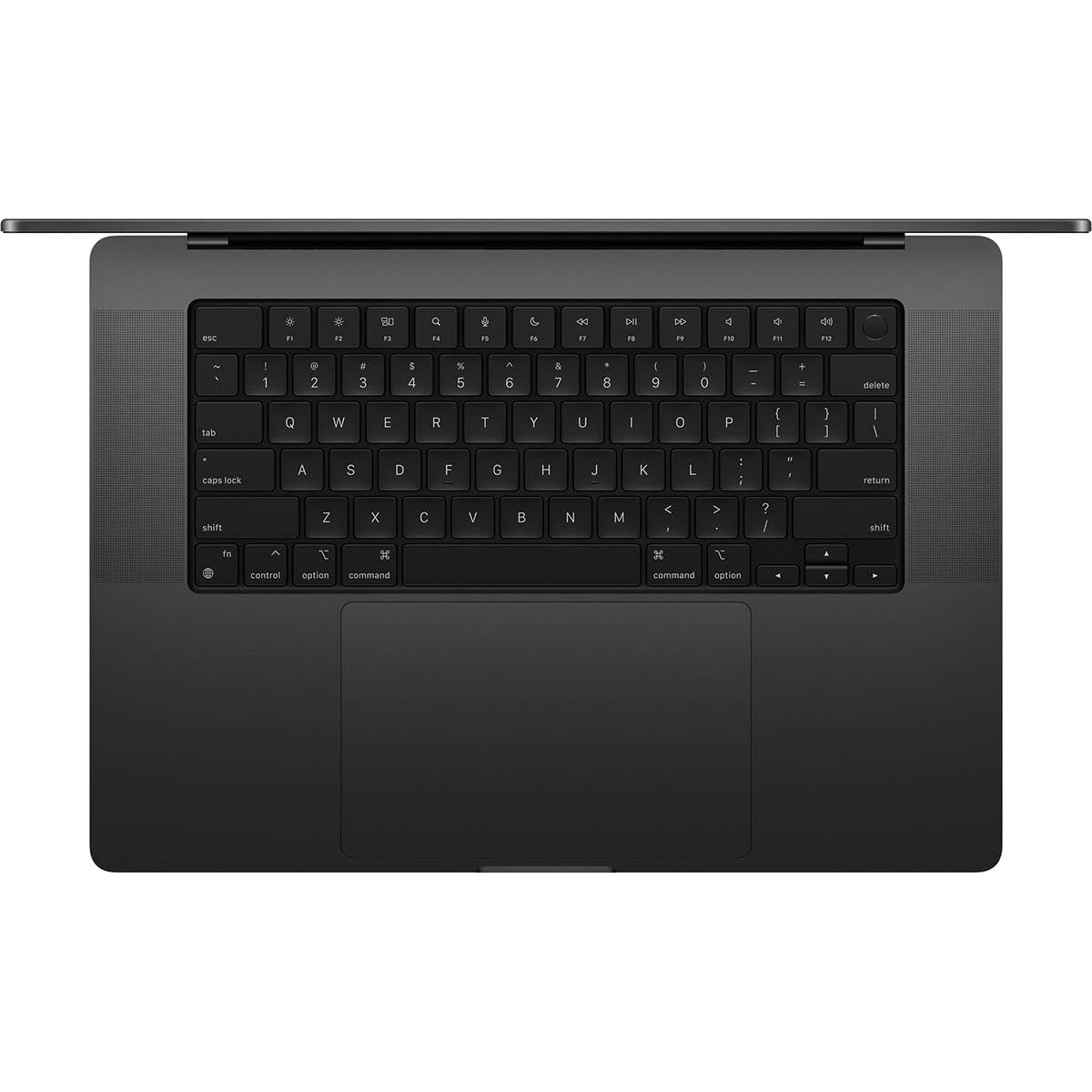
MacBook Pro 16-inch M3 Pro
$2499.00

✓ Key Strengths
- •Excellent CPU performance for real-time audio processing and heavy plugin loads
- •36GB of unified memory is plenty for most production projects and moderate sample libraries
- •Silent operation under typical music production loads thanks to efficient M3 Pro chip and 16-inch thermal design
- •Up to 22 hours of battery life makes mobile and travel production a breeze
- •High-quality 16.2-inch Liquid Retina XDR display provides ample room for arranging and mixing
- •Three Thunderbolt 4 ports, HDMI, and SDXC card reader support multiple audio interfaces and storage devices
- •macOS CoreAudio and native support for Logic Pro, Ableton Live, Pro Tools, Studio One, and more
- •First-rate build quality that withstands the rigors of studio and stage use
✗ Key Weaknesses
- •High price, especially when adding more storage or RAM
- •RAM and internal SSD are soldered; no future upgrades
- •M3 Pro tops out at 36GB RAM, which can be limiting for giant orchestral templates
- •Base 512GB storage fills quickly with sample libraries and sessions
- •Memory bandwidth is lower than the M2 Pro (150GB/s vs 200GB/s), although real-world music production is barely affected
- •A few older plugins still require Rosetta 2, adding minor CPU overhead
What is MacBook Pro 16-inch M3 Pro?
What is music production?
Detailed Analysis
👍 Perfect For
- ✓Professional music producers who need a reliable, portable main computer for studio and live work
- ✓Logic Pro users who want seamless integration with Apple silicon and low-latency performance
- ✓Beatmakers and electronic musicians who work in the box with lots of virtual instruments and effects
- ✓Songwriters and producers who record in multiple locations and need all-day battery life
👎 Not Ideal For
- ✗Complete beginners on a tight budget, who would be better served by a MacBook Air M3 or an M1 Air
- ✗Composers working with massive orchestral templates that need more than 36GB RAM
- ✗Producers locked into Windows-only software or audio hardware that lacks macOS drivers
- ✗Those who prefer a small and ultra-light laptop for constant travel — a 14-inch model might be a better fit
Use Case Scenarios
Home Studio Producer
A producer working in a dedicated home studio, recording vocals and MIDI, mixing in Logic Pro or Ableton. Uses an audio interface, studio monitors, and often runs many plugins.
✓ Strengths
- Silent operation even under moderate loads
- Fast rendering and export times
- Plenty of screen space for a mixing workflow
- Three Thunderbolt ports for interface and storage
- Reliable with all major DAWs
✗ Weaknesses
- Premium price
- RAM and storage cannot be upgraded later
- 36GB RAM maximum might be limiting for extreme sample libraries
💡 Workarounds
- Use an external Thunderbolt SSD like the Samsung T7 Shield to store large sample libraries
- Freeze or bounce tracks to lower memory usage
- If you consistently exceed 36GB, consider the M3 Max 16-inch model or a Mac Studio
For a typical home studio producer, the combination of silent power, excellent display, and macOS compatibility is close to perfect.
Traveling Beatmaker
A producer who creates beats and arrangements while traveling, working on a laptop and headphones in coffee shops, airplanes, or hotel rooms.
✓ Strengths
- Incredible battery life
- Powerful performance in a portable form factor
- Great built-in speakers for quick reference
- Durable aluminum build handles travel
✗ Weaknesses
- Heavier than smaller laptops like the MacBook Air M3
- Large footprint on tiny tables or tray tables
💡 Workarounds
- Use a lightweight laptop stand and a compact external SSD
- Carry a small USB-C audio interface for better sound quality
- Use in-ear monitors or closed-back headphones for late-night work
It's a slightly heavy travel companion, but its battery and raw performance make it a top pick for producers who want to be creative anywhere.
Live Performer
A musician using Ableton Live on stage to play virtual instruments, trigger clips, run backing tracks, and apply effects in real time.
✓ Strengths
- Exceptionally stable real-time audio performance
- Plenty of I/O for controllers, interfaces, and backup drives
- Silent operation avoids microphone bleed
- Sturdy chassis holds up to frequent transport
✗ Weaknesses
- Size and weight in tight performance spaces
- No user-replaceable SSD or battery (repairs are harder on the road)
💡 Workarounds
- Use a secure laptop stand with a quick-release mount
- Back up your set on a fast external SSD before every gig
- Use a compact MIDI controller like the Akai MPK Mini for stage
It's powerful and reliable enough for live performance, but not as stage-friendly as a smaller laptop or a rackmounted Mac mini.
Composer Using Huge Orchestral Sample Libraries
A film or game composer who works with templates containing hundreds of tracks, multiple instances of Kontakt, and tens of gigabytes of orchestral samples.
✓ Strengths
- High single-core performance for effects and real-time processing
- Fast internal SSD for project files
- Reliable OS and DAW compatibility
✗ Weaknesses
- 36GB RAM maximum is a hard limit for huge orchestral templates
- Base storage too small for large libraries
- Memory bandwidth (150GB/s) is lower than M2 Pro's 200GB/s, which can affect sample loading in extreme cases
💡 Workarounds
- Use sample libraries that support disk streaming
- Freeze or bounce tracks to reduce RAM usage
- Upgrade to M3 Max or add an external sample streaming solution if you need more memory
It's a powerful laptop, but the 36GB memory ceiling and storage limitations make it a compromise for heavy orchestral composers.
Budget-Conscious Beginner
Someone new to music production who wants to start using FL Studio, GarageBand, or Ableton Lite without spending a fortune.
✓ Strengths
- Will handle anything you throw at it
- Long-term durability and performance
- Great built-in speakers and screen
✗ Weaknesses
- Very high cost
- Extra power and size are wasted in the first years
- Storage upgrades are expensive and still not user-upgradable
💡 Workarounds
- Buy a MacBook Air M3 and use GarageBand or a free DAW first
- Spend the savings on a Focusrite audio interface and studio headphones
- Start with free lessons and software before upgrading to a pro laptop
Excellent machine, but a poor financial choice for someone just starting out when more affordable options work just as well.
Related Products You Should Consider
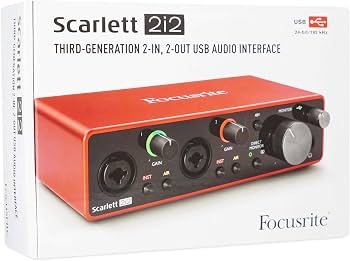
Focusrite Scarlett 2i2 (3rd Gen) USB Audio Interface
$169.99
Why recommend: The most reliable way to get professional audio in and out of the MacBook Pro.
Best for: Home studio producers, podcasters, and mobile musicians who need to record audio.
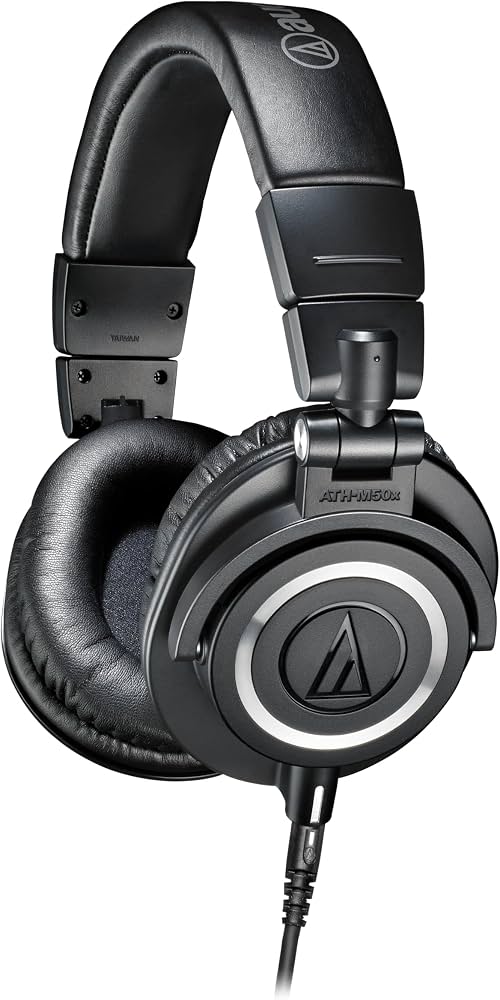
Audio-Technica ATH-M50x Professional Studio Monitor Headphones
$149.00
Why recommend: Accurate, portable, and affordable closed-back headphones for monitoring while producing music.
Best for: Producers and beatmakers who need a reliable set of headphones for tracking and mixing without studio monitors.
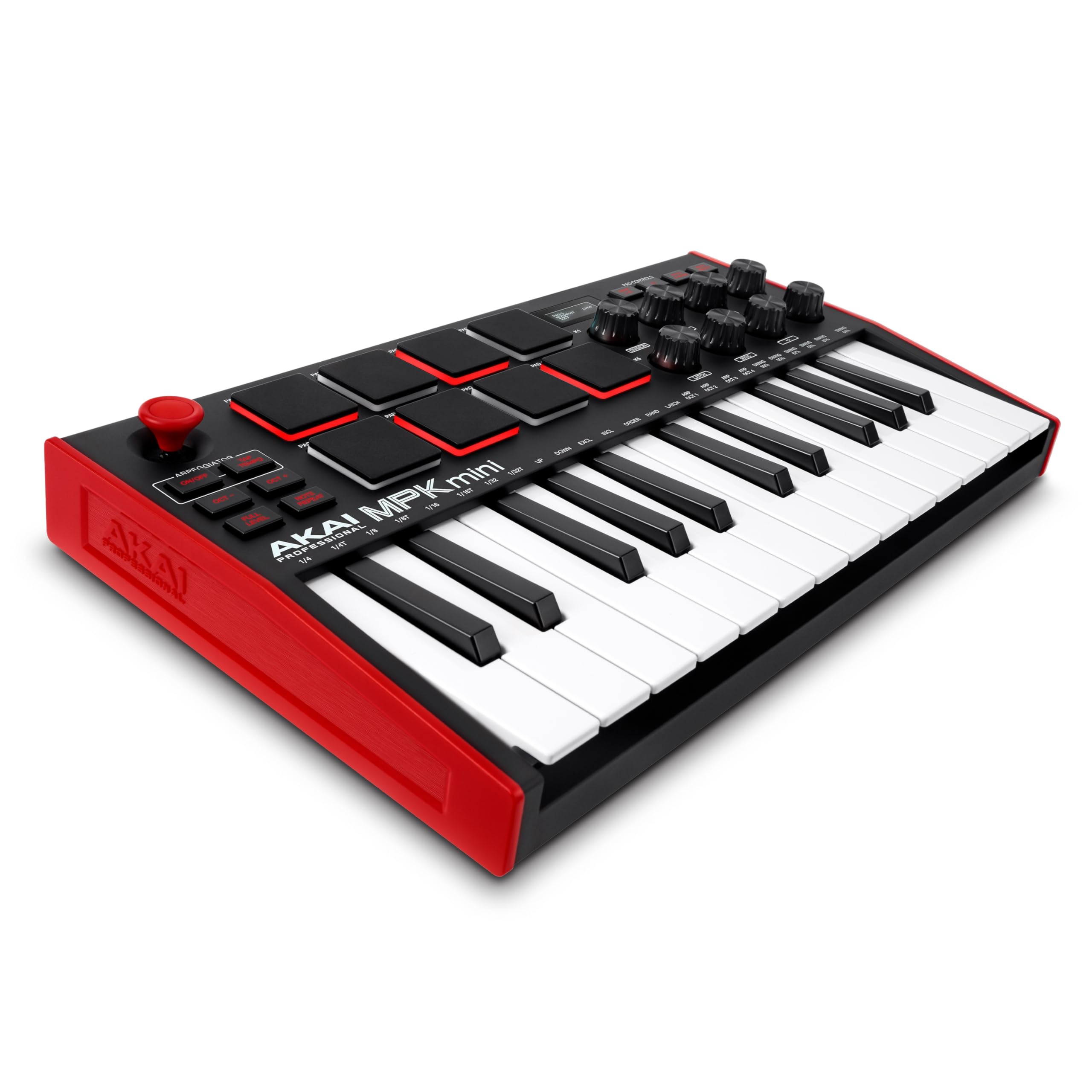
Akai Professional MPK Mini MK3 MIDI Keyboard Controller
$119.99
Why recommend: Essential for playing virtual instruments, programming drums, and controlling your DAW in a portable form factor.
Best for: Beatmakers, electronic music producers, and anyone who wants a versatile MIDI controller for their laptop setup.
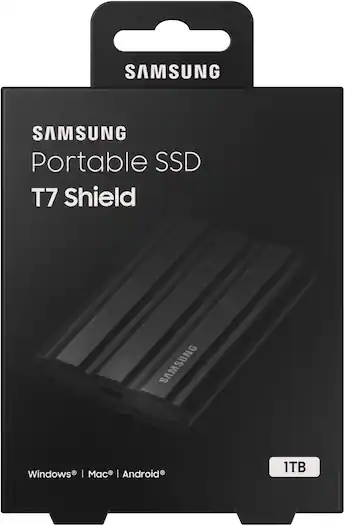
Samsung T7 Shield 1TB Portable SSD
$119.99
Why recommend: Expands your project storage and sample library without sacrificing speed or durability.
Best for: Producers using large sample libraries or recording multi-track sessions who need extra space.
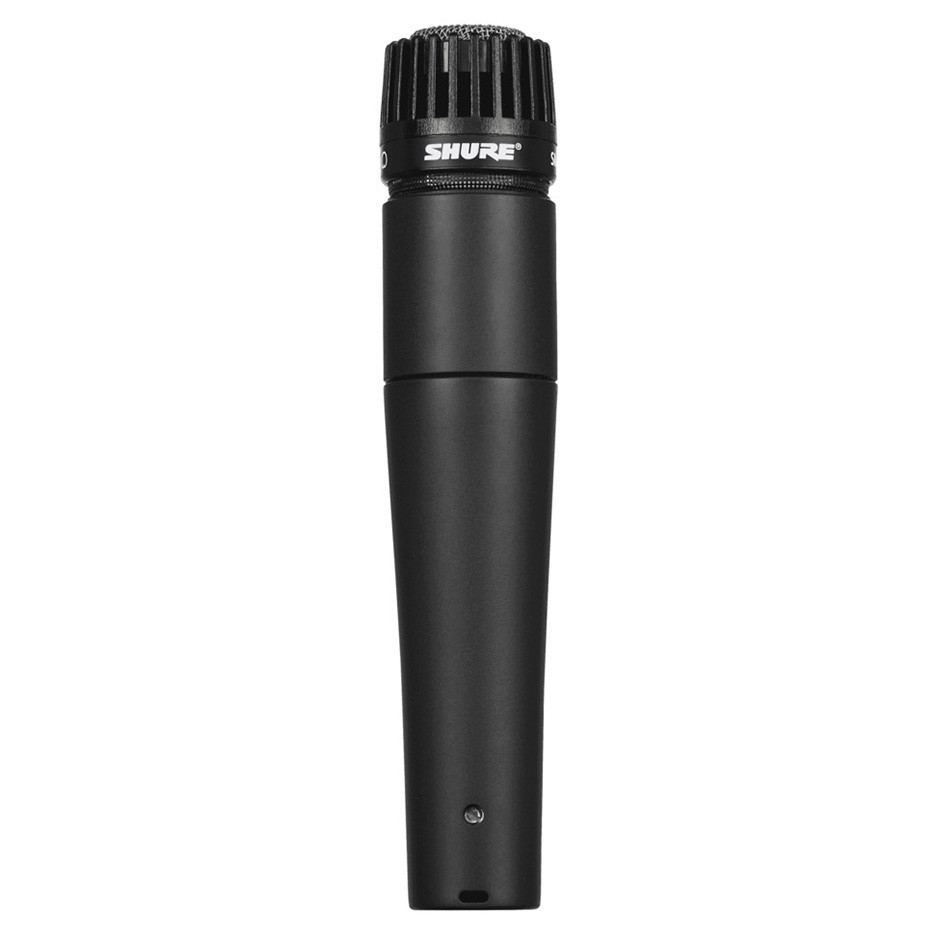
Shure SM57 Instrument Microphone
$99.00
Why recommend: A professional workhorse microphone for recording instruments and vocals at a great price.
Best for: Musicians and producers who record guitars, drums, and live instruments.
KRK Rokit 5 G4 (Pair) Studio Monitors
$349.00
Why recommend: Provides accurate, full-range monitoring that the MacBook Pro's speakers can't reproduce.
Best for: Home studio producers who need proper monitor speakers to make confident mixing decisions.
Blue Yeti USB Microphone
$129.99
Why recommend: A simple USB microphone solution for those who don't want to deal with an audio interface and XLR cables.
Best for: Beginners, podcasters, and producers who want a quick and easy way to record vocals or instruments without buying extra gear.
Bottom Line
Ready to get the MacBook Pro 16-inch M3 Pro? Check the latest price on Amazon.
🛒 Buy on AmazonAs an Amazon Associate we earn from qualifying purchases.
Frequently Asked Questions
Is the MacBook Pro 16-inch M3 Pro good for music production?
Yes, the MacBook Pro 16 M3 Pro is excellent for most music production workflows. Its 12-core M3 Pro chip, 36GB of unified memory, and silent cooling system handle large DAW sessions, virtual instruments, and effects with ease. It offers low-latency audio support, a beautiful 16-inch display, and a variety of ports for audio interfaces and storage. The only limitation for power users is the 36GB memory ceiling, which could be too little for massive orchestral templates.
Can the MacBook Pro 16 M3 Pro run Ableton Live?
Yes. Ableton Live runs natively on Apple silicon and takes full advantage of the M3 Pro. Users report being able to run large sets with many tracks and devices without dropouts. The M3 Pro's high single-core performance is especially good for real-time audio, and the multicore muscle helps when rendering or freezing heavy chains.
Is 36GB of RAM enough for music production?
For the vast majority of modern music production (electronic, pop, rock, hip-hop), 36GB is plenty. You can run dozens of plugin instances and load sizable sample libraries. If you're working with Hollywood-sized orchestral templates that require 100+ MIDI tracks with multiple sample libraries, you may want a MacBook Pro with M3 Max and 64GB or 128GB of RAM.
Is the M3 Pro faster than the M2 Pro for music production?
In CPU-heavy mixing tasks, the M3 Pro generally provides a modest single-core performance improvement over the M2 Pro, though its memory bandwidth is actually lower (150GB/s vs 200GB/s). For most music production tasks, the difference is small; both are excellent. If you can find a good deal on an M2 Pro MacBook Pro, it's still a strong choice.
Which DAWs are optimized for the M3 Pro MacBook Pro?
Logic Pro, Ableton Live, Pro Tools, Studio One, FL Studio, Reaper, and Bitwig all support Apple silicon natively. Logic Pro is especially well-tuned for Apple's chips and includes additional capacity for effects and tracks. GarageBand also runs natively and is a good free starting point.
Will all of my plugins work on an M3 Pro MacBook Pro?
Most modern plugins work natively or through Rosetta 2 emulation. Some very old or abandonware plugins may cause problems, but the vast majority of popular plugins from companies like Native Instruments, Arturia, Waves, and iZotope are native. Always check the developer's compatibility notes before upgrading.
Do I need an audio interface with the MacBook Pro 16 M3 Pro?
It depends on your needs. The built-in sound output is clean and can drive headphones directly, but for recording microphones or instruments at professional quality, an external audio interface like the Focusrite Scarlett is recommended. It also provides lower latency and better monitoring.
Why is the MacBook Pro 16 M3 Pro so expensive? Is it worth it?
Apple's premium build, high-end M3 Pro chip, mini-LED display, long battery life, and excellent audio capabilities justify the price for professionals who earn money from music production. For beginners or hobbyists, the cost may be hard to justify, especially when a MacBook Air M3 is much more affordable.
Is the 512GB base storage enough for music production?
No, if you install many sample libraries or record multi-track sessions. A single orchestral library can exceed 100GB. We recommend getting at least 1TB of internal storage and using an external SSD like the Samsung T7 Shield for even more space. Since the storage is soldered, you cannot upgrade later.
What is a better MacBook for music production: the 16-inch M3 Pro or the 14-inch M3 Pro?
The 16-inch has a larger display, better speaker system, and a larger battery; the 14-inch is more portable. For studio use, the 16-inch is a better choice. For frequent travel, the 14-inch can be more practical. In terms of performance, the M3 Pro chips are similar, though the 16-inch's thermal system keeps fans quieter.
What are the best accessories for MacBook Pro M3 Pro music production?
A dedicated audio interface (e.g., Focusrite Scarlett 2i2), closed-back studio headphones (Audio-Technica ATH-M50x), a MIDI controller (Akai MPK Mini), and a portable SSD (Samsung T7 Shield) are the top accessories. A laptop stand and a shockproof sleeve also help protect your investment.
Is the MacBook Pro 16 M3 Pro overkill for a beginner?
Yes, for a true beginner, the M3 Pro 16-inch is overkill. A MacBook Air M3 (or even a MacBook Air M1) will run GarageBand and most beginner-friendly DAWs smoothly. The money saved is better spent on an audio interface, studio monitors, and a MIDI controller.