
Quick Verdict
The MacBook Air M3 is a solid choice for many iOS developers, but its fanless design limits sustained performance. It’s best for those with lighter workloads or who prioritize portability.
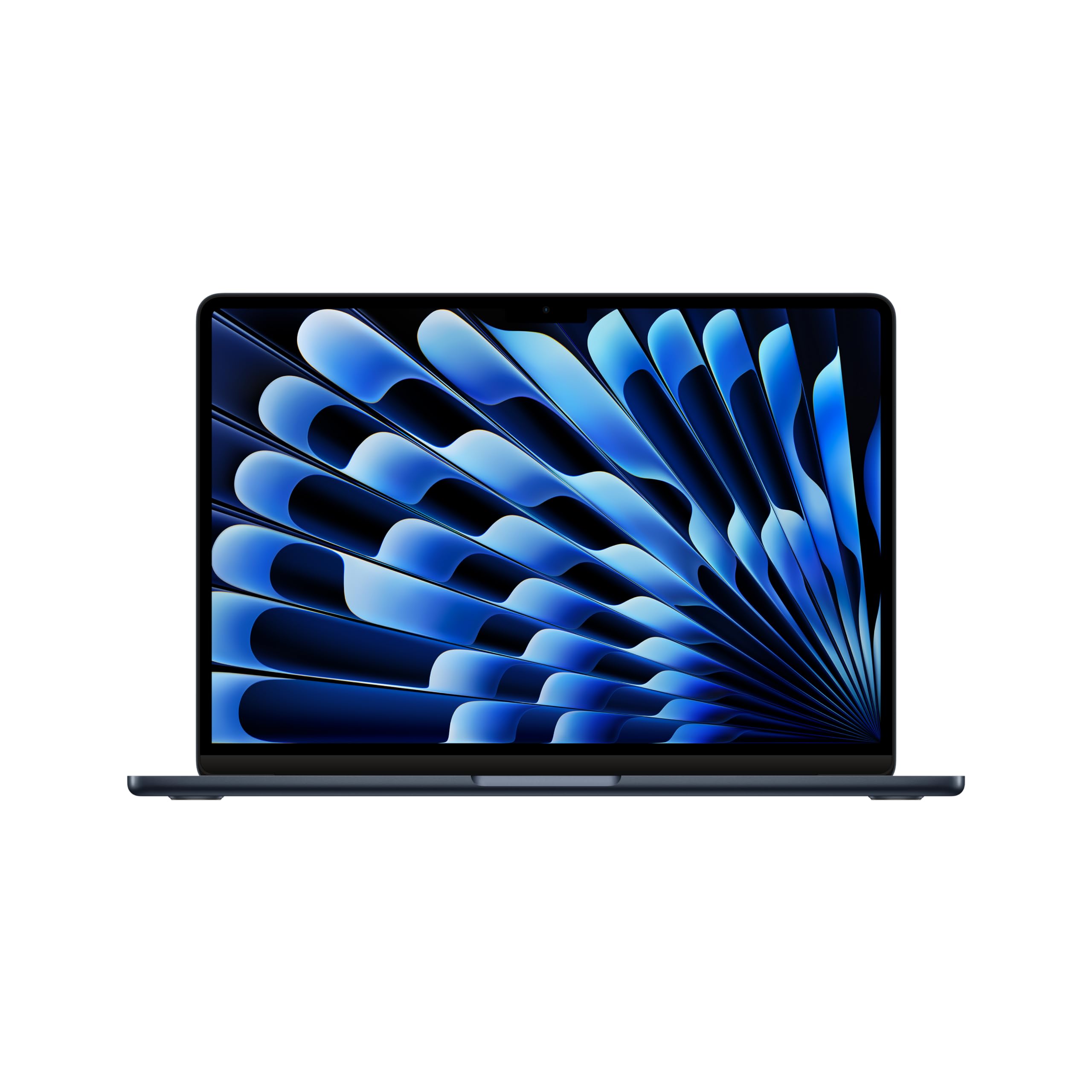
MacBook Air M3
$1099.00

✓ Key Strengths
- •Excellent single-core performance speeds up Xcode code editing and indexing
- •Up to 24GB unified memory allows smooth multitasking with simulators
- •Fanless design means silent operation during development
- •Outstanding 18-hour battery life supports full-day coding without a charger
- •Lightweight and portable at 3.3 pounds, ideal for working in different locations
- •Fast SSD ensures quick project loading and file operations
✗ Key Weaknesses
- •Fanless design leads to thermal throttling under sustained heavy builds
- •Only supports one external display (up to 6K), limiting multi-monitor setups
- •Storage is not upgradable after purchase, so future-proofing requires upfront investment
- •Build times can be significantly longer than on a MacBook Pro for large projects
- •No SD card slot or HDMI port; requires dongles for connectivity
What is MacBook Air M3?
What is iOS app development?
Detailed Analysis
👍 Perfect For
- ✓Indie iOS developers building small to medium apps with occasional builds
- ✓Students learning iOS development who need an affordable, portable Mac
- ✓Freelancers who work from coffee shops and value battery life and portability
- ✓Developers who complement the Air with a powerful desktop or Mac mini
👎 Not Ideal For
- ✗iOS developers working on large-scale apps with frequent full compilations
- ✗Professionals who require multiple external monitors for efficient workflow
- ✗Developers who need sustained maximum CPU performance for hours at a time
Use Case Scenarios
Student Learning iOS Development
A computer science student taking iOS development courses, working on small homework projects and prototypes.
✓ Strengths
- Lightweight for carrying between classes
- Battery life covers a full day of classes and coding
- Silent operation in quiet environments
- Adequate performance for small projects
✗ Weaknesses
- Might struggle with large group projects or advanced simulations
💡 Workarounds
- Use Xcode cloud for large builds to offload compilation
- Connect to an external Mac mini for heavy tasks at home
The portability, battery, and performance for small projects make it an ideal learning tool.
Freelance Developer with Medium Projects
A solo developer building moderately complex apps with custom UI, networking, and database integration.
✓ Strengths
- Good balance of performance and portability for working remotely
- Excellent battery life for client meetings and coworking spaces
- Fast enough for typical daily builds
✗ Weaknesses
- Build times increase under sustained load due to throttling
- External monitor limit may require compromises
💡 Workarounds
- Use an iPad as a secondary display via Sidecar
- Invest in a DisplayLink adapter for multi-monitor setups
- Schedule builds during breaks to avoid thermal issues
Very capable, but prolonged heavy use exposes thermal limitations.
Professional Team Developer Working on Large Enterprise App
A developer in a team building a complex app with millions of lines of code, multiple modules, and frequent builds.
✓ Strengths
- Still runs Xcode and can compile code eventually
✗ Weaknesses
- Severe thermal throttling extends build times significantly
- Single external monitor limit hampers multi-screen workflow
- Maximum 24GB RAM may be insufficient for heavy multitasking
- No active cooling leads to heat and noise under load
💡 Workarounds
- Offload builds to a CI server or Mac mini
- Use a single large 6K monitor as a workaround
- Switch to a MacBook Pro for better sustained performance
The thermal design and connectivity limitations make it unsuitable for professional enterprise development.
Bottom Line
Ready to get the MacBook Air M3? Check the latest price on Amazon.
🛒 Buy on AmazonAs an Amazon Associate we earn from qualifying purchases.
Frequently Asked Questions
Is the MacBook Air M3 good for iOS app development?
Yes, for many developers. The M3 chip provides excellent single-core performance and the machine handles Xcode well for small to medium projects. However, its fanless design leads to thermal throttling under sustained heavy loads, making it less suitable for large enterprise app development.
Can you use MacBook Air M3 for iOS app development?
Absolutely. It runs Xcode and all required tools. The base model with 8GB RAM is usable but 16GB or 24GB is recommended for a smooth experience with simulators and multitasking.
Is MacBook Air M3 suitable for professional iOS development?
It depends on the project size. For indie or small team projects, yes. For large, complex apps with frequent heavy builds, a MacBook Pro with active cooling is more suitable to avoid throttling.
What is better than MacBook Air M3 for iOS app development?
The MacBook Pro 14-inch or 16-inch with M3 Pro/Max chips offer better sustained performance, more RAM options, additional external display support, and active cooling. They are better for professional and heavy workloads.
Does MacBook Air M3 work for iOS app development?
Yes, it works. Thousands of developers use it daily. Performance is adequate for most tasks, but be aware of thermal throttling during long compilations.
MacBook Air M3 vs MacBook Pro M3 Pro for iOS development
The Pro offers faster sustained performance, more RAM (up to 128GB vs 24GB), support for up to 3 external displays, and a fan for cooling. The Air is more portable and cheaper. Choose Air for light workload, Pro for heavy.
What accessories are recommended for MacBook Air M3 for iOS development?
A good USB-C hub or Thunderbolt dock for connectivity, an external monitor (like a 4K display), a portable SSD for backup, and an ergonomic keyboard/mouse are recommended.
How much RAM do I need for iOS development on MacBook Air M3?
16GB is the sweet spot for most developers. 24GB is beneficial if you frequently run multiple simulators, Docker, or other heavy tools. 8GB is sufficient for basic learning but may lead to swapping.
Is 8GB RAM enough for iOS development on MacBook Air M3?
Bare minimum. It can work for small projects and learning, but you'll encounter slowdowns with larger apps or multiple tools. 16GB is strongly recommended.
Can MacBook Air M3 handle iOS simulator?
Yes, the simulator runs well on M3. Performance is smooth for most apps, though complex 3D games may cause some lag. The unified memory helps with graphics tasks.
Will Apple Silicon MacBook Air M3 support all iOS development tools?
Yes. Xcode and all modern iOS development tools are native on Apple Silicon. Older tools may need Rosetta 2, which works well but may have minor performance impact.
How does MacBook Air M3 compare to Mac mini M2 for iOS development?
Mac mini M2 is cheaper and offers similar performance but lacks portability and built-in display. It supports two external displays. Many developers choose a Mac mini as a desktop setup and a MacBook Air for on-the-go.