Review Atlas
Review AtlasYour guide to a better purchase

Menu

Shop by Category

Get the App

Better experience on mobile

Home/Best For/Lenovo Chromebook Duet

Is Lenovo Chromebook Duet Good for Writing a Novel?

An honest analysis of using the Lenovo Chromebook Duet for writing a novel, including pros, cons, and better alternatives.

decent(60/100)

Quick Verdict

The Lenovo Chromebook Duet is a decent but not ideal choice for writing a novel. Its portability, battery life, and included keyboard are great for casual writing, but the small keyboard and screen hinder long-form writing comfort. With the right accessories, it can work, but dedicated writers may prefer alternatives.
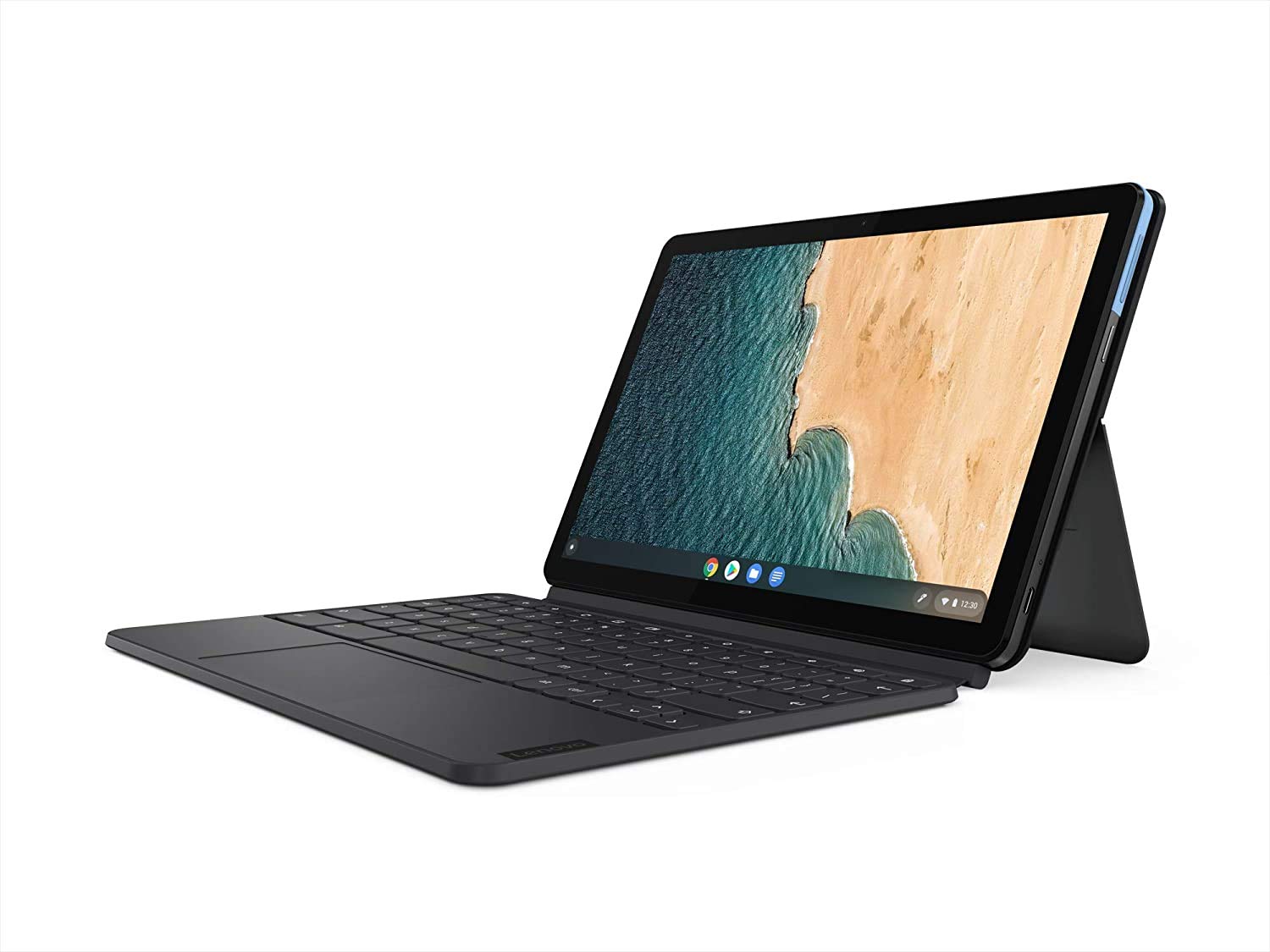
Lenovo Chromebook Duet

Lenovo Chromebook Duet

Writing a novel is a marathon of words, ideas, and revisions. The device you choose can either support your creative flow or become a source of frustration. The Lenovo Chromebook Duet is one of the most affordable 2-in-1 Chromebooks on the market, but can it handle the demands of a long writing project? We've researched the Duet's hardware, software ecosystem, and real user experiences to provide a comprehensive, honest assessment. In this guide, we'll break down the Duet's strengths and weaknesses specifically for novel writing, explore different writer scenarios, and recommend essential accessories to enhance your experience. By the end, you'll know exactly whether the Lenovo Chromebook Duet should be your writing companion or if you should look elsewhere.

✓ Key Strengths

  • Ultra-portable: Weighs just 1.1 kg with keyboard attached, easy to carry in a bag.
  • Outstanding battery life: Up to 10 hours of mixed use, enough for full days of writing.
  • Included accessories: Detachable keyboard and USI stylus are bundled, saving you money.
  • Bright and sharp display: 1920x1200 IPS screen with good color reproduction.
  • Runs Android and Linux apps, giving you access to a wide range of writing tools.
  • Budget-friendly: At around $250-$300, it's one of the cheapest 2-in-1s with a quality build.
  • Quick boot times and smooth day-to-day performance for basic tasks.

✗ Key Weaknesses

  • Small, cramped keyboard: The compact layout reduces typing speed and causes fatigue during long sessions.
  • Limited RAM (4GB): Slows down with many browser tabs, large documents, or Android apps running simultaneously.
  • Screen size limits workspace: 10.1 inches displays less text, making editing and comparing chapters tedious.
  • Limited native software: Full-featured desktop apps like Scrivener (Windows) or Final Draft aren't available in the same form.
  • eMMC storage and slower internal memory can contribute to occasional lag when writing long documents.

What is Lenovo Chromebook Duet?

The Lenovo Chromebook Duet is a detachable 2-in-1 laptop that runs on Chrome OS. At its core is a 10.1-inch Full HD (1920x1200) IPS touchscreen display with narrow bezels, giving it a modern look. Inside, it's powered by a MediaTek Helio P60T octa-core processor, paired with 4GB of RAM and 64GB of eMMC storage (a 128GB version is also available). The tablet itself weighs just 450 grams, making it one of the lightest Chromebooks on the market. When you attach the included keyboard, the total weight is still under 1.2kg. The back of the tablet has a built-in kickstand that flips open to prop it up at various angles. It also comes with a USI stylus for note-taking and drawing. Connectivity includes Wi-Fi 5, Bluetooth 5.0, one USB-C port (for data and charging), a microSD card slot, and a headphone jack. The Duet runs Chrome OS, which supports Android apps from the Google Play Store and Linux applications via the Linux container. It is widely praised for its solid build quality and value, often cited as one of the best budget Chromebooks for media consumption and light productivity.

What is writing a novel?

Writing a novel is a lengthy creative process that involves many stages: from initial idea and world-building to outlining, drafting, revising, editing, and final formatting. A novelist needs a tool that supports sustained typing, allows easy access to research materials, and doesn't interrupt the flow of thought. Key requirements include a comfortable, responsive keyboard with good key travel to prevent fatigue during long writing sessions; a clear, high-resolution display that is easy to read for hours; a reliable word processor with auto-save and version history; and the ability to work offline without losing work. Portability is also crucial for writers who find inspiration in different places – cafés, parks, trains – and need a device that can be carried effortlessly. Battery life is a top priority to ensure the device lasts beyond a full day of writing. Finally, the device should have sufficient storage for manuscripts, notes, and references, and offer a distraction-free environment to maintain focus. Professional novelists often use dedicated writing software like Scrivener, Ulysses, or Final Draft, which provide organizational tools for chapters, research, and character sheets.

Detailed Analysis

At first glance, the Lenovo Chromebook Duet seems like a dream for novelists: it's light, has long battery life, and costs less than $300. But does it hold up under the real-world demands of writing a novel? Let's break it down. **Keyboard & Typing Experience** – The Duet's keyboard is a surprisingly decent accessory given its size. Keys have reasonable travel (1.4mm) and are well-spaced for a 10-inch device, but they're not full-size. Touch-typists may struggle until they adjust. The trackpad is cramped but functional. For short bursts of writing, it's fine; for marathon sessions of 3+ hours, your hands may feel fatigued. A larger external Bluetooth keyboard like the Logitech K380 can drastically improve comfort and is a popular addition. **Screen Size & Clarity** – The 10.1-inch 16:10 screen with 1920x1200 resolution is sharp, but you'll see far fewer words at a time than on a 13-inch laptop. Scrolling and zooming can mitigate this, but it's not ideal for reviewing long chapter structures. The display is bright and vibrant, making it easy to read for hours. The touchscreen is useful for editing and navigation. **Software & Apps** – Chrome OS now supports Android apps, so you can use Google Docs, Microsoft Office (via web or app), and even Scrivener's Android version. Google Docs is the safest choice, with excellent cloud sync and offline support. The Duet's 4GB RAM may occasionally slow down when running multiple tabs or large documents, but for single-task writing it's fine. The lack of a true desktop word processor like Word for Windows can be limiting for complex formatting and endnotes. However, for most novel drafting, apps like Notion, Writer, or Evernote work well. **Battery & Portability** – This is where the Duet shines. With 10 hours of battery, you can write all day without a charger. The compact size means it slips into a tote or backpack without adding weight. It's an excellent 'write anywhere' machine. **Storage & Backup** – 64GB is generally sufficient for thousands of pages of text, but system updates and apps eat into that. A microSD card can expand storage cheaply. Cloud storage (Google Drive) is built-in for backups. For most novelists, storage isn't a concern with external options. **Real-world User Feedback** – Many users praise the Duet as a great secondary device for writing and note-taking, but they also note that the small keyboard makes it less suitable as a primary laptop. Professional reviewers often classify it as a media-consumption tablet that can handle light productivity. For novel writing, the consensus is that it's workable but not ideal for long hours. **Comparisons** – For a similar budget, you could get a refurbished ThinkPad or a Chromebook with a larger 14-inch screen. Alternatively, an iPad with a Smart Keyboard offers a better typing experience and a larger ecosystem, but costs more. The Duet's value proposition is strongest for someone who already has a main computer and wants a portable secondary device for writing on the go. **Workarounds** – If you love the Duet's portability but need better ergonomics, invest in a Bluetooth keyboard and a stand to raise the screen to eye level. Use the built-in kickstand and a lap desk for couch writing. For distraction-free writing, enable Google Docs' offline mode or use apps like FocusWriter (available as a Linux app). With these tweaks, the Duet can become a surprisingly effective writing tool.

👍 Perfect For

  • Travel writers who need a light, battery-sipping device for capturing ideas and drafting on the go.
  • Students writing essays, theses, or short stories who want a budget device with a keyboard and stylus included.
  • Writers who prefer distraction-free environments and use simple tools like Google Docs with offline mode.
  • People who need a secondary device for quick edits, note-taking, or brainstorming while their main computer is elsewhere.

👎 Not Ideal For

  • Professional novelists who write for hours a day and require a full-size, ergonomic keyboard.
  • Writers using feature-heavy software like Scrivener for Windows or macOS, which isn't available in full on Chrome OS.
  • Those who need a large screen for side-by-side research, multi-window editing, or detailed formatting.
  • Users who expect laptop-grade performance for running many applications simultaneously.

Use Case Scenarios

Casual Travel Writer

A writer who frequently travels and wants to capture ideas, write short pieces, or journal on the go. They need a lightweight device that won't weigh them down and can last a full day of sightseeing and writing.

Overall Score:good (78/100)

✓ Strengths

  • Extremely portable – fits in a small bag.
  • Long battery life – no anxiety about charging.
  • Included stylus for quick notes.
  • Can quickly upload content to cloud via Wi-Fi.

✗ Weaknesses

  • Screen too small for heavy editing.
  • Keyboard may not be comfortable for long typing sessions.

💡 Workarounds

  • Use the microSD card to back up photos.
  • Pair a portable Bluetooth keyboard for hotel room writing.
  • Use Google Docs offline to avoid data costs.

The Duet excels in portability and battery life, making it a great travel companion. While the screen and keyboard aren't perfect, they are adequate for short-form writing, which is typical for a travel writer.

Student Writing a Novel

A student with a limited budget trying to write a novel or thesis while attending classes. They need a device for note-taking, research, and writing.

Overall Score:good (68/100)

✓ Strengths

  • Very affordable.
  • Bundled keyboard and stylus.
  • Supports Android apps for note-taking and organization (Notion, Evernote).

✗ Weaknesses

  • RAM scarcity slows down with many tabs.
  • Small screen and keyboard for long writing.

💡 Workarounds

  • Use a USB-C hub to plug in external monitor and mouse.
  • Keep browser tabs to a minimum; use Linux apps like Zotero for research.
  • Install a distraction-free writing app like FocusWriter.

The Duet offers excellent value for students. It handles word processing and research adequately, but the small keyboard and RAM limits are manageable with accessories and disciplined tab usage.

Professional Novelist

A full-time author who writes for 6+ hours a day, often simultaneously doing research, editing, and manuscript formatting. They need a high-performance device with an ergonomic keyboard and a large display.

Overall Score:poor (35/100)

✓ Strengths

  • Portable for occasional meetings or trips.
  • Battery life is a safety net.

✗ Weaknesses

  • Ergonomic issues – keyboard and screen too small.
  • Software limitations for professional writing.
  • 4GB RAM and eMMC storage cause lag.

💡 Workarounds

  • Use it as a secondary device for jotting ideas.
  • If you must use it, pair with a large external keyboard and monitor.

The Duet lacks the ergonomic keyboard, screen real estate, and performance required for daily professional writing. It is not a viable primary tool for a professional novelist.

Distraction-Free Writer

A writer who likes to unplug and focus on writing in short sessions. They value simplicity and a clear, minimal interface.

Overall Score:good (72/100)

✓ Strengths

  • Simple to use, quick boot.
  • Excellent for distraction-free software.
  • Lightweight and easy to pick up and write.

✗ Weaknesses

  • Keyboard not suited for longer sessions.
  • Temptation of other apps.

💡 Workarounds

  • Create a separate Chrome profile dedicated to writing.
  • Use FocusWriter and enable full-screen.
  • Use the Android app 'Write' or even a typewriter app.

For short, focused writing sessions, the Duet works well. Its simplicity and portability align with a distraction-free approach, though the keyboard limits marathon sessions.

Related Products You Should Consider

SanDisk Ultra 256GB microSDXC Card - Image 1 of 6
🔧 Accessory

SanDisk Ultra 256GB microSDXC Card

$24.99

highly recommended
The Lenovo Chromebook Duet comes with just 64GB of internal storage, and system updates, apps, and offline files can fill it quickly. Adding a SanDisk Ultra 256GB microSD card is the cheapest way to expand your storage capacity. You can store drafts, reference PDFs, and research materials on the card. This Class 10, A1-rated card offers smooth performance for reading and writing documents, making it a practical solution for novelists who work with large manuscripts. It's also a great place to keep Google Docs offline files or backups of your writing. At around $25, it's a wise investment to extend the Duet's usefulness.

Why recommend: Plug-and-play storage expansion for only $25; essential for heavy users who need extra space for documents, notes, or backups.

Best for: Anyone who needs more local space for manuscripts, research files, or Android apps.
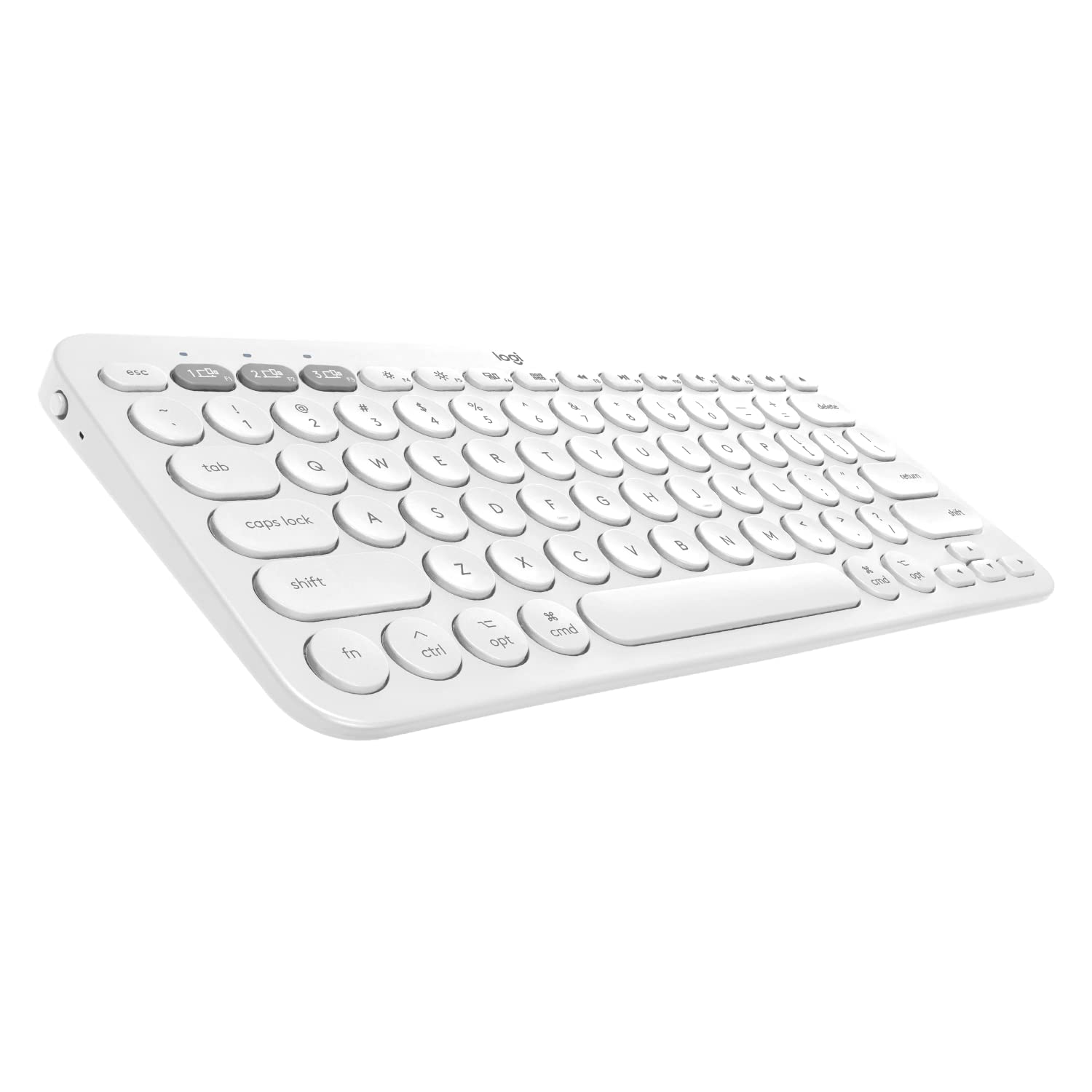
Logitech K380 Multi-Device Bluetooth Keyboard
🔧 Accessory

Logitech K380 Multi-Device Bluetooth Keyboard

$29.99

highly recommended
The Duet's included keyboard is fine for short typing, but if you plan to write a novel, the Logitech K380 offers a much more comfortable typing experience with full-size round keys and a familiar layout. It can connect to three devices and switch with a button, so you can type on the Duet, a phone, and a desktop. The keyboard is ultra-portable and runs on two AAA batteries that last for months. Pair it with the Duet's kickstand or a stand for a more ergonomic setup. Many writers rave about its feel for the price. It's a must-have accessory for anyone using the Duet for serious writing.

Why recommend: Upgrade your typing comfort for long sessions without sacrificing portability. The K380 is a proven, reliable external keyboard that vastly improves the Duet's usability.

Best for: Writers who want a real keyboard but still need to keep things light and travel-friendly.
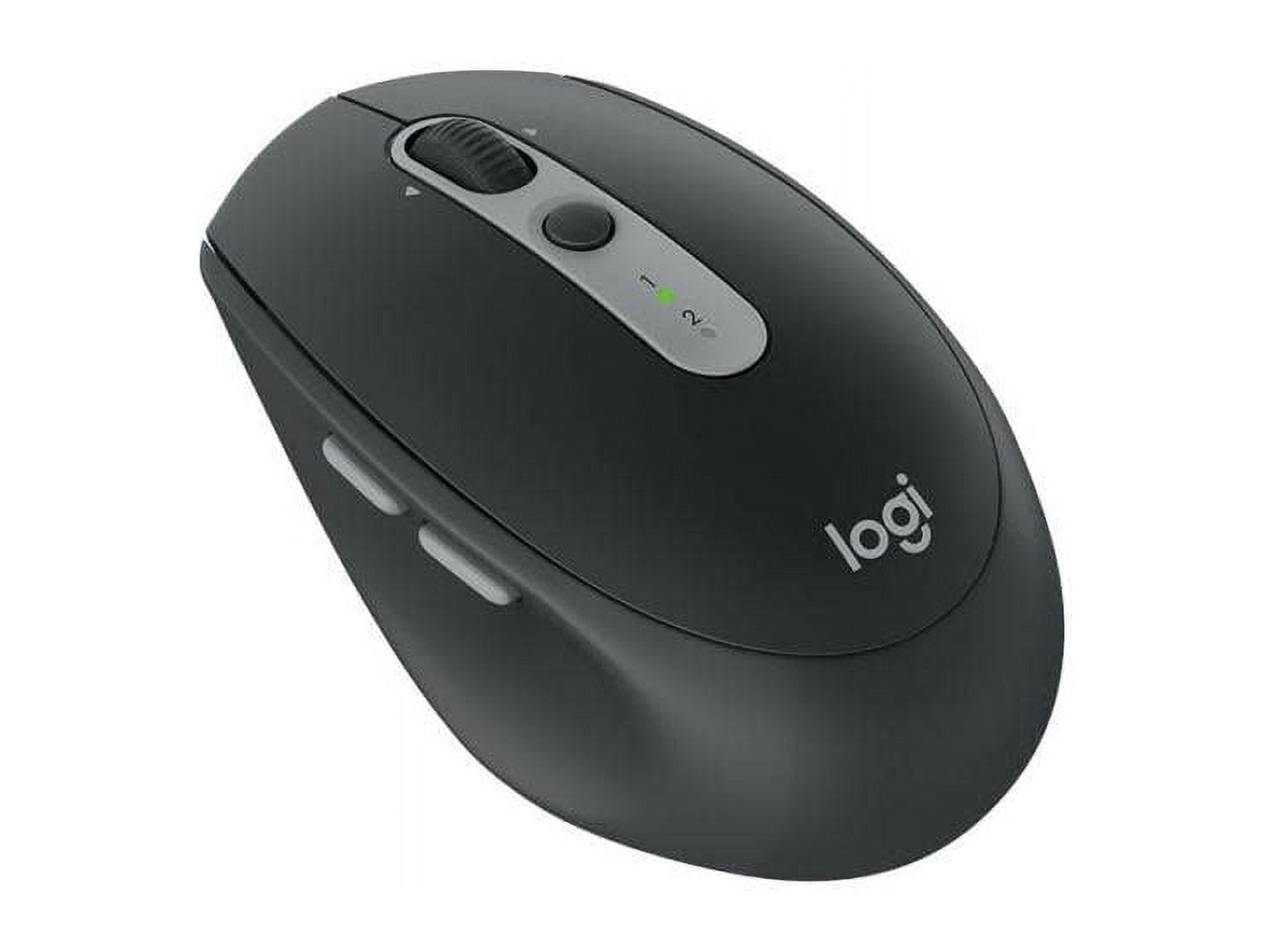
Logitech M590 Silent Wireless Mouse
🔧 Accessory

Logitech M590 Silent Wireless Mouse

$29.99

recommended
The Duet's trackpad is small and can be inaccurate for precise tasks like selecting text or moving cursors along a line. Adding the Logitech M590 gives you a comfortable, silent mouse with smooth scrolling and gesture support. It connects via Bluetooth or USB receiver, so it works seamlessly with Chrome OS. The silent clicks are perfect for writing in quiet spaces like libraries without disturbing others. It also supports flow control between computers, though that may be overkill. This simple accessory dramatically improves your editing efficiency and reduces frustration.

Why recommend: Precision cursor control is essential for editing and formatting; the M590 is a silent, ergonomic performer that pairs beautifully with the Duet.

Best for: Writers who do a lot of editing and prefer a physical mouse over the trackpad.
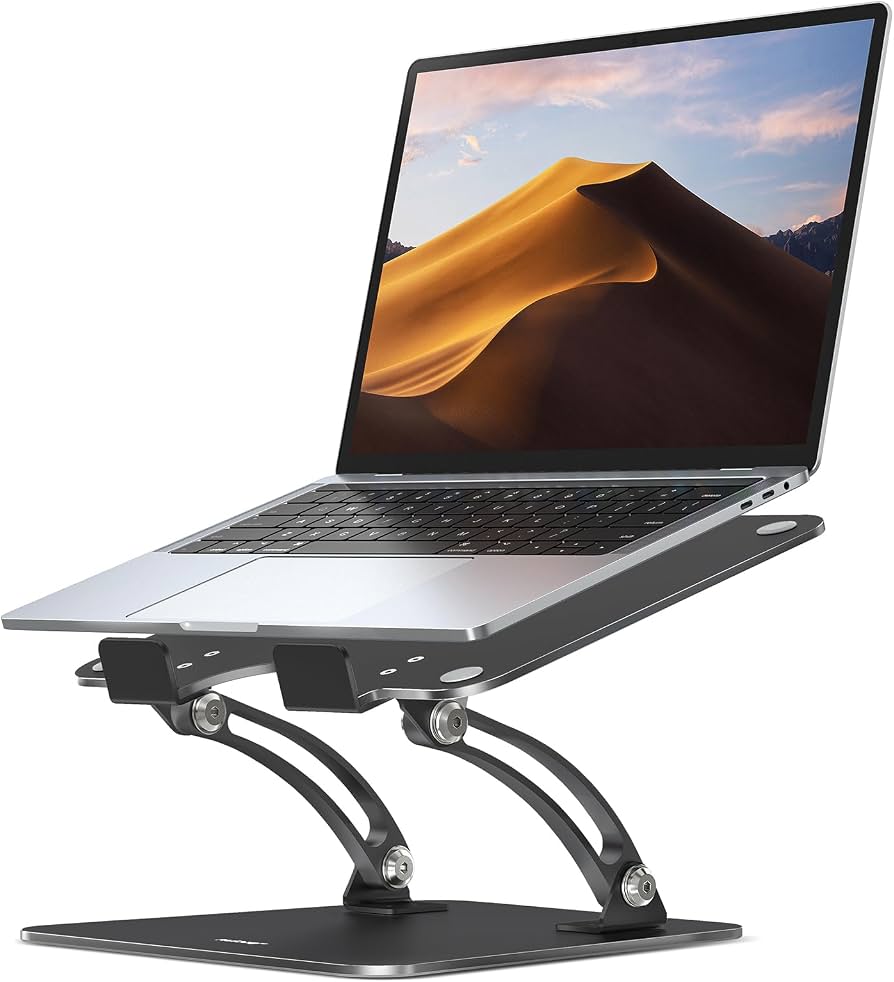
Nulaxy Adjustable Laptop Stand
🔧 Accessory

Nulaxy Adjustable Laptop Stand

$22.99

recommended
For prolonged typing, ergonomics matter. The Duet's kickstand places the tablet at a set angle that may not be comfortable for everyone. Using the Nulaxy laptop stand lets you raise the screen to eye level and attach your Bluetooth keyboard at a typing height. The stand is compact, foldable, and weighs almost nothing. It has six adjustable angles, so you can find your ideal view. This setup prevents neck and back strain during marathon writing sessions and makes the Duet feel like a proper workstation. It's an inexpensive way to create a healthier writing environment.

Why recommend: A solid, portable stand improves posture and screen visibility, reducing fatigue during long writing blocks.

Best for: Writers who work for long stretches and care about ergonomics, especially when using an external keyboard.
Anker PowerCore 10000 Portable Charger
🤝 Complement

Anker PowerCore 10000 Portable Charger

$29.99

consider
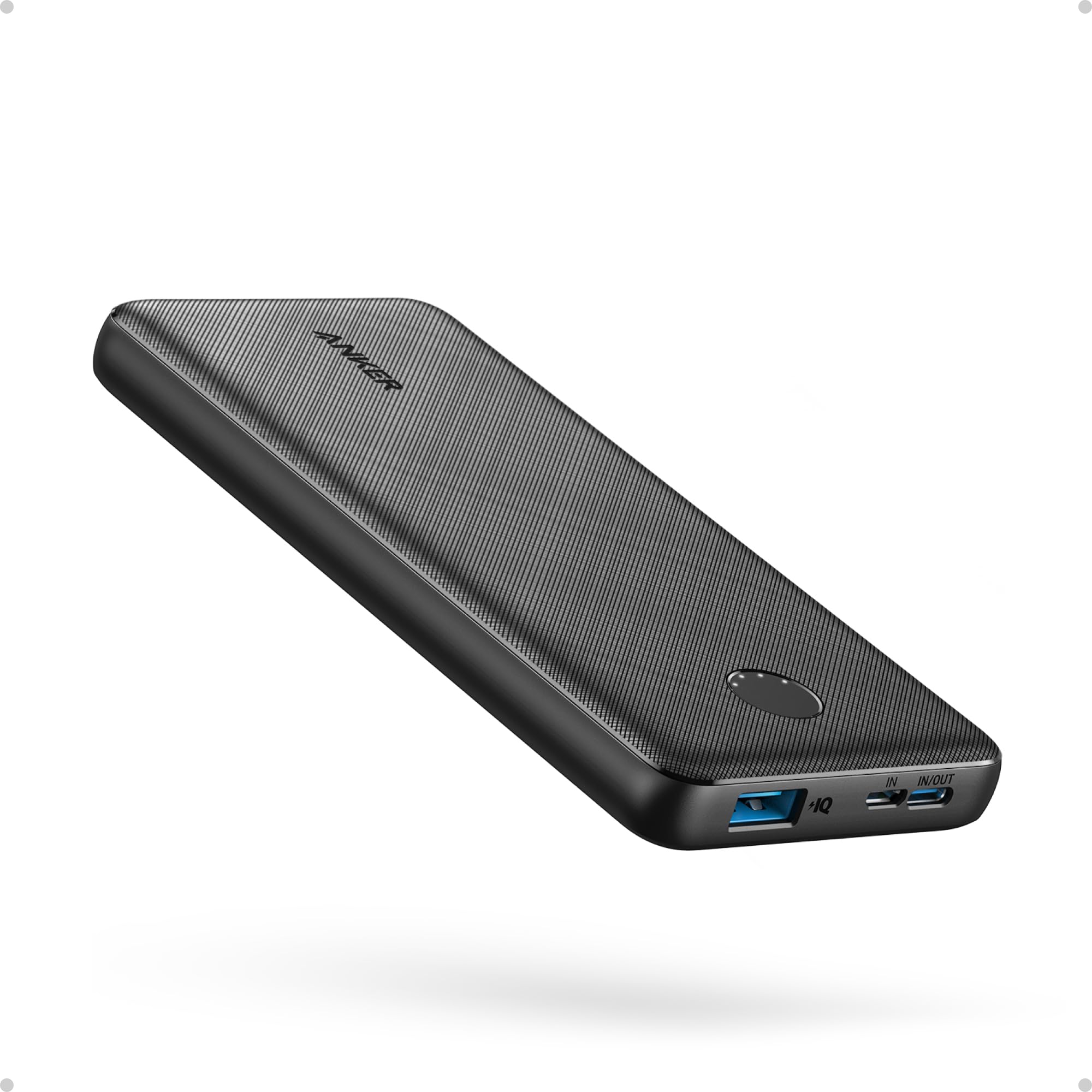
The Duet already has good battery life, but for days when you're writing outdoors or traveling extensively, an extra boost is welcome. The Anker PowerCore 10000 is a compact power bank with a USB-C port and fast-charging support. It can recharge the Duet fully, giving you additional hours of writing. It supports pass-through charging, so you can charge the Duet and the power bank simultaneously. Weighing just 6.7oz, it adds minimal weight to your bag. With 10000mAh capacity, it provides roughly 1.5 extra charges for the Duet, ensuring you never run out of power during a creative burst.

Why recommend: Reliable power backup for writing on the go, especially for travel writers or those without easy access to outlets.

Best for: Travel writers and anyone needing to write away from outlets for extended periods.
AmazonBasics 10-11 Inch Laptop and Tablet Sleeve
🛡️ Protection

AmazonBasics 10-11 Inch Laptop and Tablet Sleeve

$9.99

highly recommended
The Lenovo Chromebook Duet is built well, but its glass screen and metal body can get scratched or dropped. A snug sleeve protects it from scuffs and light impacts in your bag. The AmazonBasics sleeve is lightweight, features a soft interior lining, and is available in a size that fits the Duet with the keyboard attached (when closed). It has a top-loading zipper and a flat profile, making it easy to slip into any backpack. For under $10, this is essential protection for your writing investment.

Why recommend: Affordable peace of mind; prevents damage from daily wear and tear, ensuring your Duet stays in top condition.

Best for: Anyone who carries the Duet in a bag with other items, especially commuters or students.
LapGear Designer Lapdesk
🤝 Complement

LapGear Designer Lapdesk

$24.99

consider
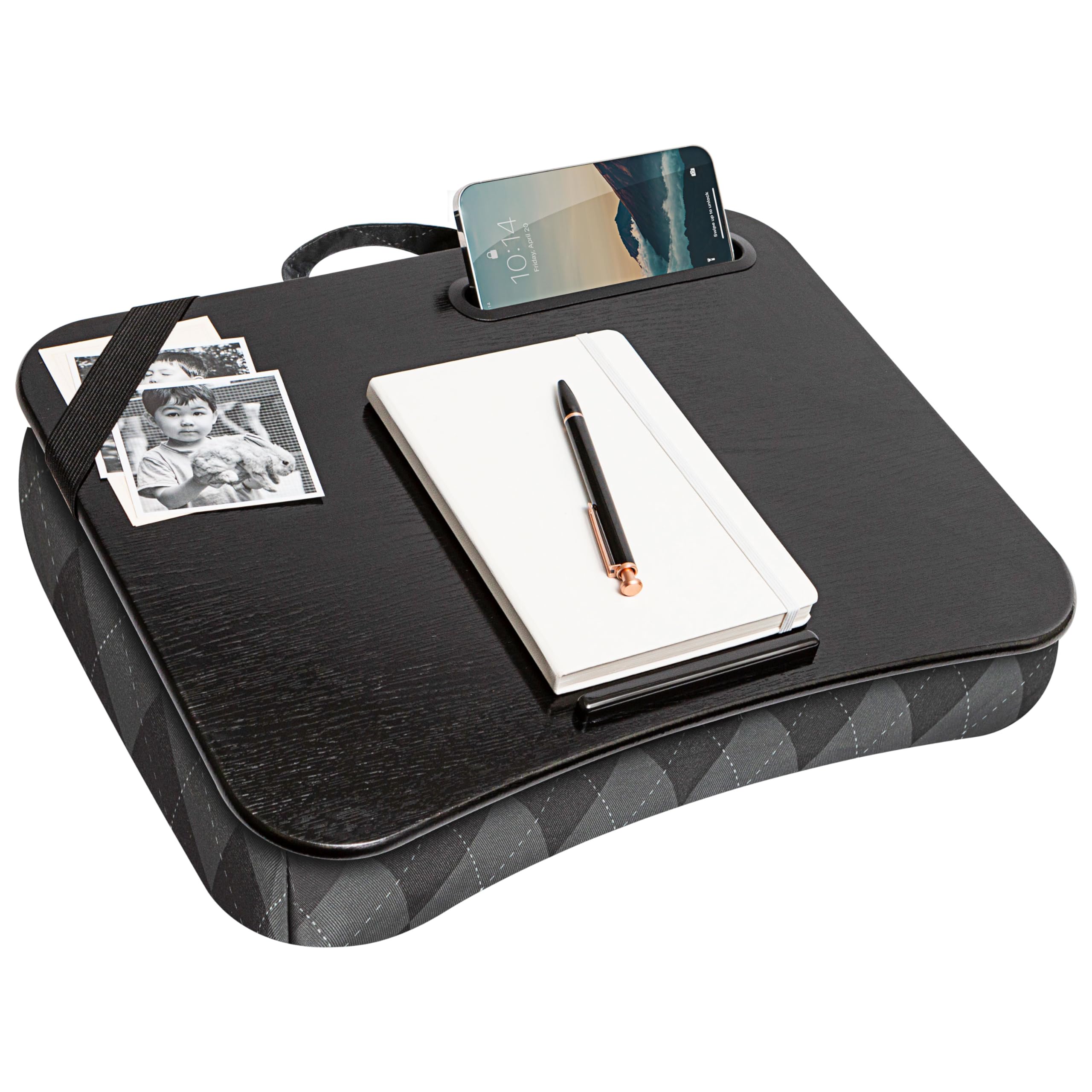
If you like to write on your couch or in bed, the Duet's small size may leave you hunching. The LapGear Designer Lapdesk provides a stable, cushioned surface for the Duet and your keyboard, with a built-in wrist rest and a side pocket for your phone or notes. It's designed for laptops up to 15.6 inches, so the Duet fits easily with room for a mouse. The desk is sturdy yet light, and the bottom cushion rests comfortably on your legs. It turns any spot into a portable writing station, making long writing sessions more comfortable.

Why recommend: Comfortable lap-writing setup for home lounging or commuting, improving comfort and posture.

Best for: Writers who love to write from the couch or bed and want a stable surface.
Anker 7-in-1 USB-C Hub
🔧 Accessory

Anker 7-in-1 USB-C Hub

$49.99

recommended
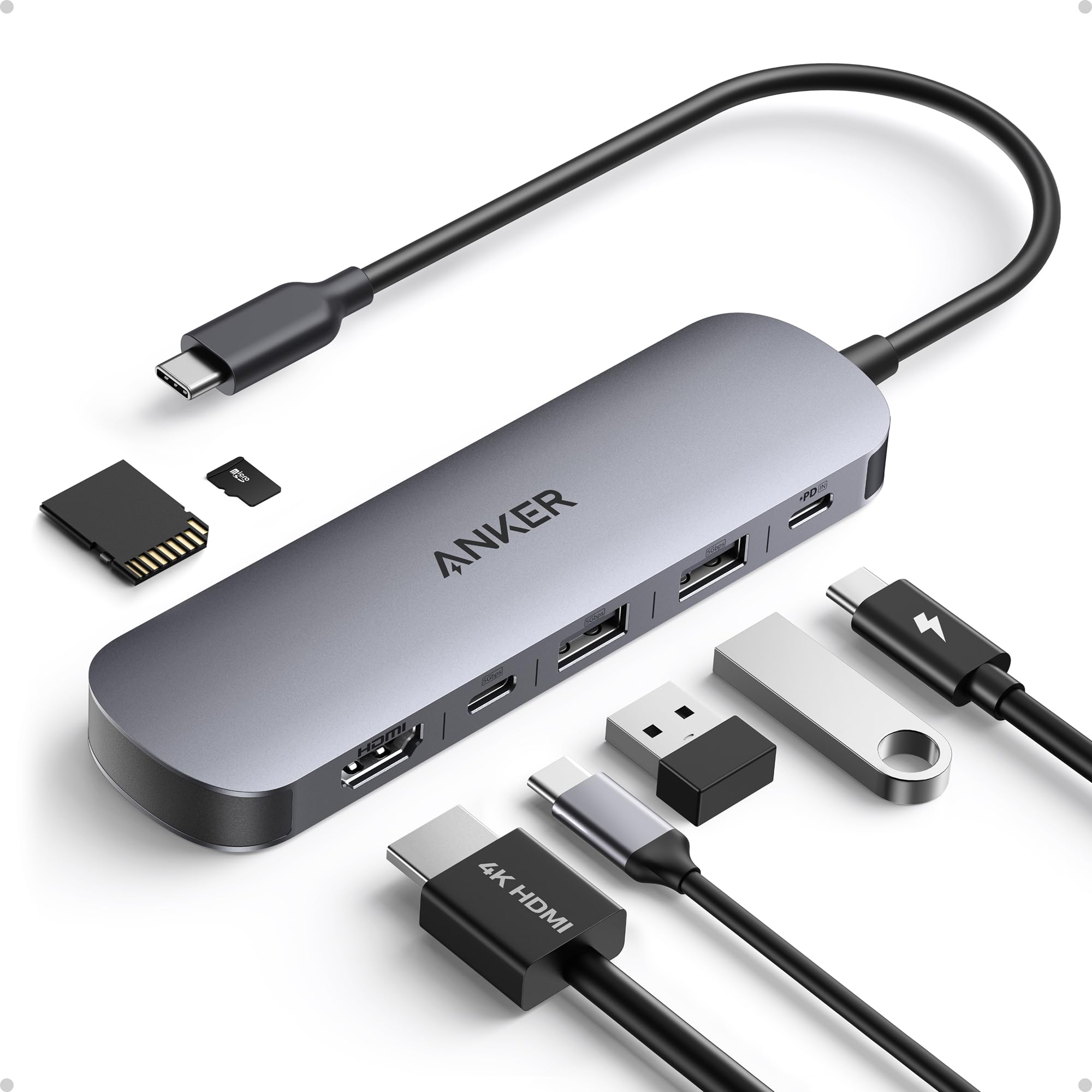
The Duet has only one USB-C port, which is used for charging. To add an external monitor, USB-A accessories, or an SD card reader, you'll need a hub. Anker's 7-in-1 hub features HDMI 4K output, two USB-A ports, an SD card reader, a USB-C power delivery port, and a USB-C data port. It allows you to connect the Duet to a full-size monitor for a larger workspace when at your desk, while still charging. This transforms the Duet into a more productive mini-desktop, overcoming the small screen limitation. It's a worthwhile investment if you plan to do extensive editing or formatting.

Why recommend: Adds ports and enables external monitor use, addressing the Duet's biggest limitation for serious work.

Best for: Writers who want a desktop-like setup with the Duet, especially for editing or research-heavy work.

Bottom Line

So, is the Lenovo Chromebook Duet good for writing a novel? The honest answer is: it depends. If you need a highly portable, budget-friendly device for writing short bursts, taking notes, or drafting while traveling, the Duet is a great choice. However, if you're a serious novelist who expects to write for hours every day, the small keyboard and 10.1-inch screen will eventually wear you down. With the right accessories (external keyboard, mouse, stand), you can transform the Duet into a surprisingly effective writing machine. But if you're willing to spend a little more, a Chromebook with a larger display (like the Lenovo Chromebook Flex 5) or a traditional laptop will offer a more comfortable writing experience. You can pick up the Lenovo Chromebook Duet at a low price on Amazon – it’s a low-risk investment for a secondary writing device, but definitely not a primary one.

Ready to get the Lenovo Chromebook Duet? Check the latest price on Amazon.

🛒 Buy on Amazon

As an Amazon Associate we earn from qualifying purchases.

Frequently Asked Questions

Is the Lenovo Chromebook Duet good for writing a novel?

The Lenovo Chromebook Duet is decent but not ideal for writing a novel. Its portability, battery life, and bundled keyboard/stylus are great for casual writing. However, the small keyboard and screen can be tiring during long writing sessions, and the 4GB RAM limits multitasking. If you plan to write on the go occasionally and use simple apps, it can work; for daily marathon writing, you'll likely want a larger laptop.

Can you use the Lenovo Chromebook Duet for writing a novel?

Yes, absolutely. You can use Google Docs, Android writing apps, and even Linux apps like FocusWriter. The device supports offline mode, so you can write without internet. Many users have drafted entire manuscripts on the Duet, but it requires adjusting to its compact size.

Is the Lenovo Chromebook Duet suitable for writing a novel?

It is suitable for short-form writing, notes, and drafting. For a novel with extensive research, editing, and formatting, it may hinder your workflow. The screen size and keyboard are the main issues, but accessories like an external keyboard and monitor can mitigate them.

What are the limitations of the Lenovo Chromebook Duet for writing?

Limitations include a small 10.1-inch keyboard that can cause finger fatigue, a cramped trackpad, only 4GB RAM, and limited storage capacity. The Chrome OS version of some writing apps is less feature-rich than their Windows/macOS counterparts. Also, the eMMC storage can feel slower when large files are open.

Does the Lenovo Chromebook Duet have a good keyboard for typing?

The keyboard is surprisingly good for its size, with quiet, tactile keys and 1.4mm travel. However, it's not full-size, so touch-typists will need time to adjust. The trackpad is small but responsive. For ergonomic comfort, many users pair the Duet with a full-size Bluetooth keyboard.

Can I use Scrivener on the Lenovo Chromebook Duet?

Yes, Scrivener is available for Android and can be installed from the Google Play Store. The Android version is more limited than the desktop version, but it still offers basic manuscript organization. For a more complete experience, you might consider using the Linux version, though it's designed for desktop and may not be optimized for the touchscreen.

How much storage do I need for writing a novel on the Lenovo Chromebook Duet?

A novel in plain text or Word format takes very little space – a 100,000-word manuscript is only about 1MB. Even with notes and research, you'll rarely need more than a few gigabytes. The 64GB internal storage is usually enough, but if you also install apps and store offline media, a microSD card is a cheap way to expand to 256GB or more.

Is the Lenovo Chromebook Duet better than an iPad for writing?

The answer depends on your budget and ecosystem. An iPad's keyboard (like the Magic Keyboard) is more comfortable and the iPad has better app support for professional writing tools like Scrivener (full version). However, iPads are significantly more expensive. The Duet is a budget alternative that offers a similar form factor at less than half the price. If you're firmly in Apple's ecosystem, the iPad wins; if not, the Duet is acceptable.

What accessories do I need for long writing sessions on the Lenovo Chromebook Duet?

Recommended accessories include: a full-size Bluetooth keyboard (Logitech K380), a silent mouse (Logitech M590), a laptop stand for ergonomics, a microSD card for extra storage, a USB-C hub for connecting an external monitor, and a sleeve for protection. These will dramatically improve your long-session comfort.

Is the Lenovo Chromebook Duet good for students writing essays?

For students, the Duet is a great value. It comes with a keyboard and stylus, runs Google Docs and Classrooms, and has a sturdy build. It's excellent for note-taking and writing essays. However, if your course requires heavy research with multiple PDFs and tabs, the 4GB RAM may slow you down. Still, for the price, it's a solid student laptop alternative.

Can the Lenovo Chromebook Duet run Microsoft Word?

Yes, you can use Microsoft Word on Chrome OS through the Android app or the web version. The Android app offers more features and works offline. However, the desktop version's advanced features (like track changes) are more limited. For most novel-writing needs, Google Docs is simpler and integrates better with Chrome OS.

What is the battery life like when writing continuously on the Lenovo Chromebook Duet?

In real-world writing tests, users report around 8-10 hours of continuous typing with screen brightness moderate and Wi-Fi off. This is enough for a full day of writing. If you're using multiple tabs or battery-hungry apps, expect closer to 7-8 hours. A power bank accessory can provide extra juice if needed.

Related Articles
