
Quick Verdict
The Scarlett Solo is a genuinely good home-recording interface for one-microphone workflows — clean preamps, dependable drivers, solid build, and a strong software bundle at a low price. It becomes the wrong purchase the moment you need a second mic input, which is the single limitation that drives most people to upgrade.
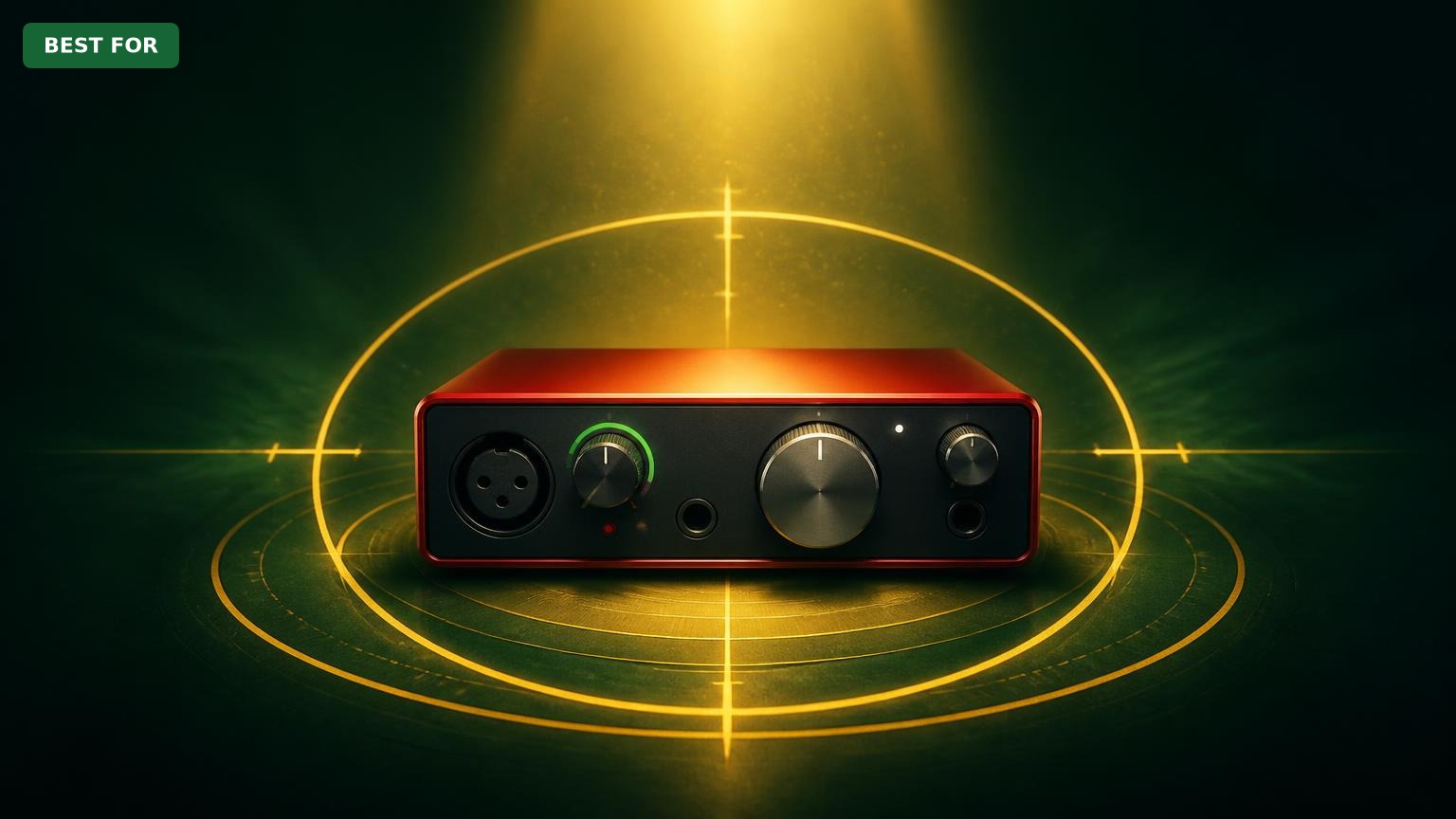
Focusrite Scarlett Solo
$139.99

✓ Key Strengths
- •Clean, quiet Scarlett mic preamp with 48V phantom power — condenser mics like the AT2020 sound good with no audible self-noise in a normal room
- •Two simultaneous inputs (one XLR mic + one instrument DI) let a singer-songwriter track vocals and guitar to separate tracks in a single pass
- •Zero-latency Direct Monitor switch makes overdubbing and live monitoring painless without touching buffer settings
- •Bus-powered USB-C with a metal unibody chassis — genuinely portable for laptop recording and small enough to live on a desk permanently
- •Native, well-maintained drivers on Windows and macOS; verified buyer feedback repeatedly cites plug-and-play reliability as the reason they stayed with Focusrite
- •Excellent bundled software (Ableton Live Lite plus, on 4th gen, Pro Tools Artist, FL Studio Producer Edition, and the Hitmaker Expansion) that covers the cost gap versus no-name interfaces
- •4th-gen Assist features (Auto Gain, Clip Safe) remove level-setting guesswork for beginners and protect takes from clipping
- •4th-gen loopback routing simplifies streaming, podcast recording with remote guests, and capturing computer audio
✗ Key Weaknesses
- •Only one microphone preamp — no way to record two mics simultaneously, and no ADAT or S/PDIF expansion to add inputs later
- •No MIDI DIN input/output, so hardware synths and drum machines with 5-pin MIDI need a separate USB-MIDI interface
- •No dedicated line-level inputs with a pad; hot instrument or line sources can be awkward to gain-stage
- •3rd-gen units lack loopback and have limited mic gain, making low-output dynamic mics like the Shure SM7B hard to drive without an inline preamp
- •Single headphone output and a modestly powered headphone amp — not ideal for two-person monitoring sessions or high-impedance headphones
- •No onboard DSP or DSP-based monitoring effects, so all processing happens in the DAW
What is Focusrite Scarlett Solo?
What is home recording?
Detailed Analysis
👍 Perfect For
- ✓Solo singer-songwriters recording vocals and acoustic guitar simultaneously into separate DAW tracks
- ✓Podcasters and voiceover artists recording a single microphone who want clean, quiet, driver-stable capture
- ✓Beginner home recordists buying their first interface who want the shortest possible path from unboxing to a recorded take
- ✓Content creators and streamers who want a simple mic interface with loopback (4th gen) for capturing game or desktop audio
- ✓Traveling musicians and songwriters who need a bus-powered interface that fits in a laptop bag
👎 Not Ideal For
- ✗Anyone recording drums, full bands, duos, or stereo acoustic guitar — you need at least two mic preamps, so buy a Scarlett 2i2 or larger
- ✗Producers who rely on hardware synths with 5-pin MIDI and want everything on one interface
- ✗Users planning to pair it with a very low-output dynamic mic (SM7B, RE20) on the 3rd-gen model without an inline preamp
- ✗Recordists who want onboard DSP monitoring effects and expandability via ADAT — look at an Audient, MOTU, or larger Scarlett instead
Use Case Scenarios
Singer-Songwriter Tracking Vocals + Acoustic Guitar
A solo writer sits with an acoustic guitar plugged into the instrument input and a condenser microphone on their voice, recording both to separate tracks in one performance. This is the exact workflow the Scarlett Solo's two-input layout was designed around.
✓ Strengths
- Independent mic and instrument channels allow true simultaneous vocal + guitar tracking
- Direct Monitor delivers zero-latency monitoring for performance-critical takes
- 4th-gen Auto Gain and Clip Safe remove level-setting errors that ruin one-shot takes
- Quiet preamp keeps condenser self-noise below typical bedroom room noise
- Compact metal chassis sits on a desk without dominating it
✗ Weaknesses
- No second mic input, so a stereo or two-mic acoustic guitar setup isn't possible
- Single headphone output means no separate cue mix for a second performer
- No onboard reverb or DSP, so a little monitoring reverb requires DAW routing
💡 Workarounds
- Use a closed-back headphone like the Audio-Technica ATH-M50x to prevent bleed into the mic
- Add a reflection filter or a couple of acoustic panels behind the mic to control room sound
- Set up a small reverb send in your DAW for monitoring comfort — keep it out of the recorded signal
- On 3rd-gen units, leave 6–10 dB of headroom and ride the guitar's volume knob rather than the interface gain
This is precisely the workflow the Solo was engineered for: two independent inputs, one mic and one DI, with zero-latency monitoring and a clean preamp. Nothing at this price does this specific job meaningfully better.
Solo Podcaster and Voiceover Recording
A podcaster, YouTuber, or voiceover artist records a single microphone into a DAW or editing app, often for an hour or more at a time, and needs consistent clean levels with no driver dropouts.
✓ Strengths
- Clean, quiet preamp produces broadcast-quality voice tracks in a treated or semi-treated room
- Stable drivers maintain long recording sessions without dropouts
- Direct Monitor gives zero-latency confidence monitoring while speaking
- 4th-gen loopback simplifies recording remote guests and streaming desktop audio
✗ Weaknesses
- No second mic input for in-person co-hosts or interview guests
- 3rd-gen model lacks loopback and has limited gain for low-output dynamic mics
💡 Workarounds
- Add an inline preamp or a high-output dynamic mic if you're using an SM7B-style microphone on a 3rd-gen unit
- Use a second USB microphone and mix in software if you need a co-host without buying a new interface
- Route system audio through DAW loopback or virtual audio cable software on 3rd-gen units
- Add a boom arm and pop filter to keep mic distance constant across long sessions
One-mic spoken word is a strong fit, and the 4th gen's loopback and Clip Safe make it better still. The score is held back only by the impossibility of recording a second in-room voice.
Bedroom Beatmaker / Producer Using Virtual Instruments
A producer builds tracks in a DAW using soft synths, samples, and drum libraries, occasionally recording a vocal or a hardware synth, and needs low-latency MIDI performance.
✓ Strengths
- Low-latency native drivers make soft-synth playing feel responsive
- Capable of recording one hardware synth or one vocal alongside production work
- Bundled FL Studio Producer Edition and Hitmaker Expansion on 4th gen cover production software needs
- Compact footprint leaves desk space for a controller keyboard
✗ Weaknesses
- No 5-pin MIDI I/O — hardware MIDI gear needs a separate adapter
- Only one input channel, so stereo hardware synths or multiple outboard pieces can't be tracked together
- No dedicated line inputs with pad for hot line-level sources
💡 Workarounds
- Use a USB MIDI controller keyboard rather than a 5-pin DIN synth to sidestep the missing MIDI port
- Add a standalone USB-MIDI interface for hardware synths with only DIN connections
- Record hardware in mono one track at a time, watching the synth's output level to avoid overloading the instrument input
- Step up to a Scarlett 2i2 if stereo hardware tracking is central to your workflow
It's a competent audio front end for production and excels at latency and software value, but the absence of MIDI I/O and a second input means producers with hardware are working around the box rather than with it.
Live Streaming and Content Creation
A streamer or video creator needs their microphone and their computer's audio (game sound, Discord, music) to reach viewers simultaneously, with simple routing and no echo.
✓ Strengths
- 4th-gen loopback sends mic and desktop audio to the stream in one routing step
- Direct Monitor provides lag-free self-monitoring during long streams
- Auto Gain and Clip Safe prevent clipping when you get loud mid-stream
- Compact and bus-powered — easy to keep permanently connected on a desk
✗ Weaknesses
- 3rd-gen model requires third-party virtual audio software for loopback
- No second mic input for co-streamers or in-room guests
- Single headphone output limits multi-person monitoring
💡 Workarounds
- Buy the 4th gen if loopback matters — it saves a software layer and a failure point
- Use a virtual audio cable solution on 3rd-gen units
- Route a second USB mic through software for duo streams, or upgrade to a 2i2
- Use a headphone amp/splitter if two people need to monitor
The 4th gen's loopback makes it a tidy one-person streaming interface with clean audio and no software gymnastics. The score reflects the 3rd gen's missing loopback and the ceiling on multi-person setups.
Recording a Band, Duo, or Drum Kit
Two or more musicians want to record together — a duo with two vocal mics, a guitarist and singer with separate mics, or a drummer needing multiple close mics on a kit.
✓ Strengths
- Can record one mic and one DI simultaneously, which covers a single performer with an instrument
- Clean monitoring path is useful for overdubs after a band session tracked elsewhere
- Low cost makes it easy to own alongside a larger interface
✗ Weaknesses
- Only one mic preamp — physically impossible to record two microphones at once
- No ADAT, S/PDIF, or word clock expansion
- No MIDI I/O for syncing hardware or sending clock to outboard gear
- Single headphone output can't provide separate cue mixes for multiple players
💡 Workarounds
- Sell or shelve the Solo and buy a Scarlett 2i2, 4i4, or an 8-input interface for band work
- Track parts one at a time — workable for overdub-based production, not for live ensemble capture
- Use the Solo for overdubs and a larger interface owned by a bandmate for tracking sessions
- For drum recording specifically, budget for a multi-input interface with at least four preamps
The hardware lacks the one thing this scenario requires — a second microphone preamp — and there's no expansion path. This is a hard architectural limitation, not a compromise you can work around.
Bottom Line
Ready to get the Focusrite Scarlett Solo? Check the latest price on Amazon.
🛒 Buy on AmazonAs an Amazon Associate we earn from qualifying purchases.
Frequently Asked Questions
Is the Focusrite Scarlett Solo good for home recording?
Yes, for a specific and very common kind of home recording: one person, one microphone, and optionally one instrument at the same time. The preamp is clean and quiet, the drivers are stable on Windows and macOS, the metal chassis is durable, and the bundled software (Ableton Live Lite, plus Pro Tools Artist and FL Studio Producer Edition on 4th-gen units) is genuinely valuable. It is not good for recording multiple microphones simultaneously, because it has only one mic preamp and no expansion ports.
Can you use the Scarlett Solo to record vocals and guitar at the same time?
Yes — this is exactly what its two inputs are for. The XLR input takes a microphone and the 1/4-inch instrument input takes a guitar or bass, and both record to separate tracks in your DAW in a single pass. What you cannot do is record two microphones at once, since there is only one preamp.
What is the difference between the Scarlett Solo 3rd Gen and 4th Gen for home recording?
The 4th gen adds Auto Gain (which sets levels automatically from a few seconds of playing), Clip Safe (which backs off gain if you clip), a wider mic gain range (useful for low-output dynamic mics), higher output dynamic range, an expanded Air mode with separate Presence and Harmonic Drive controls, and loopback routing through Focusrite Control 2 for streaming. The 3rd gen has the same input layout but lacks all of those features, including loopback. If buying new, the 4th gen is the better home-recording choice.
Does the Scarlett Solo work with the Shure SM7B or other low-output dynamic mics?
It works better on the 4th gen than the 3rd gen. The 4th gen's wider gain range gets an SM7B to usable levels, though you'll typically run near the top of the range. The 3rd gen has less gain and users often add an inline preamp (such as a Cloudlifter-style device) to get healthy levels without pushing the preamp. Cleaner, simpler alternative: use a higher-output dynamic like the Shure SM58.
How many microphones can the Scarlett Solo record at once?
One. There is a single XLR microphone input with phantom power. The second input is a 1/4-inch instrument input intended for guitar or bass pickups, not a microphone preamp. There's no ADAT, S/PDIF, or other expansion, so the input count is fixed at one mic plus one instrument forever.
What's better than the Scarlett Solo for home recording?
The Focusrite Scarlett 2i2 (4th Gen) is the most direct upgrade — same preamps and workflow with a second mic input for around $60 more. The Audient EVO 4 offers two combo inputs with automated gain setting; the Universal Audio Volt 1 offers a colored vintage-style preamp voicing; the M-Audio AIR 192|4 offers two inputs at a lower price. Which is better depends on whether your bottleneck is input count, preamp character, or budget.
Does the Scarlett Solo have MIDI?
No. It has no 5-pin MIDI DIN input or output. USB MIDI controllers (which connect directly to the computer) work fine alongside it, but hardware synths and drum machines with only DIN MIDI need a separate USB-MIDI interface or a USB-capable device.
Can I use the Scarlett Solo for streaming on Twitch or YouTube?
Yes. On the 4th generation, built-in loopback routing through Focusrite Control 2 lets you send your mic plus your computer's audio to the stream in one step. On the 3rd generation there is no loopback, so you'd route computer audio using virtual audio cable software or your streaming software's audio capture. Both work; the 4th gen is simply tidier.
Do I need studio monitors to use the Scarlett Solo?
No. Many home recordists work entirely on headphones, and a closed-back pair like the Audio-Technica ATH-M50x is enough to start. The Solo has two balanced 1/4-inch line outputs for powered monitors whenever you add them. Mixing decisions are more reliable on monitors, but tracking and editing on headphones is completely standard for home setups.
What accessories do I need to buy with the Scarlett Solo?
At minimum: a balanced XLR cable (not included), a microphone, and headphones. Beyond that, the highest-value additions are a boom arm to decouple the mic from the desk, a pop filter, and some form of acoustic absorption or a reflection filter for the recording space. If you'll have a guest listening, a headphone amp/splitter makes up for the single headphone output.
Is the Scarlett Solo good enough for professional releases?
The interface is not the limiting factor for most home recordings — the room, the performance, the microphone, and the mixing skills are. The Solo's preamps and converters are clean and transparent enough that well-recorded material tracked through it can absolutely be released. What it cannot do is capture a multi-mic ensemble, which is a workflow limitation rather than a quality one.
Should I buy the Scarlett Solo or save for the Scarlett 2i2?
If there's any realistic chance you'll record a second microphone within a year or two — a duet, a two-mic guitar amp, a stereo acoustic pair, a podcast co-host — buy the 2i2. If your work is definitively one voice and one instrument, the Solo saves you money and does the same job with the same preamps and drivers.