Pick your first tablet with confidence: simple guide to top picks, features, and mistakes to avoid for easy everyday use.
Choosing your first tablet can feel overwhelming with endless options from Samsung, Lenovo, and more. Beginners often worry about confusing specs like RAM or processors, fearing they'll pick something too slow or hard to use. This guide cuts through the noise, focusing on Android tablets that are simple, forgiving, and perfect for newcomers.
We'll explain what matters most, recommend real Amazon products with links, and show you how to avoid buyer's remorse. By the end, you'll know exactly which tablet fits your needs for browsing, streaming, or light work – all while building your confidence to get started right away.
📋 In This Guide
• Why Beginners Struggle with Tablets
• What to Look For (Key Features)
• Top 4 Beginner-Friendly Tablets
• Essential Accessories for Beginners
• Common Beginner Mistakes to Avoid
• Your Progression Path
• FAQ & Learning Resources
😰 Why Beginners Struggle with Tablets
Newcomers to tablets face a flood of choices: big screens or small? High-end Samsung or budget Lenovo? Jargon like 'octa-core processor' or '4GB RAM' sounds scary without knowing what it means for real use. Many fear wasting money on something glitchy or too complicated.
Common pains from forums like Reddit's r/tablets include slow performance for Netflix, short battery life, or confusing interfaces. Beginners also overlook needs like expandable storage or kid-proof cases, leading to frustration. Without guidance, it's easy to pick based on price alone and regret it.
🔍 What to Look For: Key Beginner-Friendly Features
Focus on basics that make tablets forgiving for beginners: a 10-inch screen for easy viewing, 8+ hours battery for all-day use, and 3-4GB RAM to avoid lag on apps like YouTube or email. Android's Google Play Store is intuitive, so choose tablets with simple, clean software.
Nice-to-haves: expandable storage via microSD, front camera for video calls, and lightweight design under 1.2 lbs. Skip pro features like stylus support or 120Hz refresh rates – they add cost without beginner benefits. Look for 'kid mode' or parental controls if for family use.
✅ Essential Features for Beginners
•10-inch HD screen for clear Netflix and browsing
•8+ hour battery life to avoid constant charging
•3-4GB RAM and 32GB+ storage for smooth apps
•Expandable storage slot for more photos/videos
•Lightweight build (<1.2 lbs) for comfy holding
•Simple Android interface with easy app updates
•Decent front camera for Zoom calls
🏆 Top 4 Best Tablets for Beginners
#1
💰 Budget
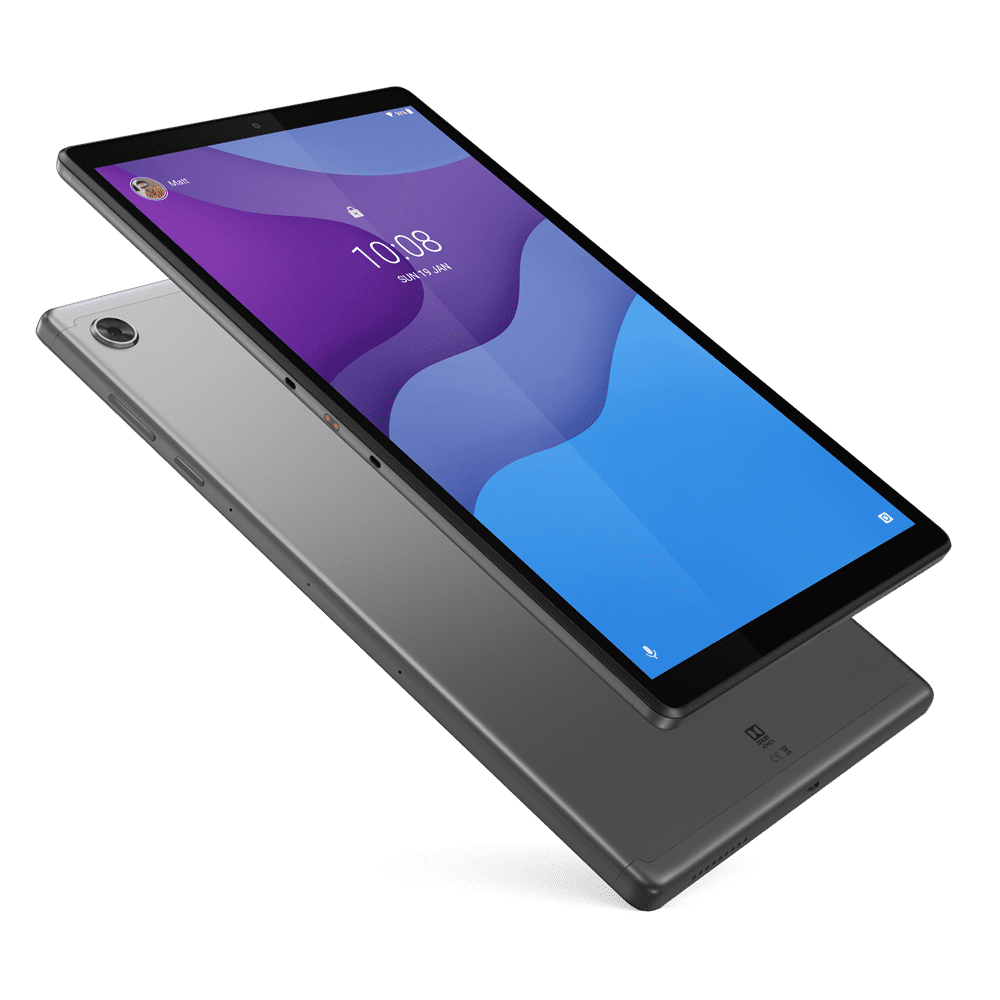
Lenovo Tab M10 HD Gen 2 32GB 10.1" Android Tablet
Learning Curve: Easy
$129.99
Difficulty: 1/5
Why Great for Beginners:
Affordable entry with clear 10.1" screen and solid battery for daily basics. Simple Android setup and Google Kids Space make it forgiving for new users or families.
✓ Beginner Pros
+Easy setup in minutes
+Long 9-hour battery
+Kid-friendly modes
+Expandable storage
✗ Beginner Cons
-Basic performance for heavy apps
-No premium build feel
👍 Best for: Budget-conscious beginners or kids' first tablet
Tablets are portable screens bigger than phones for streaming, reading, web surfing, and light tasks. Android tablets run Google's OS, giving access to millions of free apps via Play Store – perfect for beginners over iPads' closed ecosystem.
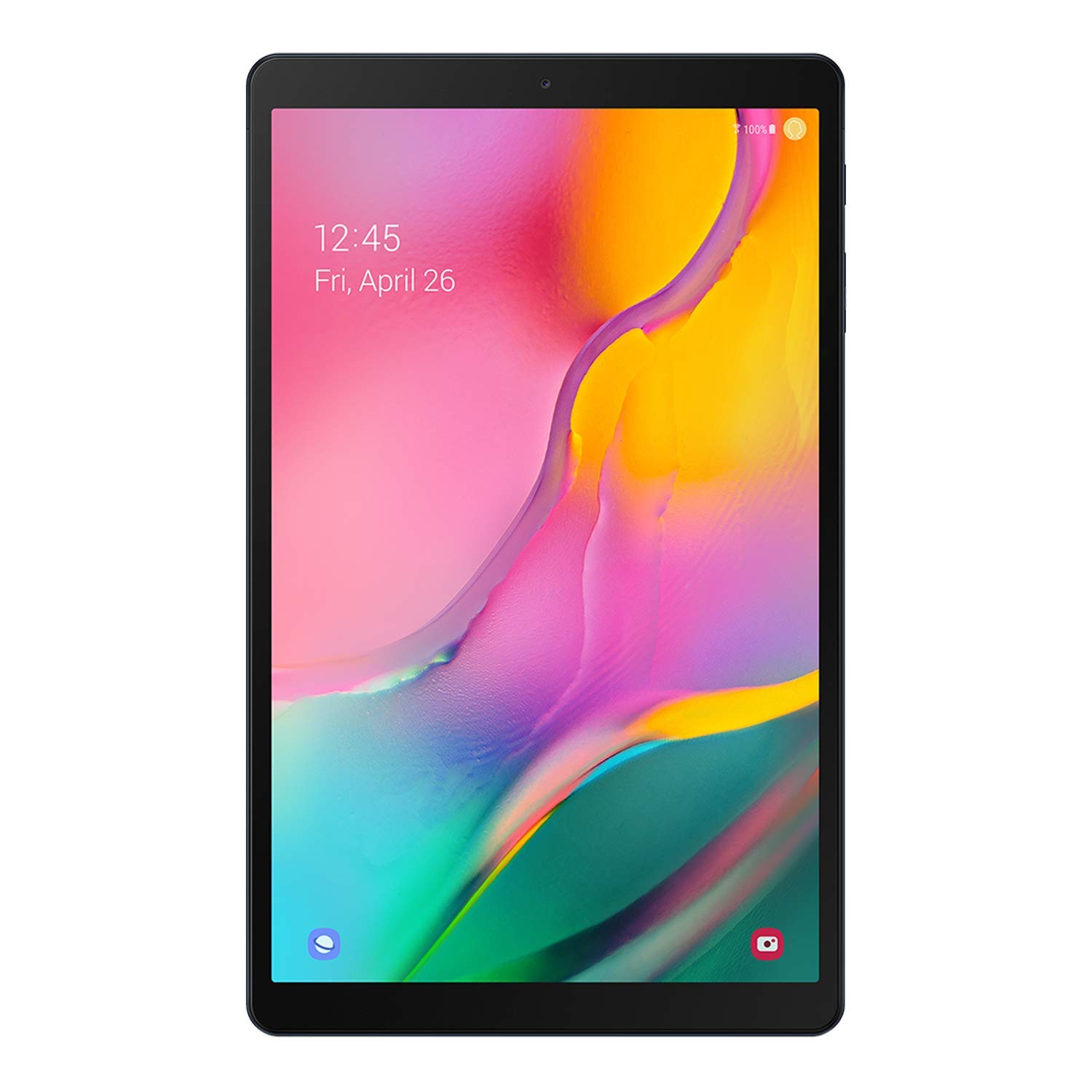
Types: Budget (basic browsing), mid-range (streaming/gaming), premium (longer support). Beginners thrive on mid-range Androids like Samsung Tab A series: intuitive, update-friendly, expandable. Expect smooth basics but not pro editing.
Beginner-friendly means plug-and-play setup, auto-updates, and forgiving apps that don't crash easily. Marketing like 'gaming beast' is hype – prioritize battery and ease.
🔧 Essential Accessories for Beginners
ESR Case for Samsung Galaxy Tab A8 10.5 Inch
⚠️ Essential
$19.99
When to buy:
Day one
Protects your investment from drops – beginners often fumble new devices. Clear back shows off tablet while adding grip.
Ask: What for? Streaming/kids = battery + case. Budget? Start $150-300. Daily use? 10" screen, 64GB expandable. Test in-store if possible.
Framework: 1) List top 3 uses. 2) Set budget tier. 3) Check RAM/battery reviews. Budget for basics, recommended for growth, premium if investing long-term. Avoid no microSD or <3GB RAM.
Red flags: Old models without updates, heavy build, tiny screens.
💰 Budget Guide for Beginners
500+
High-end entry: Pro features like stylus, for serious users ready to advance.
150 - $300
Sweet spot: Smooth performance, expandable storage, great for most beginners with room to grow.
300 - $500
Premium beginner: Better screen/battery, longer software support, won't outgrow for years.
Under $ - $150
Entry-level: Basic browsing/streaming, may lag on multitasking, quick upgrade needed.
⚠️ Common Beginner Mistakes to Avoid
Beginners grab cheapest options, then complain of lag (Reddit r/beginners). Solution: Aim $150+ with 3GB RAM.
Many skip cases, leading to cracked screens week one – always bundle protection. Don't chase '4K gaming' specs; focus basics. Experienced users say: test battery claims via reviews.
×Buying under $100 – too slow, frustrates quickly
×Ignoring cases – drops ruin new tablets
×Overlooking expandable storage – fills up fast
×Choosing tiny 8" screens – eyes strain
×Skipping RAM checks – lags on 2GB models
×Picking iPads for Android apps
×No kids mode for family use
📈 Your Progression Path: Beginner to Intermediate
Start with apps like YouTube, email. Practice multitasking after week 1. Outgrow when needing drawing (stylus) or heavy work (8GB RAM). Upgrade signs: Lag on games, short battery. Most stay beginner 6-12 months. Next: Tab S series for productivity.
📚 Learning Resources for Beginners
📖Android Tablets For Dummies (Amazon ASIN: B00BKWOP5U)
📖Samsung Galaxy Tab For Dummies (ASIN: B08L5Y6Z3K)