Is Best Studio Monitor for beginners Worth It? Honest Review (20…
Everything beginners need to know to choose their first 5-inch studio monitor with confidence.
Entering the world of audio production can be exhilarating, but choosing your first pair of studio monitors often feels overwhelming. With technical specs, confusing jargon, and a wide price range, many beginners worry about making the wrong choice. This guide is designed to simplify the process. We'll walk you through what really matters for a beginner, highlight the best 5-inch monitors for your needs, and help you avoid common pitfalls. By the end, you'll have the confidence to pick a monitor that will serve you well for years.
📋 In This Guide
• Why Beginners Struggle with Studio Monitor
• What to Look For (Key Features)
• Top 5 Beginner-Friendly Studio Monitor
• Essential Accessories for Beginners
• Common Beginner Mistakes to Avoid
• Your Progression Path
• FAQ & Learning Resources
😰 Why Beginners Struggle with Studio Monitor
Beginners often struggle because studio monitors are marketed with technical terms like frequency response, nearfield, and bi-amping, which can be intimidating. There's also a fear of investing in gear that might be too complex or not suited for a home studio. The sheer number of options—from budget to pro-level—adds to the confusion. Many newcomers don't realize that a 5-inch monitor is often the perfect size for small rooms, striking a balance between bass response and space. Without guidance, they might buy speakers that are too big (overwhelming bass in a small room) or too cheap (poor sound accuracy, leading to bad mixes).
🔍 What to Look For: Key Beginner-Friendly Features
For a beginner, the most important features are clarity, neutrality (flat frequency response), and ease of setup. Look for monitors with a front-firing bass port if you plan to place them near walls—this reduces boomy bass. Also, ensure they have balanced inputs (XLR or TRS) to avoid noise. Room correction features (like rear EQ controls) are nice but not essential. Avoid monitors with built-in Bluetooth or too many gimmicks—you want honest sound. The best beginner monitors are forgiving of imperfect room acoustics and don't require expensive treatment to sound good.
✅ Essential Features for Beginners
•5-inch woofer – perfect for small rooms, good bass without overwhelming
•Front-firing bass port – less boomy when placed near walls
•Balanced inputs (XLR or TRS) – reduce noise and interference
•Active design – built-in amplifier, no extra gear needed
•Rear EQ controls – adjust for room acoustics (if needed)
•Flat frequency response – honest sound for accurate mixing
•Good stereo imaging – hear where instruments are placed
•Durable build – withstands frequent use
🏆 Top 5 Best Studio Monitor for Beginners
#1
⭐ Top Pick👍 Recommended
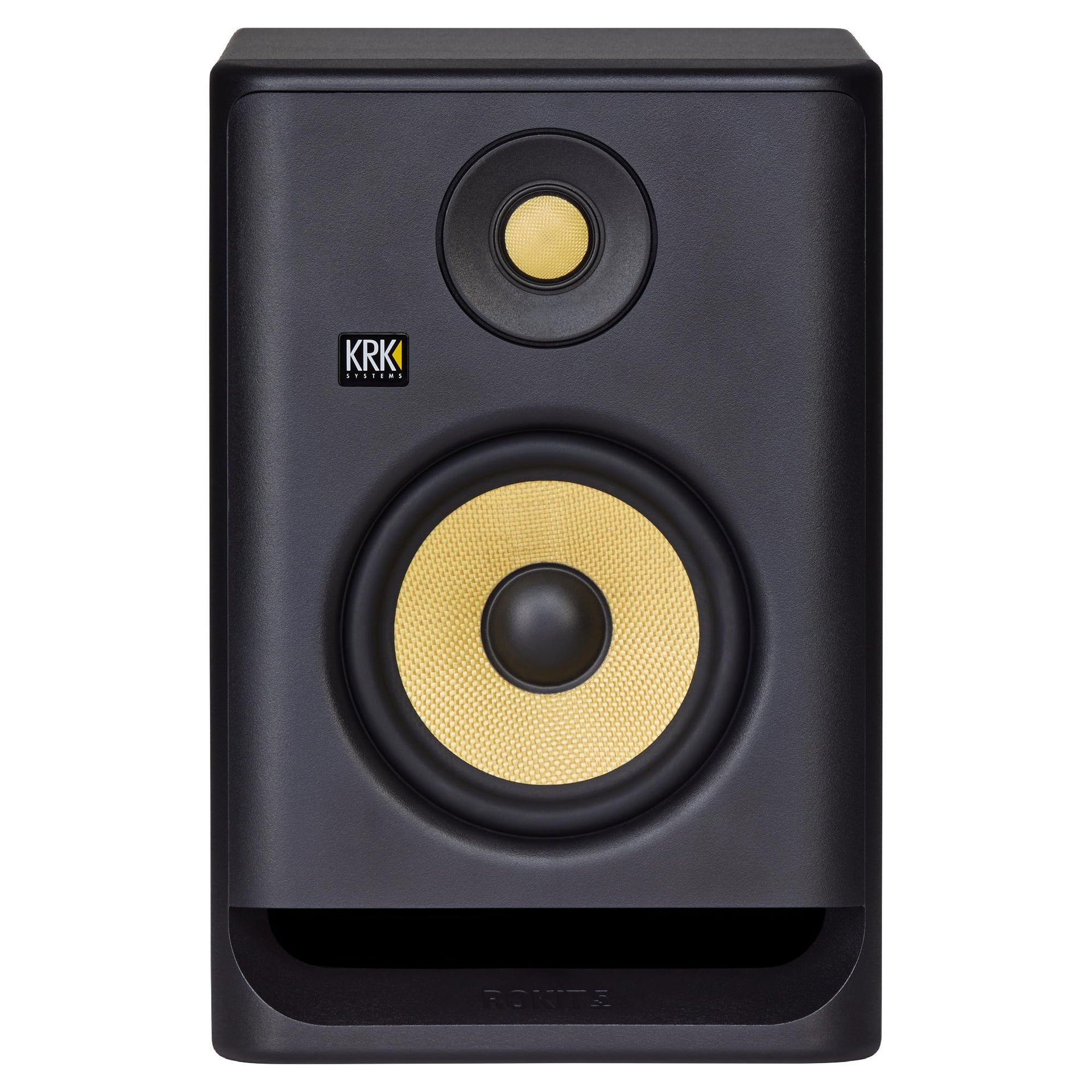
KRK Rokit 5 G4
Learning Curve: Easy
$179.99
Difficulty: 2/5
Why Great for Beginners:
The KRK Rokit 5 G4 offers a slightly warm sound that makes bad mixes sound better, which is forgiving for beginners. It has a front-firing port, built-in EQ, and a very clear user manual. Its balanced inputs (XLR/TRS) ensure clean signal.
✓ Beginner Pros
+Warm, forgiving sound that flatters rough mixes
+Front-firing port allows near-wall placement
+Built-in DSP for room correction (basic)
+Clear and easy to set up
+Widely used, lots of online tutorials
✗ Beginner Cons
-Slightly colored sound may not translate perfectly
-Bass can be overemphasized for some genres
-Some units have hiss at idle
👍 Best for: Complete beginners who want a monitor that hides mixing flaws and works well in small, untreated rooms.
👎 Not for: Those who need ultra-flat response for critical mastering.
The Yamaha HS5 is known for its flat, honest response. It's the industry standard for many studios, and beginners can learn to trust it. It has a rear port but includes room control switches to adapt to placement.
✓ Beginner Pros
+Very flat frequency response teaches accurate hearing
+Excellent stereo imaging
+Room control switches (treble and bass cut) for placement flex
+Build quality is durable
✗ Beginner Cons
-Rear port requires careful positioning away from walls
-Harsh on poorly produced tracks (no forgiving coloration)
-Bass response is limited (typical for 5-inch)
👍 Best for: Beginners who want to learn critical listening and prefer a neutral sound for mixing.
👎 Not for: Those who want a forgiving, fun sound or have very small rooms without space from walls.
The JBL 305P MkII provides excellent accuracy for its price, with a neutral sound and wide sweet spot. Its patented Image Control Waveguide helps produce a clear stereo image even off-axis.
✓ Beginner Pros
+Excellent soundstage and imaging
+Very affordable for the quality
+Front-firing port (less room dependent)
+Lightweight and compact
✗ Beginner Cons
-Build quality feels less premium
-Some users report hiss at idle
-Limited bass extension
👍 Best for: Budget-conscious beginners who want accurate sound without spending too much.
👎 Not for: Those who need deep bass or a more 'pro' look.
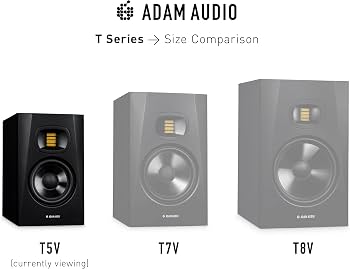
The Adam T5V features a U-ART ribbon tweeter that delivers clear, detailed highs. It's an excellent step up for beginners who want professional-level clarity. The front-firing port allows flexible placement.
✓ Beginner Pros
+Ribbon tweeter for detailed highs
+Front-firing port for easy placement
+Flat frequency response
+Good bass for a 5-inch monitor
✗ Beginner Cons
-Higher price point
-Ribbon tweeter can be unforgiving of harsh content
-Less forgiving than KRK
👍 Best for: Serious beginners with a higher budget who want professional-level detail and plan to treat their room.
👎 Not for: Beginners on a tight budget or those who want a forgiving sound.
The PreSonus Eris E5 XT offers a balanced sound with a front-firing port and acoustic tuning controls. It's a solid all-around monitor that's easy to set up and budget-friendly.
✓ Beginner Pros
+Front-firing port for near-wall placement
+Acoustic tuning controls (HF, MF, LF) for room adaptation
+Good stereo imaging
+Affordable
✗ Beginner Cons
-Build quality feels a bit plasticky
-Bass can be slightly boomy at default settings
-Not as detailed as HS5 or T5V
👍 Best for: Beginners who want flexible EQ controls to adjust for their room without expensive treatment.
👎 Not for: Those who need ultra-flat response straight out of the box.
Studio monitors are loudspeakers designed for accurate audio reproduction, meaning they don't color the sound like consumer speakers. A 5-inch woofer is ideal for most home studios because it offers enough bass for critical listening without overwhelming small rooms. The main types are active (built-in amplifier) and passive (external amp needed). For beginners, active monitors are recommended as they're simpler to set up. Key specs to ignore for now: THD (total harmonic distortion — nearly all modern monitors are fine), and maximum SPL (you won't listen that loud). Instead, focus on user reviews that mention 'flat response' and 'good stereo imaging.' Realistically, your first monitors won't be perfect, but they should be good enough to teach you what a balanced mix sounds like.
🔧 Essential Accessories for Beginners
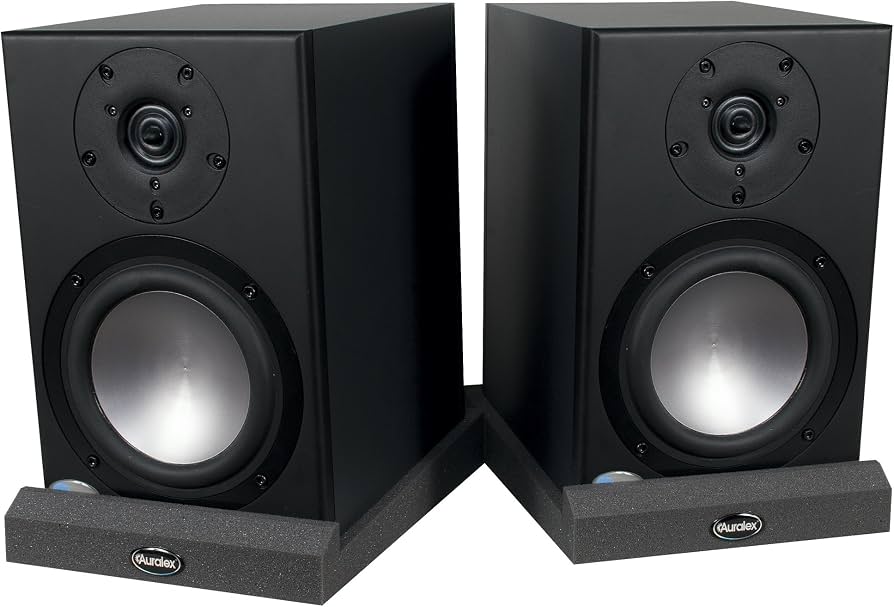
Auralex MoPads Studio Monitor Isolation Pads
⚠️ Essential
$39.99
When to buy:
Day one
Isolation pads decouple the monitor from the desk, preventing vibrations that cause muddy bass. They also angle the speakers towards your ears, improving stereo imaging.
Balanced XLR cables are necessary for clean audio transfer. They reject noise better than unbalanced cables, which is crucial for long runs or near electronics.
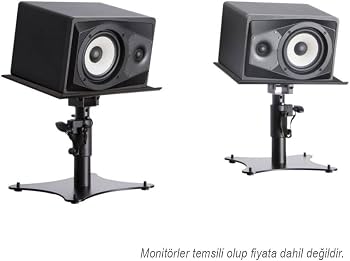
Stands raise your monitors to ear level and isolate them from the floor, reducing reflections and improving bass response. They also help achieve an accurate stereo image.
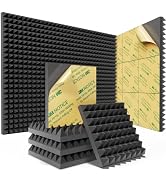
Acoustic foam panels reduce flutter echoes and standing waves in your room, making your monitors sound more accurate. Even a few panels at first reflection points make a big difference.
An audio interface provides high-quality balanced outputs for your monitors and allows you to connect microphones and instruments. It's essential for recording and playback.
Start by setting a budget. Most beginners get great value in the $300–$500 range for a pair. Ask yourself: What's the size of your room? (5-inch drivers work in rooms up to 200 sq ft). Will you treat the room? (Even basic foam panels help). Do you need headphones as well? (Consider splitting budget). Also, think about expansion: if you plan to add a subwoofer later, ensure the monitor has a sub output. Avoid monitors with excessive hype in marketing—stick to trusted brands like KRK, Yamaha, JBL, Adam, and Presonus. Red flags: monitors with 'bass boost' switches, no balanced inputs, or very cheap prices under $100 for a pair.
💰 Budget Guide for Beginners
500+
Premium beginner: High-end monitors with better clarity and bass extension. For serious beginners with larger rooms.
100 - $300
Entry-level sweet spot: Good for starting, but may lack detail. Best for headphones as primary.
300 - $500
Sweet spot for beginners: Excellent value, quality builds, and accurate sound. Most recommended range.
Under $ - $100
Minimum viable: Expect basic sound, likely used or very entry-level. Not recommended for serious mixing.
⚠️ Common Beginner Mistakes to Avoid
Many beginners buy too cheap and get frustrated with inaccurate sound, leading to poor mixes. Others overspend on features they don't need, like room correction that requires a separate microphone. Some neglect accessories like stands and isolation pads, causing resonance and muddiness. A common oversight is not checking for balanced cables—using unbalanced cables introduces noise. Another mistake is placing monitors directly on a desk without isolating them. Finally, some beginners buy a subwoofer too early, which can cause more harm than good in an untreated room.
×Buying too cheap – poor accuracy leads to bad mixes
×Buying too expensive – features you don't need yet
×Skipping isolation pads – causes resonance and muddiness
×Using unbalanced cables – introduces noise
×Placing monitors too close to walls – boomy bass
×Not using a reference track – can't judge accuracy
×Buying a subwoofer too early – complicates room acoustics
×Ignoring room treatment – room acoustics affect sound more than monitors
📈 Your Progression Path: Beginner to Intermediate
Start by learning your monitors: listen to reference tracks daily to understand their sound. Practice mixing simple songs. After a few months, you'll notice when your mixes translate well to other systems. The next step is room treatment (acoustic panels). After 1-2 years, consider upgrading to a larger monitor (e.g., 7-inch) or adding a subwoofer if your room allows. As you improve, you might invest in a measurement microphone (like Sonarworks) to calibrate your system. The key is to master your current gear before upgrading.
📚 Learning Resources for Beginners
📖{"resource":"Mixing Secrets for the Small Studio by Mike Senior","asin":"B00J3K3H3O","price":29.99,"descriptionMd":"A book that teaches beginners how to get professional mixes using limited gear, with a chapter on monitor setup and listening."}
📖{"resource":"Reference Tracks Compilation (CD or streaming guide)","asin":"B00J3K3H3O","price":0,"descriptionMd":"A curated list of well-produced songs to use as references. Not a physical product, but free knowledge; you can find playlists on streaming services."}
📖{"resource":"Sonarworks SoundID Reference for Headphones (Software)","asin":"B07J7B4LDM","price":149,"descriptionMd":"Calibration software that can be used with monitors (requires measurement mic) to flatten frequency response. Not essential for beginners but useful if you have the budget."}
🎯 Bottom Line: Our Recommendations
For most beginners, the KRK Rokit 5 G4 offers the best balance of accuracy, ease of use, and forgiving sound. If you want a flatter response for critical mixing, the Yamaha HS5 is unbeatable at its price. On a tighter budget, the Presonus Eris E5 XT delivers great value. Don't forget essential accessories: isolation pads and balanced cables. With decent monitors and a little practice, you'll be producing professional-sounding mixes in no time. Trust your ears and stay consistent.
❓ Frequently Asked Questions
The KRK Rokit 5 G4 is widely recommended for beginners due to its forgiving sound, front-firing port, and ease of setup. The Yamaha HS5 is best if you want a flat response to learn accurate mixing.
A budget of $300–$500 for a pair is ideal. You can find good monitors like the JBL 305P MkII for under $300, but spending more on the Yamaha HS5 or Adam T5V gives you better accuracy and longevity.
5-inch monitors (like the ones in this guide) are perfect for small to medium rooms (up to 200 sq ft). They offer enough bass for critical listening without overwhelming the space.
Not initially. 5-inch monitors have enough bass for most genres. Adding a subwoofer later can be beneficial, but it requires proper setup and room treatment to avoid boomy bass.
Essential: isolation pads (like Auralex MoPads) and balanced XLR cables (Hosa). Highly recommended: speaker stands (On-Stage) and an audio interface (Focusrite Scarlett Solo). These improve sound quality and connectivity.
Consider your room size, budget, and whether you prefer a flat or slightly colored sound. Read beginner-focused reviews, and buy from a brand with good support. The KRK Rokit 5 G4 is a safe choice.
No, active monitors are plug-and-play. Connect them to an audio interface or mixer with balanced cables, position them at ear level forming an equilateral triangle with your listening position, and you're set.
Common mistakes: buying too cheap, placing monitors too close to walls, using unbalanced cables, skipping isolation pads, and not taking time to listen and learn the monitors' sound.