Is Best Standing Desk for beginners Worth It? Honest Review (202…
Everything beginners need to know to choose their first standing desk with confidence.
Choosing your first standing desk can feel overwhelming. With countless options, confusing specs like 'dual motor' and 'weight capacity', and prices ranging from $200 to $2000, it's easy to make a mistake. This guide is designed to cut through the noise and give you a clear, simple path to finding the perfect desk for your home office. Whether you're looking to improve posture, boost energy, or just try standing while you work, we'll help you choose wisely and avoid common beginner pitfalls.
📋 In This Guide
• Why Beginners Struggle with Standing Desk
• What to Look For (Key Features)
• Top 4 Beginner-Friendly Standing Desk
• Essential Accessories for Beginners
• Common Beginner Mistakes to Avoid
• Your Progression Path
• FAQ & Learning Resources
😰 Why Beginners Struggle with Standing Desk
Many beginners get lost in technical jargon like 'lift speed', 'segmented columns', and 'programmable memory'. Others fear buying the wrong size or a desk that will wobble. The sheer number of options—two-leg vs. T-frame vs. C-frame—adds to the confusion. Without a clear idea of what features actually matter for daily use, first-time buyers often overspend on features they don't need or underspend on a desk that doesn't meet their basic needs. Forums and reviews reveal common frustrations: desks that can't accommodate monitors, cable management nightmares, and motor failures. Our goal is to help you avoid these issues by focusing on what truly makes a desk beginner-friendly: simplicity, stability, and ease of assembly.
🔍 What to Look For: Key Beginner-Friendly Features
As a beginner, you don't need the fastest motor or the most advanced controls. Focus on these four pillars: stability at standing height, smooth height adjustment, adequate size for your setup, and easy assembly. Avoid desks with complicated apps or extra gadgets—they often add cost without real benefit. A beginner-friendly standing desk should have a simple up/down switch (with programmable heights if you share the desk), a sturdy frame that doesn't wobble when typing, and enough surface area for your monitor, keyboard, and a coffee mug. Brands like Flexispot, Uplift, and Fully (now Herman Miller) offer reliable entry-level models that balance quality and price. Remember: you can always add accessories like monitor arms later, but the desk frame and top are your foundation.
✅ Essential Features for Beginners
•Dual motor for smooth and quiet height adjustment
•Simple up/down switch with at least 2 programmable heights
•Sturdy T-frame design to minimize wobble at standing height
•Adequate desk width (48-60 inches) for your monitor and keyboard
•Weight capacity of at least 250 lbs to handle your gear and future upgrades
•Easy assembly with clear instructions and included tools
🏆 Top 4 Best Standing Desk for Beginners
#1
💰 Budget
Flexispot E1 Electric Standing Desk
Learning Curve: Easy
$299.99
Difficulty: 2/5
Why Great for Beginners:
The Flexispot E1 is an affordable electric desk that's easy to assemble and offers smooth height adjustment. It's a great entry-level choice for beginners on a budget.
✓ Beginner Pros
+Simple up/down control
+Quiet operation for its price
+Sturdy at sitting and moderate standing heights
✗ Beginner Cons
-Single motor – slower lift under heavy loads
-Limited weight capacity (154 lbs)
-Basic cable management included
👍 Best for: Beginners with a single monitor setup and a tight budget
👎 Not for: Those with multiple heavy monitors or needing high stability at max height
The Flexispot E7 Pro offers dual motors for faster and smoother lifting, a programmable memory pad, and excellent stability. It's the ideal sweet spot for most beginners.
✓ Beginner Pros
+Dual motors for quick height changes
+Programmable memory for up to 4 heights
+Very stable even at full standing height
✗ Beginner Cons
-Heavier than some budget models
-Assembly may take slightly longer (45-60 minutes)
-Desktop not included – you buy separately (but option to buy as bundle)
👍 Best for: Most beginners with a standard home office setup wanting a reliable, upgradable desk
👎 Not for: Those who want an all-in-one desk with a pre-attached top
The Uplift V2 is a top-tier desk with excellent build quality, a wide range of sizes and colors, and a 15-year warranty. It's perfect for beginners who want a desk that will last for years without needing an upgrade.
✓ Beginner Pros
+Extremely stable at all heights
+Programmable memory with advanced features
+Wide selection of desktop finishes and sizes
✗ Beginner Cons
-Higher price may be overkill for some
-Assembly can be more involved due to premium components
-Some advanced features (like Bluetooth) may go unused
👍 Best for: Beginners with a larger budget who want the best stability and durability from the start
👎 Not for: Budget-conscious beginners or those with very simple needs
A standing desk is simply a height-adjustable work surface that lets you switch between sitting and standing. The two main types are manual (crank) and electric. For beginners, electric is strongly recommended for convenience. Electric desks use a motor to raise and lower the top—typically in a range of about 28 to 48 inches. Look for a dual-motor desk (two motors, one per leg) for smoother and quieter movement. Single-motor desks work fine for lighter loads but can struggle with heavier setups. Frame types include T-frame (two legs with a crossbar) and C-frame (legs at the front and back). T-frames are more stable and space-efficient, ideal for most beginners. Desk sizes: 48x30 inches is a great starting size for a single monitor setup. If you have multiple monitors or need more space, 60x30 is popular. Assembly difficulty varies—most beginner-friendly models take 30-60 minutes with simple tools and clear instructions. Remember: you don't need a $1000 desk to get started. Many excellent options under $500 will serve you well for years.
🔧 Essential Accessories for Beginners
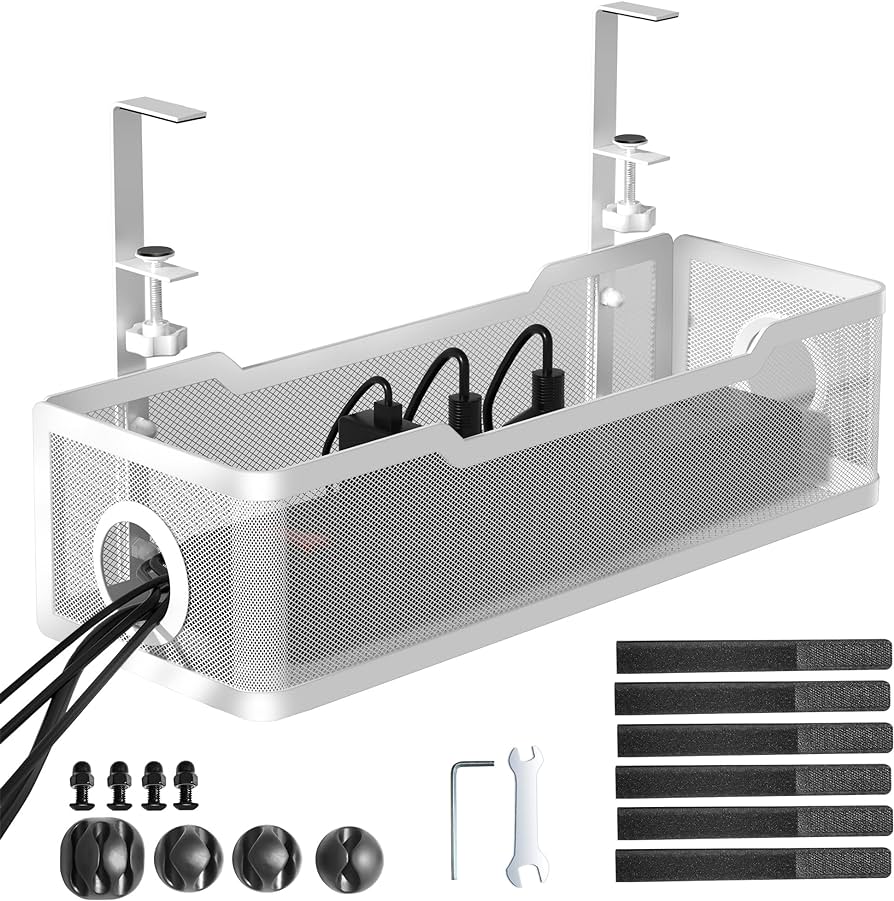
Cable Management Tray - Under Desk Wire Organizer
⚠️ Essential
$24.99
When to buy:
Day one
Under-desk cable management is the #1 accessory to keep your setup tidy and prevent cables from tangling. Many beginners ignore this and end up with a messy nest that's hard to clean.
Beginner Benefits:
• Keeps cables organized and out of sight
• Prevents accidental unplugging when adjusting desk height
• Easy to install with included screws or adhesive
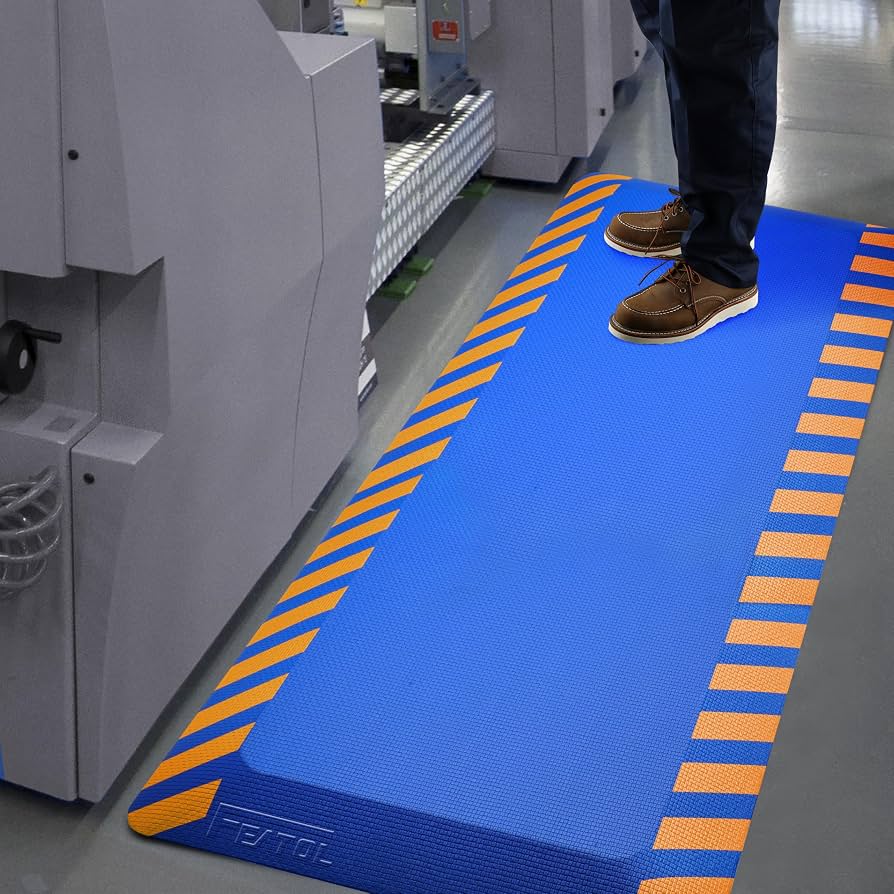
Standing on a hard floor for long periods is uncomfortable and can cause leg and foot pain. A padded mat provides cushioning and encourages micro-movements, making standing easier.
Beginner Benefits:
• Reduces foot and leg fatigue during standing
• Encourages better posture by allowing slight weight shifts
• Great for beginners who are new to standing for long periods
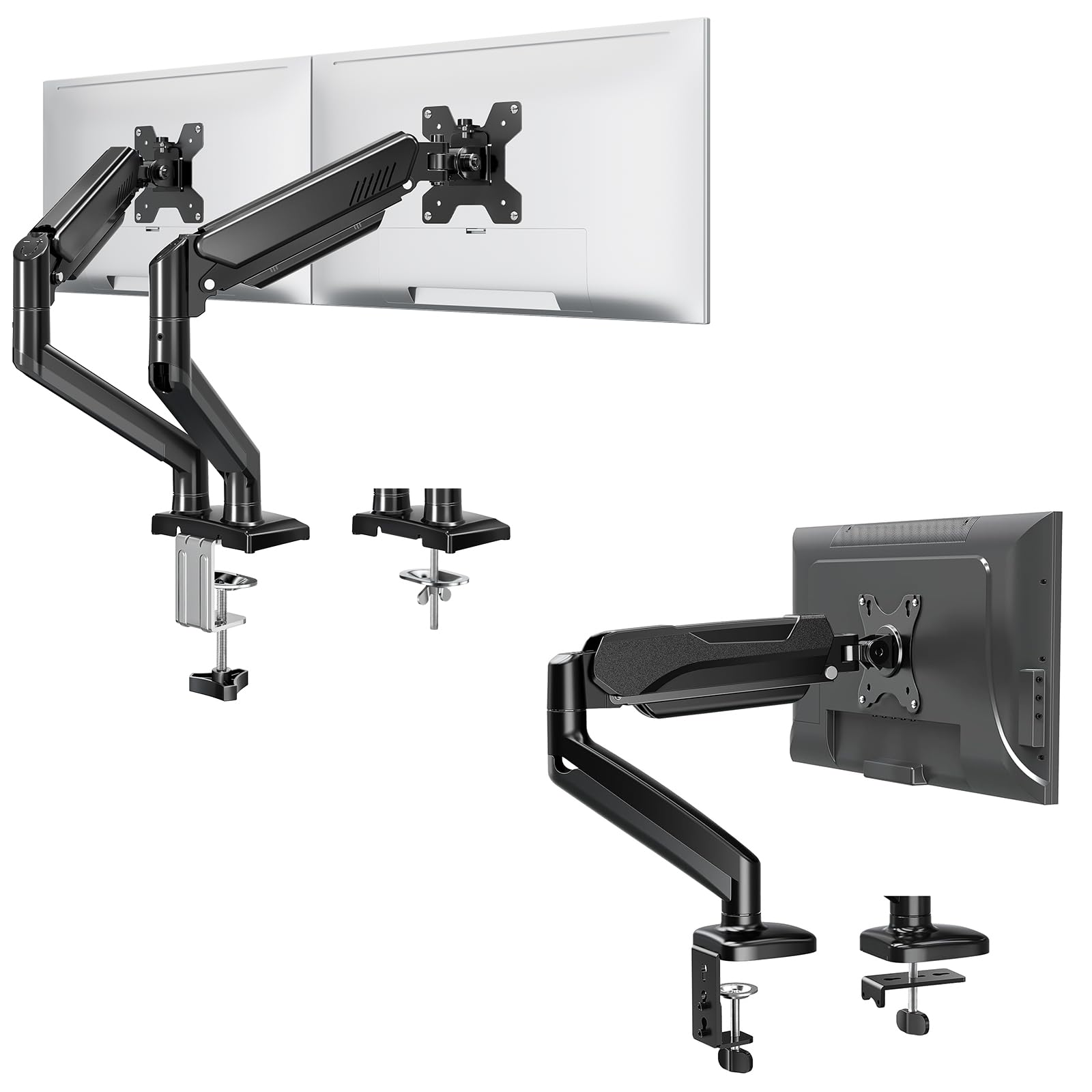
A monitor arm frees up desk space and allows you to position your screen at the perfect height and distance, improving ergonomics. It's a game-changer for standing desk users.
Beginner Benefits:
• Increases usable desk space
• Helps achieve proper screen height easily
• Reduces neck and eye strain by enabling optimal positioning
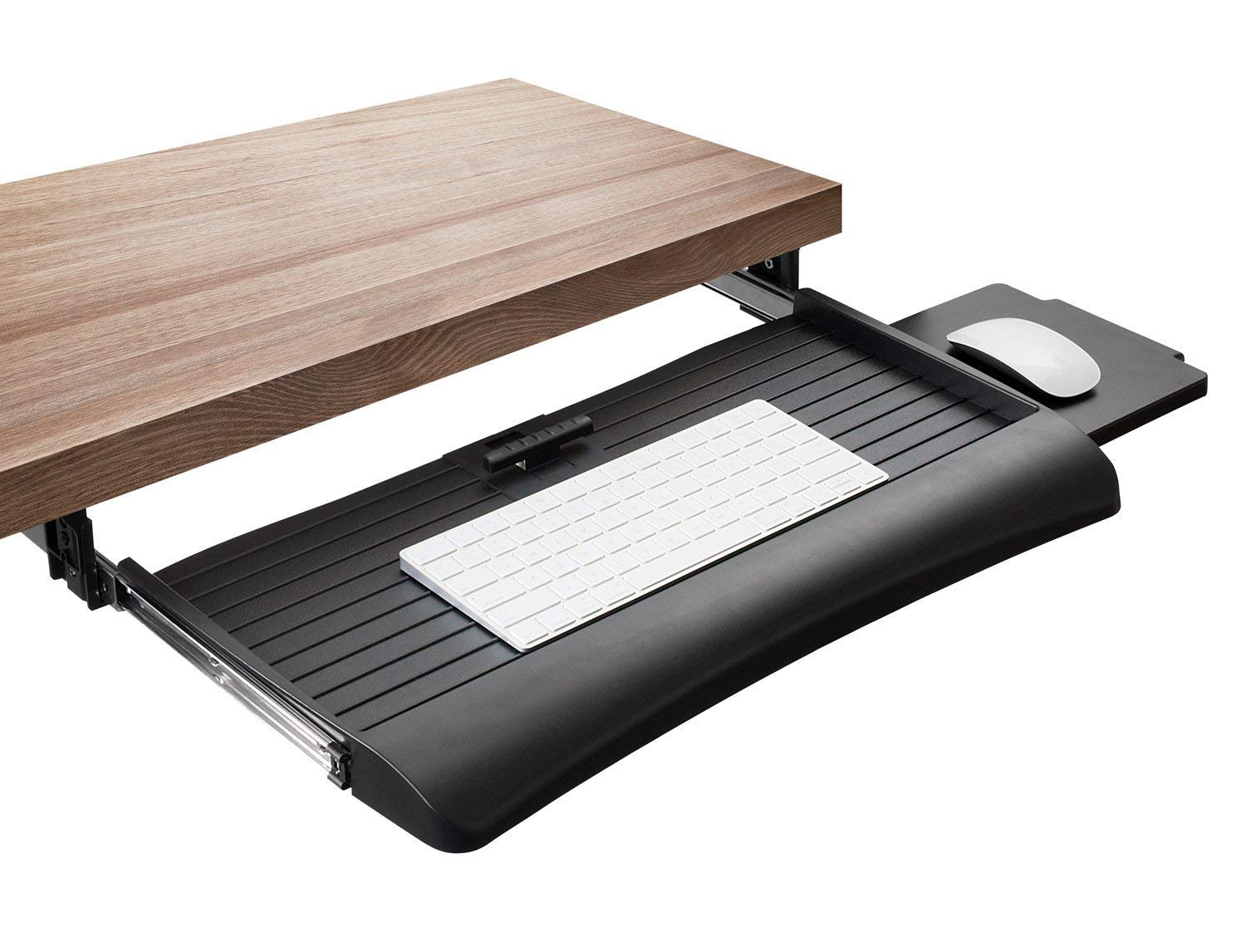
A keyboard tray positions your keyboard and mouse at a comfortable, ergonomic height, especially useful if your desk height doesn't perfectly align with your elbows.
Beginner Benefits:
• Improves ergonomic alignment of wrists and elbows
• Frees up main desk surface for writing or other tasks
• Can be adjusted to the perfect height separately from the desk
Having easily accessible charging ports on your desk eliminates the need to reach under the desk or use multiple adapters. A surge protector also protects your electronics.
Beginner Benefits:
• Simplifies cable management by reducing power cords
• Keeps devices charged without cluttering outlets
Start by measuring your space: width, depth, and ceiling height. Then, consider your gear: how many monitors, what size keyboard, do you need room for a laptop? Answer these questions: Do you need to sit and stand multiple times a day? (If yes, electric is a must.) Do you share the desk with others? Then look for programmable height memory. What's your budget? For most beginners, $300-$500 buys a very good electric desk. If you're tight on money, $200-$300 gets you a solid manual or budget electric. Avoid desks under $150—they often have poor stability and short warranties. Finally, think about the future: if you plan to add a heavy monitor arm or more equipment, choose a desk with a higher weight capacity (300+ lbs). Red flags: desks that require drilling into your wall, non-standard sizes that make accessories hard to fit, or brands with no USA-based customer support.
💰 Budget Guide for Beginners
700+
Professional entry – top-tier desks with high weight capacities, extensive warranties, and superior materials. For serious home offices or users with heavy equipment.
200 - $400
Sweet spot – best electric options for most beginners. Decent stability, dual motors available, and reliable warranty.
400 - $700
Premium beginner – excellent build quality, better stability at max height, more features like programmable memory and cable management built-in.
Under $ - $200
Entry level – mainly manual crank desks or basic electric models. Good for trying standing desks on a tight budget, but expect less stability and durability.
⚠️ Common Beginner Mistakes to Avoid
Common beginner mistakes include buying a desk that's too small (not enough room for your monitor and accessories), ignoring cable management (ending up with a messy tangle under the desk), and choosing a very cheap desk that wobbles at standing height, making typing uncomfortable. Another mistake is buying a desk with too many features you'll never use, like built-in wireless charging or a touchscreen controller. Many beginners also forget to measure the height of their chair or the thickness of their monitor—leading to ergonomic issues. Finally, skipping an anti-fatigue mat leads to leg and foot pain when standing for long periods. Avoid these by planning your setup in advance and reading reviews from other beginners.
×Buying a desk that's too small for your current setup
×Ignoring cable management and ending up with a mess
×Choosing a very cheap desk that wobbles at standing height
×Overspending on unnecessary features like Bluetooth or wireless charging
×Forgetting to measure your chair height and monitor size
×Skipping an anti-fatigue mat, leading to foot pain
×Not considering the weight of your monitors when choosing a desk
×Buying a desk without a warranty or poor customer support
📈 Your Progression Path: Beginner to Intermediate
Start by using your desk at a fixed height for a few days, then experiment with short standing periods (20-30 minutes). Learn to use the height adjustment smoothly. After a month, you'll naturally want to add accessories like a monitor arm (to free up space) and a cable tray (to keep things tidy). Once you're comfortable, you might explore dual monitors or a standing mat. You've outgrown your beginner desk when you find yourself wanting more stability at max height, or a larger surface for a multi-monitor setup. Upgrading to a premium desk (like an Uplift V2 or Jarvis) usually happens after 1-2 years. Intermediate users often add keyboard trays, task lighting, and under-desk bike pedals. But for now, focus on building a healthy sit-stand routine.
📚 Learning Resources for Beginners
📖Book: 'Don't Just Sit There' by Katy Bowman – explains the science of standing and movement
📖Book: 'The Home Office Handbook' by Lisa Kanarek – practical tips for setting up a home office
📖Online course: 'Ergonomics for Home Workers' on Udemy (available via Amazon)
📖Tool: A simple measuring tape (essential for planning desk size)
📖Accessory: Under-desk bike pedal (great for staying active while working)
🎯 Bottom Line: Our Recommendations
For most beginners, the best choice is a dual-motor electric desk with a 48x30 or 60x30 top, around $400-$500. Our top pick is the Flexispot E7 Pro for its stability and value. If you're on a tight budget, the Flexispot E1 provides a reliable electric experience under $300. For those who want the best build quality and warranty, the Uplift V2 is a premium choice. Don't forget essential accessories: a cable management tray and an anti-fatigue mat will dramatically improve your experience. Remember, the best desk is the one that fits your space, supports your gear, and encourages you to move more. Start simple, and you can always upgrade later. Happy standing!
❓ Frequently Asked Questions
For most beginners, the Flexispot E7 Pro is the best balance of features, stability, and price. If you're on a budget, the Flexispot E1 is a solid electric option under $300.
A good budget range is $300-$500 for a quality electric desk. You can find decent manual desks for under $200, but electric is strongly recommended for convenience.
Focus on electric height adjustment, dual motors, a sturdy T-frame, and a size that fits your space and gear. Programmable heights and cable management are nice-to-haves.
Most modern electric desks, like the Flexispot E1 and E7 Pro, come with clear instructions and take 30-60 minutes. Brands like SHW also offer simple assembly.
Essential: cable management tray and an anti-fatigue mat. Highly recommended: a monitor arm for better ergonomics. Nice-to-have: a keyboard tray and USB charging hub.
No, electric standing desks are very intuitive. You simply press a button to adjust height. The bigger learning curve is building a comfortable sit-stand routine.
Common mistakes include buying a desk too small, poor cable management, skipping a standing mat, and overspending on unnecessary features. Also, not measuring their space correctly.
Yes, but a laptop alone is not ergonomic for standing. You'll need a laptop stand or an external monitor and a separate keyboard to maintain proper posture.
It's recommended but not required. Dual motors provide smoother, faster, and quieter lifting, especially with heavier loads. Single-motor desks work for light setups but can struggle.
A 48x30 inch desk is ideal for a single monitor setup. If you have two monitors or need more space, a 60x30 inch desk is a good choice. Measure your room first.