Review Atlas
Review AtlasYour guide to a better purchase

Menu

Shop by Category

Get the App

Better experience on mobile

Beginners GuideRobotics

Best Robot Kits for Beginners 2025

Everything beginners need to know to pick their first robot kit with confidence and start building fun projects right away.

Choosing your first robot kit can feel intimidating—there are so many options, technical terms, and price points that it's easy to freeze up and worry about wasting money on the wrong one. As a complete beginner, you might think robotics is only for tech geniuses or kids in science clubs, but that's not true. Modern beginner kits are designed to be fun and simple, letting you build and play without needing any prior experience.

This guide cuts through the confusion with straightforward advice tailored just for newcomers like you. We'll explain what matters, share top Amazon picks across budgets, and show you how to avoid pitfalls so you can get building confidently. By the end, you'll know exactly which kit is right for you and feel excited to start your robotics adventure.

📋 In This Guide

  • • Why Beginners Struggle with Robot Kits
  • • What to Look For (Key Features)
  • • Top 4 Beginner-Friendly Robot Kits
  • • Essential Accessories for Beginners
  • • Common Beginner Mistakes to Avoid
  • • Your Progression Path
  • • FAQ & Learning Resources

😰 Why Beginners Struggle with Robot Kits

Beginners often feel overwhelmed by the sheer number of robot kits on Amazon—hundreds of options promising 'STEM fun' or 'coding skills,' but many look complicated or require skills you don't have yet. Terms like 'Arduino,' 'Raspberry Pi,' or 'PID control' pop up everywhere, sounding scary if you've never coded or soldered before. Reviews are mixed, with some users raving about advanced features while others complain about missing parts or steep learning curves.

Another big fear is buying something too hard or too basic. You don't want a kit that breaks on day one or one so simple it bores you after an hour. Forums like Reddit's r/robotics and Amazon Q&A are full of newbies asking, 'Is this good for zero experience?' or sharing stories of frustration from kits needing adult help or constant troubleshooting. Budget worries add stress too—spending $100+ only to give up feels like a risk.

🔍 What to Look For: Key Beginner-Friendly Features

For beginners, focus on kits that are easy to assemble without tools, use simple block-based coding (like Scratch), and come with step-by-step instructions or apps. Look for 'no soldering required' and 'battery-powered' to skip wiring hassles. Must-haves include durable plastic parts that forgive drops and pre-made projects to get you succeeding fast.

Nice-to-haves are app control via phone/tablet and expandability for later. Skip kits boasting 'open-source code' or 'custom PCBs'—those are for later. Beginner-friendly kits have clear pictures in manuals, video tutorials online, and communities like YouTube channels for help. They let you see results quickly, building your confidence without frustration.

✅ Essential Features for Beginners

  • Snap-together or screwless assembly
  • Block-based programming (no typing code)
  • Step-by-step color instructions
  • Battery-powered (no wiring needed)
  • Durable parts that survive drops
  • App or Bluetooth control
  • Multiple starter projects
  • Video tutorials included or linked

🏆 Top 4 Best Robot Kits for Beginners

#1
💰 Budget

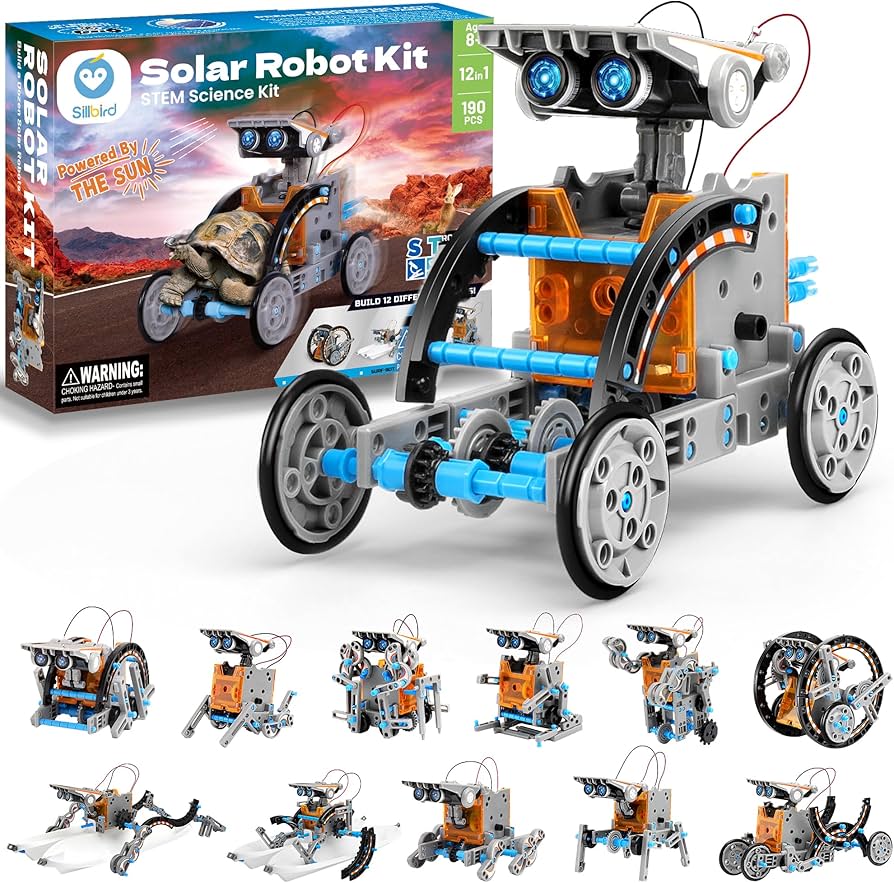
12-in-1 Solar Robot Kit

Learning Curve: Easy

$25.99
Difficulty: 1/5
12-in-1 Solar Robot Kit

Why Great for Beginners:

This kit uses sunlight to power simple builds—no batteries or coding needed. Snap pieces together in minutes for instant success, perfect for first-timers scared of tech.

Beginner Pros

  • +No tools or electricity required
  • +12 fun animal/vehicle projects
  • +Teaches mechanics basics gently
  • +Very cheap to try robotics

Beginner Cons

  • -No programming
  • -Sun-dependent
  • -Basic after a week
👍 Best for: Absolute newbies testing interest
👎 Not for: Those wanting coding or motors

#2
👍 Recommended

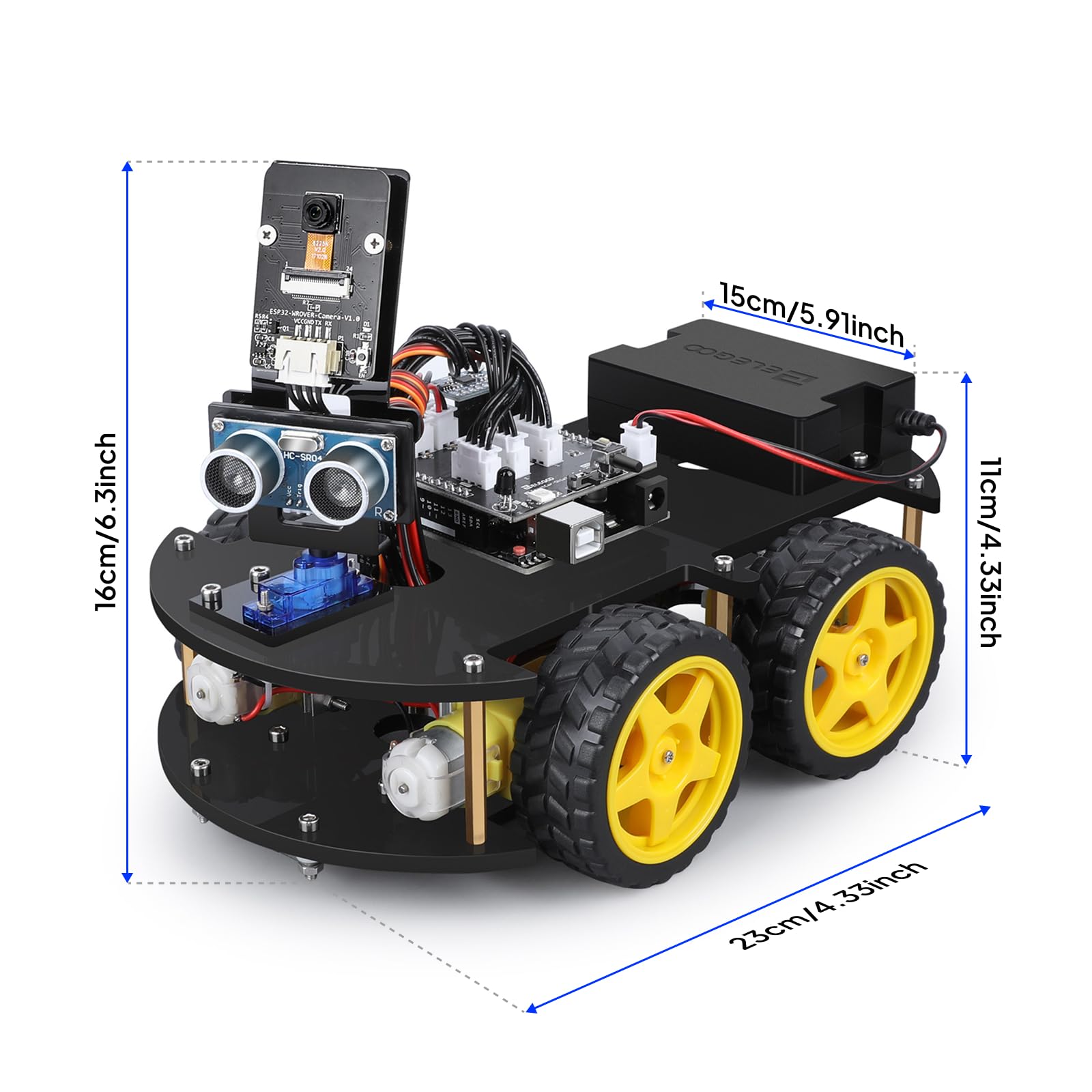
ELEGOO UNO R3 Smart Robot Car Kit V4.0

Learning Curve: Easy

$69.99
Difficulty: 2/5
ELEGOO UNO R3 Smart Robot Car Kit V4.0

Why Great for Beginners:

Uses drag-and-drop block coding like Scratch—type nothing. Includes everything for line-following and obstacle avoidance, with clear Arduino tutorials for newbies.

Beginner Pros

  • +App or PC control
  • +37 projects included
  • +Forgiving sensors
  • +Great community support

Beginner Cons

  • -Some PC setup
  • -Small parts
  • -Battery not included
👍 Best for: Teens/adults wanting coding intro
👎 Not for: Very young kids under 10
#3
👍 Recommended

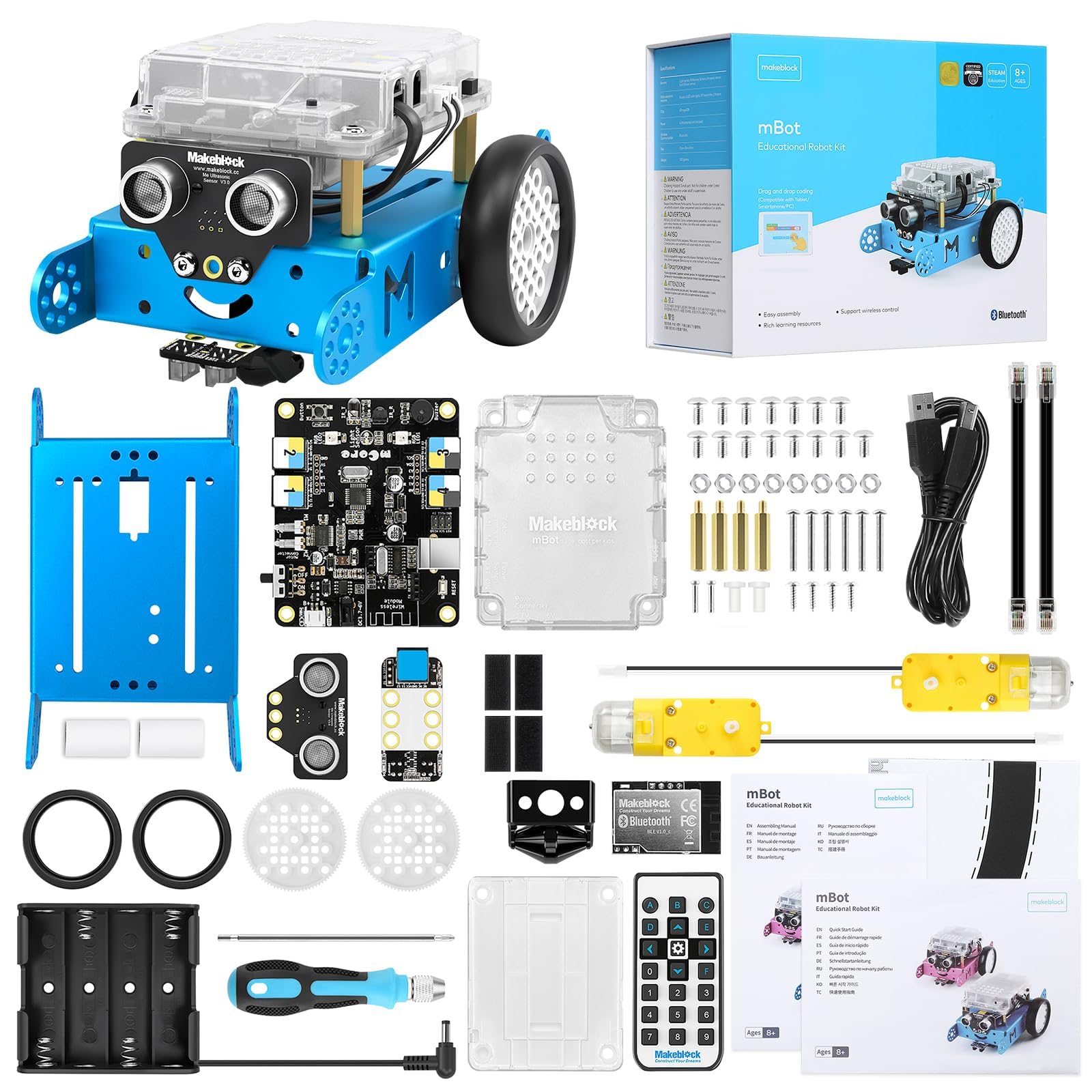
Makeblock mBot Robot Kit

Learning Curve: Easy

$79.99
Difficulty: 2/5
Makeblock mBot Robot Kit

Why Great for Beginners:

App-based Scratch coding connects via Bluetooth instantly. Pre-built challenges guide you from assembly to dancing bots, super intuitive.

Beginner Pros

  • +Wireless phone control
  • +Interactive missions
  • +Durable chassis
  • +Free app updates

Beginner Cons

  • -App glitches rare
  • -Needs tablet/phone
👍 Best for: Kids 8+ and families
👎 Not for: PC-only users
#4
✨ Premium

LEGO BOOST Creative Toolbox 17101

Learning Curve: Easy

$159.95
Difficulty: 1/5
LEGO BOOST Creative Toolbox 17101 - Image 1 of 7

Why Great for Beginners:

LEGO bricks you know, plus app coding—no new skills. Build robot, cat, guitar in guided app steps; very forgiving and expandable.

Beginner Pros

  • +Familiar LEGO snap
  • +App voice commands
  • +500+ bricks
  • +Multiplayer games

Beginner Cons

  • -Pricey
  • -App iOS heavy
👍 Best for: LEGO fans wanting tech upgrade
👎 Not for: Budget shoppers

📖 Complete Beginner's Guide to Robot Kits

Robot kits are hands-on sets that let you build moving machines to learn STEM basics like mechanics, coding, and problem-solving. They range from simple snap-together solar bots to app-programmable cars. For beginners, start with 'educational robotics kits' using visual coding—no prior knowledge needed.

Types include solar-powered (eco-friendly, no batteries), mechanical arms (grab-and-move fun), wheeled cars (drive and code paths), and animal-inspired walkers. Best for newbies: wheeled or block-based like LEGO-style, as they're forgiving and visual. Expect to build 1-5 projects in your first session, like making a bot follow lines or avoid walls—nothing pro-level yet.

'Beginner-friendly' means under 2 hours to first success, with pictures over text. Marketing like 'STEM certified' is good, but check reviews for 'easy for kids 8+' or 'no experience needed.' Evaluate by assembly time, coding simplicity (Scratch-like best), and support resources.

🔧 Essential Accessories for Beginners

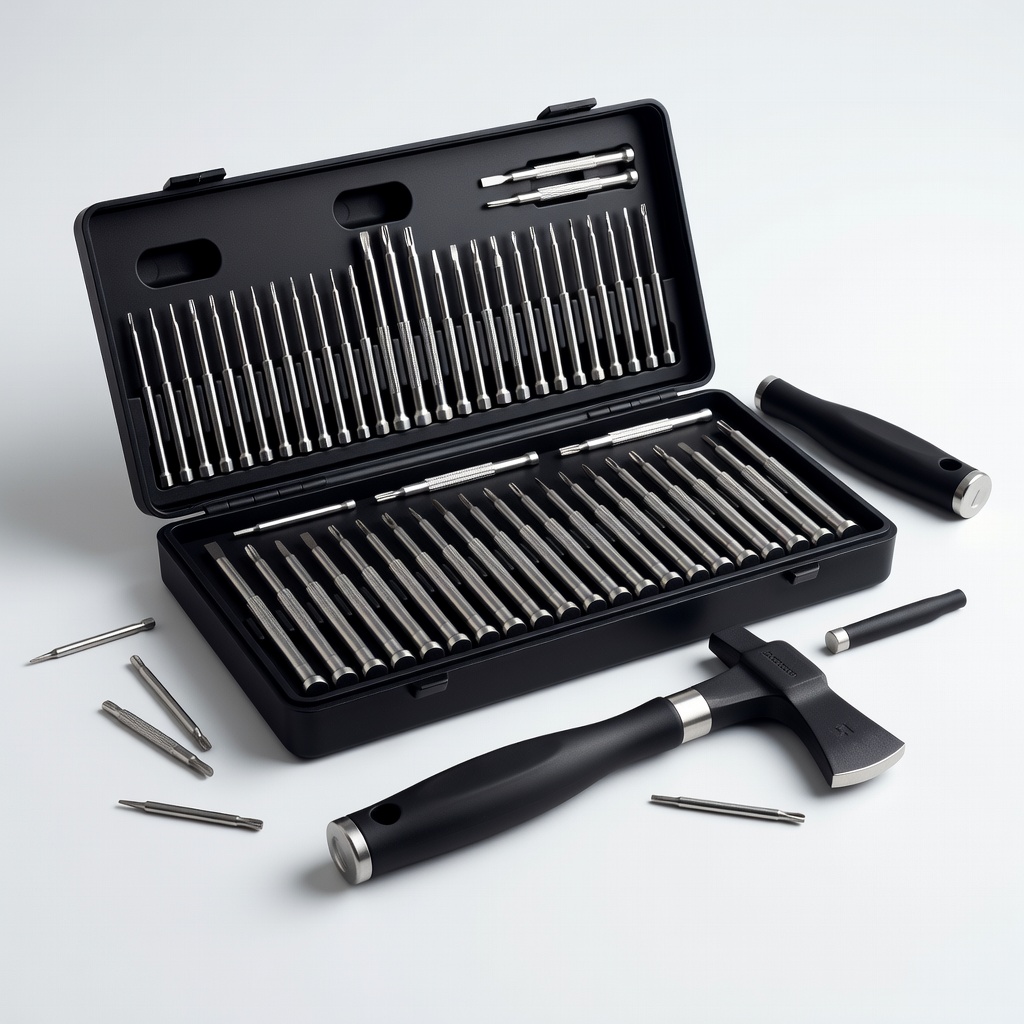
Jacobsen Hatchet Precision Screwdriver Set, 64 Pcs

Jacobsen Hatchet Precision Screwdriver Set, 64 Pcs

⚠️ Essential

$9.99

When to buy:
Day one

Robot kits have tiny screws—standard tools strip them. This set has right sizes for easy assembly without frustration or damage.

Beginner Benefits:

  • Prevents stripped screws
  • Organized case
  • No pro tools needed
  • Lifetime use
Amazon Basics 100 Pack AA Batteries - Image 1 of 9

Amazon Basics 100 Pack AA Batteries

⚠️ Essential

$21.99

When to buy:
Day one

Most kits eat batteries fast during testing—stock up to avoid downtime mid-project.

Beginner Benefits:

  • Powers hours of play
  • Cheaper long-run
  • No store runs
  • Eco-friendly
BSN S100 Electronics Organizer Bag - Image 1 of 9

BSN S100 Electronics Organizer Bag

👍 Recommended

$16.99

When to buy:
First week

Small parts scatter easily—lose one, project stalls. Keeps everything sorted for quick restarts.

Beginner Benefits:

  • Prevents loss
  • Portable
  • Easy inventory
  • Motivates reuse
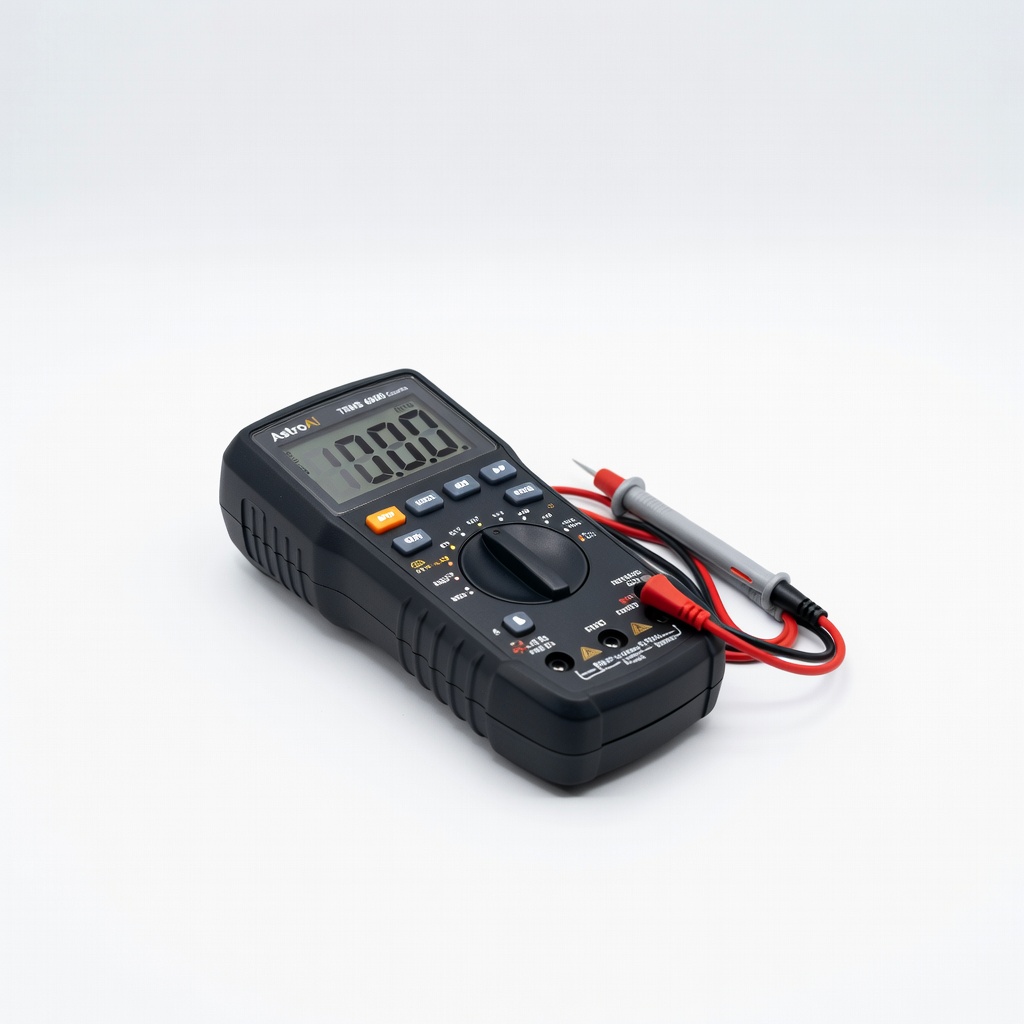
AstroAI Digital Multimeter TRMS 6000 Counts

AstroAI Digital Multimeter TRMS 6000 Counts

💡 Nice to Have

$12.99

When to buy:
After first month

Troubleshoot simple circuits like 'no power?' safely—no guesswork.

Beginner Benefits:

  • Builds troubleshooting skills
  • Cheap safety net
  • Fun diagnostics
  • Prep for upgrades
Elegoo 120pcs Multicolored Dupont Wire - Image 1 of 7

Elegoo 120pcs Multicolored Dupont Wire

⬆️ Upgrade

$6.99

When to buy:
When comfortable

Extras for experiments when kit wires wear—enables tweaks without stopping.

Beginner Benefits:

  • Experiment freely
  • Fix breaks
  • Growth to circuits
  • Cheap expansion

🤔 How to Choose Your First Robot Kits

Ask yourself: What's your budget and goal? Fun play or light learning? Solo or with kids? Solo adult beginners want app-coding; parents pick guided builds. Budgets: under $50 for try-it trials, $50-150 sweet spot for replay value.

Go budget if testing interest, recommended for ongoing fun, premium if committing to robotics. Consider space (small kits for apartments) and growth (expandable ports). Red flags: 'Requires soldering,' vague instructions, poor English manuals, or 4+ star but complaints on 'missing parts.' Match to age/skill: 8+ visual coding if patient.

💰 Budget Guide for Beginners

300+

Serious starter - full programmable like EV3 successors, for dedicated learners with budget.

50 - $150

Sweet spot - app-programmable with multiple builds, best value for repeated use and skill growth.

150 - $300

Premium beginner - LEGO-quality with advanced sensors, durable for long-term without quick outgrow.

Under $ - $50

Entry level - basic mechanical or solar kits to test interest, limited projects but zero frustration.

⚠️ Common Beginner Mistakes to Avoid

Many expand on common mistakes: Beginners buy super-cheap no-name kits that fall apart or lack instructions, leading to quick quits. Others grab 'advanced Arduino' thinking bigger=better, but get stuck on code errors without basics. Skipping batteries/tools means day-one frustration.

Not reading reviews for 'kid-tested' or ignoring age ratings leads to mismatches. Forum wisdom: Start simple, watch unboxing videos, buy from top brands like ELEGOO/Makeblock.

  • ×Buying kits needing soldering or prior coding
  • ×Ignoring battery/tool requirements
  • ×Picking based on looks, not instructions quality
  • ×Overbuying advanced kits too soon
  • ×Skipping video reviews for real assembly time
  • ×Not checking age/compatibility (phone vs PC)
  • ×Forgetting storage, parts get lost

📈 Your Progression Path: Beginner to Intermediate

Start with assembly and basic modes—follow instructions to move your bot first. Then try coding simple actions like forward/turn. Practice weekly 30-min sessions building confidence.

Outgrow when projects feel too easy (1-week mastery) or you want custom code/sensors. Upgrade to intermediate like mBot expansions or Arduino Uno kits after 1-3 months. Signs ready: Comfortable with blocks, want Python/real code. Most stay beginner 2-6 months.

📚 Learning Resources for Beginners

  • 📖Make: Getting Started with Arduino, 3rd Edition (ASIN: 1457186201, $16.99)
  • 📖The LEGO BOOST Activity Book (ASIN: 1718502825, $19.99)
  • 📖Coding for Kids: Python (ASIN: 0789757625, $18)
  • 📖Robot Building for Beginners (ASIN: 1435455133, $24.99)
  • 📖Scratch Programming Playground (ASIN: 1593277928, $22)
  • 📖Arduino Project Handbook (ASIN: 1593276107, $17)

🎯 Bottom Line: Our Recommendations

For most beginners, the ELEGOO Smart Robot Car Kit ($70) is the sweet spot—endless projects without overwhelm. Budget pick: 12-in-1 Solar ($26) to dip toes. Premium: LEGO BOOST ($160) for lasting joy.

Grab batteries and screwdriver day one. You're not a pro yet, but these kits make success inevitable—start small, celebrate wins, and robotics will hook you. Order today, build tomorrow!

❓ Frequently Asked Questions

The ELEGOO Smart Robot Car Kit (B08G5L4V3D) for most—easy block coding, tons of projects under $70. Budget: Solar 12-in-1 (B07D2B8X1L).
$50-150 sweet spot for value. Under $50 to try, $150+ for premium durability.
Snap assembly, block coding, clear guides, battery power, starter projects—no soldering.
LEGO BOOST (B07FZN6TFH)—familiar bricks, app-guided, difficulty 1/5.
Screwdrivers (B07GD2BWPY), batteries (B00PF2MQVI), storage bag (B08L3Z3T9S).
Match budget/goal: fun=solar, coding= mBot/ELEGOO. Check reviews for 'easy instructions.'
No with right kit—visual coding makes it like a game. First win in 30 mins.
Buy advanced too soon, skip tools, ignore instructions. Start simple, follow steps.
Many use phone apps (mBot), some PC (ELEGOO)—check specs.
Yes, 8+ with supervision. Parental guides available.