Review Atlas

Menu

Shop by Category

Get the App

Better experience on mobile

Beginners GuideMusic Production

Best 49-Key MIDI Controllers for Beginners 2025

Confidently pick your first 49-key MIDI controller for music production with our simple guide, top picks, and beginner tips.

Choosing your first MIDI controller can feel overwhelming with endless options, confusing specs, and worries about wasting money on the wrong one. As a beginner in music production, you just want something simple to plug into your computer, play notes, and start making beats or melodies without a steep learning curve.

This guide cuts through the noise. We'll explain everything in plain English, highlight what really matters for newbies, and recommend real Amazon products that are forgiving, easy to use, and great value. By the end, you'll know exactly what to buy and why, so you can start creating music today with total confidence.

📋 In This Guide

  • • Why Beginners Struggle with MIDI Controller
  • • What to Look For (Key Features)
  • • Top 4 Beginner-Friendly MIDI Controller
  • • Essential Accessories for Beginners
  • • Common Beginner Mistakes to Avoid
  • • Your Progression Path
  • • FAQ & Learning Resources

😰 Why Beginners Struggle with MIDI Controller

Beginners often feel lost because MIDI controllers come loaded with tech jargon like 'velocity sensitivity,' 'aftertouch,' and 'DAW integration' that sound intimidating. You might worry if it will work with your free software like GarageBand or FL Studio, or fear picking one that's too basic or too complex.

The sheer number of choices—pad controllers, key controllers, huge 88-key beasts—makes it hard to know what's right for starting out. Reviews are full of pros talking advanced features you don't need yet, and forums like Reddit's r/WeAreTheMusicMakers echo newbie frustrations: 'Bought a cheap one, keys feel bad,' or 'Too many knobs, confused me more.'

Plus, the fear of buyer's remorse is real: spending $100-300 on something that gathers dust if it's not fun or intuitive from day one.

🔍 What to Look For: Key Beginner-Friendly Features

Focus on plug-and-play simplicity: USB-powered controllers that connect directly to your computer without extra drivers. Look for velocity-sensitive keys that make notes louder when you hit harder, mimicking a real piano for natural feel.

Beginner-friendly ones have 49 full-size keys (great starter size without overwhelming space), a few knobs or pads for tweaking sounds, and included software bundles to get you producing immediately. Avoid complex displays or endless buttons—opt for clean layouts that don't intimidate.

Key qualities: lightweight and portable, sturdy build that forgives clumsy beginners, good customer support, and compatibility with popular free DAWs. These make learning fun, not frustrating.

✅ Essential Features for Beginners

  • Velocity-sensitive keys: Makes playing feel natural, louder hits = louder notes, perfect for expressive beginners without fancy skills.
  • USB plug-and-play: No drivers needed, works instantly with any computer and free DAWs like Ableton Live Lite.
  • Basic knobs/pads: Simple controls for volume, pan, or drum sounds—enough to experiment without overload.
  • Software bundle: Free DAWs and sounds included so you start making music right away, no extra buys.
  • Compact 49 keys: Goldilocks size—not too small for melodies, not huge for your desk.
  • Pitch/mod wheels: Easy tools for bending notes and adding vibe, intuitive for new players.
  • Sustain pedal input: Jacks for cheap pedals to hold notes like a piano.
  • Arpeggiator (nice-to-have): Auto-plays patterns, sparks ideas when you're stuck.

🏆 Top 4 Best MIDI Controller for Beginners

#1
💰 Budget

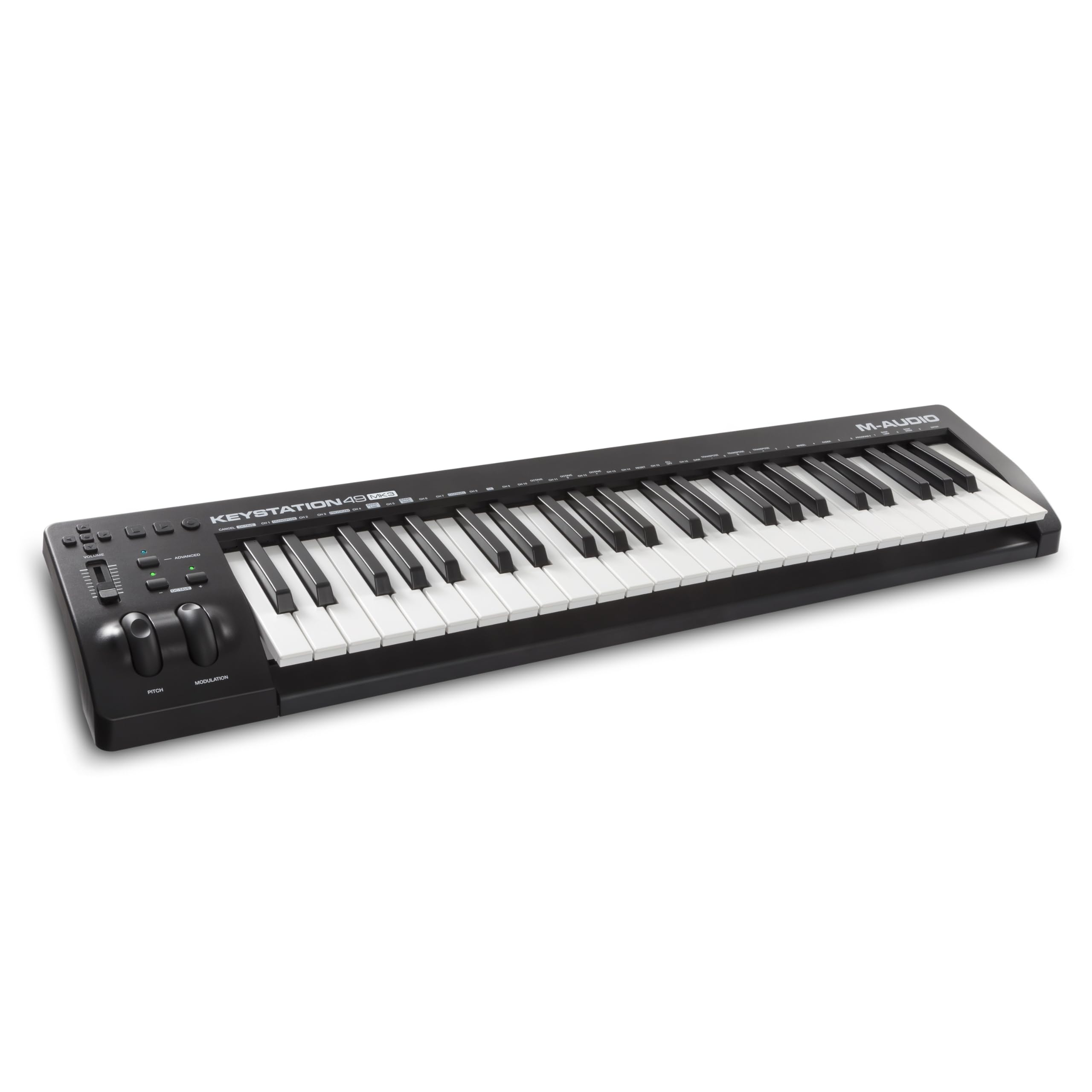
M-Audio Keystation 49 MK3 USB MIDI Keyboard Controller

Learning Curve: Easy

$109.99
Difficulty: 1/5
M-Audio Keystation 49 MK3 USB MIDI Keyboard Controller

Why Great for Beginners:

Super simple plug-and-play with no extras to confuse you. Velocity-sensitive keys give natural piano feel right away. Includes software to start producing instantly.

Beginner Pros

  • +Lightning-fast USB setup
  • +Lightweight and portable
  • +Free DAW bundle
  • +Affordable entry point
  • +Pitch bend wheel for fun effects

Beginner Cons

  • -No pads or knobs
  • -Basic build may feel plasticky
  • -Limited controls
👍 Best for: Absolute newbies testing waters on tight budget
👎 Not for: Beat makers needing pads

#2
👍 Recommended

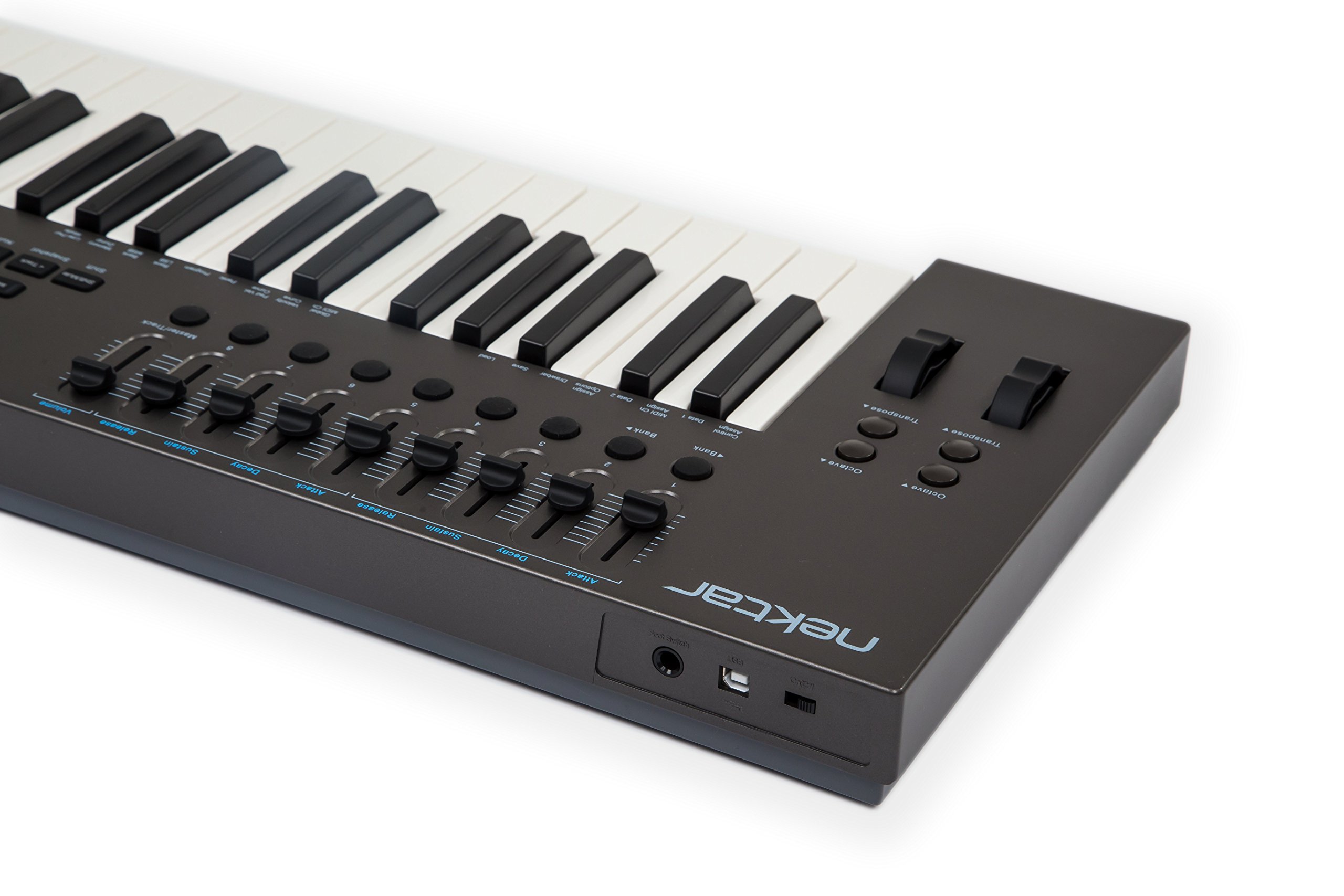
Nektar Impact LX49 MK3 USB MIDI Controller Keyboard

Learning Curve: Easy

$219.00
Difficulty: 2/5
Nektar Impact LX49 MK3 USB MIDI Controller Keyboard

Why Great for Beginners:

Balances simplicity with useful controls that map automatically to your DAW. 49 semi-weighted keys feel great for learning piano basics. Excellent value with transport buttons for play/stop.

Beginner Pros

  • +Auto-mapping to major DAWs
  • +9 knobs/sliders intuitive
  • +Semi-weighted keys forgiving
  • +Arpeggiator for ideas
  • +Sturdy build

Beginner Cons

  • -Slight learning for mappings
  • -No pads
👍 Best for: Most beginners wanting melody + control
👎 Not for: Pad-heavy beat production
#3
👍 Recommended

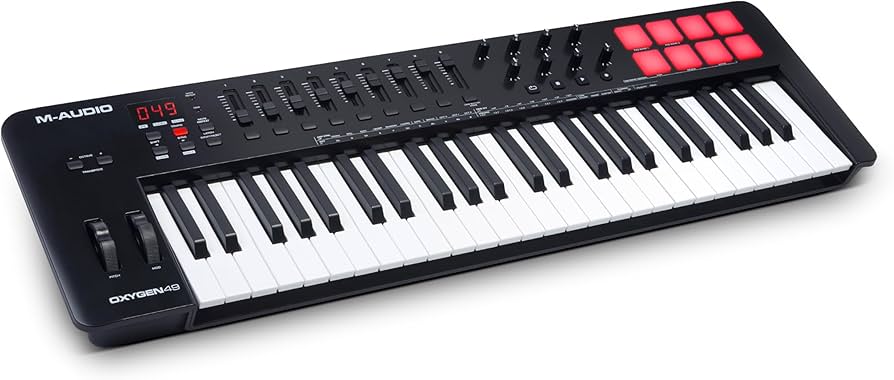
M-Audio Oxygen 49 MKV USB MIDI Keyboard Controller

Learning Curve: Moderate

$229.00
Difficulty: 2/5
M-Audio Oxygen 49 MKV USB MIDI Keyboard Controller

Why Great for Beginners:

Smart Chord/Scale modes play perfect notes even if you're tone-deaf. Easy knob mapping via LCD screen. Bundles pro software for instant creativity.

Beginner Pros

  • +Chord/scale modes cheat sheets
  • +8 pads for drums
  • +LCD for easy setup
  • +Great software pack
  • +Velocity keys

Beginner Cons

  • -Screen menus take a bit to learn
  • -Pads smallish
👍 Best for: Creative beginners into chords/beats
👎 Not for: Minimalists wanting zero buttons
#4
✨ Premium

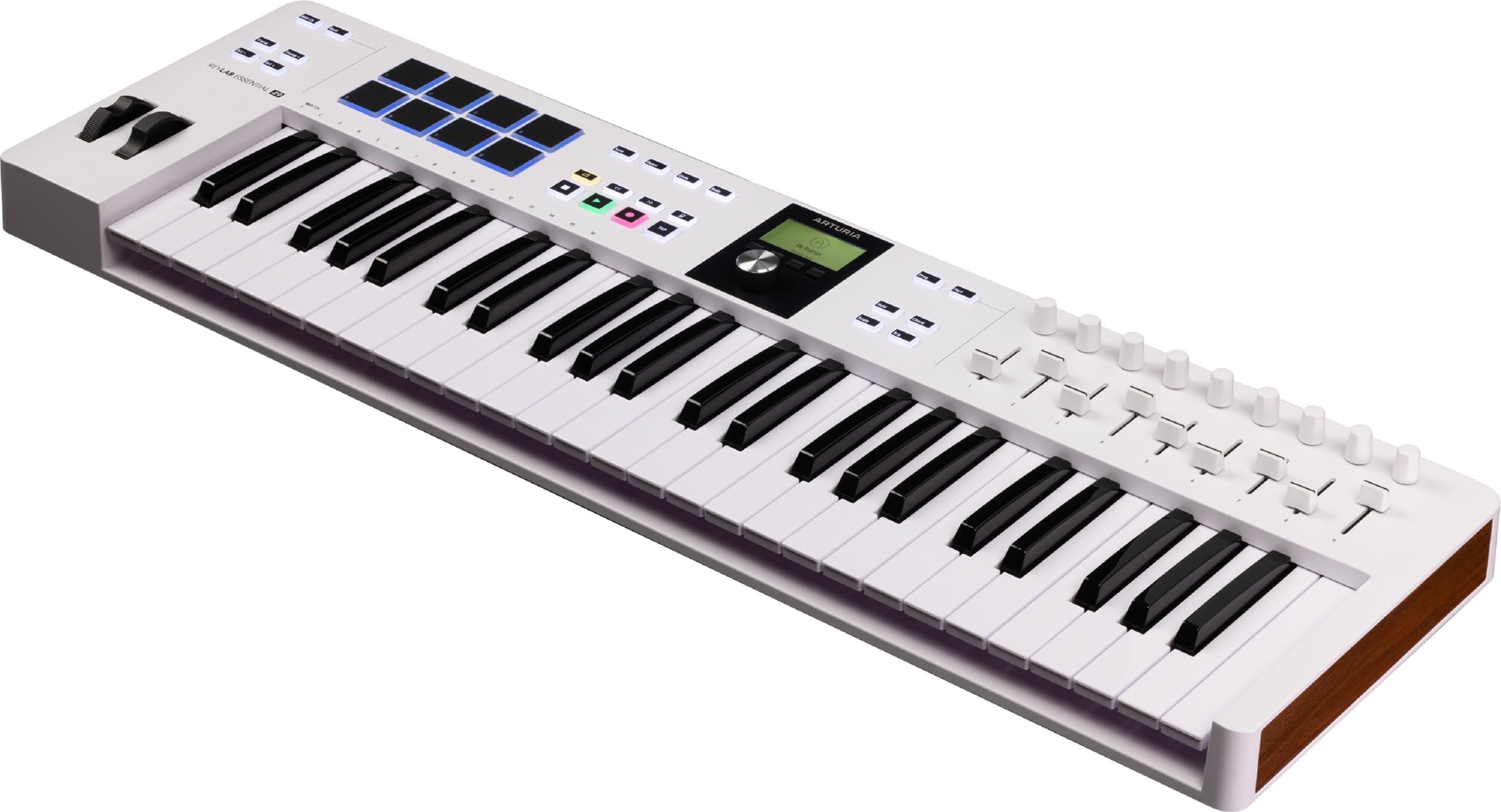
Arturia KeyLab Essential 49 MK3 MIDI Keyboard Controller

Learning Curve: Moderate

$259.00
Difficulty: 3/5
Arturia KeyLab Essential 49 MK3 MIDI Keyboard Controller

Why Great for Beginners:

Premium feel with hybrid synth/piano action keys that inspire practice. Deep but simple integration with Analog Lab software. Future-proof for growth.

Beginner Pros

  • +Hybrid key action
  • +Huge software library
  • +16 pads/9 faders
  • +Screen + knobs
  • +Pro build quality

Beginner Cons

  • -More features to explore
  • -Slightly heavier
👍 Best for: Serious beginners planning long-term
👎 Not for: Casual try-outs

📖 Complete Beginner's Guide to MIDI Controller

A MIDI controller is like a smart keyboard that sends instructions to your music software (DAW) to play virtual instruments, trigger drums, or tweak effects—no sound on its own, but magic with apps like GarageBand.

Types: Pad controllers (beat-focused, few keys), keyboard controllers (keys main, like 49-key for melodies/chords), hybrid (both). For beginners, 49-key keyboard controllers are best—enough range for most songs (about 4 octaves), portable, and versatile for piano-style playing or beats.

'Beginner-friendly' means intuitive software mapping (auto-assigns knobs to your DAW), velocity keys for feel, and bundles like MPC Beats. Expect to play simple loops week 1, full tracks month 1. Evaluate by unboxing videos: does it feel solid? Easy setup?

Marketing traps: 'Pro-grade' often means steep curve; ignore poly aftertouch. Realistic: You'll make cool sounds fast, but mastery takes practice.

🔧 Essential Accessories for Beginners

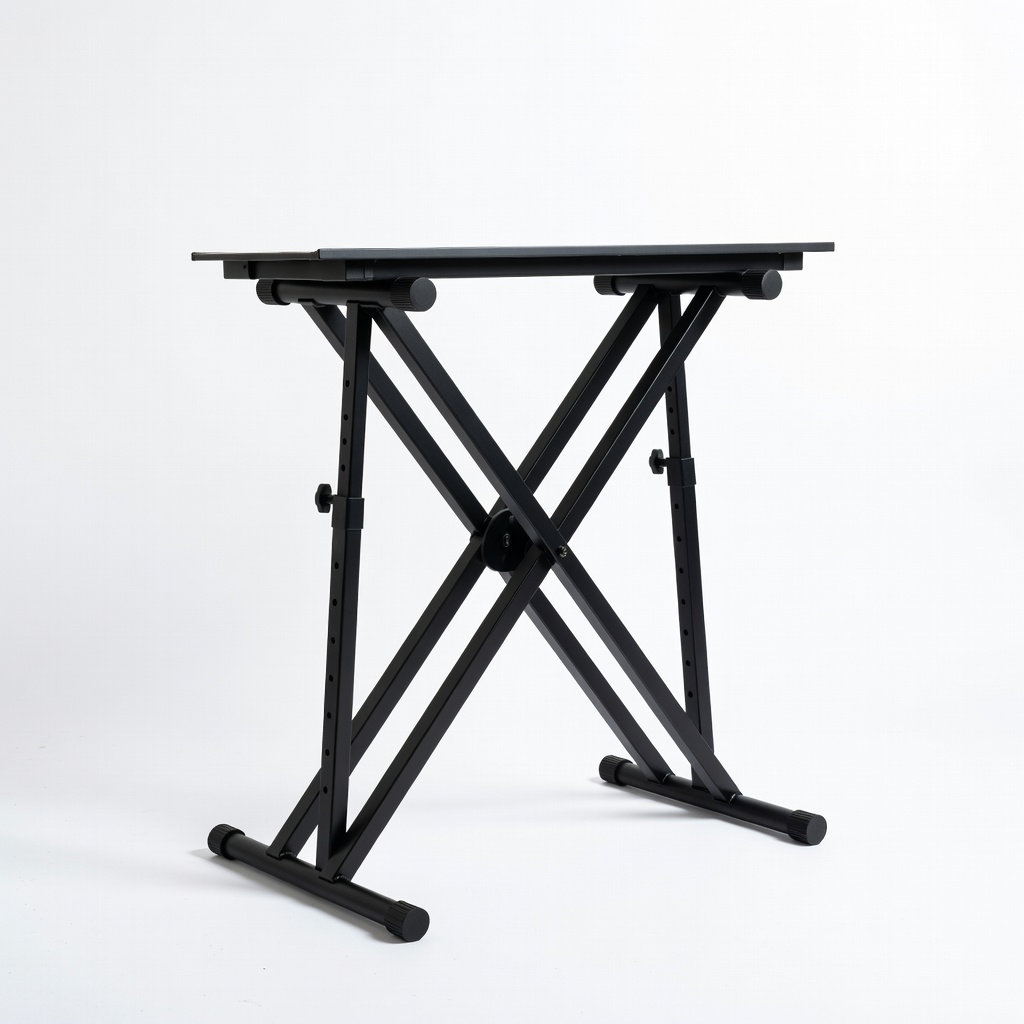
On-Stage KS7190 Adjustable Keyboard X-Stand

⚠️ Essential

$49.95

When to buy:
Day one

Prevents hunching over desk, reduces back strain during long sessions. Raises controller to perfect height for comfortable playing. Stable for beginners who bump things.

Beginner Benefits:

  • Ergonomic posture
  • Stable no-wobble
  • Portable folds flat
  • Affordable quality

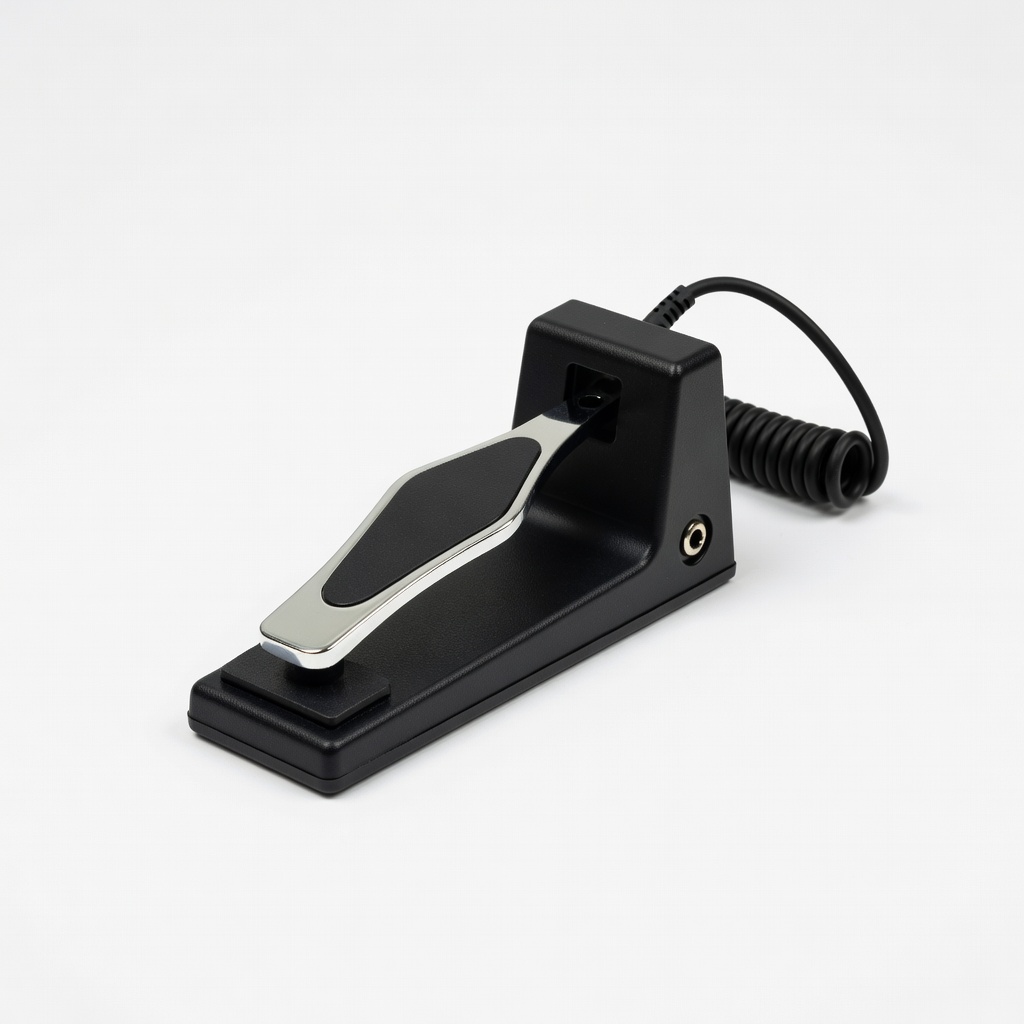
On-Stage KSP100 Universal Sustain Pedal

⚠️ Essential

$19.95

When to buy:
Day one

Lets you hold notes like a real piano, essential for chords/melodies. Most controllers have input—unlock fuller sound instantly. Durable for heavy stomping.

Beginner Benefits:

  • Piano-like sustain
  • Plug-and-play
  • Builds better technique
  • Cheap upgrade

Audio-Technica ATH-M20x Professional Studio Monitor Headphones

👍 Recommended

$49.00

When to buy:
First week

Closed-back design blocks noise for focused mixing at home. Accurate sound helps learn good production habits early. Comfortable for hours without ear fatigue.

Beginner Benefits:

  • Clear monitoring
  • Noise isolation
  • Pro sound on budget
  • Durable
Amazon Basics USB 2.0 A-Male to B-Male Cable - 6 Feet - Image 1 of 7

Amazon Basics USB 2.0 A-Male to B-Male Cable - 6 Feet

⚠️ Essential

$7.49

When to buy:
Day one

Extra length for flexible desk setup without straining ports. Reliable connection prevents dropouts mid-session. Backup if original cable fails.

Beginner Benefits:

  • No connection hassles
  • Long reach
  • Cheap reliability
  • Universal fit
Gator Frameworks Keyboard Dust Cover for 49-Keys - Image 1 of 2

Gator Frameworks Keyboard Dust Cover for 49-Keys

💡 Nice to Have

$24.99

When to buy:
First month

Protects keys from dust/food during storage, keeps like-new. Water-resistant for spills. Easy on/off preserves resale value.

Beginner Benefits:

  • Dust-free keys
  • Spill protection
  • Quick storage
  • Maintains condition

🤔 How to Choose Your First MIDI Controller

Ask: What's your setup (laptop? DAW?)? Budget? Goals (melodies, beats)? Start here: If casual, budget tier; serious learning, sweet spot.

Budget ranges: Under $150 for basics; $150-250 sweet spot (features + quality); $250+ premium (future-proof). Test scenarios: Melody maker? Prioritize keys/velocity. Beat maker? Pads/knobs. Plan growth: Pick one expandable via software.

Red flags: No velocity (dead feel), heavy drivers needed, no bundle. Go budget to dip toes; recommended for staying power; premium if budget allows better feel.

💰 Budget Guide for Beginners

400+

Pro entry: Advanced features for committed hobbyists, but overkill for pure newbies.

150 - $250

Sweet spot: Best for most beginners—velocity keys, controls, bundles; room to grow 1-2 years.

250 - $400

Premium beginner: Superior build, deeper integration; serious starters won't outgrow quickly.

Under $ - $150

Entry level: Bare-bones keys for trying MIDI, lightweight, may lack pads/knobs—upgrade in 6 months.

⚠️ Common Beginner Mistakes to Avoid

Newbies grab the cheapest Amazon find, then complain keys feel 'cheap and unresponsive'—false economy, as poor feel discourages practice. Instead, spend sweet spot for velocity/motivation.

Many buy pad-heavy for 'beats' but neglect keys, struggling with melodies. Match your style: test YouTube demos.

Forgetting ergonomics—no stand/pedal leads to pain, quitting. Forum wisdom: 'Got sustain pedal week 2, transformed playing.' Avoid by bundling day one.

  • ×Buying too cheap (under $100 non-velocity keys feel lifeless)
  • ×Overbuying keys (88 overwhelming for desk/space)
  • ×Skipping stand/pedal (poor posture kills fun)
  • ×Ignoring DAW compatibility (rare now, but check USB class-compliant)
  • ×Chasing pads if melody-focused (get keys first)
  • ×Not getting headphones (laptop speakers mislead mixes)
  • ×Forgetting software bundle value (free DAWs save $100+)

📈 Your Progression Path: Beginner to Intermediate

Start with basic note playing, scales via arpeggiator. Week 1-4: Learn chords/melodies in bundled DAW. Month 2+: Build full tracks, tweak knobs for effects.

Outgrow when needing more pads/faders or better key action (6-12 months). Upgrade to 61-key or screen-equipped first. Intermediate: Custom mappings, hardware synths.

Most stay beginner 3-6 months; practice 30min/day accelerates to pro-sounding tracks fast.

📚 Learning Resources for Beginners

  • 📖Music Theory for Electronic Music Production by J. Anthony Allen (ASIN: B08L5M7N3P) - Simple theory for producers.
  • 📖The MIDI Companion by Jeffrey Owen (ASIN: B000Q34X0W) - Beginner MIDI basics explained plainly.
  • 📖Ableton Live 11: The Complete Guide for Beginners (ASIN: B09F3G4H5I) - Step-by-step DAW book.
  • 📖MPC Bible: The Complete Guide to Music Production (ASIN: B08J2K3L4M) - For bundled AKAI software.
  • 📖Keyboard Chord Chart Poster (ASIN: B07N5O6P7Q) - Visual aid for learning chords.
  • 📖Online: Groove3.com MIDI courses (search Amazon for DVD versions)

🎯 Bottom Line: Our Recommendations

For most beginners, the Nektar Impact LX49 MK3 is the sweet-spot winner—easy, feature-packed, grows with you.

Budget: M-Audio Keystation 49 MK3. Premium: Arturia KeyLab Essential 49. Grab essential stand + pedal + headphones to start perfectly.

You're ready! Plug in, play a note, smile—music production is forgiving and fun. Next: Download bundle, make your first loop today.

❓ Frequently Asked Questions

The Nektar Impact LX49 MK3—easy DAW mapping, great keys, perfect balance of simple and capable for 49-key newbies.