Everything beginners need to pick their first Gateron switch mechanical keyboard with confidence – no jargon, just simple advice.
Picking your first mechanical keyboard can feel scary with all the switch types, layouts, and tech talk. Beginners often worry about wasting money on something too complicated or not 'good enough' for gaming or typing. But mechanical keyboards, especially those with smooth Gateron switches, are a game-changer for crisp typing and responsive gaming.
This guide cuts through the confusion. We'll explain why beginners love Gateron switches (smoother and quieter than many others), show key features to prioritize, and recommend real Amazon products that are forgiving and easy to use. By the end, you'll know exactly what to buy and why, building your confidence from day one.
📋 In This Guide
• Why Beginners Struggle with Mechanical Keyboard
• What to Look For (Key Features)
• Top 4 Beginner-Friendly Mechanical Keyboard
• Essential Accessories for Beginners
• Common Beginner Mistakes to Avoid
• Your Progression Path
• FAQ & Learning Resources
😰 Why Beginners Struggle with Mechanical Keyboard
Mechanical keyboards overwhelm beginners with jargon like 'linear vs tactile switches,' 'hot-swappable,' 'stabilizers,' and 'RGB zones.' You see hundreds of options on Amazon, from $30 cheapies to $300 beasts, and fear picking the wrong one that clicks too loud or feels mushy.
Many newbies come from rubber-dome keyboards and think all mechs are loud clack-fests. Forums like Reddit's r/MechanicalKeyboards are full of posts like 'Is this good for my first?' or 'I bought cheap and hate it.' The fear of buyer's remorse is real – spending $50-100 but ending up frustrated because it doesn't feel premium or easy to set up.
Plus, gaming vs typing needs blur, and custom building seems pro-only. Beginners often skip research, grab based on reviews, and regret missing beginner-friendly traits like plug-and-play setup.
🔍 What to Look For: Key Beginner-Friendly Features
Focus on keyboards with Gateron switches – they're smooth, affordable, and forgiving for beginners, with less wobble than cheaper brands. Look for hot-swappable boards so you can change switches later without tools or soldering.
Must-haves: Compact layout (60-75% for desk space), wireless option for flexibility, PBT keycaps (durable, no shine), and pre-lubed stabilizers (no rattle). Nice-to-haves: RGB lighting and software for easy customization. Skip: Full-size with numpad (too bulky), barebones kits (require assembly), or exotic switches (steep learning).
Beginner-friendly means plug-and-play (no software needed at first), good battery life if wireless, and solid build that tolerates spills or heavy typing. Gateron excels here – their switches feel premium without the price.
✅ Essential Features for Beginners
•Gateron switches: Smooth and quiet action that's easy on fingers for long typing sessions.
•Hot-swappable: Swap switches anytime without soldering – perfect for experimenting as you learn.
•Compact 60-75% layout: Saves desk space, standard keys for gaming/typing without overwhelm.
•PBT keycaps: Tough material that doesn't wear out, feels great from day one.
•Wireless connectivity: Bluetooth/2.4G for multi-device use, no cable mess.
•Pre-lubed stabilizers: No annoying rattle on spacebar – sounds pro right away.
•RGB backlighting: Customizable lights to make it fun, with easy controls.
🏆 Top 4 Best Mechanical Keyboard for Beginners
#1
💰 Budget
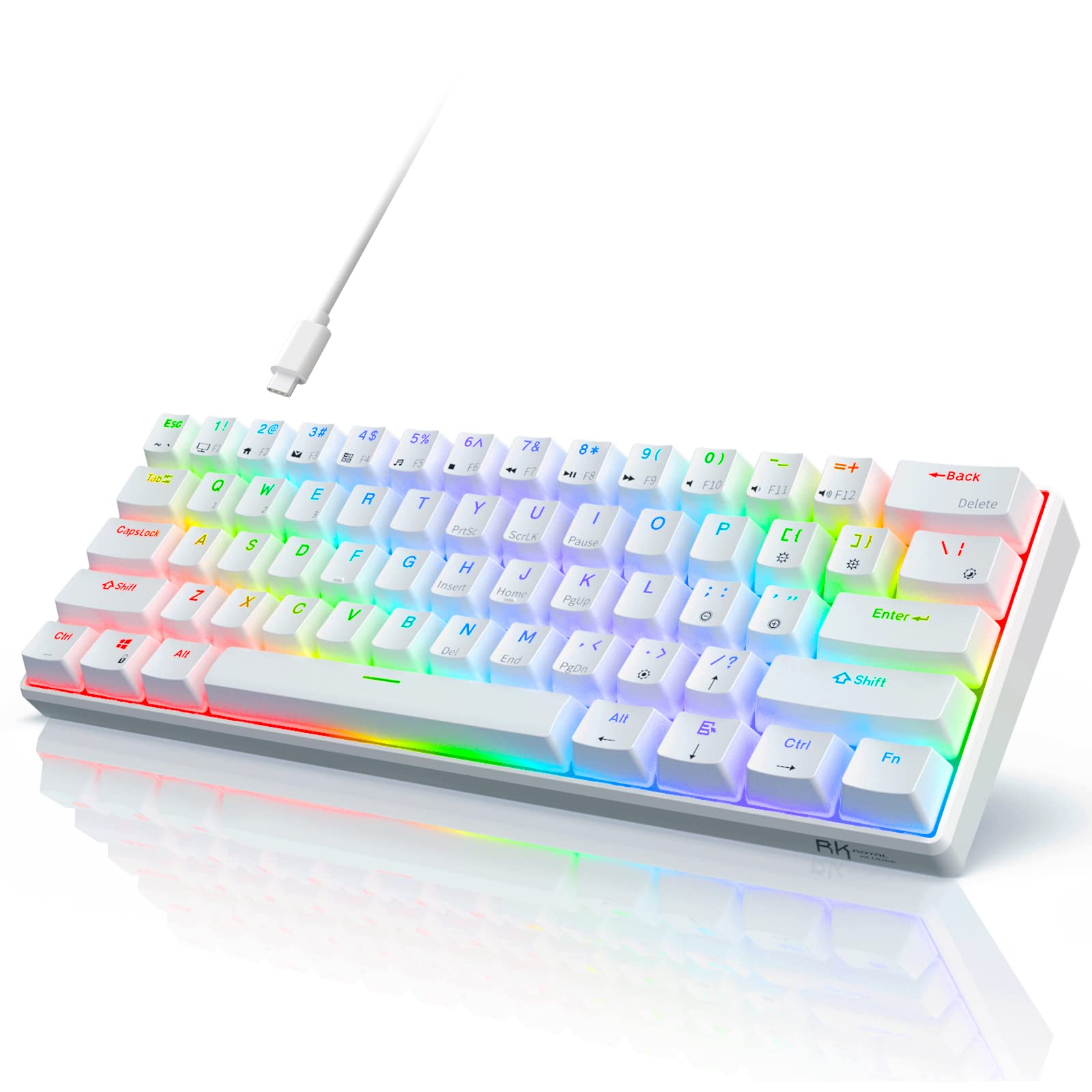
RK Royal Kludge RK61 60% Mechanical Gaming Keyboard Gateron Red Switch
Learning Curve: Easy
$49.99
Difficulty: 1/5
Why Great for Beginners:
Perfect entry with smooth Gateron Red linear switches that feel responsive without overwhelming noise. Hot-swappable for future tweaks, compact size fits any desk. Plug-and-play setup gets you typing/gaming instantly.
✓ Beginner Pros
+Super affordable to test waters
+Smooth Gateron action forgives heavy hands
+RGB fun without complexity
+Compact and portable
✗ Beginner Cons
-Wired only
-Plastic build flexes a bit
-No dedicated arrow keys
👍 Best for: Budget gamers or typists trying mechanical first time
👎 Not for: Wireless seekers or heavy premium feel fans
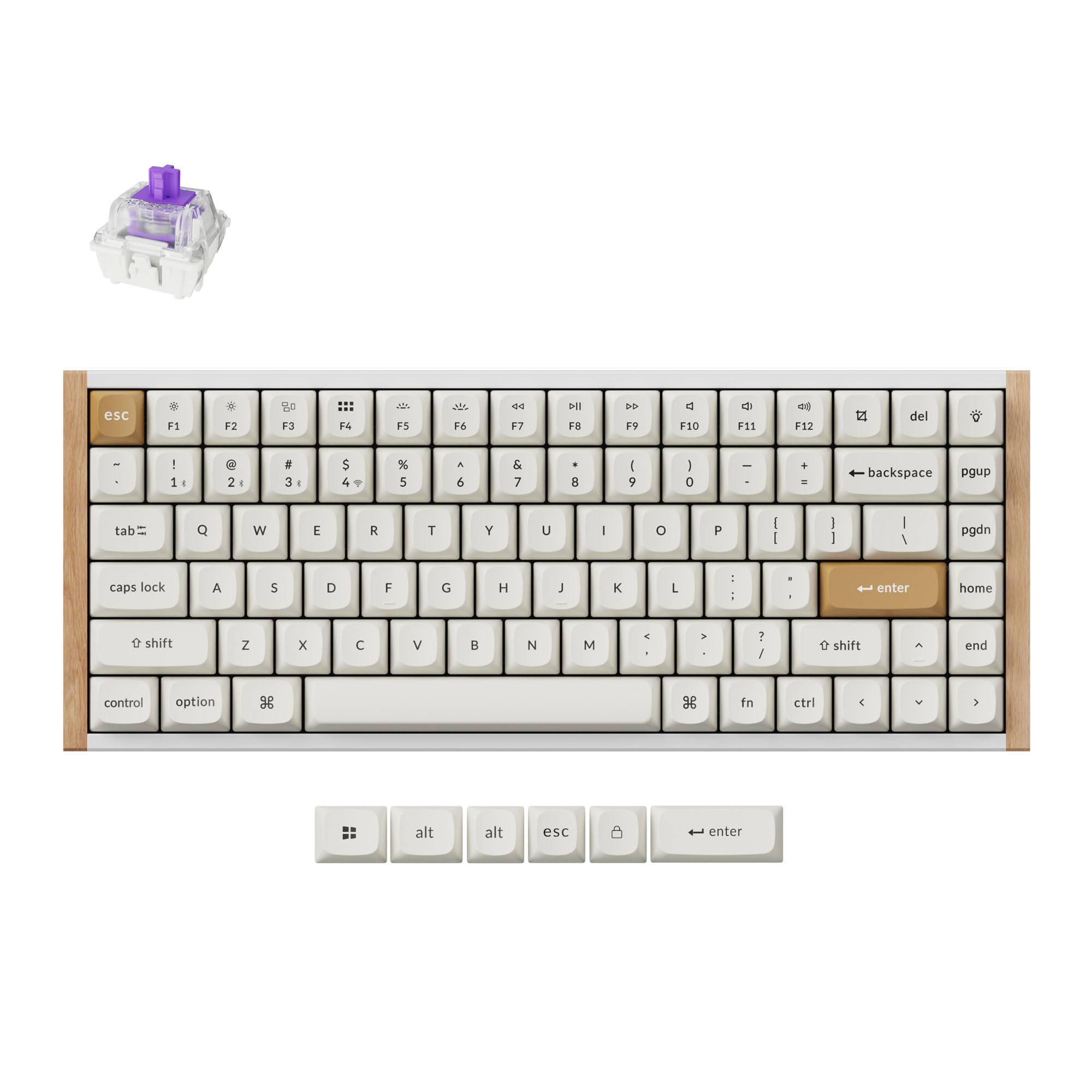
Keychron V1 75% Wired Mechanical Keyboard Gateron Jupiter Red Switch
Learning Curve: Easy
$99.00
Difficulty: 2/5
Why Great for Beginners:
Sweet spot for most: Smooth Gateron Reds for gaming/typing, wireless-ready potential, 75% layout perfect balance. VIA software simple for lights/macros.
📖 Complete Beginner's Guide to Mechanical Keyboard
Mechanical keyboards use individual mechanical switches under each key for better feel than membrane ones. Gateron switches are linear (smooth glide, great for gaming) or tactile (bump for typing confirmation), known for buttery smoothness at budget prices.
Types for beginners: 60% (ultra-compact, arrow keys via Fn), 75% (adds arrows), TKL (no numpad). Start with 75% or TKL – versatile for typing/gaming without tiny keys. Gateron Browns or Reds are ideal: forgiving stroke, no learning curve.
Expect crisp feedback, faster typing (60-80 WPM possible quickly), and satisfying 'thock' sound. 'Beginner-friendly' means no assembly, VIA/QMK software optional, and multi-OS support (Windows/Mac). Marketing like 'optical' or 'hall-effect' is advanced – ignore for now.
Evaluate by reading Amazon reviews for 'beginner' or 'first mech.' Test in-store if possible, but Amazon's return policy covers mistakes.
🔧 Essential Accessories for Beginners
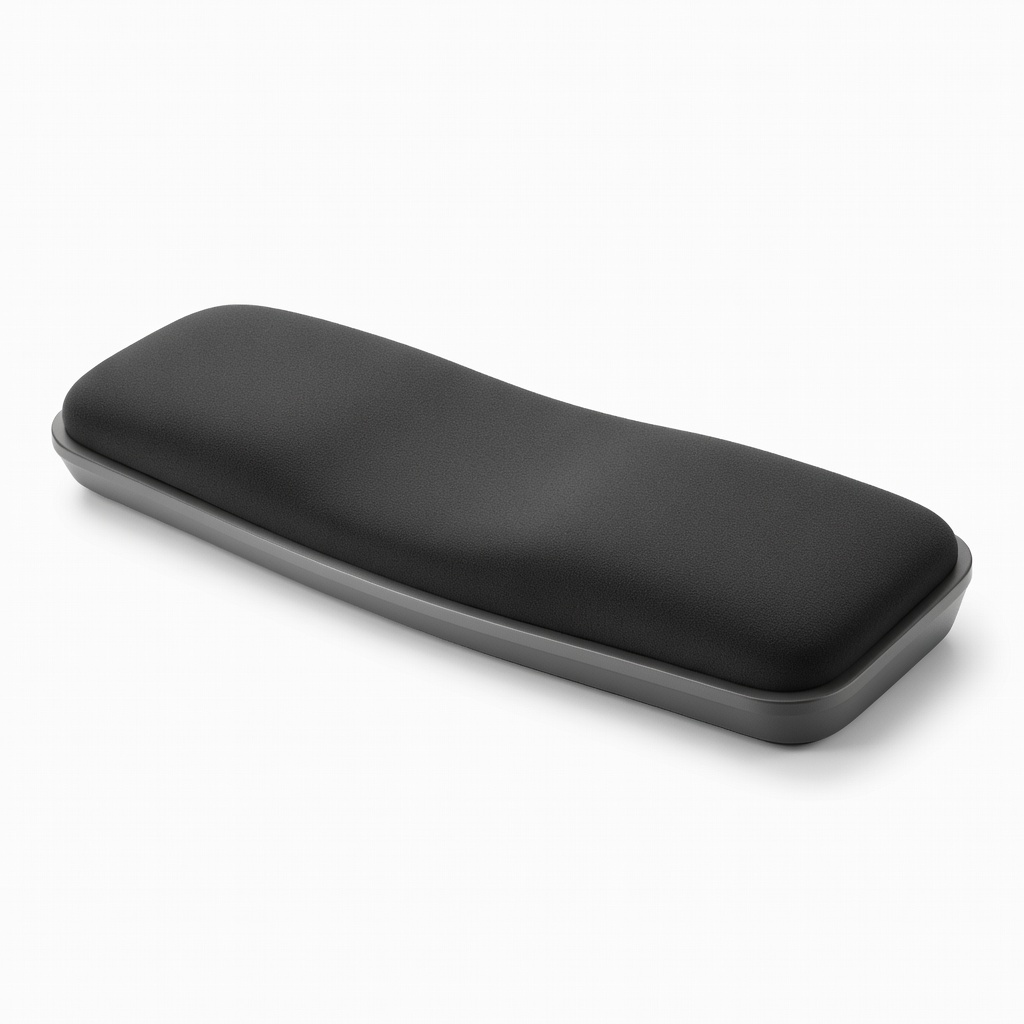
HyperX Wrist Rest for Keyboard
⚠️ Essential
$19.99
When to buy:
Day one
Prevents wrist strain during long sessions – beginners type awkwardly at first. Memory foam conforms, keeps hands neutral.
Ask: What's your budget? Typing or gaming focus? Desk space? Wireless need? Start under $70 for trial, $70-150 sweet spot for lasting value.
Budget: Go entry if testing waters. Recommended: Gateron hotswap wireless for growth. Premium: If typing/gaming daily, invest in aluminum build. Scenarios: Gamers pick linear Gateron Reds; typists tactile Browns. Plan growth: Hotswap lets you upgrade switches.
Red flags: No-name brands with no Gateron, sold-out stock, poor English manuals. Test via Amazon 'buy now,' return if wrong feel.
💰 Budget Guide for Beginners
250+
Enthusiast entry: Fully moddable, but overkill unless serious from start.
70 - $150
Sweet spot: Wireless hotswap Gateron, best value, room to customize without quick upgrade.
150 - $250
Premium beginner: Aluminum frame, gasket mount for premium sound/feel, lasts years.
Under $ - $70
Entry level: Basic wired Gateron, good to try mechanical feel, may lack wireless.
⚠️ Common Beginner Mistakes to Avoid
Beginners chase 'gaming RGB' hype, buying feature-packed but uncomfortable boards. Cheap $20 AliExpress imports fail fast, leading to frustration per Reddit tales.
Avoid by sticking to known brands like RK/Keychron with Gateron. Always buy accessories bundle. Instead of clicky, start linear/tactile. Experienced users say: 'Spend $60+ on hotswap, thank me later.'
×Buying the cheapest no-name without Gateron – mushy feel, breaks soon.
×Overlooking hot-swap – stuck with bad switches forever.
×Picking full-size layout – eats desk space, hard to reach mouse.
×Clicky switches first – too loud for office/shared space.
×No research on OS compatibility – Mac users get wrong legends.
×Not checking return policy – fear locks in bad buy.
📈 Your Progression Path: Beginner to Intermediate
Start with daily typing practice – 15 min/day to hit 60WPM. Learn Fn layers for compact boards. After 1-3 months, mod switches (buy Gateron samples).
Outgrow beginner when wanting custom sound/feel or 100% layout. Upgrade to gasket/prebuilt customs. Intermediate: Lube own stabs, program macros. Most stay beginner 3-6 months.