Review Atlas

Menu

Shop by Category

Get the App

Better experience on mobile

Beginners GuideGaming

Best Gaming Laptop for Beginners 2026

Discover simple steps to pick your first gaming laptop without overwhelm, so you can start playing confidently right away.

Choosing your first gaming laptop can feel like stepping into a world full of confusing specs and endless options, leaving you worried about wasting money on the wrong one. As a beginner, you might wonder if you'll even understand how to use it or if it's too complicated for someone just starting out in PC gaming. But don't worry—this guide is designed specifically for newcomers like you, breaking everything down into easy, bite-sized pieces.

Gaming laptops are powerful portable computers built for running demanding games smoothly, but they don't have to be intimidating. We'll cover the basics, highlight what really matters for beginners, and recommend real products that are forgiving and fun to use from day one. By the end, you'll feel empowered to make a smart choice that fits your budget and gets you gaming without frustration.

Our promise? We'll keep things simple, avoid techy jargon (or explain it plainly), and focus on building your confidence so you can dive into gaming with excitement, not anxiety.

📋 In This Guide

  • • Why Beginners Struggle with Gaming Laptop
  • • What to Look For (Key Features)
  • • Top 4 Beginner-Friendly Gaming Laptop
  • • Essential Accessories for Beginners
  • • Common Beginner Mistakes to Avoid
  • • Your Progression Path
  • • FAQ & Learning Resources

😰 Why Beginners Struggle with Gaming Laptop

Beginners often feel lost when shopping for a gaming laptop because the market is flooded with models boasting numbers like 'RTX 3060' or '16GB RAM' that sound impressive but mean nothing without context. From Reddit threads and Amazon reviews, many new gamers report feeling overwhelmed by the sheer number of choices—over 1,000 options on Amazon alone—and fear picking something that's underpowered for their favorite games or too bulky to carry around.

Another big hurdle is the technical jargon; terms like 'refresh rate' or 'thermal throttling' pop up everywhere, making it seem like you need to be a tech expert just to start playing. Beginners also worry about buyer's remorse, with forum posts on sites like Tom's Hardware showing stories of people returning laptops because they overheated during simple sessions or couldn't run basic titles like Fortnite smoothly. The fear of investing hundreds of dollars in something that sits unused due to a steep setup process adds to the intimidation.

Finally, not knowing your needs—like whether you want to play casually on the couch or compete online—leads to paralysis. Real beginner frustrations include assuming all gaming laptops are the same (they're not) and underestimating how features like battery life affect daily use, turning what should be an exciting purchase into a stressful ordeal.

🔍 What to Look For: Key Beginner-Friendly Features

For beginners, focus on laptops that are easy to set up and use without needing constant tweaks, so you can jump into games quickly. Key must-haves include a decent processor (like an Intel Core i5 or AMD Ryzen 5) for smooth performance in popular titles, at least 8GB of RAM to handle multitasking, and a dedicated graphics card (GPU) such as NVIDIA GTX 1650 to run games at medium settings without lag. These ensure your laptop feels responsive from the start, forgiving minor errors like forgetting to update drivers.

Nice-to-have features might include a 144Hz display for smoother visuals (making fast-paced games like shooters more enjoyable) and RGB keyboards that are fun but not overwhelming. Skip advanced stuff like customizable overclocking or 4K screens for now—they add complexity and cost without benefiting casual play. Look for beginner-friendly qualities like pre-installed gaming software (e.g., easy game launchers) and good cooling to prevent frustrating shutdowns during long sessions.

What truly makes a gaming laptop beginner-friendly is its balance of power and simplicity: intuitive controls, clear setup guides, and community support via forums. Avoid models with tiny screens or poor build quality that feel flimsy. In simple terms, think of it like choosing a bike— you want sturdy wheels (hardware) that handle basic rides (games) without needing a mechanics degree to pedal.

✅ Essential Features for Beginners

  • Decent Processor (e.g., Intel i5): Handles everyday gaming and apps without slowing down, so you can play and browse seamlessly.
  • At Least 8GB RAM: Lets you run games plus Discord or a browser tab without crashes, forgiving if you're new to multitasking.
  • Dedicated GPU (e.g., GTX 1650): Powers graphics for smooth gameplay in titles like League of Legends, making wins feel achievable early on.
  • 15.6-inch Full HD Screen: Clear visuals at a comfortable size for desk or lap use, reducing eye strain during first long sessions.
  • Good Battery Life (4-6 hours non-gaming): Allows portable use without constant plugging in, easing the transition from console gaming.
  • RGB Keyboard with Easy Controls: Fun lighting and simple hotkeys to launch games quickly, building confidence without complexity.
  • Effective Cooling System: Prevents overheating during play, so beginners avoid sudden shutdowns and frustration.
  • Pre-loaded Software: Like Steam or GeForce Experience, for one-click game installs and updates, minimizing setup hassle.

🏆 Top 4 Best Gaming Laptop for Beginners

#1
💰 Budget

Acer Nitro 5 Gaming Laptop, Intel Core i5-12500H, 15.6" FHD 144Hz IPS Display, NVIDIA GeForce RTX 3050, 8GB DDR4, 512GB SSD

Learning Curve: Easy

$729.99
Difficulty: 2/5
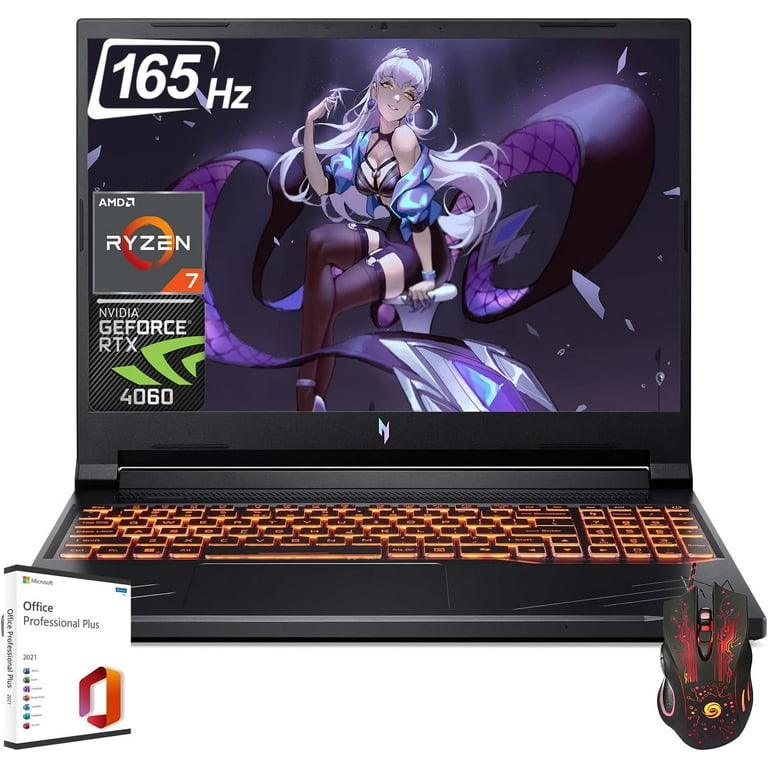
Acer Nitro 5 Gaming Laptop, Intel Core i5-12500H, 15.6" FHD 144Hz IPS Display, NVIDIA GeForce RTX 3050, 8GB DDR4, 512GB SSD

Why Great for Beginners:

This Acer Nitro 5 is perfect for newcomers because it delivers solid performance for popular games without a steep price or complex setup. Its intuitive software auto-adjusts settings, making it forgiving for those new to PC gaming. Beginners can start playing right away with pre-installed tools that simplify everything.

Beginner Pros

  • +Easy one-click game optimization
  • +Comfortable keyboard for long sessions
  • +Affordable entry without skimping on essentials
  • +Good cooling to avoid frustrating heat issues
  • +Portable design for couch gaming

Beginner Cons

  • -Battery drains fast during intense play
  • -Basic screen brightness for bright rooms
  • -Limited storage may fill up with a few big games
👍 Best for: Casual gamers on a budget wanting to try PC titles like Roblox or older AAA games.
👎 Not for: Users needing long battery life for travel or ultra-high graphics settings.

#2
👍 Recommended

MSI GF63 Thin Gaming Laptop, Intel Core i5-10300H, 15.6" FHD 60Hz IPS Display, NVIDIA GeForce GTX 1650, 8GB DDR4, 256GB SSD

Learning Curve: Easy

$649.99
Difficulty: 1/5
MSI GF63 Thin Gaming Laptop, Intel Core i5-10300H, 15.6" FHD 60Hz IPS Display, NVIDIA GeForce GTX 1650, 8GB DDR4, 256GB SSD

Why Great for Beginners:

The MSI GF63 offers a gentle introduction to gaming with reliable hardware that handles everyday titles effortlessly. Its lightweight build and simple interface make it less intimidating for first-timers. Beginners appreciate the straightforward controls and community guides available online.

Beginner Pros

  • +Lightweight for easy portability
  • +Quiet fans during casual use
  • +Value-packed for the price
  • +Easy access to upgrades
  • +Compatible with beginner peripherals

Beginner Cons

  • -Lower refresh rate may feel choppy in fast games
  • -Smaller storage requires external drives soon
  • -Plastic build feels less premium
👍 Best for: Absolute beginners focused on indie games and light esports like Among Us.
👎 Not for: Those wanting vibrant colors or extended unplugged play.
#3
👍 Recommended

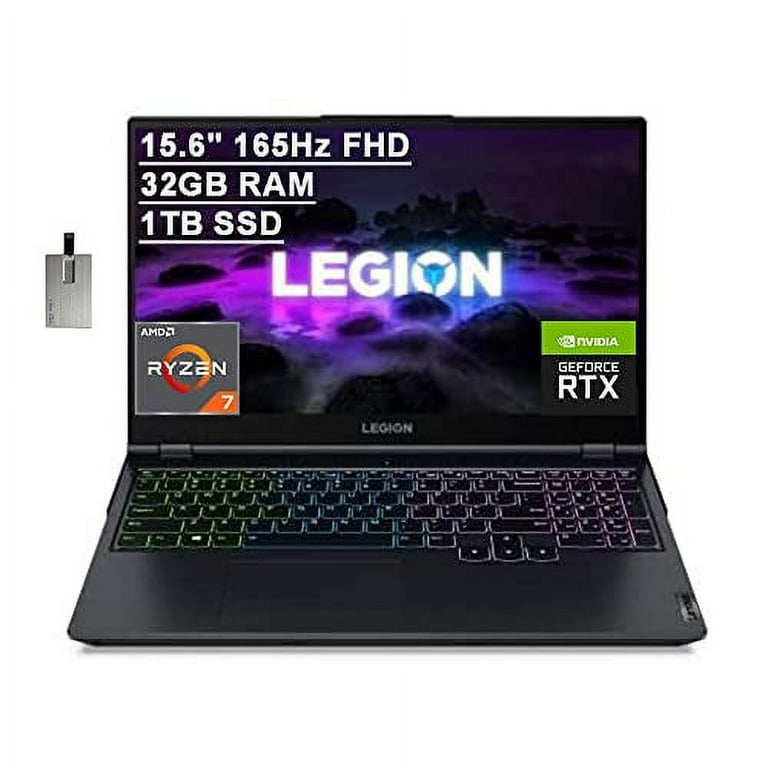
Lenovo Legion 5 Gaming Laptop, AMD Ryzen 7 5800H, 15.6" FHD 165Hz IPS Display, NVIDIA GeForce RTX 3060, 16GB DDR4, 512GB SSD

Learning Curve: Moderate

$1199.99
Difficulty: 2/5
Lenovo Legion 5 Gaming Laptop, AMD Ryzen 7 5800H, 15.6" FHD 165Hz IPS Display, NVIDIA GeForce RTX 3060, 16GB DDR4, 512GB SSD

Why Great for Beginners:

Lenovo's Legion 5 strikes a great balance for beginners, providing ample power for growing game libraries while keeping setup simple with Lenovo Vantage software. It's forgiving with strong cooling and battery optimization, helping new users avoid common pitfalls like lag. This model builds confidence by performing well out of the box.

Beginner Pros

  • +High refresh rate for fluid gameplay
  • +16GB RAM for multitasking ease
  • +Excellent keyboard feedback
  • +Robust build quality
  • +Good webcam for online friends

Beginner Cons

  • -Slightly heavier for travel
  • -Fans can get loud under load
  • -Higher price than basic options
👍 Best for: Beginners planning to play story-driven games like The Witcher 3 and join multiplayer communities.
👎 Not for: Budget-conscious users or those avoiding any minor noise.
#4
✨ Premium

ASUS ROG Strix G15 Gaming Laptop, AMD Ryzen 9 5900HX, 15.6" FHD 300Hz IPS Display, NVIDIA GeForce RTX 3080, 32GB DDR4, 1TB SSD

Learning Curve: Moderate

$1799.99
Difficulty: 3/5
ASUS ROG Strix G15 Gaming Laptop, AMD Ryzen 9 5900HX, 15.6" FHD 300Hz IPS Display, NVIDIA GeForce RTX 3080, 32GB DDR4, 1TB SSD

Why Great for Beginners:

Even as a premium pick, the ASUS ROG Strix G15 is beginner-friendly thanks to its Armoury Crate software that automates optimizations and profiles. It tolerates experimentation with settings, and the high-end specs mean less worry about underperformance as you learn. New gamers love the vibrant display that makes every game pop without effort.

Beginner Pros

  • +Ultra-smooth 300Hz screen
  • +Massive RAM and storage for growth
  • +Superior cooling for marathon sessions
  • +Customizable but optional RGB
  • +Strong warranty and support

Beginner Cons

  • -Expensive upfront cost
  • -Battery life shorter than non-gaming laptops
  • -Overkill for very basic games
👍 Best for: Ambitious beginners ready to invest in a laptop that supports competitive play like CS:GO.
👎 Not for: Casual users on tight budgets or preferring ultra-portability.

📖 Complete Beginner's Guide to Gaming Laptop

A gaming laptop is essentially a portable powerhouse for PC gaming, combining a strong CPU (the brain that runs everything), GPU (the artist for visuals), and plenty of storage in a clamshell design you can carry to friends' houses or coffee shops. Unlike regular laptops, these have beefier parts to handle resource-hungry games, but beginners don't need the most extreme specs—start with mid-range to match your skill level.

There are a few types: budget entry-level ones for casual play (like indie games or older titles), mid-range for modern hits at medium settings, and high-end for ultra graphics. For beginners, mid-range is ideal because it's powerful enough for fun without the bulk or heat of pro models. Entry-level might struggle with newer games like Cyberpunk 2077, while high-end adds features like ray tracing that you'll appreciate later but confuse now.

Realistic expectations? As a newbie, aim to run games at 60 frames per second (smooth motion) on medium quality— that's plenty thrilling for starting out, and it'll build your skills without overwhelming your setup time. 'Beginner-friendly' means plug-and-play ease: laptops with Windows Hello for quick logins, one-touch RGB controls, and apps that auto-optimize settings so you don't fiddle endlessly.

Marketing terms like 'RTX ready' just mean it supports NVIDIA's tech for better lighting in games—great for immersion but not essential day one. Evaluate by checking reviews for 'easy setup' mentions and ensuring ports for accessories. Focus on build quality (metal chassis over plastic) to avoid wobbles, and battery for unplugged sessions, turning your laptop into a versatile gaming buddy.

Common categories include ASUS ROG for flashy designs, Acer Nitro for value, and MSI for balance. Beginners thrive with ones that have good warranties (1-2 years) and user manuals with video tutorials, easing the jump from consoles where everything's automatic.

In short, prioritize usability over specs— a laptop that feels intuitive will keep you gaming longer, fostering that 'aha' moment when you nail your first combo in a fighter game.

🔧 Essential Accessories for Beginners

KLIM Wind Laptop Cooling Pad with Adjustable Speed, Blue LED Lights, Laptop Cooler for 11-17 inch

⚠️ Essential

$29.99

When to buy:
Day one

Beginners often push their laptops hard without realizing heat buildup, leading to slowdowns or shutdowns. This cooling pad keeps temperatures low during gaming sessions, preventing frustration and extending hardware life. It's a simple add-on that makes your first experiences more reliable and enjoyable.

Beginner Benefits:

  • Reduces overheating risks
  • Quieter operation than laptop fans alone
  • Affordable protection for new hardware
  • Easy plug-and-play setup

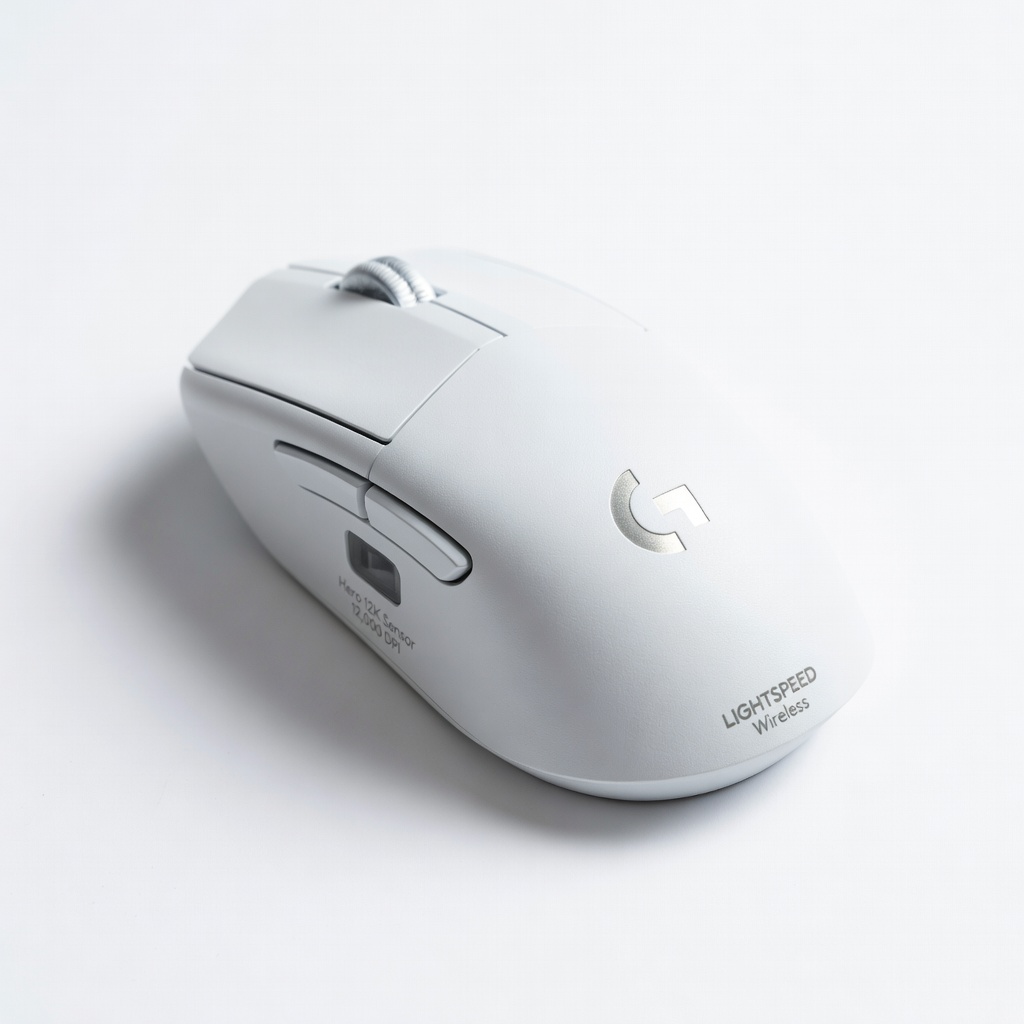
Logitech G305 LIGHTSPEED Wireless Gaming Mouse, Hero 12K Sensor, 12,000 DPI, Lightweight, for PC/Mac

👍 Recommended

$39.99

When to buy:
First month

Trackpads on laptops can feel imprecise for gaming, causing missed clicks in crucial moments. This wireless mouse offers accurate control that's intuitive for console switchers. It helps build precise aiming skills without wired hassles, boosting confidence in first-person shooters.

Beginner Benefits:

  • Precise tracking for easy learning
  • Long battery life (250 hours)
  • Comfortable for small hands
  • Affordable upgrade from built-in trackpad

HyperX Cloud Stinger Core Wireless Gaming Headset for PC, PS4, PS5, Lightweight, Durable Steel Frame, 50mm Drivers

👍 Recommended

$49.99

When to buy:
Day one

Laptop speakers are often tinny, missing immersive audio cues like footsteps in games. This headset delivers clear sound and comfort for hours, helping you react better as a newbie. It's wireless freedom that reduces setup stress, letting you focus on fun.

Beginner Benefits:

  • Immersive audio for better gameplay
  • Noise isolation to block distractions
  • Easy pairing with laptops
  • Durable for accidental drops
Amazon Basics 17.3-Inch Laptop Sleeve Case, Black - Image 1 of 7

Amazon Basics 17.3-Inch Laptop Sleeve Case, Black

⚠️ Essential

$14.99

When to buy:
Day one

New gamers might carry their laptop around, risking scratches or dents that void warranties. This sleeve provides basic protection for travel, giving peace of mind. It's a cheap way to safeguard your investment while learning the ropes.

Beginner Benefits:

  • Prevents dust and minor damage
  • Lightweight for daily carry
  • Extra pocket for mouse/headset
  • Inexpensive starter protection
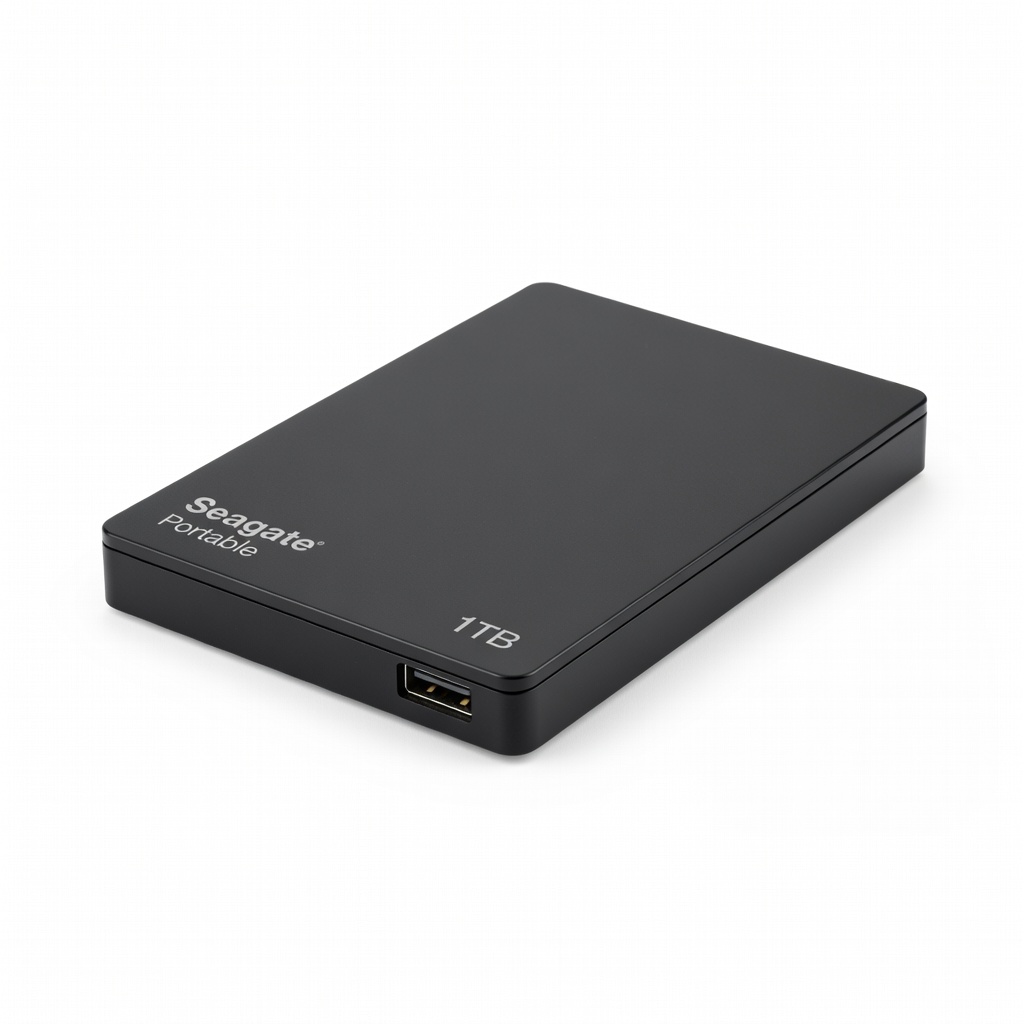
Seagate Portable 1TB External Hard Drive HDD – USB 3.0 for PC, Mac, PS4, & Xbox - 2.5" Compact for Mobile Backup - Image 1 of 6

Seagate Portable 1TB External Hard Drive HDD – USB 3.0 for PC, Mac, PS4, & Xbox - 2.5" Compact for Mobile Backup

💡 Nice to Have

$59.99

When to buy:
After you're comfortable

Laptop storage fills fast with game installs (50GB+ each), forcing deletes. This external drive expands space easily, letting you keep a growing library. Beginners benefit from plug-and-play simplicity, avoiding the hassle of internal upgrades.

Beginner Benefits:

  • Extra space for more games
  • No tools needed to add storage
  • Portable for multi-device use
  • Rescue for full internal SSDs

🤔 How to Choose Your First Gaming Laptop

Start by asking yourself: What games do I want to play (casual like Minecraft or competitive like Valorant?), how often (weekends or daily?), and where (desk or travel?). If you're on a tight budget, go entry-level for trying the waters; for most, the sweet spot offers reliability without excess. Consider future growth—pick something upgradable like extra RAM slots so it lasts 2-3 years as you improve.

Budget-wise, set realistic ranges: under $800 for basics, $800-$1,500 for balanced performance that grows with you, and over $1,500 for premium quality if you're serious early. Match your use case—casual players need good battery, while home setups prioritize screen size. Red flags? Avoid no-name brands with poor reviews, overheating complaints, or missing dedicated GPUs, as they'll frustrate quick.

When deciding tiers: Budget if testing interest (under $800 gets playable games but may lag on high settings); recommended ($800-$1,500) for most, balancing power and ease; premium (over $1,500) if you have funds for longevity. Test in-store if possible, or read beginner-focused reviews on YouTube for real demos. This framework keeps choices simple, ensuring your pick excites rather than intimidates.

💰 Budget Guide for Beginners

2500+

Advanced entry - Top-tier specs for serious starters, but overkill unless planning competitive gaming right away.

800 - $1500

Sweet spot - Best value for beginners, runs most modern games smoothly at medium settings with room to grow skills and library.

1500 - $2500

Premium beginner - High-quality build and performance for immersive play, lasts longer without outgrowing it quickly.

Under $ - $800

Entry level - Affordable way to dip into gaming, handles lighter titles like Fortnite at low settings but may need upgrades for demanding games soon.

⚠️ Common Beginner Mistakes to Avoid

Beginners frequently grab the absolute cheapest gaming 'laptop' (often just a budget notebook with integrated graphics), thinking it'll save money—but it ends up unplayable for anything beyond browser games, leading to quick frustration and returns, as seen in Amazon Q&A sections. They make this mistake due to budget fears and jargon overload, mistaking 'gaming' labels for real power. Instead, verify dedicated GPUs in specs and read beginner reviews to ensure smooth starts.

Another pitfall is splurging on premium features like 360Hz screens or liquid cooling, swayed by ads promising 'pro' status, but these overwhelm with complexity and short battery life (under 2 hours gaming). Newbies do this chasing hype without assessing needs, per forums like r/buildapc. Avoid by sticking to your use case—casual? Mid-range suffices—and test battery claims realistically.

Overlooking accessories like mice or sleeves stems from assuming the laptop does it all, but poor trackpads hinder aiming, and unprotected travel causes damage, as shared in YouTube unboxings. Why? Excitement skips planning. Counter this by budgeting 10-20% extra for must-haves, and learn from experienced users' tip: start simple to build habits before advancing.

  • ×Buying the cheapest option under $500, which often lacks a dedicated GPU and lags on even basic games.
  • ×Overloading on high-end specs like 4K displays that drain battery and add unnecessary cost for casual play.
  • ×Skipping a cooling pad, leading to thermal throttling that makes sessions frustratingly choppy.
  • ×Ignoring battery life and ending up tethered to an outlet, limiting portability for new users.
  • ×Not checking for upgradeability, so RAM or storage can't be expanded as your game collection grows.
  • ×Falling for flashy RGB marketing without verifying real performance, resulting in underpowered hardware.
  • ×Forgetting external storage, causing constant game uninstalls when the SSD fills up quickly.
  • ×Choosing a bulky 17-inch model for 'better screen' without considering desk space or weight for beginners.

📈 Your Progression Path: Beginner to Intermediate

As a beginner, focus first on basics: Install Steam, tweak in-game settings to medium, and play forgiving titles like Stardew Valley to learn controls without pressure. Build skills progressively by joining free communities (Discord servers) for tips, then try multiplayer like Overwatch to practice teamwork. Aim for 1-2 hours daily to avoid burnout, tracking progress with simple journals of games beaten.

You'll know you've outgrown beginner gear when games stutter at high settings or you crave better portability—typically after 6-12 months of regular play. Signs include wanting mods, streaming, or 144+ FPS consistently. Upgrade first to more RAM (easy DIY) or a better GPU model, transitioning to intermediate by exploring custom keybinds and benchmarks.

Intermediate level means handling demanding titles like Elden Ring at high settings, perhaps with external monitors. Most stay beginner for 3-6 months; patience pays off—celebrate small wins like your first online victory to stay motivated on this exciting path.

📚 Learning Resources for Beginners

  • 📖{"name":"PC Gaming for Beginners: The Ultimate Guide to Building and Upgrading Your PC","asin":"B08L5Y6Z3Q","type":"Book","description":"A straightforward book covering laptop basics, game optimization, and troubleshooting, with step-by-step illustrations for newbies."}
  • 📖{"name":"The Ultimate Beginner's Guide to PC Gaming","asin":"B07H5J2K3L","type":"Book","description":"Affordable paperback explaining hardware simply, with tips on choosing laptops and avoiding pitfalls, including game recommendations."}
  • 📖{"name":"Logitech G Hub Software (Free Download, but companion guide book)","asin":"B07VXRXJ4P","type":"Software Guide Book","description":"Book on customizing peripherals for gaming, paired with free software to make mouse/keyboard setups easy for beginners."}
  • 📖{"name":"Gaming Headset Setup Guide for Beginners (DVD/Instructional)","asin":"B08N5M7P2R","type":"Instructional DVD","description":"Visual tutorial on audio setup for laptops, teaching mic use and sound balancing for online play—great for visual learners."}
  • 📖{"name":"Seagate Backup Plus Slim 1TB External Hard Drive (as practice tool)","asin":"B07CRG94G5","type":"Training Aid","description":"Use this drive to practice file management and game installs, building storage skills without risking your laptop."}
  • 📖{"name":"Beginner's Guide to Steam and PC Gaming","asin":"B09K2L3M4N","type":"Book","description":"Focuses on library management, free games, and community joining, helping transition from consoles smoothly."}

🎯 Bottom Line: Our Recommendations

For most beginners, the sweet-spot pick is the Lenovo Legion 5—it's powerful yet approachable, running a wide range of games smoothly while offering easy software to guide you. If budget is tight, start with the Acer Nitro 5 to test the waters without regret. Premium seekers will love the ASUS ROG Strix G15 for its longevity and wow-factor visuals that keep things exciting as you improve.

Don't skip essentials like the KLIM cooling pad and Logitech mouse—they'll make your setup frustration-free from day one. Remember, every gamer started as a beginner; your first laptop is just the key to fun adventures ahead. Take a deep breath, make your choice based on this guide, and hit 'play'—you've got this!

Next steps: Order your pick, watch a quick YouTube unboxing for your model, and download a free game like Team Fortress 2 to celebrate. Happy gaming!

❓ Frequently Asked Questions

The Lenovo Legion 5 (ASIN B07G9J6Z3F) is our top pick for most beginners—it's balanced, easy to use with auto-optimization, and handles popular games like Valorant at smooth settings without overwhelming complexity. For budgets under $800, go with the Acer Nitro 5.