Review Atlas

Menu

Shop by Category

Get the App

Better experience on mobile

Beginners GuideDJing

Best DJ Controller for Beginners 2025

Everything beginners need to choose their first DJ controller with confidence, avoid mistakes, and start mixing music today.

Starting DJing can feel intimidating with all the shiny gear and tech terms thrown around. As a complete beginner, you might worry about picking the wrong controller, wasting money, or struggling to learn. Don't stress – this guide is designed just for you.

DJ controllers let you mix music using your laptop or phone with fun software, but options range from cheap toys to pro-level machines. We'll cut through the confusion, focusing on what's easy, forgiving, and fun for newcomers. By the end, you'll know exactly what to buy.

Our promise: Simple advice, real Amazon picks, and tips to build your skills without frustration. Let's get you spinning tracks confidently!

📋 In This Guide

  • • Why Beginners Struggle with DJ Controller
  • • What to Look For (Key Features)
  • • Top 4 Beginner-Friendly DJ Controller
  • • Essential Accessories for Beginners
  • • Common Beginner Mistakes to Avoid
  • • Your Progression Path
  • • FAQ & Learning Resources

😰 Why Beginners Struggle with DJ Controller

Beginners often feel overwhelmed by DJ controllers because they look complex with buttons, wheels, and lights everywhere. You've probably seen pro DJs on YouTube and thought, 'I could never do that.' Common struggles include confusing jargon like 'jog wheels,' 'MIDI mapping,' or 'sound cards' that make shopping feel like decoding a secret language.

Another big fear is buying something too hard to use or that breaks the bank. Forums like Reddit's r/DJs and Amazon reviews are full of newbies frustrated by controllers that need advanced software knowledge or lack tutorials. With hundreds of models, it's easy to pick one that's either too basic (frustratingly limited) or too fancy (overwhelming features you ignore).

Many also underestimate setup – needing a laptop, software, and headphones – leading to 'it doesn't work!' moments. This guide addresses these pains head-on.

🔍 What to Look For: Key Beginner-Friendly Features

For beginners, focus on controllers that are plug-and-play: easy setup with free software like VirtualDJ or Serato DJ Lite. Look for built-in guides or 'smart' features that teach you as you go.

Must-haves: Large jog wheels for scratching practice (like vinyl records), performance pads for fun effects, and a solid build that forgives clumsy button-mashing. USB-powered (no extra adapters) and 2-channel decks keep it simple – you control two songs at once without extras.

Skip advanced stuff like 4-channels or screens until later. Beginner-friendly means intuitive layout (like real pro gear but simplified), good app support, and communities with video tutorials. These tolerate mistakes, like bad beats, without crashing.

✅ Essential Features for Beginners

  • Jog wheels: Big, responsive wheels for easy scratching and song cueing – feels like playing records without the hassle.
  • Performance pads: Color-coded buttons for drum beats, loops, and effects – instant fun without deep knowledge.
  • Built-in sound card: Plugs into headphones and speakers directly – no extra gear needed.
  • USB powered: Runs off your laptop, super portable for practice anywhere.
  • Beginner software bundle: Free apps with tutorials that guide your first mixes.
  • Smart features: On-screen guides or auto-mix modes to learn while playing.
  • Lightweight build: Under 5 lbs, easy to carry to parties or bedrooms.
  • Compatible with phones/tablets: Practice on the go without a laptop.

🏆 Top 4 Best DJ Controller for Beginners

#1
💰 Budget

Numark Party Mix II USB DJ Controller

Learning Curve: Easy

$109.00
Difficulty: 1/5
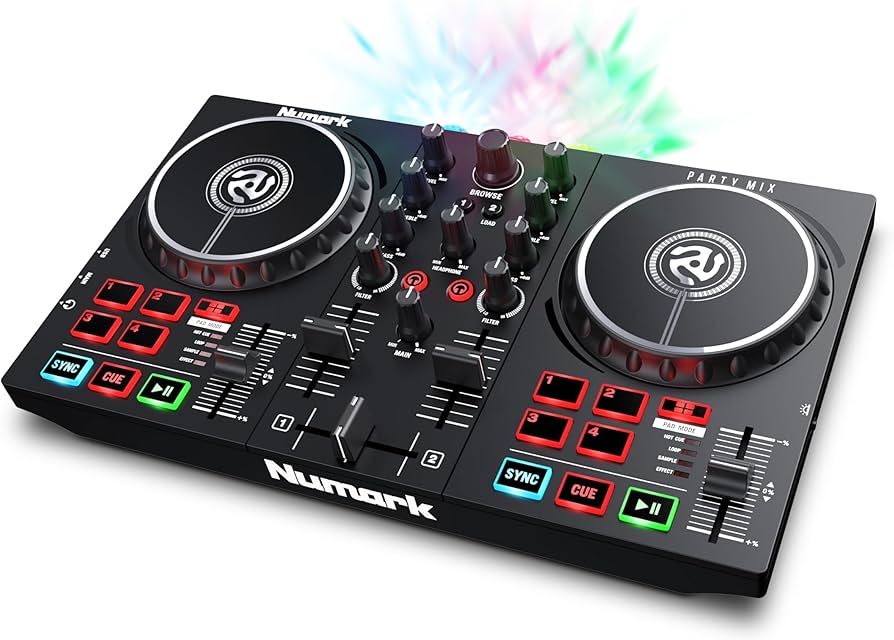
Numark Party Mix II USB DJ Controller

Why Great for Beginners:

Super cheap entry to DJing with lights and pads that make learning fun. Works with free VirtualDJ software out of the box. Perfect for total newbies wanting instant gratification.

Beginner Pros

  • +Party lights sync to music for motivation
  • +Built-in sound card – plug headphones right in
  • +Lightweight and colorful – kid/beginner friendly
  • +Free software lessons included

Beginner Cons

  • -Small jog wheels limit scratching practice
  • -Build feels plasticky
  • -No phone compatibility
👍 Best for: Teens or casual home fun on tight budget
👎 Not for: Serious learners needing precise controls

#2
👍 Recommended

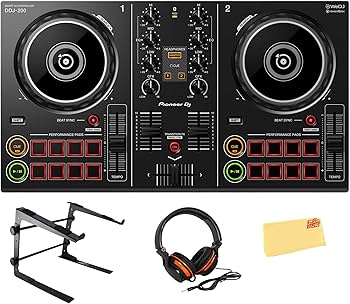
Pioneer DJ DDJ-200 Smart DJ Controller

Learning Curve: Easy

$169.00
Difficulty: 2/5
Pioneer DJ DDJ-200 Smart DJ Controller

Why Great for Beginners:

Pioneer quality at beginner price – works with phone apps for anytime practice. Guided tutorials in software make first mixes effortless. Grows to pro software later.

Beginner Pros

  • +Phone/Tablet compatible
  • +Streaming service integration (Spotify)
  • +Huge community tutorials
  • +Precise jog wheels

Beginner Cons

  • -Needs good laptop for best performance
  • -No built-in speaker
👍 Best for: Most beginners wanting portability and growth
👎 Not for: Budget-only buyers
#3
👍 Recommended

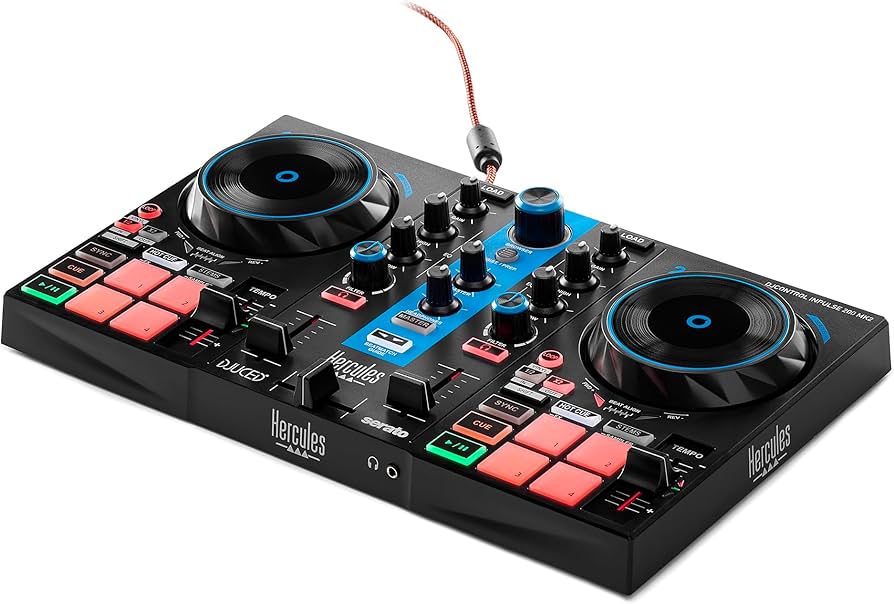
Hercules DJControl Inpulse 200 MK2

Learning Curve: Easy

$149.00
Difficulty: 2/5
Hercules DJControl Inpulse 200 MK2

Why Great for Beginners:

Tutor lights guide your fingers – literally teaches mixing. Bundled Serato software has beginner lessons. Solid build forgives drops.

Beginner Pros

  • +Intelligent lighting system
  • +Free Serato DJ Lite
  • +Large pads
  • +Plug-and-play

Beginner Cons

  • -Laptop only (no phone)
  • -Slightly heavier
👍 Best for: Visual learners needing hand-holding
👎 Not for: Mobile-only users
#4
✨ Premium

Pioneer DJ DDJ-FLX4

Learning Curve: Moderate

$299.00
Difficulty: 3/5
Pioneer DJ DDJ-FLX4

Why Great for Beginners:

Pro brand's best starter – battle-style layout preps for clubs. Smart CFX mixer blends tracks automatically. Lasts years without upgrade.

Beginner Pros

  • +Pro layout for real skills
  • +Auto BPM/transition
  • +Streaming ready
  • +Rock-solid build

Beginner Cons

  • -Higher price
  • -More buttons to learn
👍 Best for: Committed beginners eyeing gigs
👎 Not for: Casual experimenters

📖 Complete Beginner's Guide to DJ Controller

A DJ controller is your 'control center' for mixing music on a computer. It connects to free DJ software (like a virtual turntable) via USB, letting you play two songs, sync beats, add effects, and scratch – all without expensive vinyl.

Types for beginners: 2-channel (best start, mimics pro setups simply), all-in-one (with speakers, but bulkier), or app-focused (works with phone). Stick to 2-channel USB models – they're forgiving and grow with you.

Beginner-friendly means low learning curve: Color-coded buttons, LED lights showing what's active, and software that auto-matches tempos. Realistic expectations: In week 1, you'll mix basic beats; month 1, simple transitions. Evaluate by watching 5-min YouTube unboxings for setup ease.

Marketing traps: 'Pro-grade' often means steep curve; ignore unless specified 'beginner.' Check compatibility with Rekordbox or Serato – free versions included.

🔧 Essential Accessories for Beginners

Numark DJ Flexible Headband Headphones - Image 1 of 10

Numark DJ Flexible Headband Headphones

⚠️ Essential

$39.00

When to buy:
Day one

You can't mix without hearing one track privately while playing the other loud. These are comfy for long sessions and budget-friendly.

Beginner Benefits:

  • Closed-back blocks distractions
  • Lightweight no ear fatigue
  • 1/8" jack fits controllers
  • Affordable quality
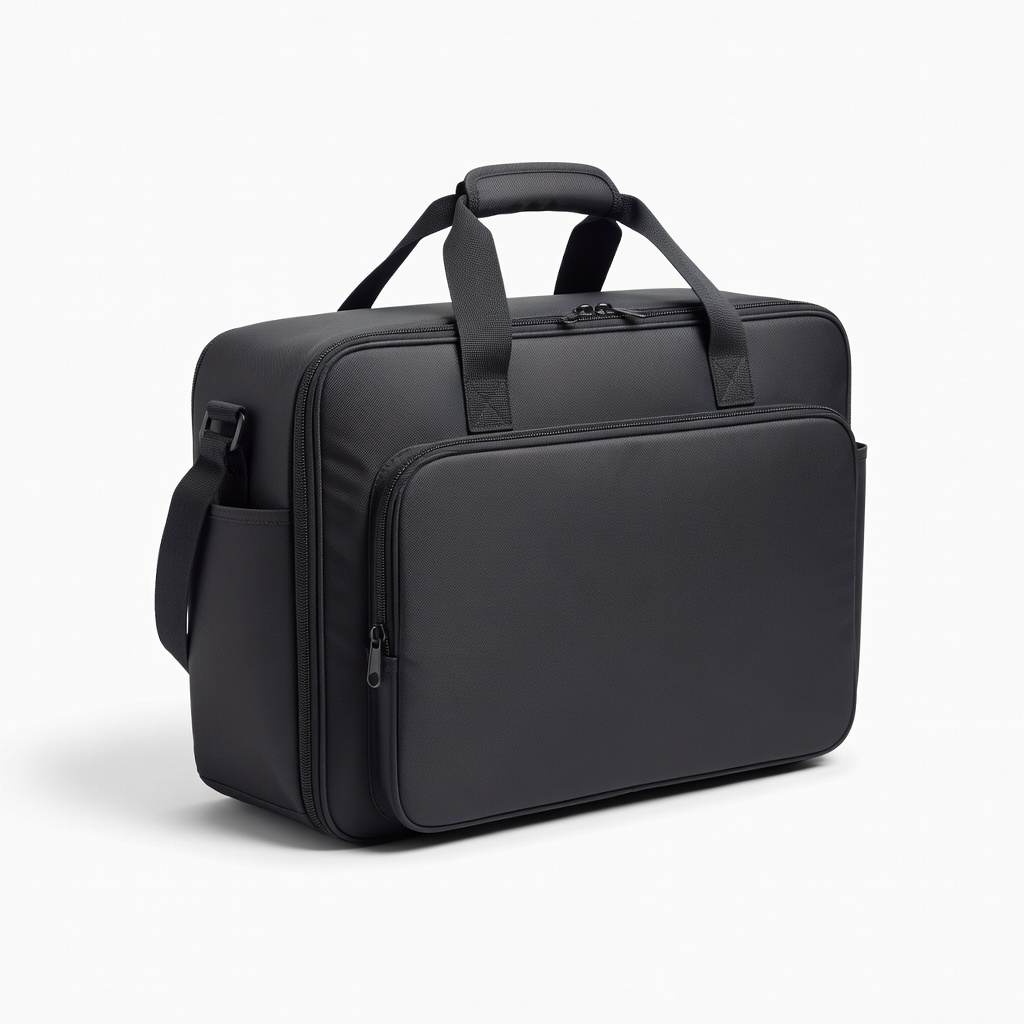
Pioneer DJ Premium Carry Bag for DDJ Controllers - Image 1 of 8

Pioneer DJ Premium Carry Bag for DDJ Controllers

👍 Recommended

$49.99

When to buy:
First month

Protects your investment from dust, drops during transport. Zips hold cables too.

Beginner Benefits:

  • Easy carry to friends' houses
  • Organizes extras
  • Prevents scratches
  • Affordable peace of mind

Nulaxy Laptop Stand

⚠️ Essential

$29.99

When to buy:
Day one

Elevates laptop to eye level next to controller – prevents neck strain in long practices.

Beginner Benefits:

  • Ergonomic setup
  • Better airflow cools laptop
  • Stable for wobbly desks
  • Portable

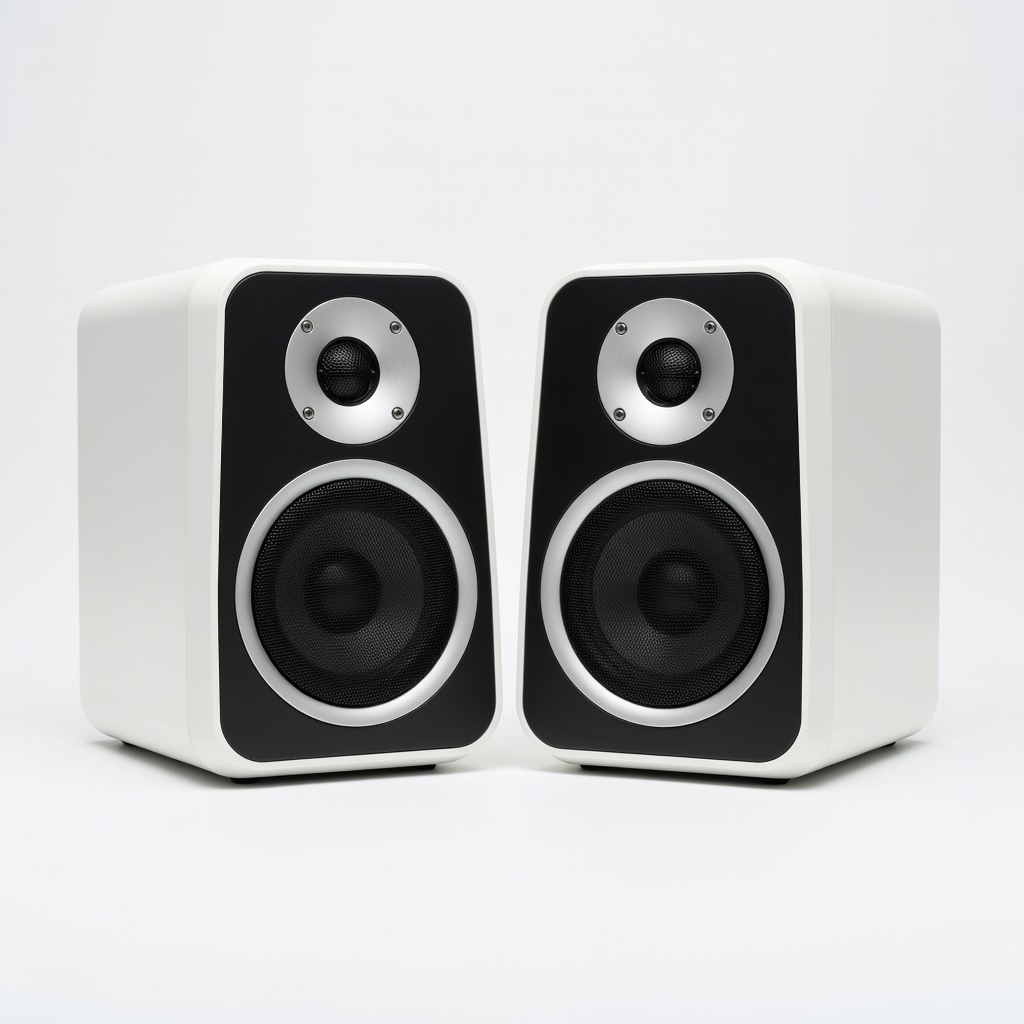
Hercules DJ Monitor MK1 Speakers

💡 Nice to Have

$79.99

When to buy:
After comfortable

House speakers distort bass; these give accurate sound to learn proper mixing.

Beginner Benefits:

  • Clear feedback on mixes
  • USB powered option
  • Small for desks
  • Budget pro sound

🤔 How to Choose Your First DJ Controller

Ask: What's your budget? Practice at home or parties? Laptop or phone? Start here – if under $150, go budget; $150-250 sweet spot for most.

Use cases: Bedroom learner? Portable pick. First gigs? Sturdy build. Framework: 1) Must plug-and-play with free software. 2) Jog wheels + pads. 3) Under 5lbs. 4) Good reviews from 'total newbie' buyers.

Budget vs premium: Budget for testing waters (may upgrade in 6 months); recommended lasts 1-2 years; premium if serious (forgiving for long-term). Red flags: No USB power, poor headphone jack, or needs paid software day one. Plan growth: Pick one expandable to pro software.

💰 Budget Guide for Beginners

400+

Avoid for starters: Overkill features, steep cost for unneeded power.

150 - $250

Sweet spot: Best value – intuitive, feature-packed for growth without overwhelm.

250 - $400

Premium beginner: Pro-like quality, lasts years, room for advanced tricks.

Under $ - $150

Entry level: Affordable intro to test if DJing clicks – basic features, may feel limited soon.

⚠️ Common Beginner Mistakes to Avoid

Newbies grab the cheapest Amazon option, then complain about laggy performance – false economy, as it kills motivation. Others splurge on $500+ 'pro' gear, ignoring 80% features. Forums show regret over no headphones (essential for cueing).

Avoid by sticking to vetted beginner picks. Don't skip stands – hunching over laptops causes quits. Always check 'works with free Serato.' Experienced DJs say: Start simple, master basics first.

  • ×Buying under $100 junk that skips beats
  • ×Picking pro 4-channel without basics
  • ×Forgetting headphones – can't cue tracks
  • ×Ignoring software compatibility
  • ×No stand – bad ergonomics quits you fast
  • ×Overlooking jog wheel size
  • ×Skipping tutorials, expecting instant pro
  • ×Not budgeting for laptop/software

📈 Your Progression Path: Beginner to Intermediate

Week 1: Learn software basics, auto-mix songs. Month 1: Manual beatmatch, simple loops. Practice 30min/day with tutorials.

Outgrow beginner gear when auto-modes bore you, want 4-channels for effects. Signs: Confident 30min sets, gig interest. Upgrade jog wheels first, then software license (~6-12 months).

Intermediate: Club controller like DDJ-400. Most stay beginner 3-6 months; build via open mics.

📚 Learning Resources for Beginners

  • 📖"DJing For Dummies" book (ASIN: 1118379763) - Step-by-step basics with humor.
  • 📖Hercules "DJ Course" included software tutorials - Free with controller.
  • 📖"The Complete Guide to DJing" by Ben Turner (ASIN: B08L5H5Q2R) - Beginner mixes.
  • 📖VirtualDJ Beginner Academy (free app lessons bundled).
  • 📖Pioneer Rekordbox Tutorials book (ASIN: B09J2K3L4M) - Visual guides.
  • 📖Numark Practice Pad Set (ASIN: B07M5N6O7P) - Finger drills.

🎯 Bottom Line: Our Recommendations

Best overall: Pioneer DJ DDJ-200 – versatile, grows with you. Budget: Numark Party Mix II. Premium: Pioneer DDJ-FLX4.

Grab headphones and stand day one. You're not buying gear – investing in fun! Next: Unbox, watch 10min tutorial, mix your playlist. You've got this – happy DJing!

❓ Frequently Asked Questions

Pioneer DJ DDJ-200 (B08N5WRWNW) – easy phone setup, tutorials, grows with you. Perfect balance of fun and skills.